
Key takeaways
Here are the key insights from our website breakdown analysis of PayPal.
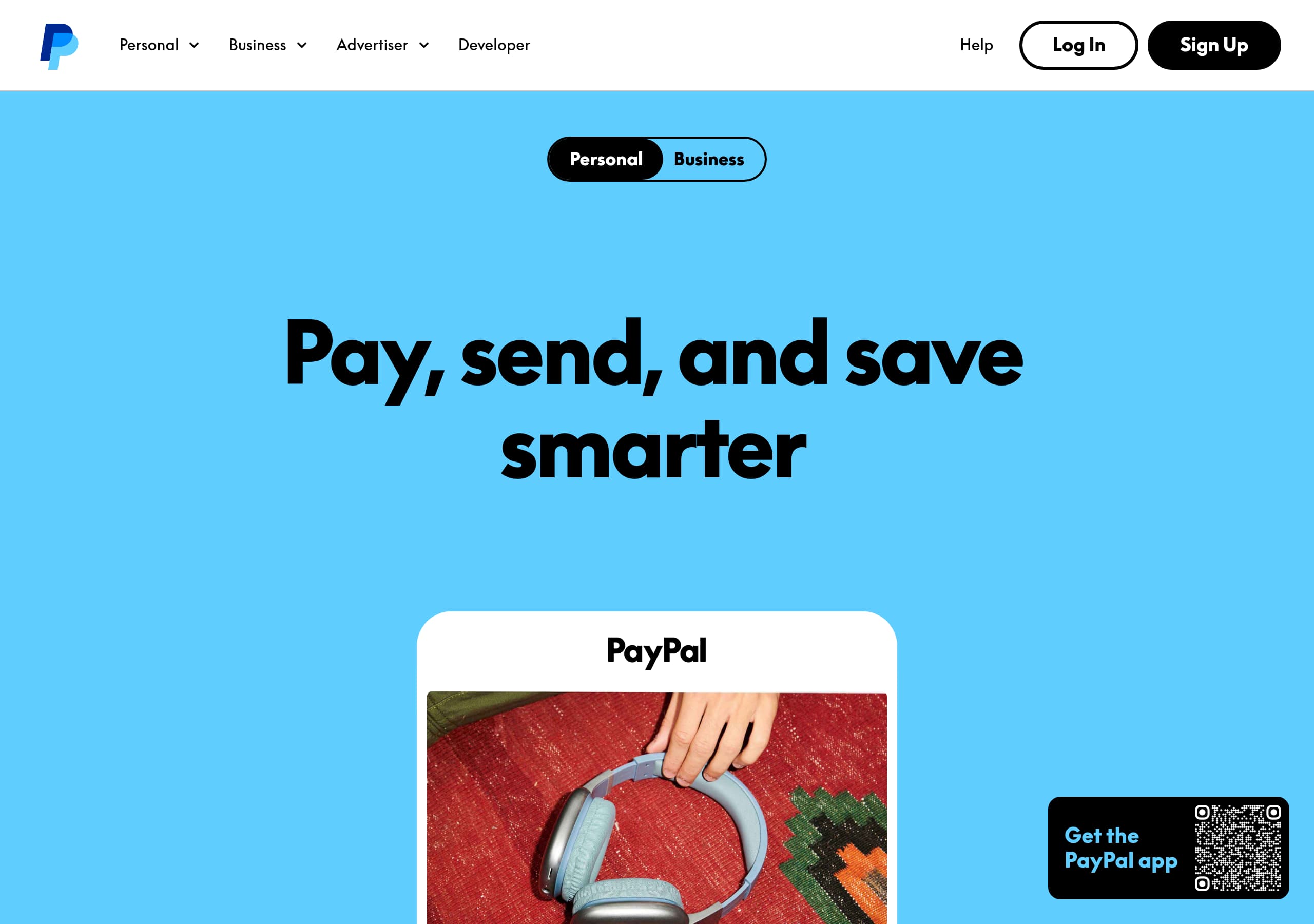
PayPal’s homepage uses a clear two-track navigation (Personal vs Business) so visitors self-segment immediately, reducing ambiguity and improving click intent.
The hero messaging focuses on outcomes—paying, sending, and security—then reinforces with a concrete trust hook (Buyer Protection) rather than abstract “fintech” language.
Conversion is supported by repeated, consistent CTAs (e.g., Rekisteröidy, Lataa sovellus) that match the main user goals and appear across sections, not just in the header.
PayPal explains pricing with contextual disclosures (fees for currency conversion and cross-border transfers), which pre-empts support tickets and builds credibility even when fees vary.
The site leans heavily on trust infrastructure: encryption language, data-sharing minimization (“does not share all financial details with merchants”), and compliance/legal depth in the footer.
Feature education is organized around user jobs-to-be-done (Pay online, Add payment methods, Send/Receive, PayPal.Me profile, App) which maps directly to the product’s core use cases.
Home
PayPal’s homepage works because it states the primary jobs-to-be-done immediately—buy, send money, and pay online—and backs them with security language that reduces perceived risk.
What’s happening above the fold
- The header is dense but intentional: Rekisteröidy and Kirjaudu sisään are persistent, while navigation splits into Henkilökohtainen vs Yritys (plus Developer). This is a strong “self-segmentation” pattern for a platform serving consumers, SMBs, and enterprises.
- The hero copy (“Lähetä ja vastaanota rahaa maksa fiksusti”) is short, action-oriented, and paired with a secondary benefit line about shopping with major brands and Ostajien turva (Buyer Protection). That’s a concrete trust promise, not a vague claim.
Page structure that supports scanning
The content is organized into distinct modules with repetitive verbs: “Maksa kuten haluat,” “Täydennä digitaalista lompakkoasi,” “Aina käytössä oleva suojaus,” and “Lähetä fiksusti.” Each module has a single-sentence explanation plus a CTA (e.g., Maksa PayPalilla, Lisää maksutapoja), which keeps decision-making local to the section.
Conversion mechanics you can copy
- Dual conversion routes: Lataa sovellus for mobile-first users and “rekisteröidy ilmaiseksi verkossa” for desktop—this prevents forcing one funnel.
- The site repeatedly clarifies prerequisites and caveats via footnotes (e.g., account required; fees apply for currency conversion). This transparency reduces drop-off later.
Key terms: Henkilökohtainen, Yritys, Rekisteröidy, Ostajien turva, Lataa sovellus.
Pricing
PayPal’s pricing presentation is effective because it acknowledges variability (country, currency conversion, cross-border) while still giving users a reliable place to confirm fees—without cluttering the core conversion pages.
How the pricing page earns trust
From the excerpt and visible UI patterns, PayPal leans on a “pricing-as-policy” approach: pricing is linked as Palkkiot in the global navigation and the footer, making it easy to verify costs at any point. This is a strong pattern for payments products where fees are contextual (merchant category, currency, destination, payment type).
What’s explicit (and why it matters)
The site includes concrete disclosures in-line:
- Fees apply when you convert currency.
- Fees may apply when you send money in a currency other than euro to an account in another country.
- Users are pointed to “Katso palkkiot” and local user agreement sections.
This sets expectations early and reduces surprise—particularly important for cross-border transfers, where “hidden fees” are a common objection.
Conversion implications
PayPal avoids a single rigid pricing table that could be inaccurate. Instead, it uses a layered model:
- short disclaimers near relevant actions (send/receive),
- a dedicated Palkkiot destination, and
- legal terms for edge cases.
That layering helps keep the marketing pages clean while still being defensible. A tactical improvement opportunity would be adding 2–3 “popular scenarios” (e.g., domestic EUR transfer, card-funded transfer, FX transfer) as quick calculators or examples, but the existing structure is consistent with a regulated financial product.
Key terms: Palkkiot, valuutan muunnos, rajat ylittävä, euro, käyttäjäsopimus.
Features
PayPal’s features are communicated through task-based modules that map directly to what users came to do: pay online, store payment methods, send/receive money, and manage everything in the app.
Feature framing that reduces complexity
Rather than listing technical capabilities, PayPal uses “verb-first” sections:
- “Maksa kuten haluat” focuses on checkout flexibility and brand acceptance.
- “Täydennä digitaalista lompakkoasi” lists the supported funding sources: pankkikortit, luottokortit, and pankkitilit.
- “Aina käytössä oleva suojaus” turns security into a product feature with specific claims: transactions are encrypted; PayPal limits what merchants see.
- “Lähetä fiksusti” covers fast, secure transfers “lähes kenelle ja minne tahansa” with separate actions for Lähetä and Ota vastaan.
Concrete UI patterns visible in the excerpt
- The send/receive module includes discrete CTAs: “Lähetä rahaa,” “Pyydä rahaa,” and a carousel-like indicator (“Näytetään sivu 1/2”), suggesting a multi-panel explainer without forcing a long scroll.
- PayPal.Me is presented as a 3-step micro-flow: “Luo profiili. Jaa se. Vastaanota rahaa.” This is a strong pattern because it compresses activation into a memorable sequence.
Why this feature presentation converts
Each module ends with a next step—Maksa PayPalilla, Lisää maksutapoja, Luo PayPal.Me-profiili, Lataa sovellus—so the user always has an obvious action. The copy stays benefit-led while still naming tangible objects (cards, bank accounts, profile).
Key terms: digitaalinen lompakko, pankkikortit, PayPal.Me, Lähetä/Ota vastaan, salaus.
Signup
PayPal’s signup conversion design is anchored by persistent access points (header and repeated CTAs) and a clear separation between consumer and business entry, which reduces misrouting and abandoned onboarding.
Entry points and CTA consistency
Across the page, the CTAs are consistent and intent-matched:
- Rekisteröidy is available in the top navigation (primary account creation).
- “Lataa sovellus” appears as both a navigation item and a dedicated section CTA, capturing mobile-first users.
- Feature CTAs like “Maksa PayPalilla” and “Lisää maksutapoja” act as “soft conversions” that can lead into account creation when required.
This pattern matters because PayPal serves returning users (login) and new users (signup) simultaneously. The UI keeps Kirjaudu sisään and Rekisteröidy adjacent, which is a best practice for high-repeat products.
Onboarding expectations are set early
The page includes explicit prerequisites via footnotes:
- “Rahan lähettämiseen ja vastaanottamiseen tarvitaan tili.”
- Fees can apply in certain scenarios (FX/cross-border).
By clarifying that an account is needed for sending/receiving, PayPal avoids a common friction point where users expect guest-like transfers.
What’s likely in the signup flow (based on standard PayPal patterns)
While the excerpt doesn’t show the full form, PayPal typically uses a multi-step flow that includes email/phone, password, identity checks, and linking a funding method. The marketing page supports that heavier onboarding by front-loading trust and by offering alternate activation paths (e.g., PayPal.Me creation, app install).
Key terms: Rekisteröidy, Kirjaudu sisään, Lataa sovellus, tili vaaditaan, aktivointi.
Trust
PayPal’s trust messaging is strong because it combines policy-backed protection with specific technical assurances, and it repeats those assurances near the moments users consider paying or adding money sources.
Specific trust claims in the content
The site makes two concrete, user-comprehensible security statements:
- “Tapahtumasi ja maksusi salataan.” (encryption)
- “PayPal ei jaa kaikkia taloudellisia tietojasi kauppiaille.” (data minimization)
These are more persuasive than generic “secure payments” because they describe what is protected and how risk is reduced during checkout.
Protection as a product feature
PayPal also highlights Ostajien turva (Buyer Protection) as support for eligible purchases, with a footnote clarifying “kelpoisille ostoille,” time limits, and conditions. That combination (promise + eligibility disclosure) is a mature trust pattern: it reassures without overpromising.
Compliance and transparency signals
Trust is reinforced structurally:
- The footer includes references to EU Digital Services Act, privacy, cookies, legal, and complaints processes.
- Disclaimers like “Tarjottu sisältö on vain yleistä tietoa… ei sijoitus- tai asiantuntijaneuvoksi” indicate legal rigor and reduce misleading interpretation.
Why this helps conversion
Payments adoption hinges on perceived downside risk. PayPal addresses this with layered trust: technical (encryption), procedural (Buyer Protection and terms), and organizational (compliance links, contact/help). The net effect is lower anxiety when users consider linking cards/bank accounts or sending money internationally.
Key terms: salaus, Ostajien turva, tietosuoja, EU Digital Services Act, valitukset.
Footer
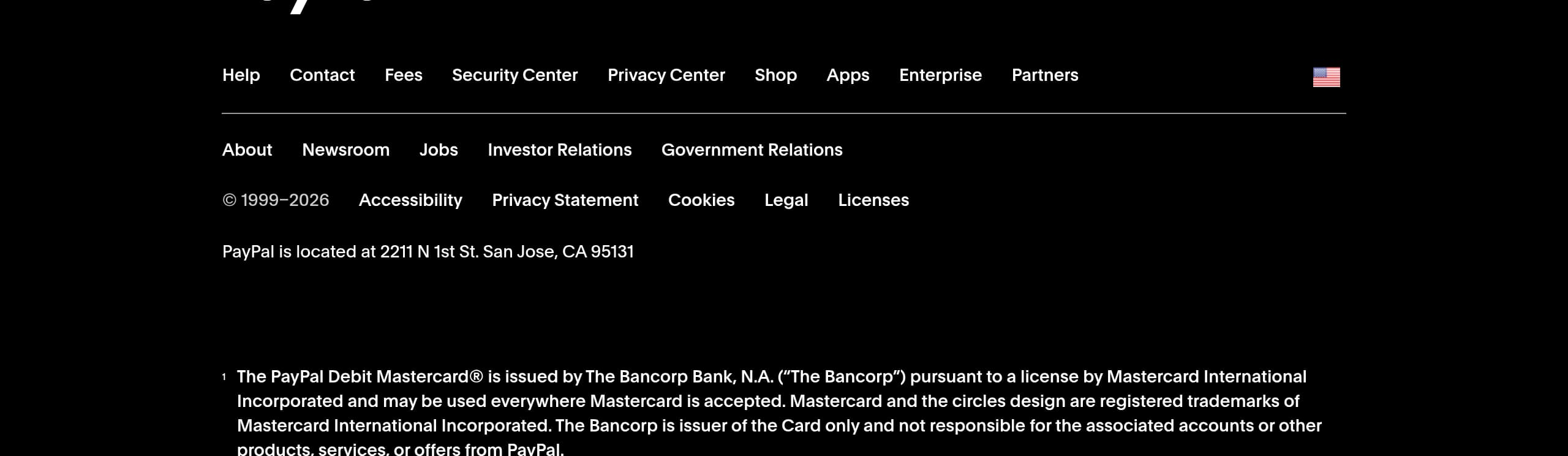
PayPal’s footer is built for compliance-heavy navigation while still supporting user intent, which is crucial for a financial platform operating across regions.
What the footer contains (and why it’s effective)
The footer includes a broad set of links that map to the highest-trust and highest-support needs:
- Help and support: Ohje, Ota yhteyttä
- Cost transparency: Palkkiot
- Security reassurance: Suojaus
- Product surfaces: Sovellukset, Kauppa
- Audience routing: Suuryritykset, Kumppanit, Ohjelmistokehittäjät
- Regulatory/legal: Saavutettavuus, Tietosuoja, Evästeet, Lakiasiat, Valitukset, plus EU Digital Services Act
This structure functions like a “trust index” at the bottom of the page: if a user is uncertain, they can quickly find fees, security, or legal recourse.
Credibility signals you can observe
- The copyright range is explicit (“© 1999–2026”), reinforcing longevity.
- The inclusion of accessibility and complaints links indicates mature governance and regulated-market expectations.
- Disclaimers clarify that screenshots are illustrative and that content is general information—important for avoiding misinterpretation in finance.
UX implications
The footer is dense, but that density is appropriate here: PayPal is not a single-feature SaaS; it’s a platform spanning consumer wallet, merchant acceptance, developer APIs, and business financing tools. A lighter footer would hide critical links and increase support load. As implemented, the footer doubles as a site map and a compliance anchor.
Key terms: Palkkiot, Suojaus, Tietosuoja, Lakiasiat, EU Digital Services Act.
Detected tech stack
Tools and technologies we detected on PayPal's site. Detection is best-effort and may be incomplete.
Scores
Our framework scores for PayPal's website in terms of clarity, conversion, and trust. See our methodology for how we calculate these.
How clear the value prop and structure are.
How conversion-friendly signup and pricing are.
How well trust and compliance are surfaced.
FAQ
PayPal’s homepage is built around the main user jobs: paying online, adding payment methods, and sending/receiving money. It uses persistent CTAs like “Rekisteröidy” and “Lataa sovellus,” and it reinforces confidence with concrete trust cues such as Buyer Protection (Ostajien turva), encryption messaging, and a promise not to share all financial details with merchants.
PayPal surfaces pricing through “Palkkiot” links in navigation and the footer, and it adds contextual disclosures near relevant actions. The site explicitly notes that fees can apply for currency conversion and cross-border transfers (for example, sending in a non-euro currency to another country). This layered approach keeps marketing pages clean while still providing a clear path to verify fees.
PayPal keeps entry points visible with “Rekisteröidy” and “Kirjaudu sisään” in the header and repeats key CTAs across sections. The page sets expectations that sending and receiving money requires an account, which reduces confusion. While the excerpt doesn’t show the full form, PayPal typically uses a multi-step flow that may include identity checks and adding a funding source.
PayPal highlights encryption (“Tapahtumasi ja maksusi salataan”), data minimization (it doesn’t share all financial details with merchants), and Buyer Protection (Ostajien turva) for eligible purchases with clear footnotes about conditions. The footer reinforces trust with security, privacy, cookies, legal, complaints links, and an EU Digital Services Act reference, which is typical for regulated financial services.
PayPal uses task-based modules rather than technical specs: “Maksa kuten haluat” for checkout, “Täydennä digitaalista lompakkoasi” to list cards and bank accounts, and “Lähetä fiksusti” with separate send/receive actions. It also introduces PayPal.Me with a simple three-step explanation (create, share, receive), and it promotes the PayPal app as a central place to manage payments and transactions.

The world's best-performing SaaS businesses share surprisingly similar patterns. We help you learn and apply them through our human-designed methodology, with AI-assisted research.