
Key takeaways
Here are the key insights from our website breakdown analysis of Ashby.
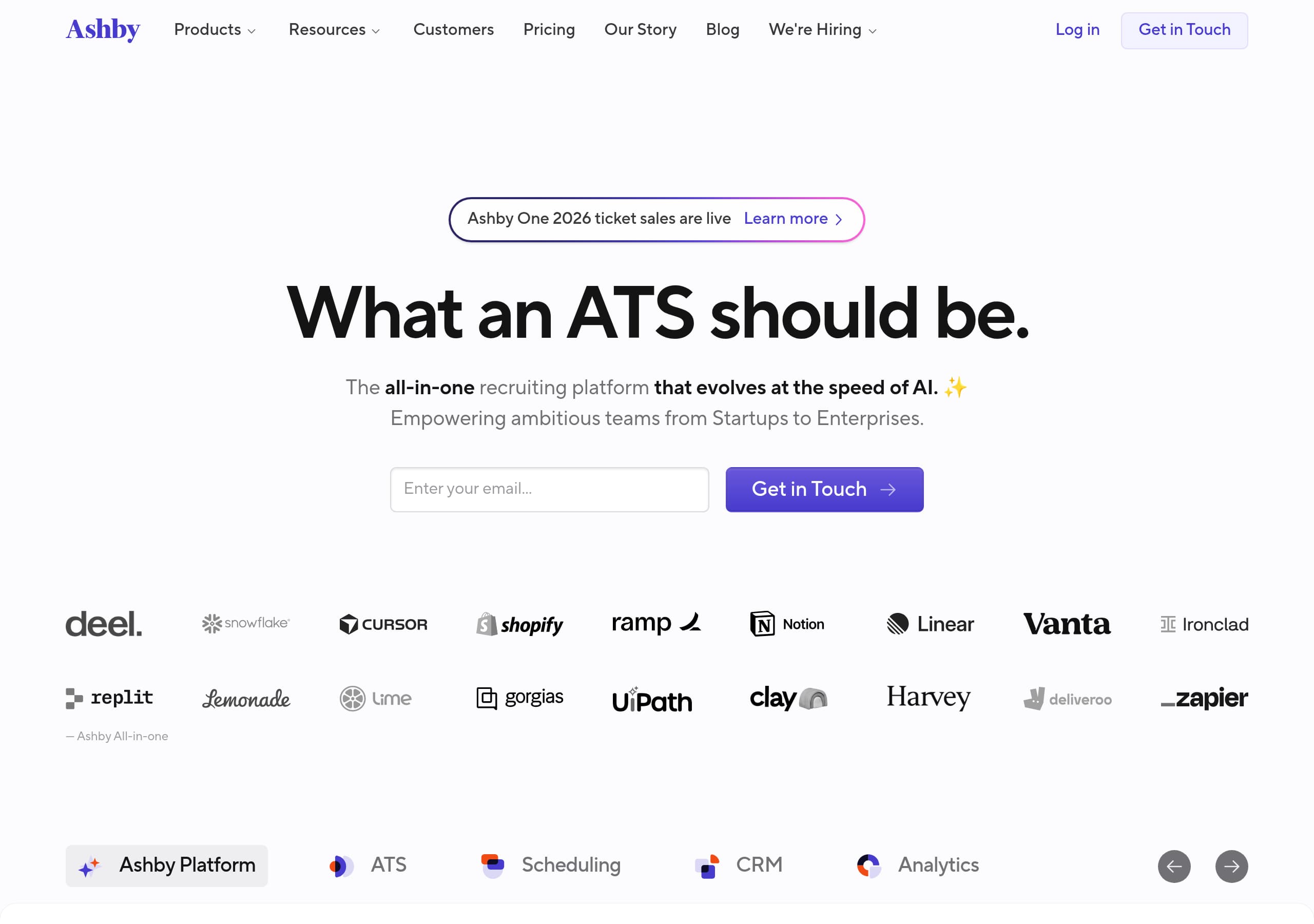
Ashby’s homepage succeeds on clarity by anchoring the entire story to a single, memorable promise—“What an ATS should be”—then immediately expanding it into an all-in-one scope (ATS, Scheduling, CRM, Analytics), with AI positioned as a platform layer rather than a bolt-on.
The primary conversion path is consistently “Get in Touch,” which fits a sales-led recruiting platform, but it also limits self-serve momentum for smaller teams who may expect an immediate “Start free” or a split CTA like “Request demo.”
Segmentation is handled cleanly via company-stage tiles (Startups 1–100, Growth 101–1000, Enterprise 1000+), reducing perceived risk by signaling fit and scale before a buyer even clicks into product detail pages.
Testimonials are unusually specific, referencing automation between stages, customization, and switching from a legacy ATS, which increases credibility and helps prospects map benefits to real workflows.
Ashby uses a competitive navigation pattern (e.g., “Ashby vs. Greenhouse,” “Ashby vs. Lever,” “Ashby vs. SmartRecruiters”) to capture high-intent comparison traffic and keep evaluation on-site.
Trust is reinforced structurally in the footer through dedicated “Security,” “Status,” “Vulnerability Disclosure,” and “API” links, signaling operational maturity even when the homepage itself stays conversion-focused.
Home
Ashby’s homepage is effective because it compresses a complex category into one clear thesis, then supports it with concrete scope: “All-in-one Recruiting Software for Ambitious Teams” followed by “What an ATS should be.” The hero immediately clarifies that Ashby is not just an ATS; it is “the all-in-one recruiting platform that evolves at the speed of AI,” and the primary CTA, Get in Touch, sets expectations for a sales-assisted evaluation.
The page structure does three conversion-positive things:
- It names the full platform surface area in one line: ATS, CRM & Sourcing, Scheduling, and Analytics, which helps buyers self-qualify quickly.
- It adds a positioning nuance that is easy to remember: “AI embedded in every layer,” plus the promise that the foundations make AI “meaningful, not just decorative.” That phrasing differentiates from ATS vendors that market AI as a feature add-on.
- It routes different company sizes with explicit segmentation: Startups (1–100), Growth (101–1000), Enterprise (1000+). This reduces anxiety about outgrowing the tool and prevents enterprise buyers from assuming “startup ATS.”
Navigation reinforces the evaluation journey with direct product areas (ATS, Scheduling, CRM, Analytics) and commercial pages (Customers, Pricing). A small but smart event banner, “Ashby One 2026 ticket sales are live,” adds freshness and community, while the persistent “Log in” link supports returning users.
What could be clearer for first-time visitors is the immediate next step after “Get in Touch.” The homepage does not show an obvious secondary CTA like “See a demo” or “Watch product tour” in the hero, although “Learn more about AI in Ashby” and “Product Tour” appear further down, which may slightly delay self-serve exploration.
Pricing
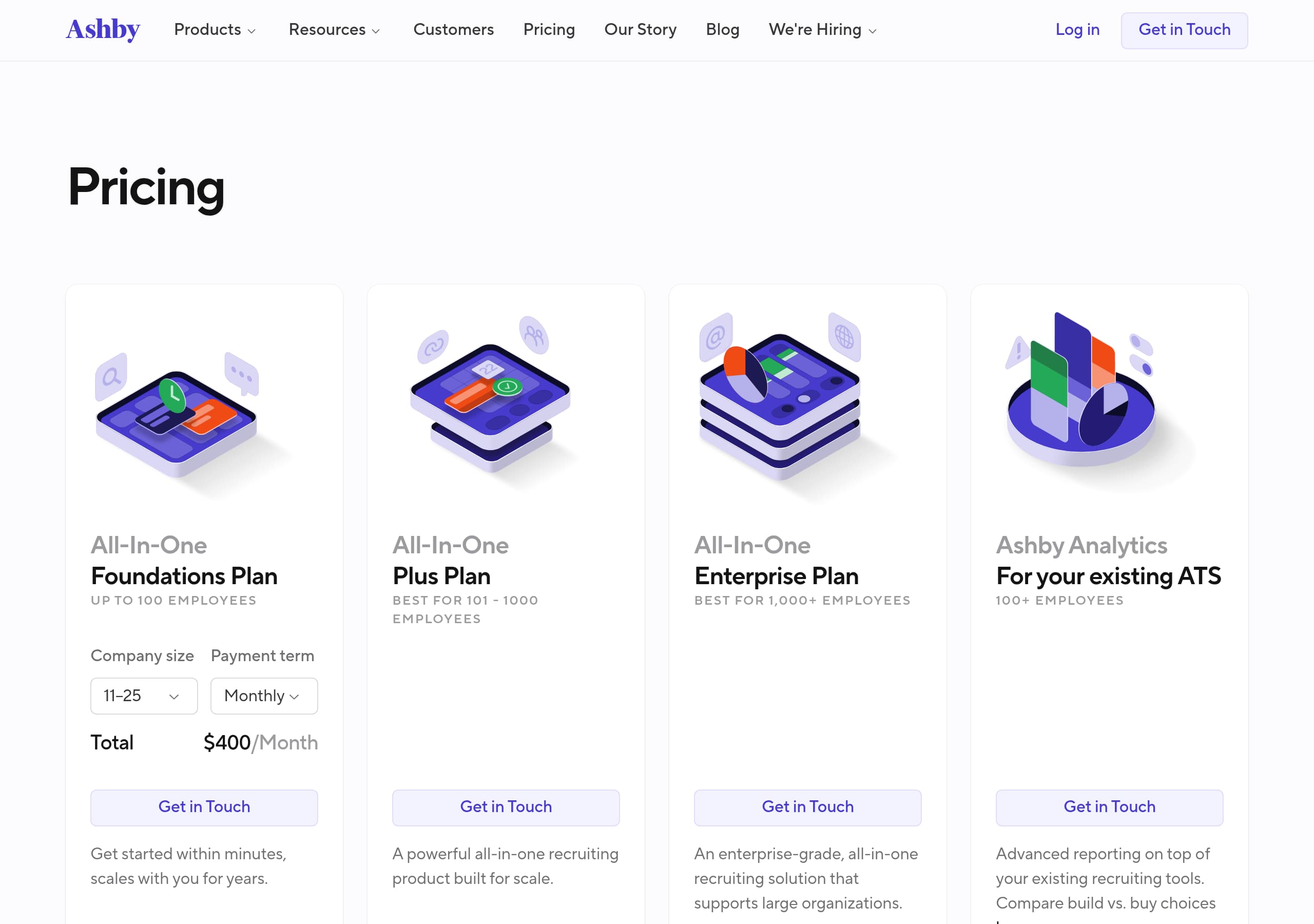
Ashby’s pricing presentation appears designed for a sales-led category where packaging depends on complexity, not for instant checkout. In the provided site content, “Pricing” is consistently accessible in the top navigation and footer, but the primary conversion CTA across the site remains Get in Touch, which suggests the pricing page likely focuses on qualification rather than immediate purchase.
From the Pricing screenshot context, the most important thing Ashby gets right is framing pricing as part of selecting the right product tier, not as a confusing matrix. The homepage already pre-sells the packaging logic by grouping into Startups, Growth, and Enterprise, and the pricing page can reinforce this with:
- A clear statement of what is included in the Ashby All-in-one platform (ATS, CRM, Scheduling, Analytics) versus when Ashby Analytics applies “on top of your existing ATS.”
- A consistent CTA pattern that matches the sales motion, typically a single primary action like Get in Touch or “Talk to sales,” minimizing choice paralysis.
- A path for evaluators who are not ready to talk to sales, such as a “Product Tour” link or “Customers” proof nearby, so pricing does not become a dead end.
The biggest conversion risk for recruiting tools is mismatched expectations: buyers want to know whether pricing scales by headcount, recruiters, job openings, or modules. Ashby mitigates that risk by repeatedly emphasizing “true all-in-one” and “built for scale,” which implies fewer hidden add-ons. The presence of multiple comparison pages (Ashby vs. Greenhouse, Lever, SmartRecruiters) also supports pricing objections by keeping prospects in an evaluation flow instead of bouncing back to search.
If Ashby wants higher pricing-to-lead conversion, the pricing page should make the “next step” explicit: what happens after you contact sales, how long setup takes, and whether trials or pilot programs are available, expressed in simple, step-based language.
Features
Ashby communicates features by bundling the recruiting workflow into a single platform narrative, then naming the modules explicitly: ATS, Scheduling, CRM & Sourcing, and Analytics. The key takeaway is that Ashby is selling breadth and integration, but it attempts to avoid the “jack of all trades” trap by repeatedly stressing depth, calling it “robust enough to handle your entire recruiting workflow” and “a true all-in-one solution.”
The feature story is structured around two complementary layers:
-
Platform modules: ATS, scheduling, CRM, analytics. This aligns to how recruiting teams actually buy and evaluate tools, often replacing a patchwork (ATS + scheduling tool + sourcing add-on + BI spreadsheet).
-
An AI foundation: “AI embedded in every layer” and “foundations to make AI meaningful, not just decorative.” This is effective positioning because it implies AI is integrated into workflows, not bolted onto one screen.
The “How Ashby enables hiring excellence” section converts features into outcomes through a clear “We’ve designed Ashby to” list. The bullets are specific and operational:
- “Enable structured hiring end-to-end” suggests interview plans, scorecards, and consistent stages.
- “Automate with a human touch” pairs efficiency with candidate experience.
- “Provide instant visibility and reduce clicks” speaks to day-to-day recruiter ergonomics.
- “Enable custom reporting to unlock real insights” bridges to Analytics buyers.
Importantly, Ashby also articulates what those features unlock: improved candidate experience, fairer assessments, productivity, and data feedback loops. That mapping helps champions sell internally.
What would make the features story even more scannable is a tighter visual hierarchy on the homepage: a feature grid with 4 to 6 cards and one proof point per card (for example, “structured hiring” paired with a screenshot). The site already offers “Product Tour,” which is the right destination for deeper, UI-based evidence.
Signup
Ashby’s acquisition flow is optimized for a human-assisted buying process: the dominant CTA is Get in Touch, paired with a persistent “Log in” for existing users. The key insight is that Ashby is not trying to force a self-serve signup for a complex, high-stakes system like an ATS; it is trying to start a sales conversation and likely tailor implementation, migration, and permissions to the customer’s org.
You can see this intent in multiple places:
- The hero CTA is “Get in Touch,” repeated again near the bottom: “Hiring excellence is one conversation away. Connect with our team,” followed by the same CTA. This creates a consistent, low-confusion path.
- The navigation includes “Pricing,” “Customers,” and “Security,” which are typical pre-sales evaluation pages, and “Migrating to Ashby,” which speaks directly to a common onboarding obstacle for ATS replacements.
- The presence of stage-based packaging (Startups, Growth, Enterprise) suggests the contact flow can route leads based on size and requirements.
For conversion, the tradeoff is speed. A startup recruiter evaluating multiple ATS options may look for a Product Tour button in the hero or a “See it in action” secondary CTA. Ashby does include “Product Tour” and “Learn more about AI in Ashby,” but these appear after the initial pitch, which can slow the click path for visitors not ready to contact sales.
A best-in-class signup or lead-capture experience for this motion usually includes: a short form with 4 to 6 fields, a scheduling option, and clear expectations (timeline, demo length, who joins). The site copy supports that with “one conversation away,” but it would benefit from making the next step explicit on-page: what happens after submission, and whether an implementation specialist will cover migration, integrations, and structured hiring setup.
Overall, the flow is coherent for mid-market and enterprise ATS buyers, but slightly under-optimized for self-serve discovery.
Trust
Ashby builds trust primarily through operational signals and evaluation scaffolding, not through flashy claims. The homepage leans on credible positioning, “built for scale,” “robust enough to handle your entire recruiting workflow,” and the promise of AI that is “meaningful, not just decorative.” These build trust because they set realistic expectations, especially for a system of record like an ATS.
The strongest trust signals visible from the excerpt and footer are structural:
- Dedicated “Security” page link, which indicates Ashby expects procurement and security reviews.
- “Status” link, signaling uptime transparency and incident communication norms.
- “Vulnerability Disclosure” link, a mature indicator that the company has a process for security researchers and responsible reporting.
- “Developers” and “API” links, which imply integration capabilities and a supported platform surface, important for HR tech ecosystems.
Trust is also reinforced via comparison pages, “Ashby vs. Greenhouse,” “Ashby vs. Lever,” and “Ashby vs. SmartRecruiters.” These pages typically work as trust assets because they show the vendor is willing to be evaluated side-by-side, and they keep the buyer on your domain during competitive research.
What is less visible in the provided content is compliance detail on the main pages, such as SOC 2, GDPR, data retention, audit logs, or role-based access controls. Those may exist on the Security page, but they are not foregrounded in the excerpt. For an ATS, security assurances often drive late-stage conversion, so surfacing one or two concrete trust markers near “Pricing” or near the final CTA can improve confidence.
Overall, Ashby’s trust posture feels like a product-led company that also understands enterprise buying mechanics: clear navigation to security and transparency pages, and migration resources, paired with credible customer voices.
Detected tech stack
Tools and technologies we detected on Ashby's site. Detection is best-effort and may be incomplete.
Scores
Our framework scores for Ashby's website in terms of clarity, conversion, and trust. See our methodology for how we calculate these.
How clear the value prop and structure are.
How conversion-friendly signup and pricing are.
How well trust and compliance are surfaced.
FAQ
Ashby positions itself as “All-in-one Recruiting Software for Ambitious Teams” and expands that into a unified platform spanning ATS, CRM and sourcing, scheduling, and analytics. The hero line, “What an ATS should be,” sets a quality benchmark, while the supporting message emphasizes AI as a platform layer, described as “AI embedded in every layer” rather than a standalone feature.
Ashby makes Pricing easy to find in the main navigation and footer, but the dominant buying motion is still contact-led, with “Get in Touch” used as the primary CTA across the site. The overall packaging is reinforced by company-stage options (Startups, Growth, Enterprise) and by separating Ashby Analytics as an option for teams that keep an existing ATS.
Ashby highlights multiple named testimonials with titles and companies, including Replit, Deel, Cointracker, Coder, and Help Scout. The quotes reference concrete outcomes like automating activities between hiring stages, customization, easier onboarding, and stronger collaboration with hiring managers. This specificity makes the proof feel tied to real recruiting workflows rather than generic endorsements.
Ashby emphasizes a sales-assisted evaluation flow. Instead of a prominent self-serve signup, the primary CTA is “Get in Touch,” and the site repeatedly invites a conversation with the team. For existing customers, “Log in” is present in the header. The site also supports onboarding concerns with resources like “Migrating to Ashby” and links to Integrations and Support.
Trust resources are easy to locate from the footer, which includes direct links to Security, Status, and Vulnerability Disclosure, plus Terms and Policies. The footer also links to Developers and API pages, signaling integration readiness. For competitive evaluation, Ashby provides comparison pages like “Ashby vs. Greenhouse,” “Ashby vs. Lever,” and “Ashby vs. SmartRecruiters.”

The world's best-performing SaaS businesses share surprisingly similar patterns. We help you learn and apply them through our human-designed methodology, with AI-assisted research.