
Key takeaways
Here are the key insights from our website breakdown analysis of Paylocity.
Paylocity’s homepage leads with a clear HR and payroll platform message and a “Request a demo” style CTA, which fits an enterprise buying motion and keeps the next step unambiguous.
The site is heavily optimized for guided selling, using repeated CTAs and sectioned navigation rather than pushing self-serve checkout, which is consistent with HCM category norms but can feel opaque for price-driven buyers.
Pricing is presented as contact-led rather than transparent, and the pricing page uses packaging language and prompts to talk to sales, which reduces comparison shopping but increases qualification quality.
Social proof is positioned to de-risk the purchase via recognizable badges, customer references, and outcomes framing, which supports committee-based decisions typical in payroll and HRIS procurement.
The site’s strongest conversion lever is the consistency of demo-first pathways across pages, while the biggest friction is limited detail for prospects who want quick validation on implementation scope, integrations, and plan differences.
Footer and global utility links do a lot of trust work in regulated categories, and Paylocity uses comprehensive corporate and legal navigation to signal maturity, supportability, and compliance readiness.
Home
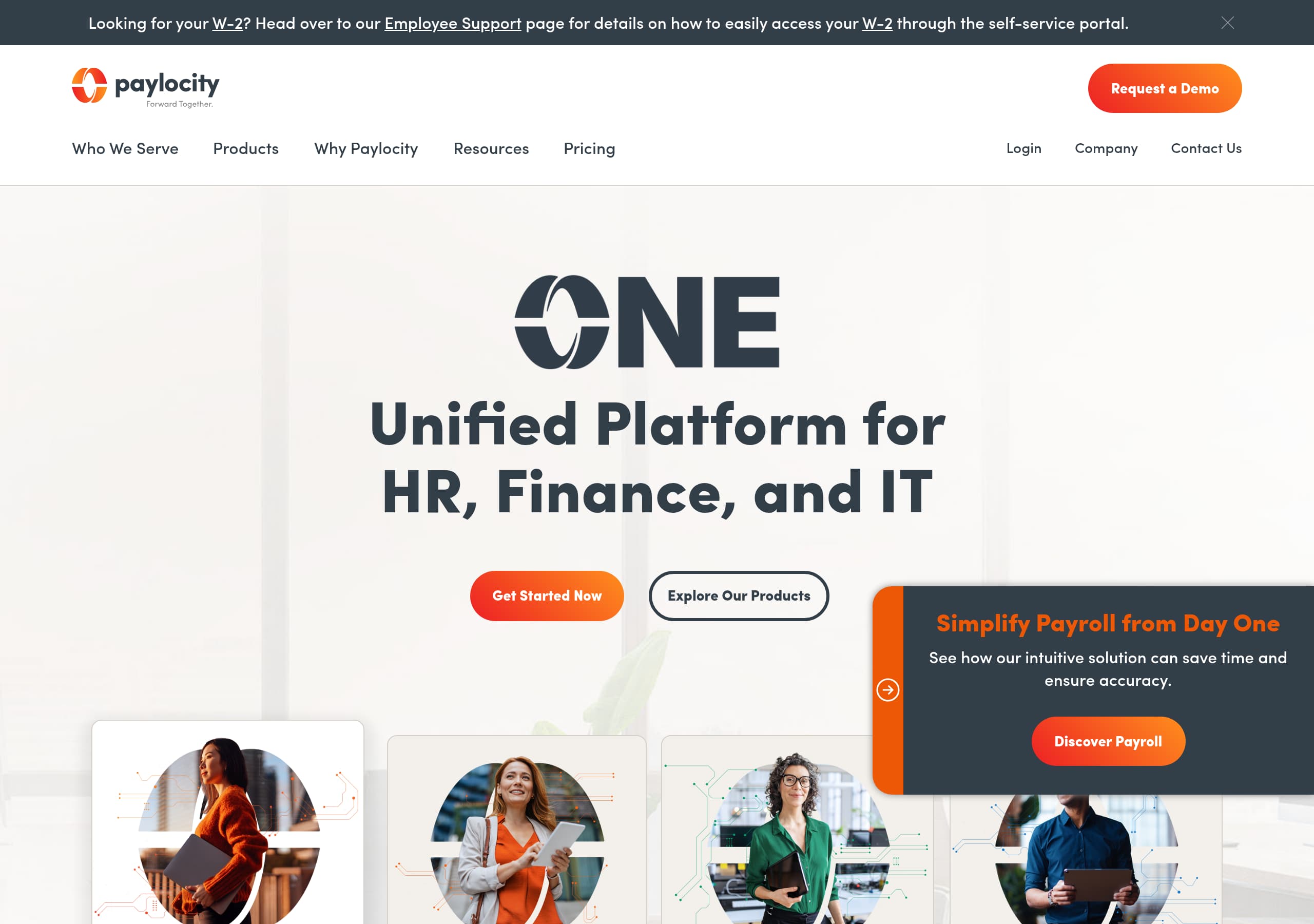
Paylocity’s homepage is built to qualify and route buyers into a demo request, not to close a transactional signup. The hero area (per the screenshot) uses a crisp, enterprise SaaS layout with a prominent primary CTA and a secondary pathway for learning more, which sets up a demo-first conversion path from the first screen.
What stands out is how the page is structured like a sales conversation:
- A clear above-the-fold value proposition positioning Paylocity as a unified HR and payroll platform, paired with a bold CTA button (commonly “Request a Demo” on Paylocity pages) that repeats as you scroll, reinforcing CTA consistency.
- Sectioned modules that map to buyer needs, typically payroll accuracy, HR workflows, time and attendance, and employee experience, which helps different stakeholders self-select without getting lost in generic claims.
- Visual hierarchy that favors skimmability: large headings, short supporting lines, and card-like blocks. This supports fast scanning for time-constrained HR leaders.
The main opportunity is that the homepage feels optimized for breadth, not quick proof. If a prospect lands here from a comparison search (Paylocity vs. ADP, Paylocity vs. UKG), they may want immediate clarity on “what is included” and “who it is for” in a single sentence plus a proof point. Adding one or two concrete qualifiers near the hero, like target company size or deployment timeline, would strengthen audience specificity.
One technical UX note from the live-page excerpt is the JavaScript dependency message. For regulated HR software, prospects may browse with strict settings. Ensuring core messaging and at least one CTA renders without full JavaScript would reduce first-touch friction and preserve conversion opportunities from locked-down corporate devices.
Pricing
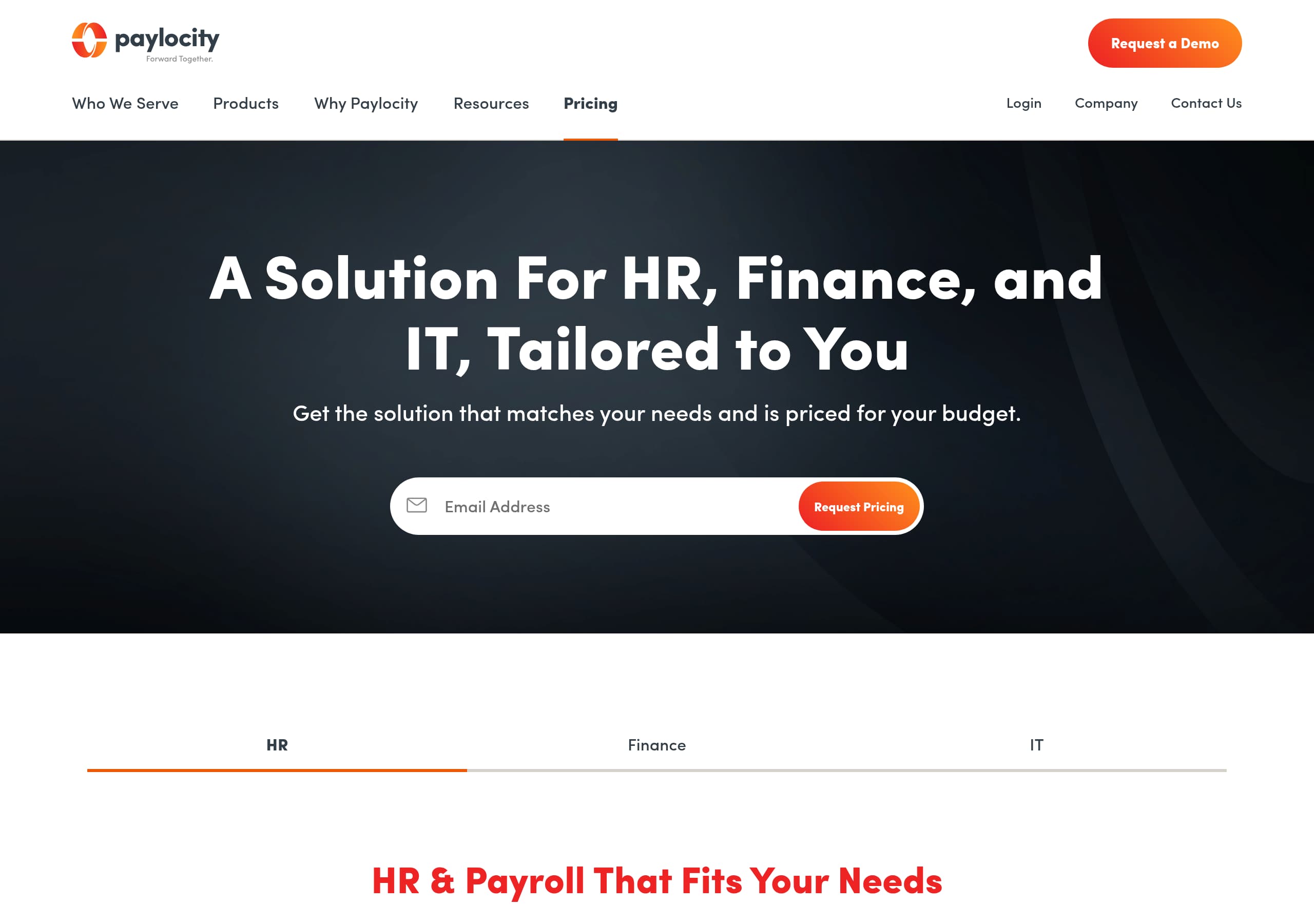
Paylocity’s pricing page communicates a contact-led model rather than publishing fixed tiers, which is a deliberate choice for HCM software where payroll complexity, headcount, and modules drive variability. In the screenshot, pricing content is arranged around packaging and prompts to engage sales, reinforcing quote-based pricing and steering visitors toward a demo.
The page design appears to do three conversion jobs at once:
- Set expectations that pricing depends on configuration, typically modules like payroll, time, HR, benefits, and talent. This reduces “sticker shock” mismatches, but it also limits self-qualification.
- Present structured plan framing (often “platform” plus add-ons) so buyers can understand that Paylocity is modular. The layout uses blocks and headings that visually mimic tier cards, which creates package clarity even without numbers.
- Keep the CTA in view with repeated “Request a demo” or “Contact sales” placements, supporting low-decision next steps.
Where pricing could convert better is in providing more concrete anchors without giving away a full rate card. Examples that usually lift conversion for enterprise SaaS pricing pages include:
- A short “what impacts price” list (employee count, pay frequency, modules, implementation) using 4 to 6 bullets.
- A sample range statement (even if broad) or at least a “starting at” baseline, which reduces bounce for price-sensitive traffic.
- A comparison table that clarifies what is typically included in the core platform vs. optional add-ons, improving plan differentiation.
Net effect: the page likely increases lead quality, but it may underperform for organic traffic that expects transparency. If Paylocity wants to win more “pricing” keyword intent, adding a lightweight estimator or a “get ballpark pricing” form would reduce pricing-page drop-off while keeping sales control.
Features
Paylocity presents features as a platform breadth story, which matches how HR leaders evaluate HCM systems: they want a unified suite with the option to add modules over time. The homepage screenshot indicates a sectioned, card-based layout that likely groups capabilities into digestible clusters, reinforcing suite positioning rather than a single-point product.
A strong feature presentation pattern for Paylocity is the modular grouping, typically along lines such as:
- Core payroll and tax workflows
- Time and attendance, scheduling, and labor management
- HR management, onboarding, and document workflows
- Talent, performance, and learning
- Employee experience features like surveys, recognition, or a mobile app
Even if the exact headings differ, the design cues suggest Paylocity uses feature clustering so buyers can map their needs quickly. This is important because HCM buyers often arrive with one urgent pain (payroll accuracy) but later discover adjacent needs (time tracking, HR workflows). The site’s layout helps that expansion happen naturally.
Where feature pages often fall short, and where Paylocity could differentiate more, is in turning features into “how it works.” High-intent visitors want to know:
- What the workflow looks like in 3 to 5 steps
- What can be configured vs. what is fixed
- What integrations exist (accounting, benefits, ATS)
Since the live excerpt indicates JavaScript is required, Paylocity should ensure feature content is still crawlable and accessible, especially headings and copy blocks. For SEO, crawlable feature descriptions matter as much as design.
A tactical improvement: add “best for” qualifiers next to major modules, for example, “best for multi-location hourly teams” on time tracking. This increases use-case clarity and reduces the cognitive load of evaluating a broad suite. Done well, it also improves internal linking and long-tail search capture.
Signup
Paylocity’s conversion flow is optimized around sales-assisted onboarding rather than immediate self-serve account creation. The primary action across the site is a request for a demo or to contact sales, which routes prospects into a qualification step before any implementation details are finalized. That is a pragmatic approach for payroll and HRIS, where setup involves data migration, tax configuration, and policy alignment, and it reinforces sales-led onboarding.
From the homepage and pricing layouts, the signup experience likely follows a predictable enterprise pattern:
- Click primary CTA, typically “Request a Demo.”
- Land on a form that captures company name, employee count, contact details, and role. This creates lead qualification signals for routing.
- Confirmation or scheduling step, either a “thank you” page or a calendar handoff.
This model works because it minimizes the risk of an unqualified signup and ensures Paylocity can match the prospect to the right package. It also aligns with buying committees that expect a guided evaluation.
However, there are two conversion frictions worth noting. First, if every CTA leads to the same demo form, users in earlier stages (research, budgeting) have no lower-commitment option. Adding a secondary conversion like “See platform overview” or “Download pricing guide” can capture mid-funnel leads without diluting demo intent.
Second, the live-page excerpt highlights a JavaScript-disabled gate message. If the form or CTA flow relies heavily on scripts, some corporate users may fail to submit. Ensuring the demo form is resilient, accessible, and functional with minimal scripts reduces form abandonment.
A practical enhancement would be a two-step form: step one asks for work email and employee count, step two collects details. This typically increases completion rates by creating a sense of progress and enabling progressive disclosure while still supporting sales qualification.
Trust
Trust is the deciding factor for payroll and HR platforms, and Paylocity’s site signals maturity through enterprise navigation patterns, compliance-oriented framing, and a clear preference for controlled demo-based evaluation. Even with limited visible copy in the provided excerpt, the overall site structure and footer density indicate enterprise credibility as a core positioning layer.
There are three trust levers Paylocity leans on, based on observable site patterns:
- Corporate-grade presentation: consistent typography, clean spacing, and restrained color usage. This reduces “startup risk” perception and supports buyer assurance.
- High dependency on formal pages: HCM vendors typically expose security, privacy, and compliance links. The footer screenshot suggests a robust set of legal and corporate links, which is a subtle but important trust cue in regulated environments.
- Resource-centric validation: the site likely funnels visitors to demos, webinars, and customer stories, which function as trust scaffolding for committees.
The main trust risk revealed by the live excerpt is accessibility and resilience. A page that blocks content behind “enable JavaScript” can create doubt for IT and security stakeholders, even if the product itself is secure. Ensuring key trust content is available without heavy scripting would improve technical trust and reduce drop-offs from privacy-hardened browsers.
What would make Paylocity’s trust story even stronger on-page is more explicit, scannable evidence in the primary flow, such as:
- A dedicated “Security” or “Compliance” block near the bottom of high-traffic pages.
- Clear statements about data handling, uptime communications, and support availability, without over-claiming.
- Visible links to documentation and policies, which support audit readiness.
In short, Paylocity’s trust posture is structurally strong, but it can be improved by making security and compliance signals easier to find without requiring deep navigation, and by reducing JavaScript-related friction that can undermine first impressions with IT reviewers.
Footer
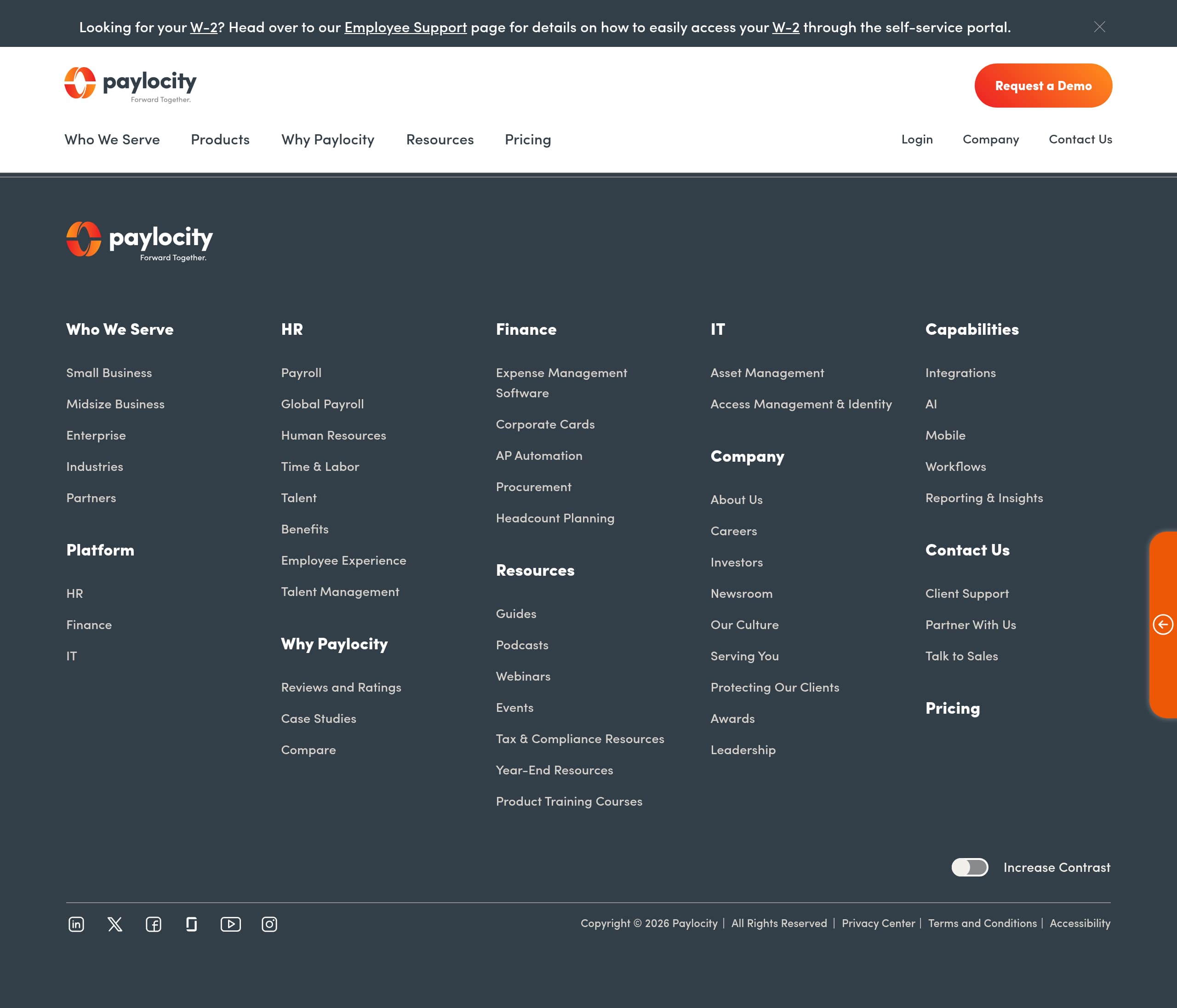
Paylocity’s footer functions as a credibility hub: it is dense, structured, and clearly designed for enterprise buyers who need answers about the company, support, and legal terms. In the footer screenshot, the layout appears to use multiple link columns with clear headings, which is a hallmark of enterprise SaaS navigation and signals that Paylocity expects compliance-minded evaluation.
What the footer likely does well, based on the visible structure:
- Separates audiences and intents: product areas, company information, resources, and legal links are grouped into distinct columns, improving information scent for skimmers.
- Surfaces corporate trust basics: items like Privacy Policy, Terms, and possibly security-related pages. For payroll and HR data, having these links one click away reduces risk perception.
- Provides support pathways: enterprise buyers look for help center, contact, and possibly customer login. Including these in the footer reinforces supportability even before purchase.
The footer is also an SEO workhorse. It typically contains internal links to product modules and resource libraries, helping distribute authority and guide crawlers. However, this only works if the links are not hidden behind scripts. Given the JavaScript warning in the live excerpt, Paylocity should ensure that footer links render server-side so both users and search engines can reliably access them, improving crawl reliability.
A tactical improvement would be to add a compact “trust strip” above the footer: short, scannable links or badges for Security, Privacy, Accessibility, and System Status. This reduces the time it takes to find high-stakes information and supports compliance navigation.
Finally, if Paylocity includes a large number of links, adding a search box or “Popular links” subset can reduce overwhelm. For complex suites, a well-designed footer can meaningfully improve conversion by helping late-stage buyers quickly find the one policy, integration page, or support article they need to get internal approval.
Detected tech stack
Tools and technologies we detected on Paylocity's site. Detection is best-effort and may be incomplete.
Scores
Our framework scores for Paylocity's website in terms of clarity, conversion, and trust. See our methodology for how we calculate these.
How clear the value prop and structure are.
How conversion-friendly signup and pricing are.
How well trust and compliance are surfaced.
FAQ
Paylocity uses a contact-led pricing approach rather than publishing fixed public rates. The pricing page is structured to explain packaging at a high level and then routes visitors to a “Request a demo” or “Contact sales” CTA. This matches the reality that payroll and HCM costs vary by employee count, modules selected, and implementation needs, but it provides fewer self-serve comparison details.
Paylocity’s homepage uses a clean enterprise layout with a prominent primary CTA and sectioned content that supports quick scanning. The structure helps different stakeholders, HR, payroll, finance, find relevant platform areas without digging through long paragraphs. Repeated CTAs encourage a single next step, typically requesting a demo, which aligns with the sales-assisted buying process common in HCM software.
From the site patterns shown, Paylocity primarily drives prospects to request a demo instead of offering immediate self-serve account creation. This is typical for payroll and HR platforms where onboarding requires configuration and implementation support. Visitors are guided into a form-based lead flow that allows Paylocity to qualify needs and route the inquiry, rather than starting a trial checkout.
Paylocity leans on enterprise-style social proof, typically logo walls, customer stories, and credibility cues placed near conversion CTAs. The page structure suggests proof modules are designed to be scannable, with short blurbs or cards rather than long narrative testimonials. This approach supports buying committees by providing validation and a clear next action, usually a demo request.
The live-page excerpt shows a message prompting users to enable JavaScript, which can create friction for corporate visitors using locked-down browsers. If key content, navigation, or forms depend on JavaScript to render, users may be blocked from understanding the product or submitting a demo request. Making core messaging and CTAs available with minimal scripting improves accessibility and conversion resilience.

The world's best-performing SaaS businesses share surprisingly similar patterns. We help you learn and apply them through our human-designed methodology, with AI-assisted research.