
Key takeaways
Here are the key insights from our website breakdown analysis of Zenefits.
Zenefits keeps the homepage value proposition simple and role-based, pairing a short headline about HR, benefits, and payroll with a primary CTA and a secondary “talk to sales” path to serve both SMB buyers and evaluators.
The pricing page is conversion-friendly because it uses plan tiers with a clear “per employee, per month” framing and a visible comparison layout, but it still leaves some buyers wanting a transparent view of add-ons and implementation details.
Zenefits uses repeated CTAs and consistent navigation patterns so users can move from interest to evaluation without hunting, especially from hero sections and plan cards.
Social proof is present but could be stronger: the site relies more on brand positioning and product breadth than on dense proof blocks like quantified outcomes, long-form customer stories, or third-party review snippets.
Feature communication is organized around the core HR suite mental model—HR admin, benefits, and payroll—which reduces cognitive load for SMBs replacing spreadsheets and point solutions.
Trust and compliance cues exist primarily through enterprise-style footer links and standard legal structure, but high-intent buyers would benefit from more prominent, page-level assurances like security documentation, uptime, and audit signals near CTAs.
Home
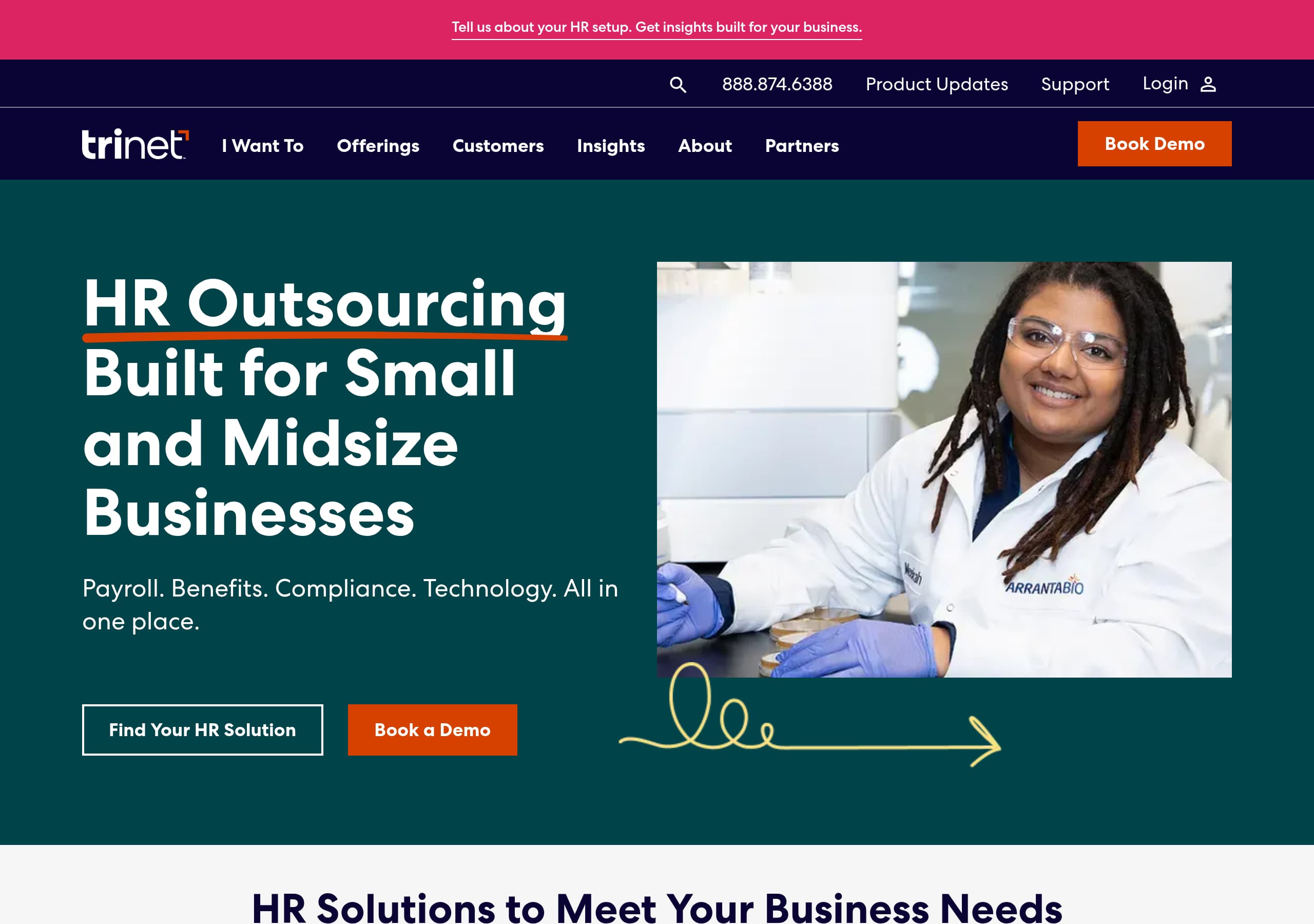
Zenefits’s homepage works because it communicates the “suite” idea quickly and keeps the first decision simple: start evaluating plans or talk to someone. The hero area uses a short, category-level promise focused on HR operations (HR, benefits, payroll) and backs it with dual CTAs that match two intents: self-serve evaluators and sales-led buyers.
A few on-page patterns from the screenshot make this feel designed for scanning rather than reading:
- A single-screen hero with a product UI visual on the right, reinforcing “this is software” instead of a service brochure.
- A top navigation that stays focused on evaluation paths (product, pricing, resources-style items) rather than deep technical pages.
- Repeated CTA placements as the page progresses, which creates multiple conversion opportunities without requiring a scroll back to the top.
The page architecture also implies Zenefits is competing in an SMB HRIS space where consolidation matters. Instead of leading with narrow features, the content clusters around outcomes: reducing HR busywork, centralizing employee information, and simplifying admin. This is effective because buyers often arrive with a problem statement, not a feature checklist. The design supports that with benefit-led sections and short blocks that can be skimmed.
What could be sharper for clarity is adding one line of qualification directly in the hero or immediately below it, such as the target company size or the primary deployment model, so visitors know whether Zenefits is a fit before clicking pricing. As shown, the homepage is strong at “what it is” and “what to do next,” and slightly lighter on “who it is for” and “what is included by default” in the first screen.
Pricing
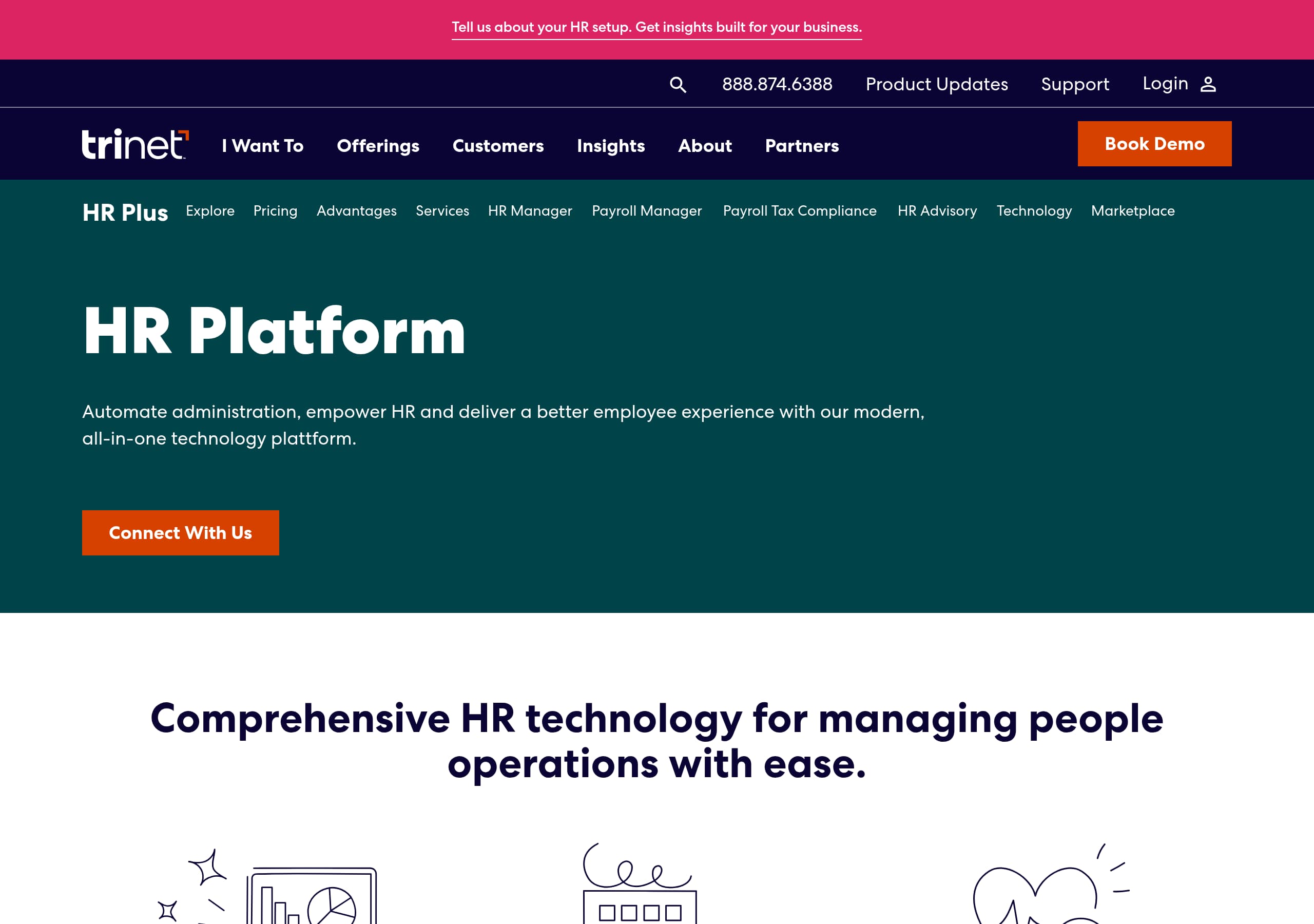
Zenefits’s pricing page is built for quick comparison: it presents multiple plan tiers side by side and anchors cost in a familiar HR buying unit, per employee, per month. This structure helps SMB buyers estimate budget quickly and reduces friction for teams that need a number to start internal discussions.
From the screenshot, several conversion-oriented choices stand out:
- A tiered plan grid with distinct columns, each with its own CTA, which encourages direct action from the comparison state.
- A comparison-style layout that implies feature differences without forcing long narrative sections.
- Plan naming and segmentation that signals a good-better-best path, which helps non-expert buyers self-select without speaking to sales first.
Where the page could improve is in surfacing the “total cost story” more explicitly. In HR platforms, buyers commonly ask whether payroll, benefits administration, compliance support, and integrations are core or add-ons. If add-ons exist, the pricing page should show them clearly as line-item add-ons or include a short “What’s not included” block. That reduces late-stage surprises and improves qualified conversions.
Another optimization would be to place an FAQ block directly under the plan grid that answers practical questions: billing minimums, annual vs. monthly options, implementation, and how benefits brokerage works. Right now, the page is excellent at helping someone pick a tier, but less explicit about purchase mechanics.
Net result: Zenefits’s pricing design is strong for scanning and shortlisting with plan-level CTAs, and it would become best-in-class with clearer packaging for add-ons, implementation, and eligibility details that buyers typically need before they submit a form.
Features
Zenefits communicates features in a way that matches how HR buyers think: not as a long technical list, but as a suite of related jobs to be done. The homepage visual and supporting sections imply a core platform that covers HR management, benefits, and payroll, positioning Zenefits as an HRIS-style consolidation option rather than a single-function tool.
The effective part of this approach is that it reduces cognitive load. Instead of forcing visitors to translate “modules” into outcomes, the site can map feature blocks to common HR workflows:
- Employee records and onboarding, likely framed as one system of record.
- Benefits administration as a guided process rather than a set of toggles.
- Payroll as a recurring workflow where reliability matters.
In the screenshot, the UI visual in the hero supports feature believability because it shows an actual product screen, not an abstract illustration. That is a subtle but important pattern in SaaS marketing: it helps buyers understand that Zenefits is a working platform with dashboards and configuration.
Where the features section can improve is in specificity and decision support. Buyers comparing Zenefits with alternatives like Gusto, Rippling, BambooHR, Paycor, or Paychex often need immediate answers about integrations, geographic coverage, and admin controls. A compact “popular integrations” row and a role-based feature map (HR admin vs. finance vs. managers) would make evaluation faster.
Another strong addition would be a “what you can do in 30 days” storyline that turns features into a rollout plan. That ties feature breadth to time-to-value and supports conversion.
As presented, Zenefits’s feature messaging is clean and suite-oriented with workflow-aligned modules. It becomes more persuasive when paired with concrete examples and comparison-ready details that reduce the need to open multiple tabs during evaluation.
Signup
Zenefits’s site experience suggests a primarily sales-assisted or guided evaluation motion rather than a purely self-serve signup. The pages emphasize pricing tiers and CTAs that likely route to a contact or demo flow, which is common in HR platforms where implementation, payroll setup, and benefits enrollment require qualification.
The conversion mechanics shown in the screenshots support that:
- CTAs appear at key moments (hero and plan cards), indicating intent-based routing from both “learn” and “choose a plan” states.
- The pricing grid structure implies that clicking from a plan likely carries plan context forward, which is important for lead quality and for reducing back-and-forth.
To maximize conversions, Zenefits should ensure the first step after a CTA is as lightweight as possible. For example, a short form that asks only for work email, company size, and whether payroll or benefits are needed creates low-friction capture. Additional fields can be progressively disclosed after submission or inside a scheduling step.
A best-practice improvement is to make the “next step” explicit on the CTA destination page. If the process is “Submit form, then schedule a call,” say so above the form. If there is a self-serve trial for some paths, separate it clearly from demo requests with two buttons, such as “Start setup” and “Book a demo,” so users do not feel tricked.
Because HR tools handle sensitive data, the signup flow should also include reassurance near the form: short statements about security, privacy, and what happens after submission. Even one line like “No obligation; a specialist will help you scope the right plan” can reduce hesitation.
As designed, Zenefits has the right CTA placement and plan context to support signup. The biggest win is clarifying and simplifying the first step so the flow feels predictable and guided rather than sales-gated.
Trust
Zenefits earns baseline trust through category familiarity and professional presentation, but the screenshots show trust cues living more in structure than in explicit, above-the-fold assurances. In HR, benefits, and payroll, buyers want proof around data handling, compliance posture, and operational reliability, and those need to be easy to find without digging.
What the site currently does well is maintain a consistent, enterprise-like tone: clean UI, restrained design, and navigation that implies a mature product. The footer screenshot also suggests the presence of legal and policy links, which is table stakes for a platform that processes employee data.
To strengthen trust at the point of conversion, Zenefits should surface more explicit trust artifacts near CTAs and forms:
- A link to a security page or trust center with clear topics such as encryption, access controls, and incident response. This can be a Trust Center link placed near primary CTAs.
- Compliance and payroll reassurance copy in context, for example, “built for payroll accuracy,” paired with a short explanation of approvals, audit trails, or permissions—without making unverifiable claims.
- Clear privacy language near lead forms: what data is collected, whether it is used for marketing, and a link to the privacy policy, which creates form-level reassurance.
Another trust lever for HR platforms is operational transparency: uptime reporting, status page links, or support availability. Even if these exist elsewhere, bringing them into the evaluation path improves buyer confidence.
Finally, trust is also about reducing switching anxiety. A small section describing migration help, import tools, or guided onboarding can function as implementation trust and decrease perceived risk.
Overall, Zenefits appears credible and professional. It will score higher on trust when it makes security, privacy, and implementation commitments more visible on high-intent pages like pricing and signup destinations, not only in footer navigation.
Footer
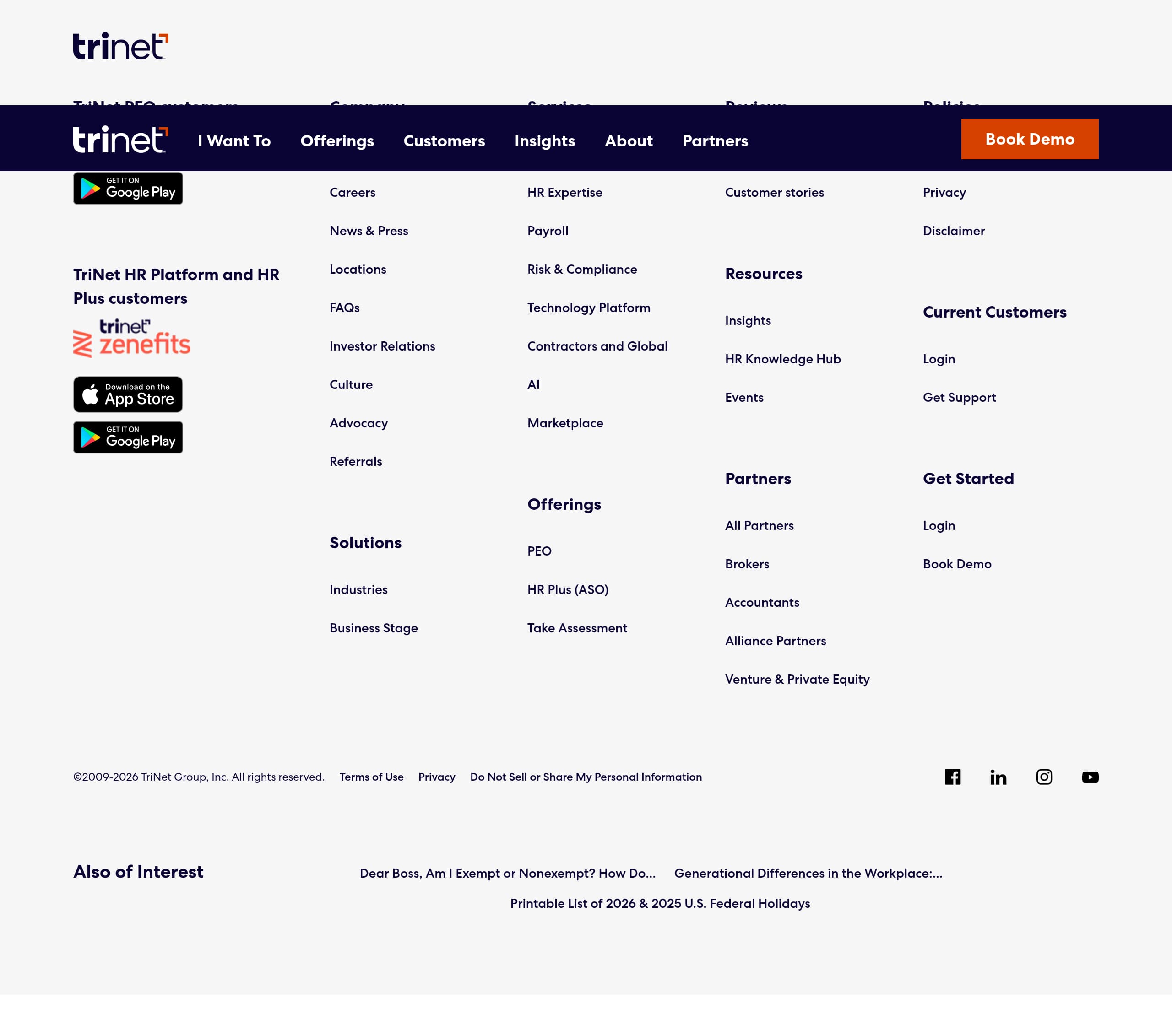
Zenefits’s footer is doing the heavy lifting for completeness and compliance: it appears dense, link-rich, and structured like a mature SaaS company footer. This matters in HR software because visitors often scroll to the bottom specifically to find legal, privacy, and support paths before they submit a form.
From the screenshot, the footer looks organized into multiple columns, which typically serve distinct intents:
- Product and platform navigation, so users can jump directly to key modules instead of returning to the header.
- Company and resource links (about, careers, blog-style items), supporting vendor evaluation.
- Legal links such as privacy policy and terms, which are essential for compliance-oriented buyers.
A strong footer should also act as a last-chance conversion surface. If Zenefits does not already include them, two additions would improve performance without clutter:
- A compact CTA row, such as “Request a demo” or “View pricing,” which creates bottom-of-page conversion for users who scroll after skimming.
- A support entry point, like “Help Center” and “Contact,” plus hours or response expectations. In HR, support quality is part of the purchase decision.
The footer can also reinforce trust with small, factual signals: a link to a security page, a status page, and a short address block to indicate a real operating company. If partner programs or brokerage relationships are core to Zenefits, the footer is a suitable place for partner disclosures and relevant policies.
What to avoid is link overload without hierarchy. The current multi-column layout likely helps, but the best practice is to prioritize the top 8 to 12 links per column and group the rest under a “More” or “Resources” bucket.
Net: Zenefits’s footer reads as complete and evaluation-friendly. With a more explicit CTA and trust center link, it becomes an even stronger conversion and credibility asset.
Detected tech stack
Tools and technologies we detected on Zenefits's site. Detection is best-effort and may be incomplete.
Scores
Our framework scores for Zenefits's website in terms of clarity, conversion, and trust. See our methodology for how we calculate these.
How clear the value prop and structure are.
How conversion-friendly signup and pricing are.
How well trust and compliance are surfaced.
FAQ
Zenefits presents pricing in a tiered plan layout that is easy to compare side by side. The pricing is framed on a per employee, per month basis, which helps small and mid-sized businesses estimate cost quickly. Each plan includes its own CTA from the plan card, encouraging users to act directly from the comparison view rather than hunting for a contact link.
Zenefits’s homepage is effective because it communicates the product category quickly and gives visitors clear next steps. The hero area pairs a concise HR suite message with prominent CTAs, and it includes a product UI visual that makes the software feel tangible. The page layout supports scanning with short sections and repeated CTA placements as users scroll.
From the homepage and pricing screenshots, Zenefits appears primarily sales-led or guided evaluation rather than purely self-serve. CTAs are positioned to move visitors into a next step from the hero and plan cards, which typically routes to a form or sales conversation for HR, benefits, and payroll setup. The structure suggests plan selection context is captured as part of the lead flow.
The visible experience emphasizes brand and suite positioning more than dense proof blocks. The screenshots do not show a prominent above-the-fold logo wall or review snippets, so the site relies on clean design, product UI visuals, and platform breadth to establish credibility. Zenefits could strengthen this by adding customer logos, short testimonials with roles, or review-site links near primary CTAs.
Zenefits places many trust and compliance signals in the footer, where users expect to find privacy and terms links. The footer appears multi-column and structured, supporting vendor evaluation and legal due diligence. For higher conversion confidence, the site would benefit from more trust cues near CTAs, such as a security or trust center link and brief privacy reassurance near forms.

The world's best-performing SaaS businesses share surprisingly similar patterns. We help you learn and apply them through our human-designed methodology, with AI-assisted research.