
Key takeaways
Here are the key insights from our website breakdown analysis of Smokeball.
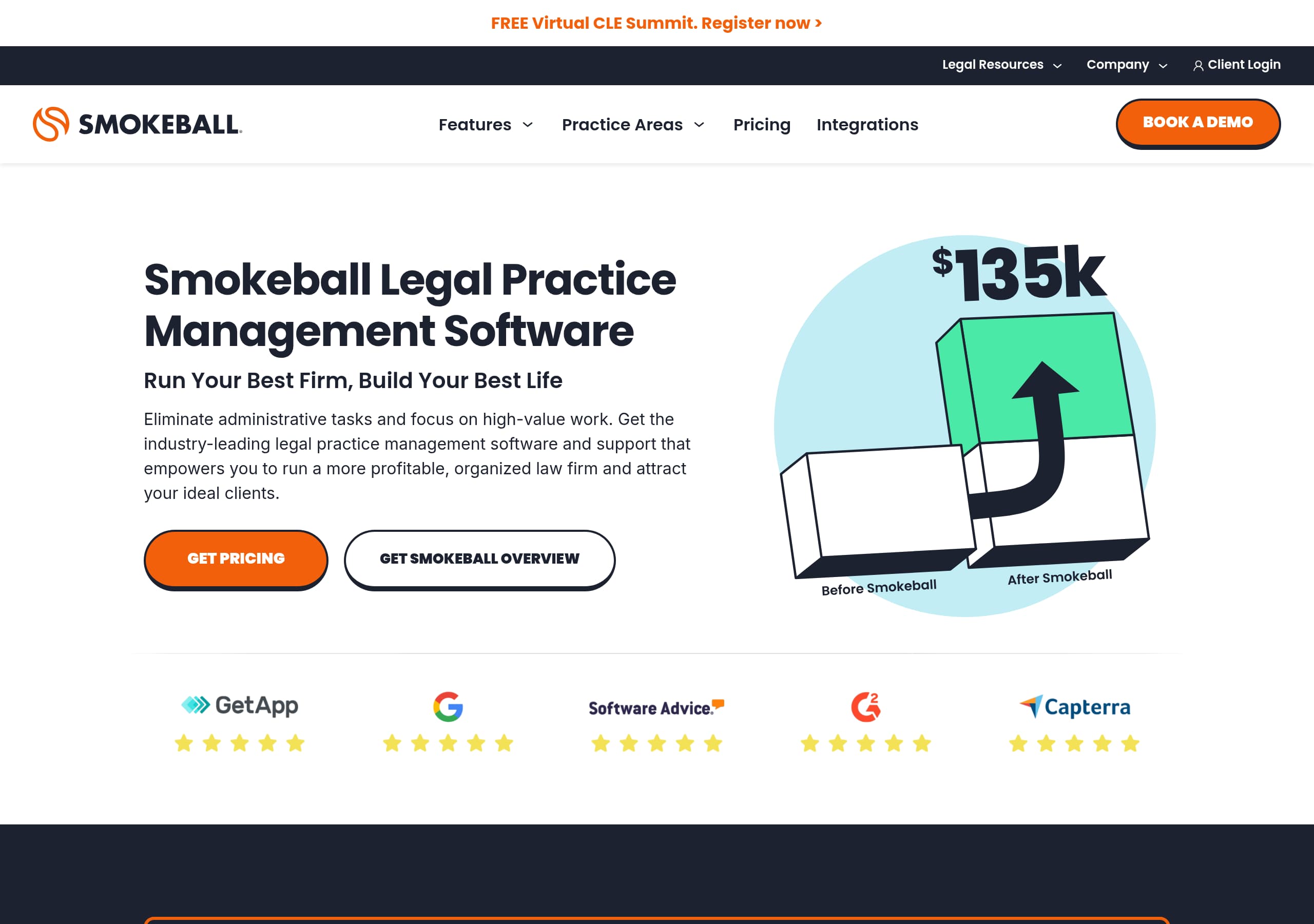
Smokeball’s homepage nails positioning by pairing an outcome-driven headline, “Run Your Best Firm, Build Your Best Life,” with concrete product proof like automatic time tracking, document automation, and billing in the hero and follow-on sections.
The site uses dual-intent CTAs effectively: “Get Pricing” for high-intent buyers and “Book a demo” for evaluators, repeated consistently across navigation, feature sections, and the footer to reduce decision friction.
Quantified claims are used as conversion levers in the main flow, including “Boost your profits by 34%,” “20,000+ legal forms,” “250 plus matter types,” and “Trusted by 20,000+ lawyers worldwide,” which makes benefits feel specific and measurable.
Feature discovery is structured for law firm search intent with two parallel paths: capability-based navigation (billing, intake, reporting) and practice-area pages (Family Law, Real Estate, Personal Injury, etc.), improving relevance for SEO and self-qualification.
Lead capture is optimized for sales follow-up with a multi-field form (email, name, phone, firm name, firm size) plus explicit consent language, which likely increases demo quality even if it adds some friction.
Social proof is strong and believable because it includes named testimonials with roles (paralegal, attorney) and specific workflow outcomes (paper to cloud access, e-filing integration, “case workflows”), not just generic praise.
Trust messaging is present but could be more centralized: compliance and accounting safety are implied through trust accounting and “built-in compliance,” yet a dedicated, easy-to-scan security and privacy proof block would better support risk-sensitive legal buyers.
Home
Smokeball’s homepage works because it anchors the product in a clear law-firm outcome, then reinforces that promise with concrete, scannable proof points and repeated CTAs.
What the hero gets right
The hero headline, “Run Your Best Firm, Build Your Best Life,” is paired with an operational promise: “Eliminate administrative tasks and focus on high-value work.” That sets up who it is for (law firms) and why it matters (time back, profitability). Conversion is immediate with two above-the-fold actions, “Get Pricing” and “Get Smokeball,” which supports both evaluators and ready-to-buy visitors.
How the page builds product credibility
The page quickly shifts from aspiration to specifics: “Smokeball AI has arrived” and describes an “AI-powered legal practice management software platform” tied to recognizable jobs-to-be-done like automatic time tracking, document automation, and billing. It also introduces “Archie AI Matter Assistant,” giving the AI story a named, productized component instead of vague AI marketing.
Evidence and structure that reduce uncertainty
Smokeball uses multiple quantified claims in-line: “Boost your profits by 34%,” a 20,000+ automated forms library, “250 plus matter types,” and “Trusted by 20,000+ lawyers worldwide.” The page also explains workflows in practical language: time captured inside Smokeball plus Microsoft Word and Outlook, matter data populating documents “in seconds,” and a cloud system organizing “documents, emails, contacts and calendar events.”
Overall, the homepage is effective because it mixes outcome-led messaging with observable workflow details and repeated “Learn more” deep links, making it easy for different practice areas and firm sizes to find a relevant next step.
Pricing
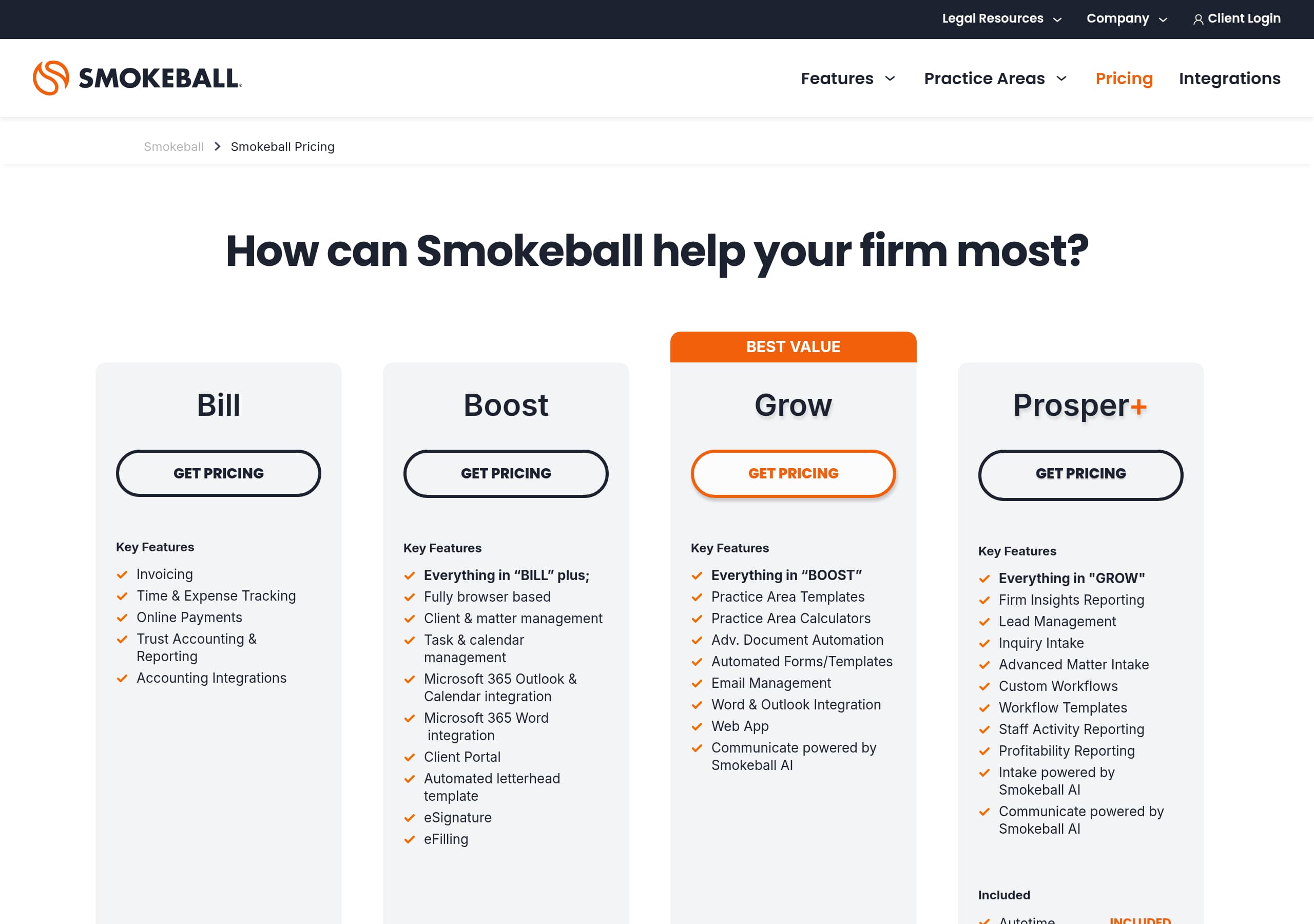
Smokeball’s pricing experience is designed to capture intent and route visitors into a sales conversation, rather than encourage anonymous self-serve checkout.
What the pricing page likely optimizes for
Across the site, “Get Pricing” appears as a primary CTA, which signals that Smokeball treats pricing as a conversion moment, not just information. In the navigation, “Pricing” is a top-level item, reducing hunt time for high-intent buyers. The product also segments elsewhere by firm size in the footer (“For solos & startups 1-3” and “Grow & Prosper For larger firms 4+”), which typically pairs well with tiered pricing expectations.
Conversion mechanics that matter
The lead flow shown on the homepage form collects email, first name, last name, phone number, firm name, and firm size, and includes consent text about promotional calls and messages. That implies that pricing access may also require identification, reinforcing a sales-assisted pricing model. For many legal software purchases, this can improve close rates because a rep can align the right plan with trust accounting, billing, and practice-area workflows.
Friction and how to mitigate it
The tradeoff is friction for buyers who want instant numbers. To keep conversion strong, Smokeball compensates by adding specific value justifications nearby: quantified ROI-style statements like “Boost your profits by 34%” and references to increased billable time when pairing billing with AutoTime. Strong feature naming such as Smokeball Payments and Trust Accounting also signals that pricing includes regulated, risk-sensitive functionality.
Net: Smokeball’s pricing approach fits a considered B2B purchase, but it performs best when the page makes packaging differences easy to compare and ties each tier to clear outcomes like billing speed, compliance, and automation depth.
Features
Smokeball’s features section is effective because it is organized around legal workflows and practice-area specificity, not generic SaaS modules.
Clear feature taxonomy
The site presents features through multiple navigational lenses: top navigation lists “Features,” “Practice Areas,” “Pricing,” and “Integrations,” and the expanded menus break features into recognizable legal categories like Legal Billing and Trust Accounting, Smart Case Management, Intake and Onboarding, and Dashboard and Reporting. Within those, Smokeball names sub-features such as AutoTime Automatic Time Tracking, Client Portal, Email Management, Microsoft Integrations, TemplateLab, and Electronic Signatures.
AI is productized, not hand-wavy
A standout pattern is the AI packaging: “Smokeball AI” is introduced as “available now,” and “Archie AI Matter Assistant” is listed as a specific tool. This helps visitors understand where AI shows up in the product, instead of treating AI as a blanket claim.
Feature benefits are demonstrated with operational detail
On the homepage feature narrative, Smokeball explains how value is created:
- Time tracking is captured inside Smokeball plus Microsoft Word and Outlook, reducing manual timesheets.
- Documents are generated via a 20,000+ automated forms library and populated with matter details “in seconds.”
- Case management unifies “documents, emails, contacts and calendar events” inside a cloud system.
Practice area mapping improves self-qualification
The “Practice Areas” menu lists Business Law, Estate Planning, Criminal Law, Personal Injury, Family Law, Probate, Real Estate, and more. This is a strong SEO and conversion tactic because it lets a visitor quickly answer, “Is this built for my type of work?”
Overall, Smokeball’s feature presentation is high-performing because it matches how firms buy: by workflow (billing, intake, reporting) and by practice type, with AI presented as a real module, not a slogan.
Signup
Smokeball’s signup motion is explicitly sales-led, using a detailed form and strong consent language to qualify leads and enable high-touch follow-up.
What the signup actually looks like
The primary conversion mechanism shown is a lead form placed after benefit bullets like “Turn manual work that once took days into minutes” and “Automatic time tracking lets you bill more accurately.” The form asks for Email, First Name, Last Name, Phone Number, Firm Name, and a required Firm Size selector with options “1 - 2 users,” “3 - 9 users,” and “10+ users.” Many fields are marked “This field is required,” which indicates intentional qualification.
Why this helps sales efficiency
For legal practice management software, implementation and data migration can be non-trivial. Collecting firm size and phone number upfront helps Smokeball route leads appropriately, tailor demo context, and prioritize larger opportunities. The checkbox “Send me sweet offers” plus the explicit statement about receiving promotional messages and/or phone calls sets expectations and reduces surprises.
Friction points and how Smokeball offsets them
A long form can reduce conversion rate for casual visitors. Smokeball counters this with repeated CTAs across the site, including “Book a demo” in navigation and menus, and “Start now” near the profitability section. It also provides immediate reassurance with “Your personal data will be kept confidential,” plus links to Privacy Policy and Terms of Service.
UX signals
The form includes a visible success message (“Thank you! Your submission has been received!”) and an error state (“Oops! Something went wrong while submitting the form.”), which suggests basic submission feedback is implemented.
Net: Smokeball prioritizes lead quality over instant account creation, a reasonable choice for regulated, workflow-heavy legal software, provided demo scheduling and response times are fast after submission.
Trust
Smokeball builds trust primarily through operational compliance cues and workflow-critical claims, rather than a dedicated security proof center in the main homepage flow.
Compliance and financial control cues
Trust is implied strongly in the billing section: “Billing that values your hard work” is paired with “remain compliant,” and trust accounting is positioned as “built-in compliance” with “Detailed records and reports” that “separate your client funds from your firm’s office account.” For law firms, trust accounting is a high-stakes requirement, so placing it prominently helps overcome risk objections.
Reliability through workflow coverage
Smokeball trust signals also appear in how it describes data organization: a cloud-based system that centralizes “documents, emails, contacts and calendar events,” plus automatic time capture in Smokeball and in Microsoft Word and Outlook. These are credibility markers because they describe integration with tools legal teams actually use daily.
Regionalization as a trust pattern
A geo prompt appears (“It looks like you’re visiting from the US/UK/Australia”), offering to switch to the correct regional site. For compliance-sensitive categories, regionalization can increase buyer confidence by implying local support, jurisdiction-aware forms, and market-specific positioning.
What is missing in the visible trust story
In the provided content, there is no prominent security badge block (for example, SOC 2, ISO 27001) or a dedicated security summary near the hero. Privacy is addressed via footer links and form language, and there is a “Privacy Security” link in the footer, but the homepage does not surface the most common procurement-ready assurances.
Practical improvement
Smokeball could increase trust conversion by adding a short, scannable security section near billing and trust accounting: data encryption, audit trails, access controls, and a direct link to the Privacy Security page.
As-is, Smokeball’s trust story is strong on legal-accounting compliance and real workflow descriptions, and weaker on instantly visible security certification-style proof.
Footer
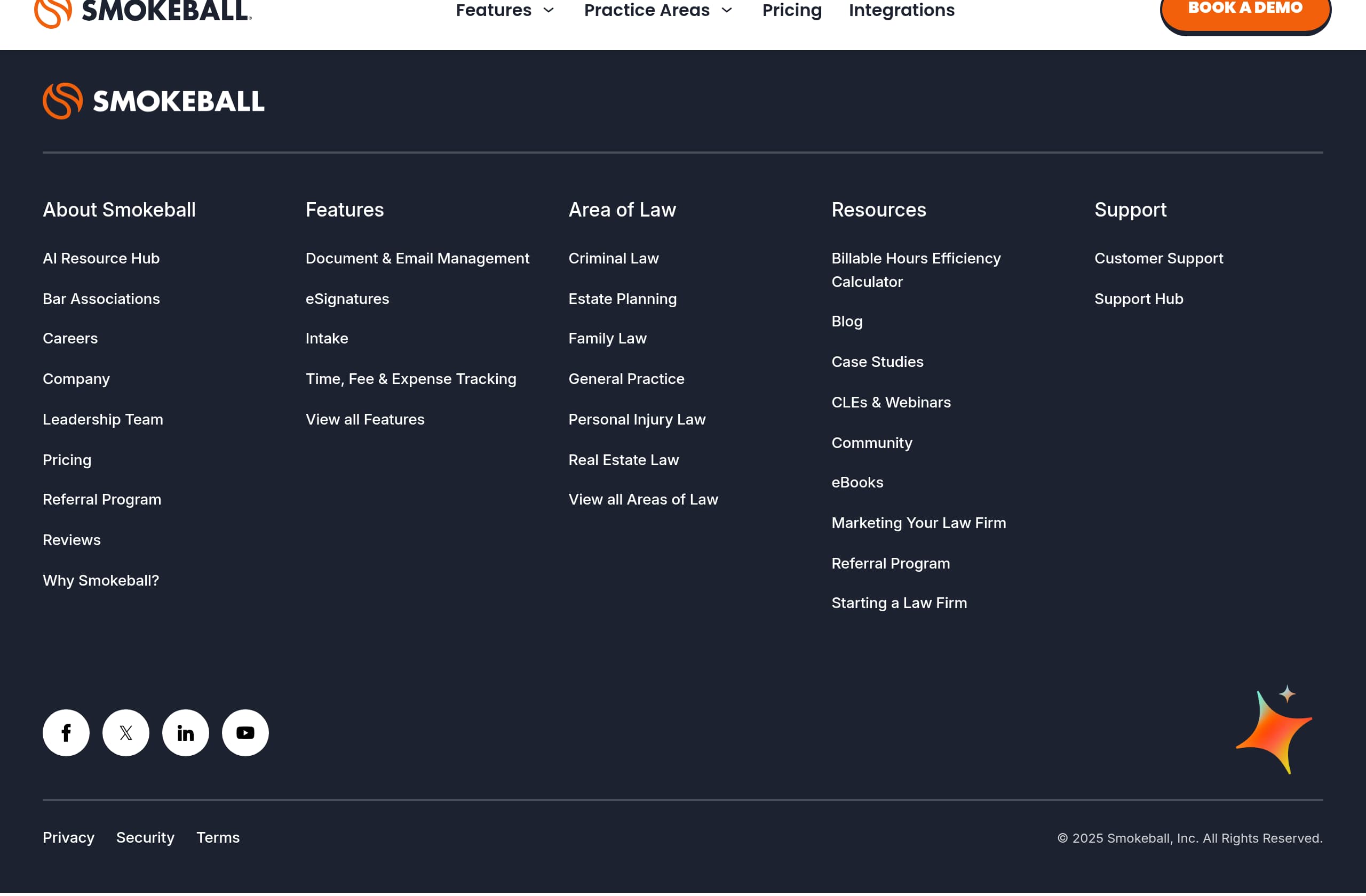
Smokeball’s footer is built like a site index for a complex SaaS, and it supports both conversion and SEO by exposing deep links to products, resources, and legal pages.
What the footer includes
The footer contains multiple structured columns: “Products,” firm size segmentation (“For solos & startups 1-3” and “Grow & Prosper For larger firms 4+”), “Features,” “Area of Law,” “Resources,” “Support,” and “Company.” This structure helps visitors who scroll to the bottom still find a relevant path, especially in a category with many entry points.
Conversion and support paths
Key conversion links like Pricing, Why Smokeball?, and Reviews appear alongside service-oriented links such as “Customer Support,” “Support Hub,” and “Software Requirements.” There is also a “Contact Us” and a visible phone number, (866) 934-9062, which signals real-world accessibility, important for firms evaluating mission-critical systems.
Legal and compliance hygiene
The footer includes Privacy Policy and Terms of Service, plus a “Privacy Security” link that implies a dedicated security page. Trademark language is present (“The SMOKEBALL and S logo marks are registered in the U.S. Patent and Trademark Office.”) and the copyright reads “© 2025 Smokeball, Inc.” These details reduce uncertainty for risk-aware buyers.
Content engine for SEO
Smokeball prominently links to its content library: “AI Resource Hub,” “Case Studies,” “CLEs & Webinars,” “eBooks & Guides,” “News Articles,” “Product Updates,” and “Smokeball Community,” plus a “Billable Hours Efficiency Calculator.” This supports long-tail acquisition and keeps the product positioned as a category educator.
Small UX note
There is also a “Change region” link (“AU”), reinforcing multi-region operations. Overall, the footer is more than legal boilerplate; it functions as a navigational and trust asset with support access, policy links, and high-intent pathways exposed.
Detected tech stack
Tools and technologies we detected on Smokeball's site. Detection is best-effort and may be incomplete.
Frontend
Scores
Our framework scores for Smokeball's website in terms of clarity, conversion, and trust. See our methodology for how we calculate these.
How clear the value prop and structure are.
How conversion-friendly signup and pricing are.
How well trust and compliance are surfaced.
FAQ
Smokeball leads with an outcome-focused headline, “Run Your Best Firm, Build Your Best Life,” then backs it up with concrete workflow proof: automatic time tracking, document automation, billing, and AI (Smokeball AI and Archie AI Matter Assistant). The page also uses quantified anchors like “Boost your profits by 34%,” “20,000+ legal forms,” and “Trusted by 20,000+ lawyers worldwide,” plus clear CTAs like “Get Pricing” and “Book a demo.”
Smokeball treats pricing as a high-intent path with a prominent “Pricing” navigation item and repeated “Get Pricing” CTAs across the site. The funnel appears sales-led, supported by a detailed lead form that collects firm size (1-2 users, 3-9 users, 10+ users) and phone number. The footer also hints at segmentation by firm size, which aligns with tiered packaging expectations for law firms.
Smokeball features “Trusted by 20,000+ lawyers worldwide” and includes testimonials with named individuals and roles, such as a paralegal and multiple attorneys. The quotes reference specific outcomes like moving from paper to cloud access and easier workflows, and one mentions integration with a court e-filing system. Each testimonial includes a “Read more” link, pointing visitors to deeper proof like case studies.
Smokeball’s primary signup motion is a qualification form rather than instant self-serve account creation. The form requires email, name, phone number, firm name, and firm size, and it includes explicit consent language about promotional messages and calls. The page provides submission feedback (“Thank you! Your submission has been received!”) and an error state, and links to the Privacy Policy and Terms of Service.
Smokeball emphasizes compliance through product language around trust accounting, including separating client funds from the firm’s office account and maintaining detailed records and reports. It also reinforces reliability through Microsoft Word and Outlook integration and centralized matter organization (documents, emails, contacts, calendar events). A “Privacy Security” link appears in the footer, but security certifications are not prominently surfaced in the main homepage content provided.

The world's best-performing SaaS businesses share surprisingly similar patterns. We help you learn and apply them through our human-designed methodology, with AI-assisted research.