
Key takeaways
Here are the key insights from our website breakdown analysis of Nuclino.
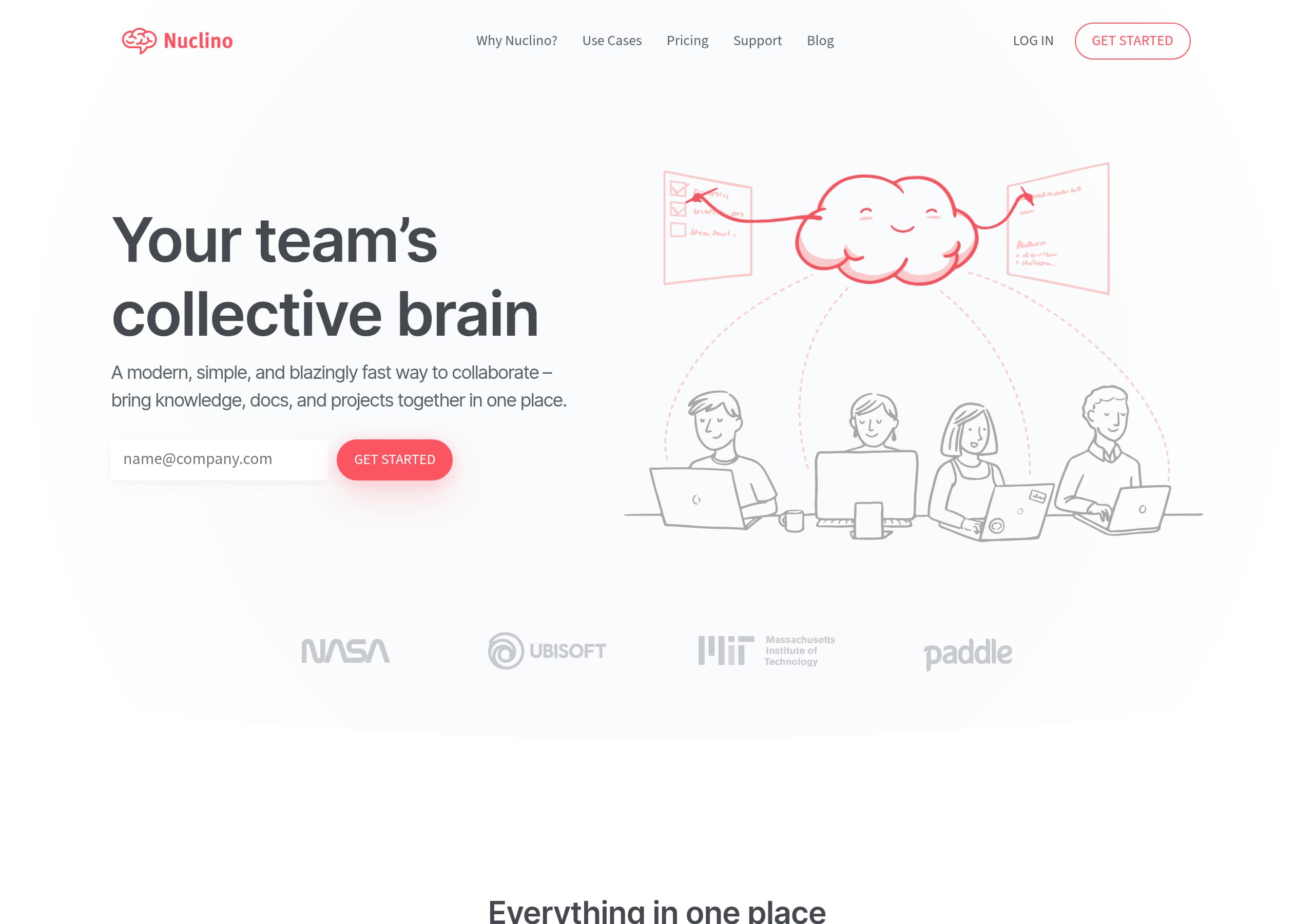
Nuclino’s homepage communicates the product in one line, “Your team’s collective brain,” then immediately clarifies scope with “bring knowledge, docs, and projects together in one place,” which reduces ambiguity for first-time visitors.
The site keeps conversion friction low with persistent, repeated CTAs (“GET STARTED” appears in the header and hero), helping users progress without needing to scroll back or hunt for the next step.
Nuclino positions differentiation through a tight three-part feature promise, “Unified space,” “Super simple,” and “Blazingly fast,” which is easy to remember and maps to common collaboration-tool pain points like silos and context switching.
Social proof is strong and specific: the page states “Trusted by 12,000+ teams” and shows multiple named testimonials with titles and companies, which improves credibility for buyers comparing tools like Notion, Confluence, or Coda.
Pricing is presented in a structured, scannable layout (from the screenshot), which supports self-serve evaluation and reduces sales dependency, but the page should more explicitly connect plan differences back to the “one place” value proposition.
Trust coverage is present via dedicated navigation and footer links (Security, API, Apps & Integrations, Legal), signaling maturity, but key security assurances are not surfaced in the hero or primary conversion path.
Home
Nuclino’s homepage works because it explains the category and the benefit in a single screen, then backs it with three scannable differentiators that match real collaboration pain.
What the hero gets right
The hero headline, “Your team’s collective brain,” is short and memorable, and the subhead immediately removes guesswork: “A modern, simple, and blazingly fast way to collaborate, bring knowledge, docs, and projects together in one place.” This combination delivers category clarity (collaboration, docs, projects) plus a single unifying promise (one place). The primary CTA, “GET STARTED”, is visible immediately and repeated in the top navigation, which supports fast conversion without forcing a scroll.
How the page builds meaning fast
Below the hero, the “Everything in one place” section provides four concrete action verbs—“Organize knowledge, manage projects, share ideas”—which helps multiple personas self-identify. The next block frames differentiation in a three-part grid:
- Unified space: explicitly positions Nuclino as a consolidator that can “replace multiple collaboration tools” to reduce silos.
- Super simple: states a design principle, “without complexity or clutter,” which is a direct contrast to heavier wikis.
- Blazingly fast: lists speed-oriented UX elements—“quick setup, instant search, hotkeys”—which are tangible and believable.
Tactical improvements
The home page is strong on text clarity, but it could convert even better by pairing each pillar with one UI screenshot or micro-demo above the fold. Right now, the promise of instant search and hotkeys is compelling, but a visual proof point would reduce skepticism for buyers comparing Nuclino to Notion or Confluence. Adding a short secondary CTA like “View templates” (already in navigation) could also capture visitors who are not ready to start immediately.
Pricing
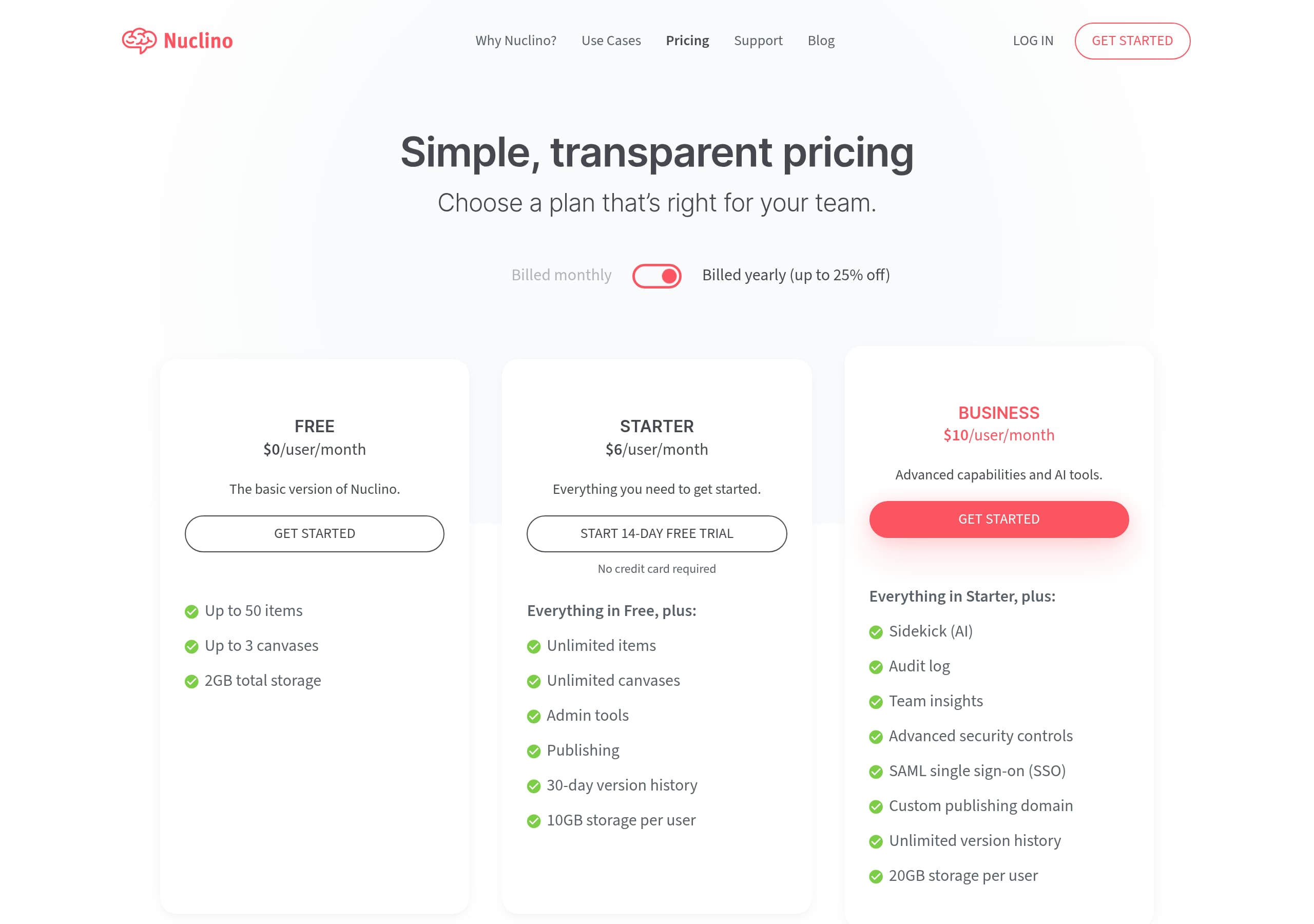
Nuclino’s pricing experience appears designed for self-serve evaluation, with a clean plan layout and clear scanning patterns that match the product’s “simple and clutter-free” positioning.
What the pricing page likely optimizes for
From the pricing screenshot, the page uses a structured grid with multiple plans presented side-by-side, encouraging quick comparison. This layout typically increases conversion because visitors can match themselves to a plan in under a minute, especially when paired with consistent CTAs per column. The global navigation still includes “GET STARTED” and “LOG IN,” which helps returning users and evaluators avoid dead ends.
Where pricing supports the core narrative
Nuclino’s homepage promise is “knowledge, docs, and projects together in one place,” and a pricing grid is a good moment to tie that promise to packaging. The strongest pricing pages translate pillars like Unified space and Blazingly fast into plan-level outcomes—for example: permissions, integrations, and admin controls (for consolidation), plus search and performance-related features (for speed). If the pricing table includes feature bullets under each plan (as the screenshot suggests), it is already set up to do this, but the copy should stay concrete and avoid vague labels.
Opportunities to reduce buyer friction
To improve conversion, Nuclino’s pricing page should make three items unmistakable at a glance:
- Whether there is a free tier or trial, and what it includes, so evaluators can safely click “GET STARTED”.
- What triggers upgrades (seat count, advanced permissions, guest access, integrations), so teams can predict cost.
- A short FAQ near the table addressing billing cadence, cancellations, and team onboarding.
A small but high-impact addition is a “Compare plans” expansion that keeps the page scannable while still supporting procurement-driven buyers. This would reinforce Nuclino’s super simple positioning while making plan differences easier to defend during internal approval.
Features
Nuclino’s features messaging is effective because it is organized around three outcome-driven pillars, each with an explicit “why it matters” statement, instead of a long checklist.
The feature grid is built for scanning
The homepage excerpt shows a compact, three-card structure: Unified space, Super simple, and Blazingly fast. Each card includes a headline, a short explanation, and concrete cues:
- Unified space: “Replace multiple collaboration tools with just one,” then names the problem it solves, “prevent silos and reduce context switching.”
- Super simple: “simple and intuitive,” then clarifies what is avoided, “complexity or clutter.”
- Blazingly fast: emphasizes performance and lists tangible mechanics, “quick setup, instant search, hotkeys.”
This is a strong pattern because it ties features to benefits and gives evaluators vocabulary they can repeat internally.
The site avoids a common SaaS trap
Many knowledge-base tools list dozens of features (templates, pages, permissions, integrations) and lose the narrative. Nuclino’s approach keeps the mental model small: one product, three reasons. The “LEARN MORE” link provides depth without forcing it on every visitor, supporting both skimmers and researchers.
Tactical feature-page improvements
The current features framing would benefit from one extra layer of specificity that is still consistent with the “simple” brand:
- Add 1 screenshot per pillar, showing the editor (simplicity), workspace structure (unified space), and search or keyboard shortcut UI (speed).
- Add short “Works well for” bullets that map to the site’s “Use Cases” navigation.
- Mention the availability of “Apps & Integrations,” “API,” and “Canvas” as pathways for advanced teams, since these links appear in the footer and signal breadth.
Done carefully, this would keep the clutter-free feel while giving evaluators more proof that Nuclino can replace multiple tools in real workflows.
Signup
Nuclino’s conversion path is optimized around a single, repeated action, “GET STARTED,” which minimizes decision fatigue and keeps signup intent consistent across the site.
What the site does to drive signups
The header includes “LOG IN” and “GET STARTED”, and the hero repeats “GET STARTED,” creating a clear path for both new and returning users. This dual-CTA pattern is simple but effective: new visitors are funneled into onboarding, while existing users are not forced through marketing pages.
Why the CTA strategy works
Nuclino’s messaging is built around speed and simplicity, and the CTA experience matches that. There is no competing primary action like “Request a demo” visible in the excerpt, which suggests Nuclino prioritizes self-serve growth. The bottom-of-page prompt “Ready to get started? GET STARTED” acts as a final conversion catch after visitors have consumed proof points.
Where onboarding can better reinforce the promise
Because the product promise includes “knowledge, docs, and projects together,” the most effective signup flows usually do three things quickly:
- Ask one lightweight question about intent (wiki, docs, projects) to personalize the first workspace.
- Provide a starter structure (templates) so the empty state does not feel like work.
- Demonstrate one “aha” moment tied to instant search or editor simplicity within the first minute.
Nuclino already surfaces “Templates” in navigation and “Support Articles” in the footer, which indicates the assets exist to support onboarding. The key is connecting them directly to the GET STARTED click so the first session feels “blazingly fast,” not just the marketing copy. If the signup page also repeats a short trust line (for example, linking to Security), it would reduce hesitation for teams evaluating documentation tools for internal use.
Trust
Nuclino signals product maturity through clear trust pathways in navigation and footer, but the primary pages could surface more security reassurance closer to the first conversion moment.
Trust signals that are visible
In the footer, Nuclino includes dedicated links to Security, API, and “Apps & Integrations,” alongside “Terms” and “Privacy.” This combination is a strong maturity marker: it indicates the product expects organizational evaluation, supports integrations, and maintains formal legal documentation. The presence of “Company: About Us, Customers, Jobs, Press, Contact” also supports legitimacy, because it reduces the “unknown vendor” risk for buyers.
What is missing from the high-intent flow
The homepage hero and primary feature blocks are optimized for speed and simplicity, but they do not mention security or compliance in the excerpt. For many teams, especially in engineering, operations, and larger companies (a Vistaprint testimonial is shown), the trust checklist appears before they click GET STARTED. If Nuclino has standard assurances (data encryption, SSO, audit logs, data residency, uptime status), the site should hint at them earlier, even with a single line and a link.
Tactical ways to improve trust without adding clutter
To preserve the “clean interface” brand, Nuclino can add small, high-signal elements:
- A one-line micro-banner near the CTA: “See Security,” linking to the security page.
- A small row of trust badges near pricing, for example “SSO,” “SAML,” or “GDPR,” only if those are true on the Security page.
- A “How we handle your data” accordion on Pricing.
This approach keeps the page super simple while giving risk-sensitive buyers a path to validate Nuclino quickly. The existing site architecture already supports it; the trust content just needs to be brought closer to conversion.
Footer
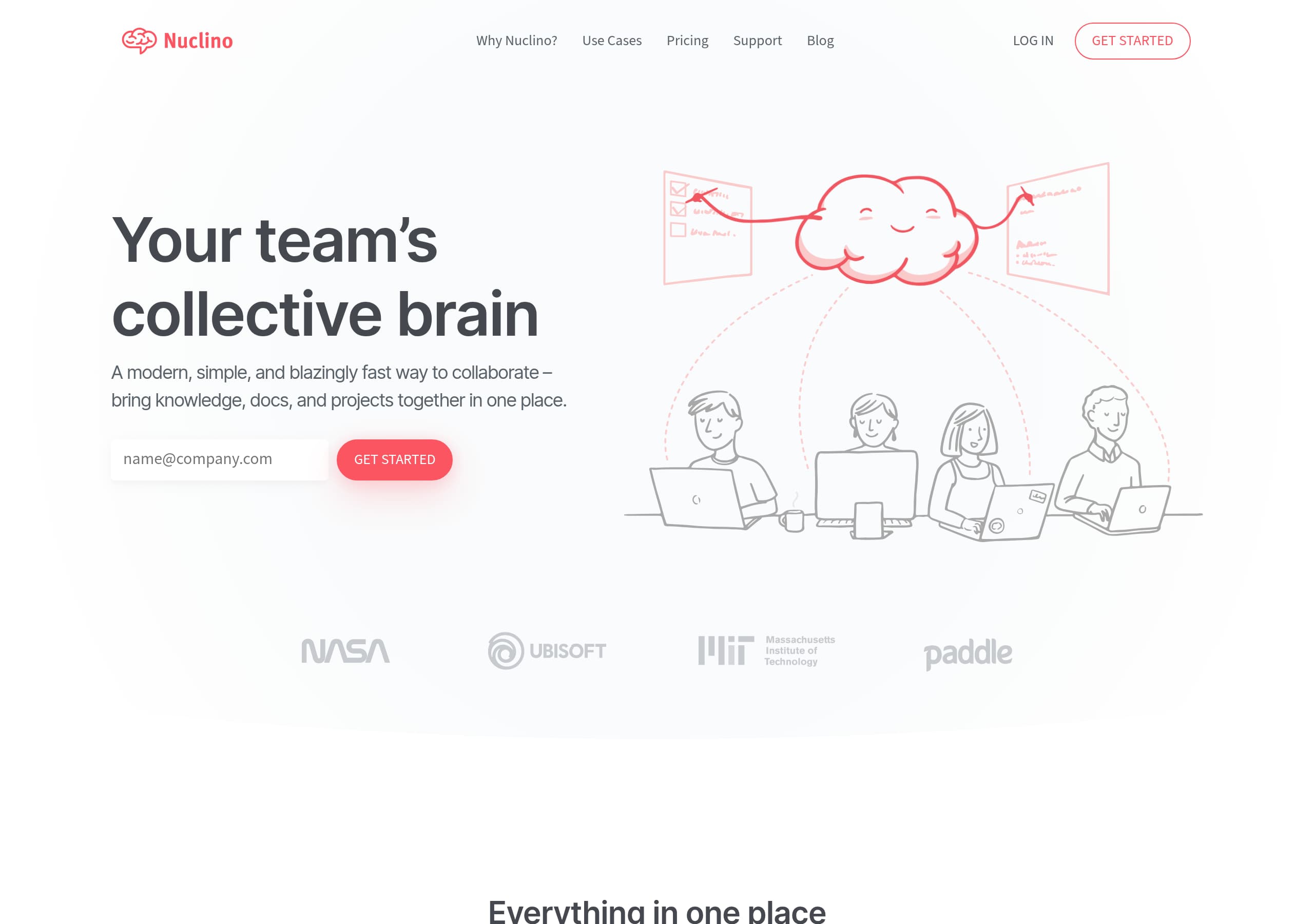
Nuclino’s footer is structured like a product index, which improves SEO coverage and helps evaluators find deep pages like Security and API without relying on top navigation.
What is included, and why it matters
From the footer screenshot and excerpt, the footer is organized into clear columns: Product (Why Nuclino?, Use Cases, Templates, Pricing, Apps & Integrations, Download, Sidekick (AI), Canvas, Security, API), Company (About Us, Customers, Blog, Jobs, Press, Contact), and Resources (Support Articles, Legal, Terms, Privacy). This is a comprehensive map that supports both discovery and due diligence. Including Sidekick (AI) and Canvas in the product column also signals ongoing product development and feature expansion.
How it supports conversion and retention
Footers are often overlooked, but Nuclino uses them to capture late-stage questions: “Security” for IT review, “Apps & Integrations” for workflow fit, “API” for technical teams, and “Download” for users who prefer desktop apps. The “Support Articles” link reduces post-purchase friction by making help content easy to locate, which can lower churn for a documentation product.
What could be improved
Two practical enhancements would make the footer even more effective:
- Add a direct link to a public Status page if one exists, since “blazingly fast” and “reliable” are repeated claims in testimonials.
- Add a short line beneath Legal that clarifies the company entity and location (only if accurate), which can help procurement.
The footer already does the hard part: it is scannable, complete, and aligned to the product story of replacing tools. It reinforces information architecture clarity and gives visitors multiple paths to validate Nuclino before they commit to GET STARTED.
Detected tech stack
Tools and technologies we detected on Nuclino's site. Detection is best-effort and may be incomplete.
Scores
Our framework scores for Nuclino's website in terms of clarity, conversion, and trust. See our methodology for how we calculate these.
How clear the value prop and structure are.
How conversion-friendly signup and pricing are.
How well trust and compliance are surfaced.
FAQ
Nuclino’s homepage communicates the product quickly with the headline “Your team’s collective brain” and a subhead that clarifies scope: “bring knowledge, docs, and projects together in one place.” It pairs this with a single primary CTA, “GET STARTED,” shown in both the header and hero. The page then explains differentiation using three pillars: Unified space, Super simple, and Blazingly fast.
Nuclino’s pricing page (as shown in the screenshot) uses a side-by-side plan grid that makes it easy to compare options quickly. This layout supports self-serve purchase decisions by placing plan details and calls to action in consistent columns. The navigation still includes “LOG IN” and “GET STARTED,” so both returning users and new evaluators can move forward without getting stuck.
Nuclino states “Trusted by 12,000+ teams” and includes multiple testimonials with names, job titles, and companies. Examples include roles like VP Marketing at Paddle and Lead Software Engineer at Vistaprint. Several quotes are outcome-based, referencing faster document discovery, fewer meetings, and a low barrier to entry. A “Customer Stories” link provides a deeper proof path.
Nuclino emphasizes a single action, “GET STARTED,” across the header, hero, and closing section (“Ready to get started? GET STARTED”). This consistent CTA reduces decision friction and supports a self-serve onboarding approach. The site also provides supporting resources through navigation and footer links like Templates and Support Articles, which can be used to guide new users after signup.
Nuclino links to Security directly in the footer, alongside other evaluation-oriented pages like Apps & Integrations and API. The footer also includes legal links such as Terms and Privacy, which helps teams complete due diligence. This structure makes it easy for buyers to validate governance requirements without searching through marketing pages or relying on sales contact.

The world's best-performing SaaS businesses share surprisingly similar patterns. We help you learn and apply them through our human-designed methodology, with AI-assisted research.