
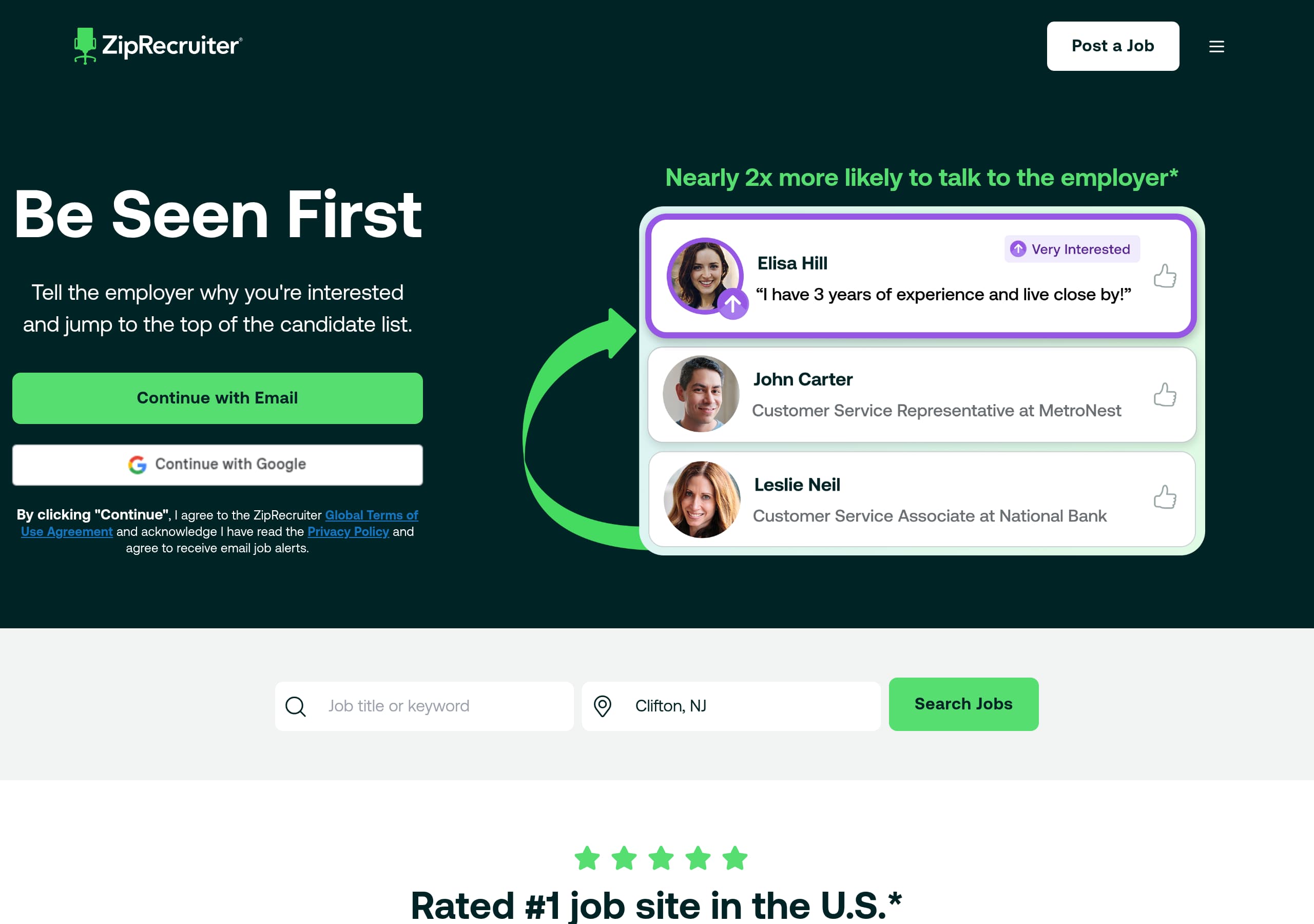
Key takeaways
Here are the key insights from our website breakdown analysis of ZipRecruiter.
ZipRecruiter’s homepage for job seekers is conversion-first: the hero pairs a single, clear promise (“Let’s Find Jobs for You”) with an immediately usable search form that captures intent before asking for commitment.
The site uses dual acquisition paths in the header, “Job Seekers” and “Employers,” reducing audience confusion while still keeping primary focus on job-seeker actions like “Create your Profile” and job alerts.
Signup is positioned as a value exchange rather than a generic registration, with “Sign Up to Get Job Alerts” framed around matching technology that delivers results to your inbox.
Trust is built with specific, relatable testimonials that mention concrete outcomes (faster search, application views, first job), which helps reduce skepticism better than abstract claims.
The footer does strong compliance and locality work by showing Ireland-specific contact details, address, and policy links, which supports legitimacy for users in that region.
Pricing information is not surfaced in the job-seeker experience shown here, which keeps the funnel clean for candidates but may require clearer navigation cues for employers who are evaluating cost.
Home
ZipRecruiter’s homepage succeeds because it turns “find a job” into an immediate action, not a reading exercise. The hero headline, “Let’s Find Jobs for You”, is paired with qualifiers that remove hesitation, “Any industry. Any location. Any experience level.”, and then a live search module that makes the next step obvious.
What the hero gets right
- The central UI is a job search form with an “Any” keyword field, plus a Distance selector with discrete options (5, 10, 20, 50, 100 kilometres). That specificity signals control and relevance.
- The primary button label is “Search”, which is lower friction than “Get started,” because it matches the user’s mental model.
- The header cleanly segments audiences: Job Seekers vs Employers, each with log-in and account creation links. This reduces misclicks while keeping job seeker actions prominent.
Messaging and page flow
Immediately below the search, the page introduces a secondary CTA, “Sign Up to Get Job Alerts”, and ties it to a concrete mechanism: “Our powerful matching technology will send job matches right to your inbox.” This sequence is effective because the page first enables browsing, then offers automation once intent is established.
Conversion notes based on observable UI
The page avoids clutter: there is no visible feature grid in the excerpted view, and the content prioritizes the two core loops, search now and subscribe for matches. The wording “Find Your Future Job” acts as a reinforcing subheading without competing with the main CTA. Overall, ZipRecruiter uses single-purpose sections and clear CTA hierarchy to keep job seekers moving.
Pricing
Pricing is notably absent from the job-seeker page experience shown, which is a deliberate funnel choice: candidates should not encounter cost friction. The tradeoff is that employer visitors who land here might need clearer routing to evaluate ZipRecruiter’s paid job posting and sourcing products.
What is observable, and what it implies
- The top navigation includes “Employers” with “Log In” and “Create Employer Account”, but the visible page content focuses on job search and job alerts, not plans or packages.
- There is no pricing table, no “Plans,” and no “Starting at” language in the provided excerpt or screenshot context. That suggests ZipRecruiter keeps pricing on dedicated employer pages or behind an employer-specific flow.
Why the lack of pricing can help conversion
For the job seeker audience, not showing pricing keeps the value proposition clean: search and alerts. It also avoids misinterpretation, for example candidates thinking they must pay to apply. In that sense, the homepage acts like a free-product landing page, where the only “cost” is creating a profile or opting into alerts.
Where it could be improved for mixed traffic
If a meaningful share of visitors arrive with employer intent, the page could more explicitly route them with a visible employer CTA like “Post a Job” or “View Employer Plans,” rather than relying on the header alone. Right now, employers can find the path, but it is not supported by page-level messaging.
Tactical recommendation
Maintain the candidate-first experience, but add one employer-oriented link near the top or mid-page that clarifies the next step for buyers. That preserves low-friction job seeker conversion while improving pricing discoverability for employer evaluation journeys.
Features
The visible “features” on this job-seeker landing experience are presented as workflow benefits embedded into CTAs, not as a traditional feature grid. ZipRecruiter emphasizes matching and notifications, which aligns with the core candidate pain point: wasting time on irrelevant listings and hearing nothing back.
Feature positioning that is actually on the page
- Matching technology is introduced in direct support of the email capture: “Our powerful matching technology will send job matches right to your inbox.” This frames the feature as automation that saves effort.
- Testimonial content functions like feature proof: one user highlights being told when companies view applications, implying application status visibility or employer engagement signals.
- The distance filter with 5 to 100 kilometres is a “micro-feature” in the hero UI, but it communicates a broader theme: control over relevance.
Why embedding features into actions converts
Instead of listing dozens of tools, the page ties each capability to a next step:
- Search with filters now.
- Subscribe to alerts to offload discovery.
- Create a profile to be matchable. This approach reduces cognitive load and keeps the page anchored on outcomes rather than product vocabulary.
Where a feature grid could help
For users who are comparing platforms like Indeed or LinkedIn Jobs, a compact section could clarify differentiators without overwhelming the page. For example, a 3-item strip that maps to what is already implied:
- Smarter matches (alerts),
- Application insights (views),
- Profile-based discovery (recruiter visibility).
The key is to keep it minimal and consistent with the current structure. ZipRecruiter’s current page leans into actionable UI features and benefit-led copy, which is effective for high-intent job seekers arriving ready to search.
Signup
ZipRecruiter frames signup as a direct response to user intent: get better matches with less effort. The page’s most explicit acquisition CTA is “Sign Up to Get Job Alerts”, which is positioned after the search area, creating a logical progression from browsing to automation.
What the signup prompts communicate
- The CTA is not “Create an account” in the main body, it is a benefit statement. That makes the conversion feel like opting into a service, not paperwork.
- The promise is concrete: job matches delivered to your inbox, powered by matching technology. This reduces ambiguity about what happens after signup.
- The header also offers “Create your Profile” for job seekers, which suggests a second signup path for users who want to be discovered, not just browse.
Why this is a strong onboarding pattern
ZipRecruiter is effectively using a two-stage funnel:
- Let users search immediately, capturing their role and location intent.
- Offer alerts so ZipRecruiter can re-engage users via email. This pattern is proven for marketplaces because it converts both active and passive seekers. It also aligns with the testimonial that mentions knowing when companies view applications, reinforcing that there is value after the initial search.
Friction and clarity considerations
What is not visible in the provided content is the number of steps, required fields, or whether social sign-in exists. Those details strongly affect completion rates. However, the site does a good job of making the “why” of signup clear.
Tactical improvements
To further reduce friction, ZipRecruiter could add a short line near the CTA clarifying what information is required (for example, email only vs full profile) and a reassurance about alert frequency. Even one sentence can improve completion without changing the overall flow.
Trust
ZipRecruiter’s trust signals on this page are primarily credibility and legitimacy cues rather than explicit security claims. For a job-search marketplace, users need reassurance that listings are real, communications are legitimate, and the company is reachable, and the site addresses some of that through structure and transparency.
Trust elements visible in the experience
- The page includes multiple named testimonials with specific outcomes, which reduces the sense that results are hypothetical.
- The navigation offers clear identity separation between Job Seekers and Employers, which helps users understand the ecosystem and reduces confusion about who the product serves.
- The footer exposes multiple contact methods and corporate information, which is a strong legitimacy signal compared with anonymous job boards.
What is not shown, and why it matters
In the provided excerpt and screenshots, there are no explicit security or safety statements such as:
- verification of employers or job postings,
- anti-scam guidance,
- privacy assurances near signup,
- explanations of how email alerts and profiles are used. These are common anxieties in job search, and addressing them in-context can increase conversion, especially for users hesitant to create profiles.
Recommended trust additions that fit this page
Without adding heavy compliance text, ZipRecruiter could include a compact trust block near the signup CTA:
- A short “Safety” link explaining job posting rules and reporting.
- A one-liner summarizing how alerts work and how to manage them.
- A reassurance that account creation is free for job seekers.
Why this still works today
Even without explicit security badges, ZipRecruiter’s transparent corporate footprint, real-person stories, and clear audience segmentation provide baseline trust. Strengthening safety messaging would likely improve conversions further for cautious users and international visitors.
Footer
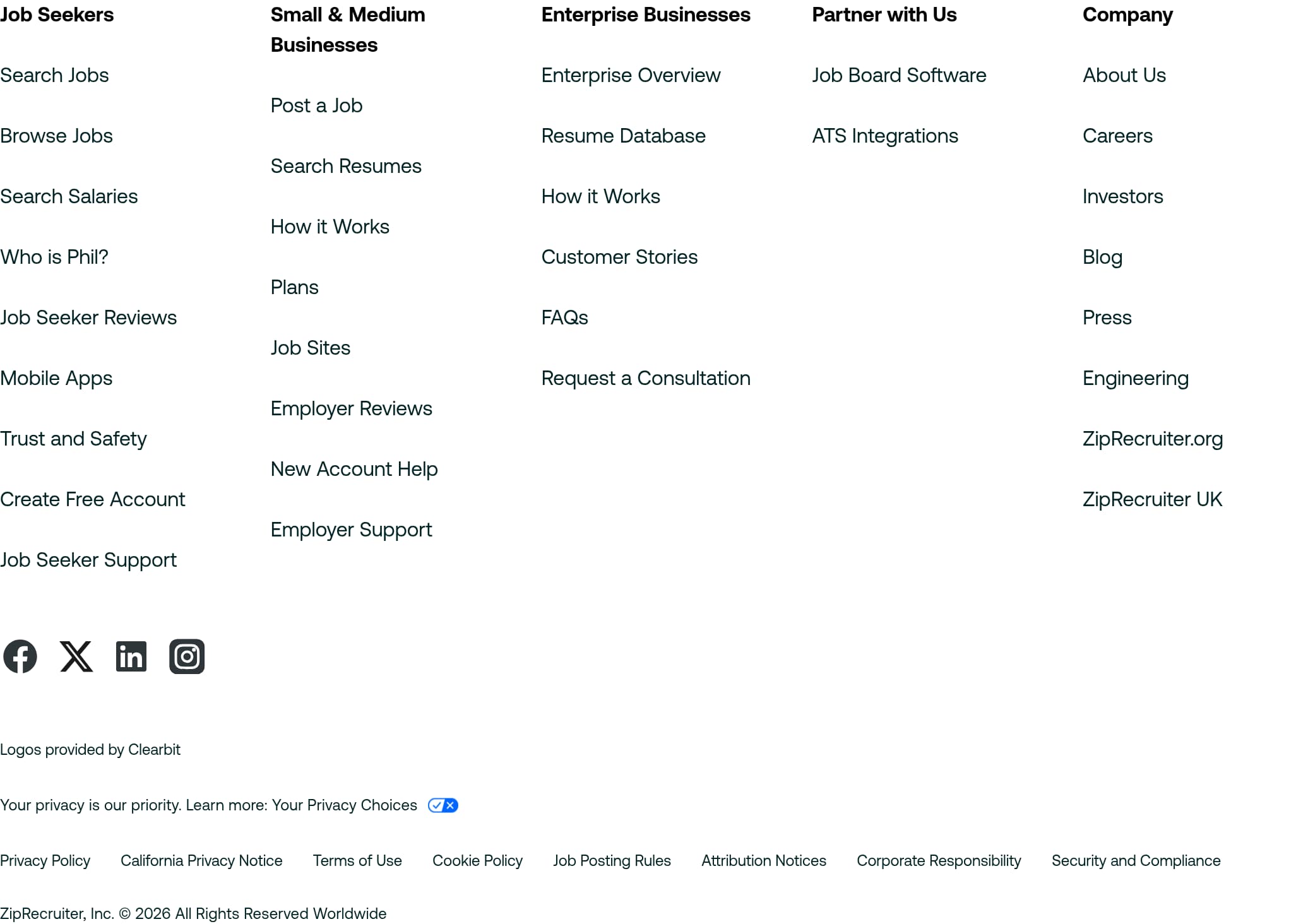
ZipRecruiter’s footer is doing heavy lifting for navigation, compliance, and regional legitimacy. It is structured around clear link groupings and includes Ireland-specific corporate details, which helps users feel they are dealing with a real, accountable company.
What is included, and why it matters
- A “For Job Seekers” cluster with utility links like Search Jobs, Create Free Account, and Support. This keeps critical actions available even at the bottom of the page.
- A “Company” cluster, including About Us, Corporate Responsibility, Contact Us, and direct actions like Email Us.
- A visible phone number with an Ireland country code: +353 18 0084 9006. Phone support is a strong trust cue in marketplaces.
- Full legal and policy links: Privacy Policy, Terms of Use, Cookie Policy, plus Global Privacy Policy and Global Terms of Use Agreement. The presence of both local and global policies suggests multi-region operations.
Legitimacy and compliance detail
The footer lists a physical address in Dublin, Ireland, including “ZipRecruiter, Inc. c/o, MCF Legal Technology Solutions Limited, Riverside one, Sir John Rogerson's Quay, Dublin 2, D02 X576, Ireland.” This type of verifiable business location reduces scam concerns, especially for job seekers wary of fraudulent platforms.
Social and brand continuity
It also includes social links (Facebook, Twitter, LinkedIn, Instagram), which provide additional verification paths and support channels.
Improvement opportunity
The footer contains “Job Posting Rules,” which is highly relevant to user safety. Elevating that link earlier in the page, or adding a short excerpt about enforcement, could strengthen trust and safety perception without changing the footer. Overall, ZipRecruiter’s footer is complete, scannable, and compliance-forward.
Detected tech stack
Tools and technologies we detected on ZipRecruiter's site. Detection is best-effort and may be incomplete.
Scores
Our framework scores for ZipRecruiter's website in terms of clarity, conversion, and trust. See our methodology for how we calculate these.
How clear the value prop and structure are.
How conversion-friendly signup and pricing are.
How well trust and compliance are surfaced.
FAQ
ZipRecruiter’s homepage leads with a simple promise, “Let’s Find Jobs for You,” and immediately provides a job search form with a distance filter (5 to 100 kilometres). That lets users take action without creating an account first. A secondary CTA, “Sign Up to Get Job Alerts,” is framed as a clear benefit, with matching technology sending relevant jobs to your inbox.
In the provided homepage experience, ZipRecruiter does not show pricing, plan tiers, or any “starting at” messaging. The visible navigation separates Job Seekers and Employers, suggesting that employer pricing is handled elsewhere, likely on employer-specific pages or within an employer account flow. For candidates, the funnel stays focused on search and alerts rather than cost.
ZipRecruiter uses benefit-led CTAs instead of generic registration prompts. The main body CTA is “Sign Up to Get Job Alerts,” which explains what the user receives, job matches delivered to their inbox via matching technology. The header also includes “Create your Profile,” indicating a second path for candidates who want to be discoverable, not just browse listings.
ZipRecruiter highlights multiple named testimonials that describe concrete outcomes, like faster searching, knowing when companies view applications, getting a first job after graduation, and landing a full-time role before finishing school. This type of first-person, outcome-based social proof fits job seekers, because it addresses doubts about whether applying will actually lead to responses.
The footer provides strong legitimacy cues: an Ireland phone number (+353 18 0084 9006), a Dublin address for ZipRecruiter, Inc. c/o a local entity, and a full set of policy links including Privacy Policy, Terms of Use, Cookie Policy, plus global privacy and terms. Social links (LinkedIn, Instagram, etc.) also provide additional verification paths.

The world's best-performing SaaS businesses share surprisingly similar patterns. We help you learn and apply them through our human-designed methodology, with AI-assisted research.