
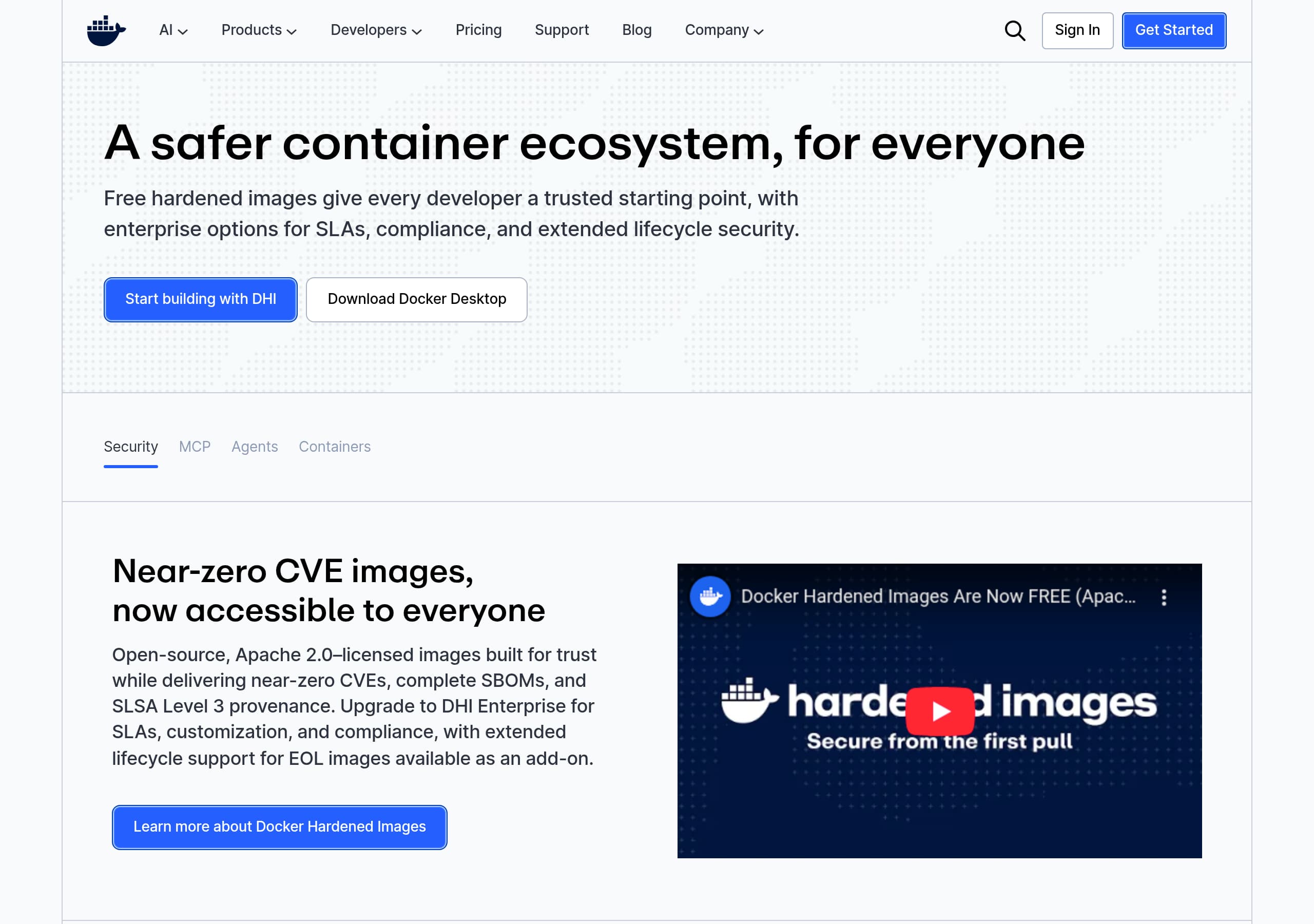
Key takeaways
Here are the key insights from our website breakdown analysis of Docker.
Docker’s homepage succeeds by compressing multiple product lines into a single narrative about secure, reproducible development, using clear, action-oriented headlines like “Deliver Quickly. Build Securely. Stay Competitive.” and repeated download CTAs.
Conversion is driven by highly specific next steps, including OS-specific Docker Desktop download buttons (Mac Apple Silicon, Mac Intel, Windows AMD64, Windows ARM64, Linux) that remove decision friction at the moment of intent.
Docker positions security as a product, not a checkbox, with concrete proof points like “SOC 2 Type 2 Attestation & ISO 27001 Certification,” “SBOMs,” and “SLSA Level 3 provenance,” which increases credibility for enterprise buyers.
The site effectively rides the AI wave without losing its core container identity by introducing Docker MCP, Docker Model Runner, and Compose for agents, framing them as familiar workflows (“docker compose up”) rather than new concepts.
Social proof is strong because it mixes scale metrics (14M+ images, 11B+ monthly downloads, 24M+ users) with named, role-specific testimonials (Zeiss, InCred, GuidePoint Security, Adobe, Cloudflare) that map to different buyer concerns.
Pricing intent is captured with plan language that matches typical procurement paths (Personal, Pro, Team/Business, Premium) plus an enterprise trial motion (“30-day free trial” and “Contact Sales”) that supports both self-serve and sales-led conversion.
Home
Docker’s homepage is effective because it turns a broad platform into a set of clear, high-intent entry points, then repeatedly anchors everything back to speed and security. You see outcome-led messaging like “Deliver Quickly. Build Securely. Stay Competitive.” and “The simplest way to build and run software. Anywhere.” paired with immediate CTAs such as Download Docker Desktop and Get Started, which reduces the time to first action.
A notable UI pattern is the way Docker blends new AI positioning with its core container brand. Above the fold, product navigation highlights AI-adjacent items like Docker MCP and Docker Model Runner, while the body copy explains them in container-native terms, for example “Define and run agents, models, and tools with Docker Compose” and “Spin up your full agentic stack with docker compose up.” This is a smart continuity move because it keeps workflow familiarity high even as the product expands into agent development.
The page is also built for fast self-serve: OS-specific download buttons appear multiple times (Mac Apple Silicon, Mac Intel, Windows AMD64, Windows ARM64, Linux). That kind of platform-specific CTA design eliminates a common friction point on developer tools sites. For enterprise and security audiences, the homepage surfaces Docker Hardened Images with concrete, scannable proof points like near-zero CVE images, complete SBOMs, and SLSA Level 3 provenance, plus the upgrade path to enterprise SLAs.
Finally, the narrative is reinforced with both scale stats (14M+ images, 11B+ monthly downloads, 24M+ users) and named testimonials, which adds credibility without forcing a long case study click before the visitor understands what Docker wants them to do next.
Pricing
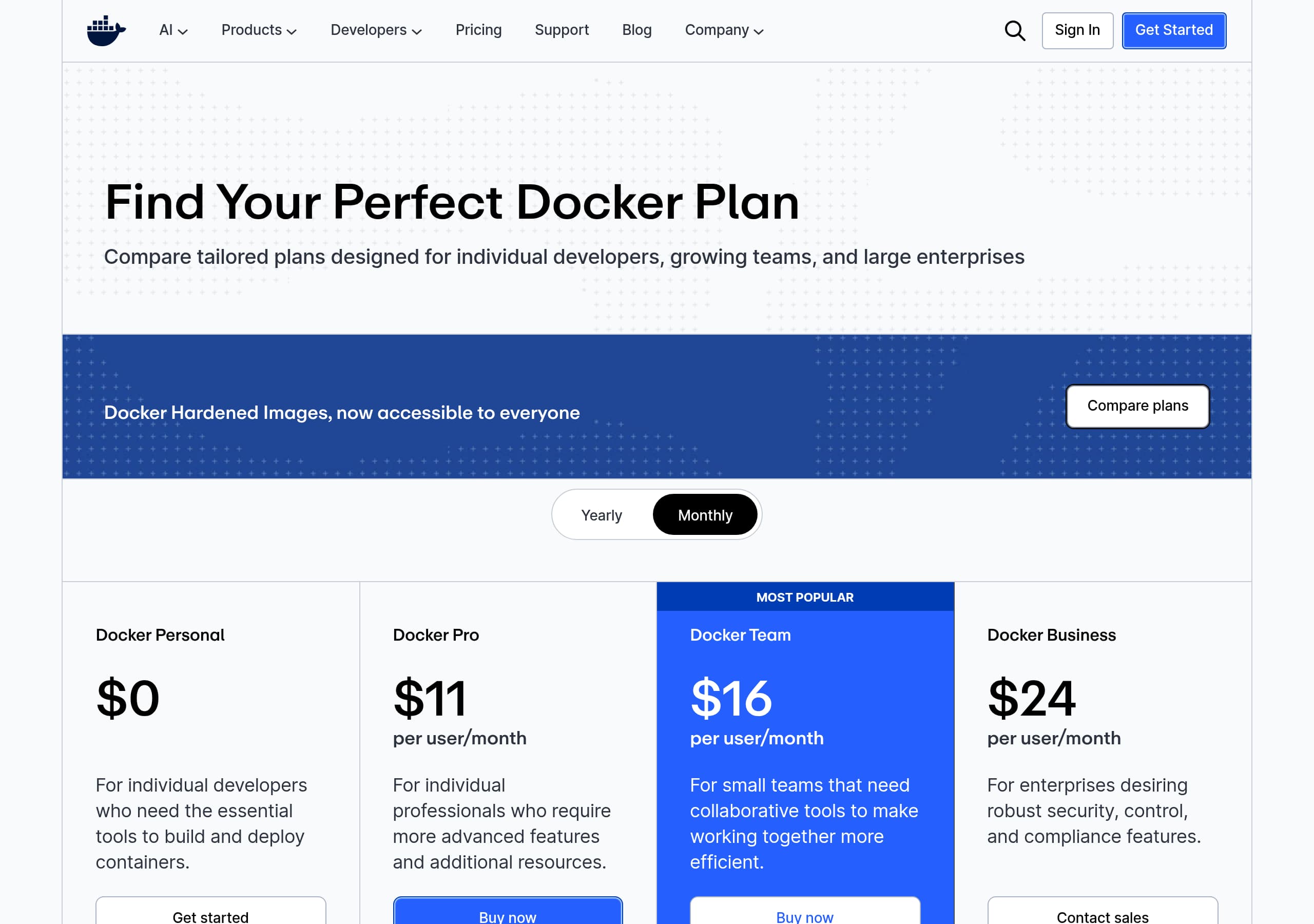
Docker’s pricing presentation is optimized for mixed audiences: individual developers who want to download quickly and teams who need procurement-friendly tiers. The navigation and footer expose “Pricing” prominently, and the plans are labeled in a way buyers recognize, including Personal, Pro, Team/Business, and Premium, plus pathways like “Contact Sales” for enterprise motion. This naming system matters because it maps to typical decision-makers: developers can self-select, while managers and security teams see a tier that implies governance.
From the pricing screenshot, the layout appears to follow a comparison-table approach where plans sit side by side, making it easier to evaluate value rather than hunt through long text. Docker reinforces conversion with repeated CTAs that connect directly to product onboarding, especially “Download Docker Desktop” and “Choose plan,” which links pricing decisions to immediate activation. For more security-forward offerings like Docker Hardened Images, the homepage copy also feeds into the pricing story by explicitly stating “DHI is now free for everyone” and then offering an enterprise trial: “30-day free trial” and “Sign in to try DHI Enterprise.”
What’s particularly effective is how pricing is framed around outcomes and risk reduction rather than raw feature lists alone. The surrounding messaging highlights supply chain security concepts (SBOMs, signed provenance, VEX insights) and operational levers like SLAs and extended lifecycle support, which are the real budget drivers for many teams.
One improvement opportunity is potential cognitive load: Docker sells multiple products (Desktop, Hub, Scout, Build Cloud, Testcontainers, MCP tooling). If the pricing page does not clearly segment “who this plan is for,” visitors may still need extra context. Adding short audience labels (solo dev, small team, regulated enterprise) would likely increase plan confidence without changing the tier structure.
Features
Docker’s feature presentation works because it is organized as a product ecosystem, not a single tool, and each feature block includes a concrete mechanism or action a developer can picture. The page lists products like Docker Desktop, Docker Hub, Docker Scout, Docker Build Cloud, Testcontainers, Docker MCP Catalog and Toolkit, and Docker Hardened Images, which sets an expectation that Docker is an end-to-end workflow from local development to secure delivery.
The strongest feature sections are the ones that provide verifiable specifics. Docker Hardened Images is described with measurable and standards-based details: Apache 2.0 licensed images, “minimal and distroless Debian and Alpine,” “attack surface by up to 97%,” “up to 95% CVE reduction,” plus SBOMs and SLSA Level 3 provenance. Even if a visitor does not know every acronym, the presence of recognizable security artifacts signals real engineering investment.
For the AI and agents narrative, Docker MCP is positioned as a secure way for agents to call MCP servers, with explicit risk language like “Rug Pulls and Tool Poisoning,” and operational details like “signed and verified” servers, runtime isolation, and access controls. The Compose angle is especially effective: “Orchestrate your entire agentic stack in a single file, then launch with one command,” and “Spin up your full agentic stack with docker compose up.” That creates mental model continuity for existing Docker users.
Feature discovery is also supported by navigation depth: “Developers” includes Documentation, Getting Started, Training, Extensions SDK, and Community, which are not features in the strict sense but are critical adoption enablers.
A potential drawback is breadth. Because many features are presented on one page, Docker relies on strong headings and product naming to prevent overwhelm. The current copy largely succeeds by tying each product to a single job-to-be-done: build, share, scan, run, and secure.
Signup
Docker’s signup and onboarding approach is conversion-friendly because it offers multiple “first actions” that match user intent, without forcing a single funnel. The most prominent onboarding motion is downloading Docker Desktop, with repeated, explicit OS choices: Download for Mac (Apple Silicon), Mac (Intel), Windows (AMD64), Windows (ARM64), and Linux. This is a practical onboarding design for a developer tool because it turns a potentially ambiguous CTA into a deterministic next step.
In parallel, Docker supports account-based onboarding for ecosystem features like Docker Hub and Docker Hardened Images enterprise options. The header includes Sign In and Get Started, and within the security-focused section Docker introduces a distinct enterprise trial motion: “Sign in to try DHI Enterprise” and a 30-day free trial CTA. This creates a two-lane funnel:
- Device-first onboarding: download Desktop, start containerizing locally.
- Account-first onboarding: sign in for Hub publishing, verified content, enterprise security, and organization controls.
The copy also reduces the “what do I do after signup” gap by embedding next-step instructions directly in the value proposition. Examples include “Create Your First Agent” and the command-level guidance to run stacks with docker compose up. That kind of instructional CTA is especially effective for developers because it translates marketing into execution.
Where the flow could be even tighter is in post-download guidance. Docker has extensive documentation and Getting Started links, but if the download page does not immediately route users into a 3-step setup checklist (install, sign in, run first container), some users may delay activation. Still, as presented, Docker’s onboarding minimizes choice overload by separating quick local setup from higher-friction enterprise evaluation steps.
Trust
Docker’s trust story is strong because it pairs formal compliance signals with concrete software supply chain mechanisms that security teams recognize. A prominent announcement highlights SOC 2 Type 2 Attestation and ISO 27001 Certification, which are high-signal credentials for vendor risk reviews. Importantly, the site does not stop at badges. It repeatedly describes how Docker implements security in the product workflow, especially through Docker Hardened Images and Docker Hub.
The Hardened Images section is packed with specific trust artifacts: “near-zero CVEs,” verified SBOMs, and SLSA Level 3 provenance. It also clarifies licensing and transparency with “Open-source, Apache 2.0–licensed images,” which matters for legal review and downstream redistribution. The mention of “signed builds” and “trusted, signed container” runtime components makes the security posture feel operational, not aspirational.
Docker also explicitly addresses modern ecosystem threats in the AI tooling space. For Docker MCP, the page claims Docker automatically stops threats like “Rug Pulls and Tool Poisoning,” and says “Every MCP server is signed and verified by Docker,” paired with runtime isolation and access controls. The specific naming of threat classes is a powerful trust cue because it indicates Docker understands the agent tooling attack surface.
Another trust multiplier is clarity around enterprise add-ons: “SLAs, customization, and compliance” and “Extended Lifecycle Support for EOL images.” That is exactly the kind of detail procurement and security leadership look for when comparing Docker to alternatives like Podman, GitHub Container Registry, or standalone image scanning tools.
One trust opportunity is to make verification more explorable in-page, for example linking directly to sample SBOMs or signature verification steps. Even without that, Docker’s combination of compliance, provenance, and signed supply chain messaging is among the more complete trust narratives in developer tooling.
Footer
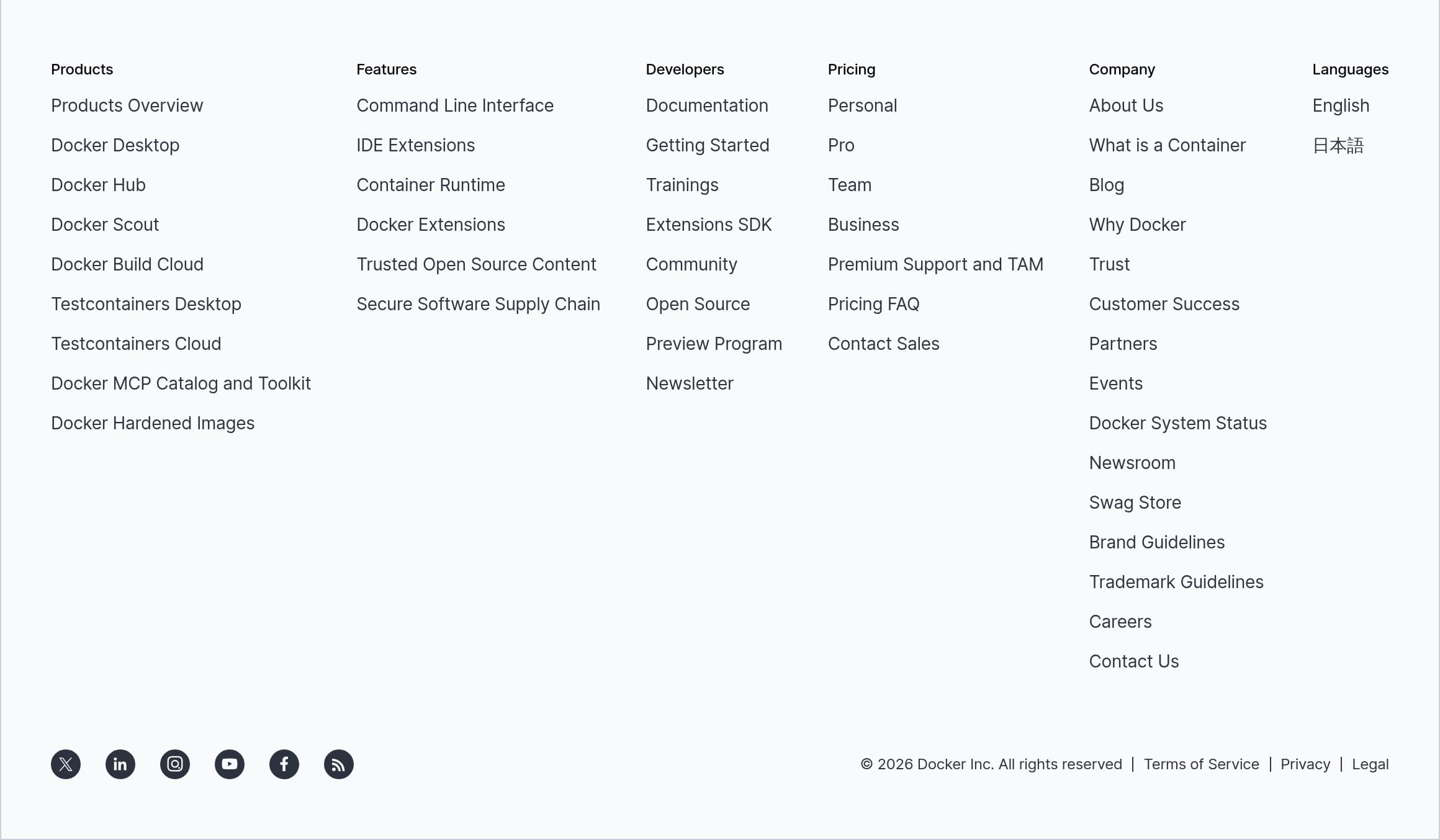
Docker’s footer is designed as a high-density sitemap that supports both discovery and due diligence, which is exactly what you want for a platform with many products and buyer types. Visually, it groups links into clear columns such as Products, Features, Developers, Pricing, Support and TAM, and Company, plus secondary items like System Status, Newsroom, Swag Store, Brand Guidelines, and Trademark Guidelines. That breadth is a signal that Docker expects enterprise evaluation, partner relationships, and community engagement, not just quick downloads.
From a conversion perspective, the footer reinforces key pathways without being overly sales-focused. Pricing tiers are explicitly listed (Personal, Pro, Team, Business, Premium), which helps visitors who scroll to the bottom and want a quick plan jump. The inclusion of “Contact Sales” and “Pricing FAQ” supports buyers who are stuck on procurement questions, while “Support and TAM” indicates a support model beyond community forums.
From a trust and compliance standpoint, the footer includes essential legal links: Terms of Service, Privacy, Legal, and Cookie Settings, plus copyright details. Docker also exposes “Trust” and “Docker System Status,” which are concrete evaluation tools for reliability- and security-minded stakeholders.
For developers, the footer is unusually action-oriented: Documentation, Getting Started, Trainings, Extensions SDK, Community, Open Source, and Preview Program. This is a subtle but important retention mechanic because it keeps users within Docker’s ecosystem when they are searching for help.
The only risk with a large footer is link overload, but Docker mitigates it by using strong category labels and predictable information architecture. A small enhancement would be adding one or two “top tasks” links (Download Docker Desktop, Docker Hub search) at the very top of the footer for faster scanning, but overall it functions well as both navigation and credibility scaffolding.
Detected tech stack
Tools and technologies we detected on Docker's site. Detection is best-effort and may be incomplete.
Scores
Our framework scores for Docker's website in terms of clarity, conversion, and trust. See our methodology for how we calculate these.
How clear the value prop and structure are.
How conversion-friendly signup and pricing are.
How well trust and compliance are surfaced.
FAQ
Docker’s homepage focuses on immediate action and familiar workflows. It repeats high-intent CTAs like “Download Docker Desktop” and shows OS-specific download options (Mac Apple Silicon, Mac Intel, Windows AMD64, Windows ARM64, Linux). It also explains newer AI offerings using Docker-native language, such as orchestrating an “agentic stack” with Docker Compose and running it with “docker compose up,” which reduces learning friction.
Docker presents pricing with recognizable tiers aimed at different buyer types, including Personal, Pro, Team/Business, and Premium. The site supports both self-serve and sales-led conversion by pairing plan selection with “Choose plan,” while also providing enterprise motions like “Contact Sales.” For security-focused offerings like Docker Hardened Images, Docker adds a trial pathway, including “Sign in to try DHI Enterprise” and a 30-day free trial message.
Docker highlights both compliance and technical controls. The site references SOC 2 Type 2 Attestation and ISO 27001 Certification, then backs security claims with concrete mechanisms like signed and verified images, SBOMs, and SLSA Level 3 provenance for Docker Hardened Images. For Docker MCP, Docker explicitly mentions protections against threats like “Rug Pulls and Tool Poisoning,” plus runtime isolation and access controls.
Docker combines scale metrics with named testimonials. The homepage cites ecosystem usage numbers like 14M+ images, 11B+ monthly downloads, and 24M+ users. It also uses role-specific quotes from organizations such as Zeiss Microscopy, InCred, GuidePoint Security, Adobe, and Cloudflare, aligning statements about reproducibility, security posture, and developer experience with the related product sections.
Docker offers multiple onboarding paths depending on intent. For fast local setup, it drives users to download Docker Desktop with explicit OS and architecture choices. For ecosystem features and enterprise security options, the header includes Sign In and Get Started, and Docker Hardened Images includes “Sign in to try DHI Enterprise” with a 30-day trial callout. The page also includes next-step prompts like “Create Your First Agent” to reduce post-signup confusion.

The world's best-performing SaaS businesses share surprisingly similar patterns. We help you learn and apply them through our human-designed methodology, with AI-assisted research.