
Key takeaways
Here are the key insights from our website breakdown analysis of Looker.
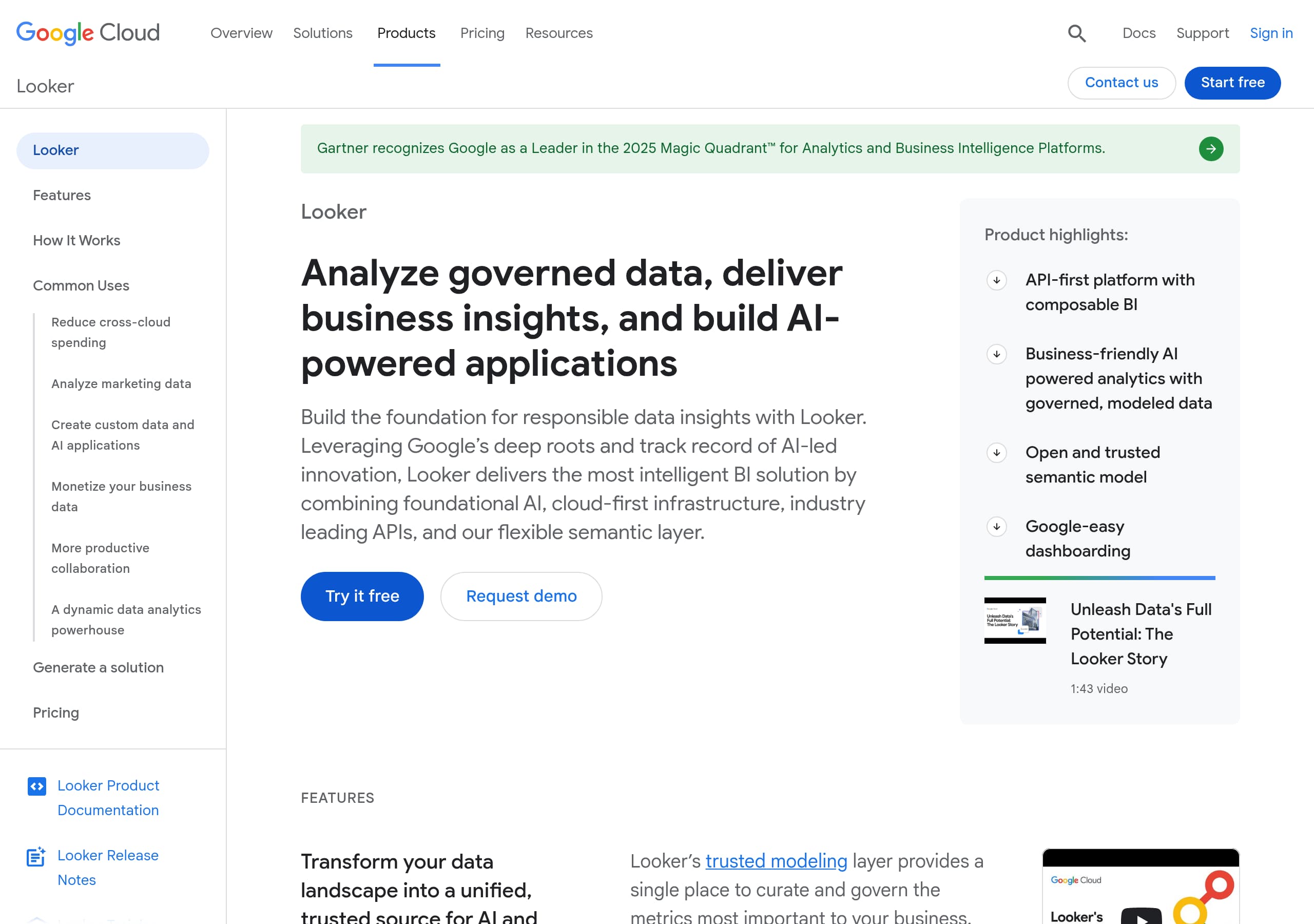
Looker’s homepage makes the enterprise positioning unambiguous by leading with “Analyze governed data, deliver business insights, and build AI-powered applications,” then immediately supports it with dual CTAs: Try it free and Request demo.
The site differentiates Looker with product-native concepts like a semantic modeling layer, API-first platform, and embedded analytics, which signals it is built for governed metrics and application integration, not just dashboarding.
AI messaging is concrete instead of vague, specifically naming Conversational Analytics powered by Gemini for Google Cloud and pointing to an API, which helps technical buyers understand how AI is delivered.
Pricing is transparent about the pricing model but not about the numbers: it clearly states platform pricing + user pricing and repeatedly routes users to sales, which fits enterprise deals but adds friction for self-serve evaluation.
Social proof is anchored in credible third-party validation, notably the banner that “Gartner recognizes Google as a Leader in the 2025 Magic Quadrant,” which is a strong trust lever for BI buyers comparing to Tableau and Power BI.
Looker uses solution-led paths (cloud cost management, marketing data, gen AI applications, monetization, BigQuery) with tutorials and quickstarts, which reduces ambiguity about where the product fits and how to start.
Home
Looker’s homepage is optimized for enterprise BI buyers by pairing a strong outcome statement with technical differentiators in the first screen. The headline, “Analyze governed data, deliver business insights, and build AI-powered applications,” communicates both traditional BI and modern embedded and AI use cases, without forcing visitors to guess what Looker is.
What the hero does well
- Dual CTAs, Try it free and Request demo, support both self-serve evaluators and enterprise procurement paths.
- The immediate “Product highlights” list is scannable and specific: API-first platform with composable BI, AI powered analytics with governed, modeled data, and flexible semantic layer. These are meaningful terms for data teams comparing Looker to Tableau, Power BI, and Mode.
- A short brand video (“Unleash Data’s Full Potential: The Looker Story”) is placed as optional depth, not a gate, which keeps the page moving.
How the page builds a narrative The layout quickly transitions from positioning into proof-by-explanation: the “universal semantic modeling layer” section describes consistent metrics “regardless of where they are consumed,” then reinforces openness with partner ecosystem language. This is a strong signal that Looker is about governed definitions, not just visualization.
Where the homepage could reduce friction Because Looker is also presented alongside Looker Studio, the page risks mild category blur for first-time visitors. The “Together” statement helps, but a tighter contrast box (what Looker does vs what Looker Studio does) closer to the hero would improve message precision while keeping the Google Cloud narrative intact.
Pricing
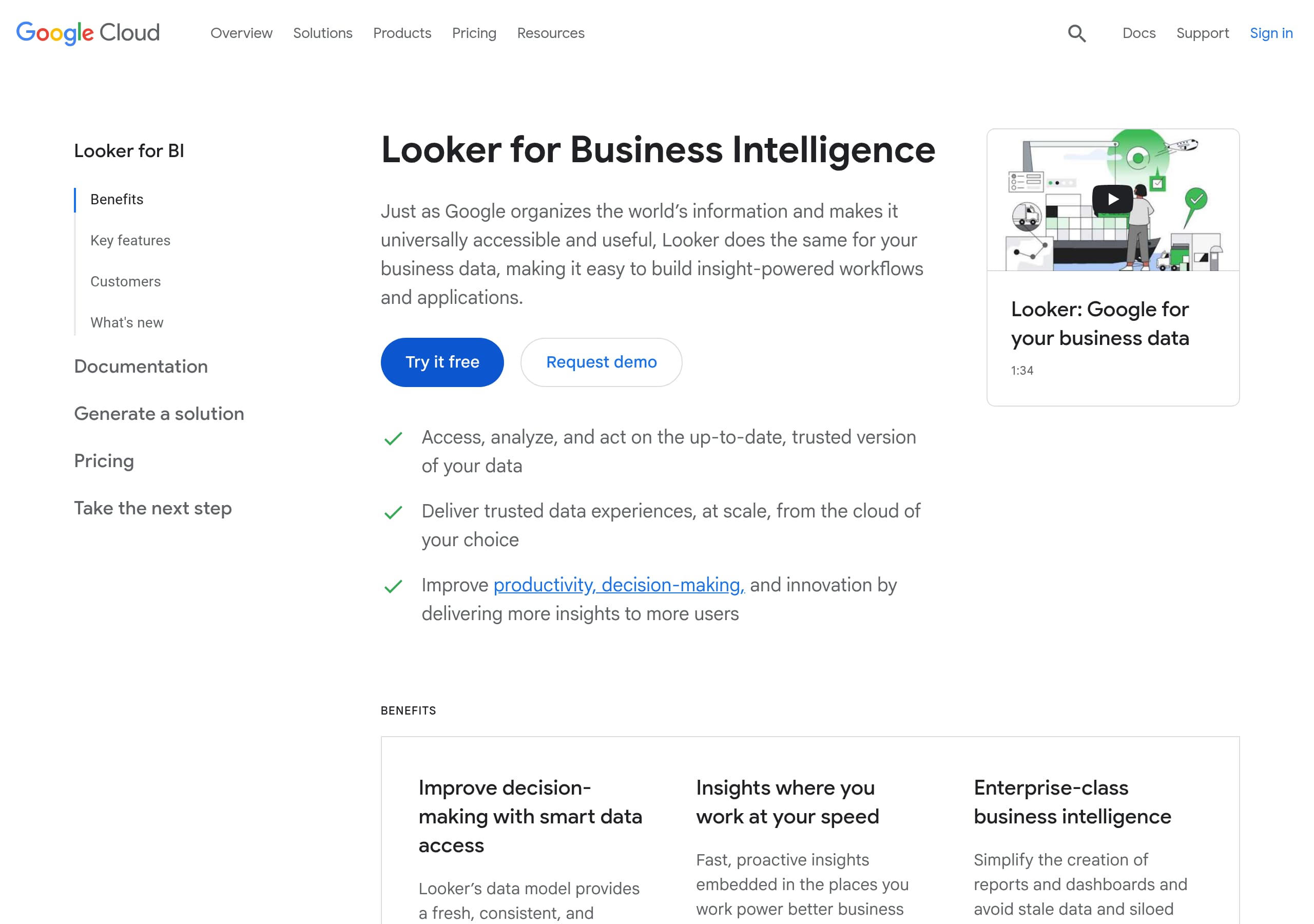
Looker’s pricing page is clear about how pricing works, but intentionally avoids publishing concrete numbers, which steers most serious buyers into a sales motion. The page states that “Looker pricing has two components: platform pricing and user pricing,” then repeats that customers should “Contact sales to identify a solution that works for you.”
What’s strong about the pricing structure communication
- The two-part model is explicit: platform pricing covers the instance and core capabilities, and user pricing covers per-user licensing and permissions. That helps buyers map costs to rollout plans (admins, developers, viewers).
- The page anchors the offer to a specific product packaging label, “Looker (Google Cloud core),” which reinforces that this is the Google Cloud-deployed version and sets expectations for enterprise deployment.
- “Edition pricing” begins to segment by company size, including “Standard” for teams “fewer than 50 users,” which is a useful qualification signal even if the excerpt cuts off before listing full tiers.
Where conversion friction shows up
- The absence of price ranges, example bundles, or a lightweight estimator means self-serve buyers cannot sanity-check budget. For BI categories, this often pushes evaluation to competitors with published tiers.
- “Work with sales” is correct for complex deployments, but it is not paired with a fast alternative like “Get a quote in 2 minutes,” which would reduce abandonment.
Practical improvements that fit enterprise constraints Add 2 to 3 sample packages (for example, 25 users, 200 users, embedded-only) and clarify which user types exist. Keep “contact sales,” but add a pricing calculator to improve lead quality and reduce repetitive sales calls.
Features
Looker’s features are presented as a cohesive platform story centered on governed metrics, AI-assisted exploration, and embedded delivery. The site avoids a generic feature checklist by anchoring each capability to a clear mechanism: a semantic layer for consistency, conversational AI for access, and APIs for extensibility.
Feature framing that is notably strong
- The “universal semantic modeling layer” section explicitly claims a single place to curate metrics, emphasizing consistent results “regardless of where they are consumed.” This directly addresses a common BI failure mode: metric drift across teams.
- Conversational Analytics is described as “chat-with-your-data,” powered by Gemini for Google Cloud, and the page also references a Conversational Analytics API. That combination signals both an end-user UI and a developer integration path.
- Embedded analytics is positioned beyond iframe dashboards: “robust API coverage allows you to do just about anything from the UI through API,” and Looker extensions are said to integrate with Vertex AI for custom workflows.
Good product ecosystem hygiene The page cleanly shows “Looker on Google Cloud” benefits like SSO with Google Cloud IAM, private networking, and BigQuery integration, which are practical procurement and security features for enterprise deployments.
Where feature comprehension could improve Looker also mentions Looker Studio, including “over 1,000 data sources and connectors” and “free, fast, and easy to start.” This is valuable, but it can blur product boundaries. A simple matrix comparing Looker vs Looker Studio by use case (governed semantic layer, ad hoc reporting, embedded) would reduce confusion.
Tactical conversion tie-ins Each feature section includes videos with durations (for example 1:43, 4:02, 5:16), which is a strong learning aid. Pairing each video with a single CTA, like “See a semantic layer demo” or “Try Conversational Analytics,” would turn feature education into measurable next steps.
Signup
Looker’s signup intent is clear, but the experience is split between self-serve trial motion and enterprise demo motion. The hero uses two primary CTAs, Try it free and Request demo, which is a proven pattern for products that sell to both mid-market teams and large enterprises.
What the site does right for different buyer types
- “Try it free” supports hands-on evaluators, often developers, analysts, or data leads who want to validate modeling, connections, and governance.
- “Request demo” aligns with procurement-driven paths where security reviews, IAM, private networking, and BigQuery integration are key.
- The page also routes learners into “Tutorials, quickstarts, & labs,” which functions as a secondary onboarding track for technical users.
Observed onboarding signals that reduce uncertainty
- The presence of “Product Documentation,” “Release Notes,” and “Training” in page navigation suggests a mature onboarding ecosystem, and it is visible without needing to dig deep.
- Solution-led blocks (cloud cost management, marketing activation, gen AI applications) act like pre-built starting points, a strong alternative to an empty trial.
Where signup clarity likely suffers
- The excerpt does not show what “Try it free” actually provisions, for example a Looker instance, sample project, or Looker Studio access. For BI trials, ambiguity around setup effort can lower click-through.
- Because pricing is sales-led, some visitors will hesitate to start a trial without knowing what happens after it ends.
High-impact fixes Add a short, numbered “What happens after you click Try it free” panel describing 3 steps: account, connect data source or sample dataset, and first dashboard. Include constraints up front, like Google Cloud requirements, to increase qualified activations and reduce drop-off.
Trust
Looker’s trust story is primarily built through enterprise platform integration and governance positioning, rather than a standalone security page full of certifications. The page repeatedly emphasizes controlled, consistent metrics and Google Cloud-native controls, which addresses trust in both data correctness and deployment security.
Trust signals visible in the content
- Governance is a first-class theme: “governed data,” “modeled data,” and a “trusted modeling layer” are described as the mechanism for consistency. That is important trust for BI, where stakeholders question metric definitions.
- The “Looker on Google Cloud” section names concrete security-adjacent capabilities: SSO with Google Cloud IAM, private networking, and a unified Terms of Service. These are practical checkboxes for enterprise IT and security teams.
- AI trust is addressed implicitly by grounding Conversational Analytics in governed data and by naming the model provider: Gemini for Google Cloud. This reduces the impression of “black box AI” compared to vague AI claims.
Where trust could be stronger for compliance-driven buyers
- The excerpt does not show explicit compliance frameworks (SOC 2, ISO 27001, HIPAA) or links to a trust center. Many BI buyers need those artifacts early to avoid stalled evaluations.
- AI introduces new questions, such as how prompts are handled and whether sensitive data is used for training. The site includes a general warning elsewhere (“Do not enter sensitive, confidential, or personal info” for a Vertex AI-built generator), but the AI analytics feature would benefit from similar clarity.
Recommended trust improvements Add a dedicated Trust Center link near top navigation and in the feature sections. Include clear statements about data residency, access controls, and AI prompt handling. Pair these with short diagrams showing the in-database architecture and governance flow for responsible analytics.
Footer
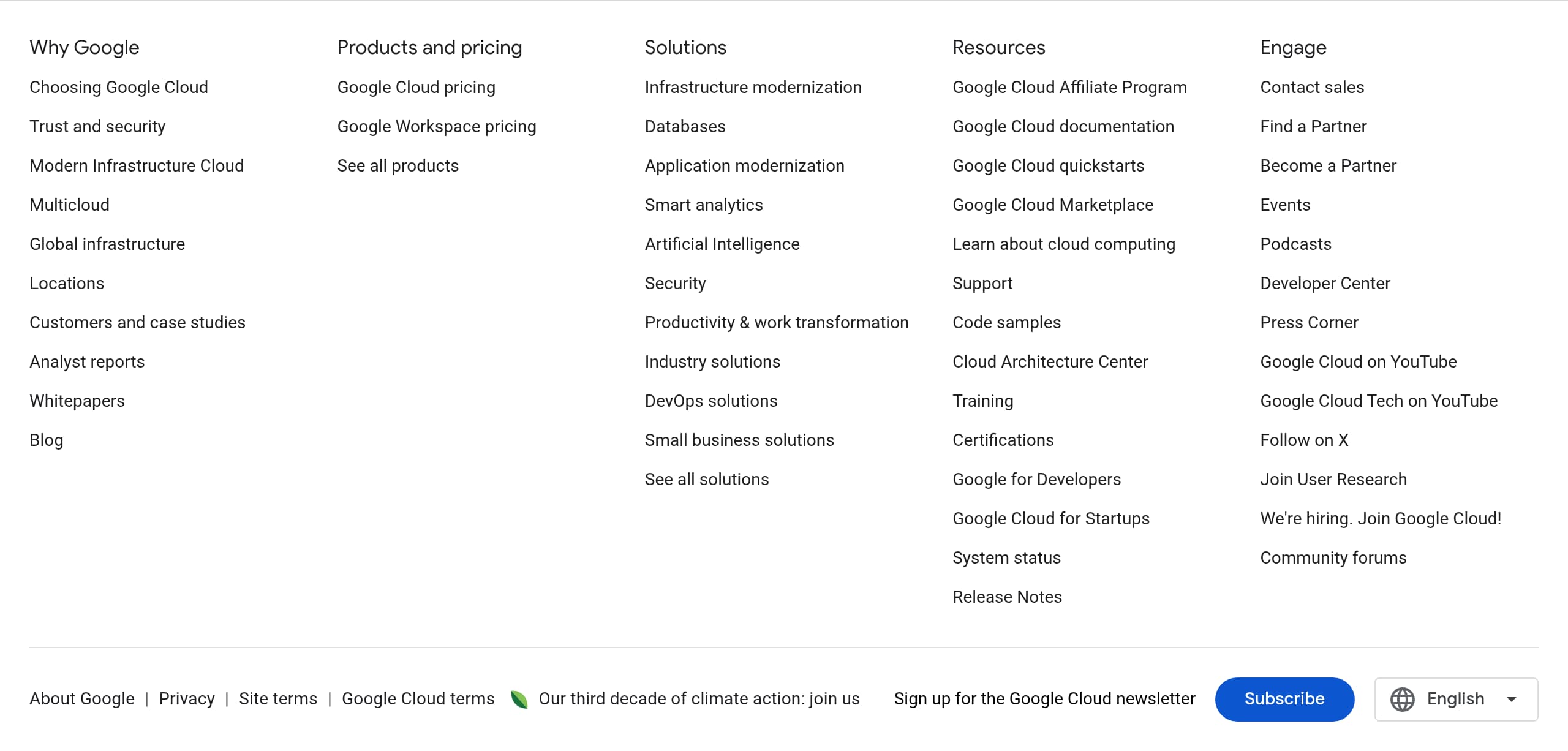
Looker’s footer, as shown in the screenshot, functions as an enterprise-grade navigation hub and a compliance anchor, not just a minimal set of links. This is especially important for a Google Cloud product where buyers often need to quickly jump to legal, privacy, documentation, and support resources.
What the footer does well
- It provides a predictable place to find corporate and product resources, which reduces friction for stakeholders who arrive from search and need procurement details.
- For a BI platform, the footer’s role is to reinforce maturity: links to documentation, training, and product resources are part of the decision checklist, not optional extras.
- The branding association with Google Cloud is a trust cue by itself, because it implies alignment with Google’s broader policies and infrastructure expectations.
Common enterprise footer elements that matter here Based on the page’s overall structure (documentation, release notes, training surfaced higher up), the footer is likely to be used for:
- Privacy and Terms discovery for legal review.
- Support and contact paths for existing customers.
- Product navigation across Looker, Looker Studio, and marketplace or partner ecosystem.
Opportunities to increase conversion from the footer
- Add one conversion CTA inside the footer, for example “Request demo” or “Contact sales,” to catch bottom-of-page readers who have finished scanning features.
- Include a short “Security” or “Trust Center” link near legal links so compliance reviewers do not need to search.
- If the footer includes region and language selectors, ensure the pricing and trial CTAs remain consistent across locales to avoid mismatched expectations.
Overall, the footer supports enterprise evaluation workflows well, but it could contribute more directly to lead capture with a clear CTA and a prominently linked trust center.
Scores
Our framework scores for Looker's website in terms of clarity, conversion, and trust. See our methodology for how we calculate these.
How clear the value prop and structure are.
How conversion-friendly signup and pricing are.
How well trust and compliance are surfaced.
FAQ
Looker is positioned as a business intelligence platform for governed analytics and AI-enabled data experiences. The homepage headline emphasizes “governed data,” “business insights,” and “AI-powered applications,” and it supports that with product highlights like an API-first platform, a flexible semantic layer, and embedded analytics. The page also ties Looker closely to Google Cloud, referencing BigQuery, Vertex AI, and Gemini.
Looker explains pricing as a two-part model: platform pricing plus user pricing. Platform pricing covers the cost to run a Looker (Google Cloud core) instance and includes administration, integrations, and semantic modeling capabilities. User pricing is licensing per user based on permissions and user type. The page does not publish numeric prices and instead directs visitors to contact sales to size a solution.
Looker emphasizes a governed semantic modeling layer that creates consistent metrics wherever they are consumed, plus strong developer capabilities through APIs and embedded analytics. The site highlights that embedded analytics is more than placing dashboards in apps, and it notes robust API coverage and Looker extensions. It also positions Conversational Analytics powered by Gemini for natural language exploration on top of governed data.
Looker’s AI messaging is specific: it names Conversational Analytics as a chat-with-your-data feature powered by Gemini for Google Cloud, and it references a Conversational Analytics API for building custom applications. The AI story is consistently tied back to governed and modeled data through the semantic layer, which is a trust-oriented framing for AI answers in business intelligence contexts.
Looker uses two primary paths: “Try it free” for self-serve evaluation and “Request demo” for sales-led evaluation. The site also promotes learning-driven onboarding through documentation, training, and solution-focused tutorials and quickstarts (for example cloud cost management, marketing data, and gen AI applications). This supports both technical evaluators and enterprise buying committees.

The world's best-performing SaaS businesses share surprisingly similar patterns. We help you learn and apply them through our human-designed methodology, with AI-assisted research.