
Key takeaways
Here are the key insights from our website breakdown analysis of Sigma Computing.
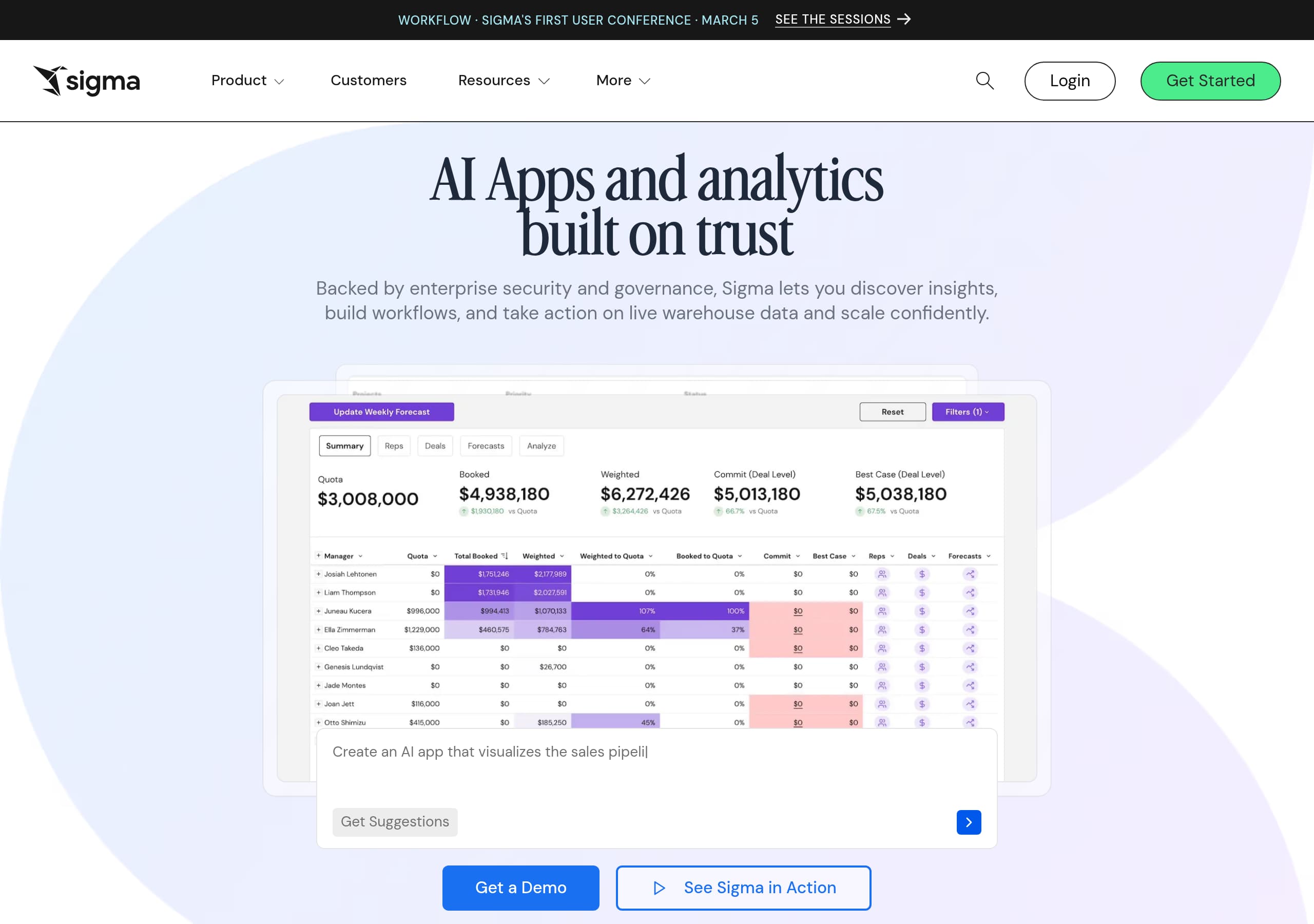
Sigma Computing’s homepage leads with a single, high-signal promise—“AI Apps and analytics built on trust”—then immediately supports it with warehouse-native architecture language and clear next steps like “Try Sigma Free” and “Get a Demo.”
The navigation is built for multiple buying motions: product-led evaluation via “Start your free trial,” sales-led evaluation via “Request a demo,” and deep research via demos, training videos, and analyst reports.
Sigma Computing turns abstract platform claims into an easy-to-scan, sequential narrative—“Discover, Build, Act, Scale”—which maps to common analytics and workflow adoption stages.
Social proof is unusually concrete for a BI and analytics platform, combining “Trusted by 2,000+ leading enterprises,” third-party review scores (4.4 with 500+ and 4.9 with 200+), and named customer quotes with roles and companies.
The feature story differentiates by repeatedly reinforcing “live warehouse data” and “governance at the source,” positioning Sigma Computing against extract-based BI tools and spreadsheet sprawl.
Industry and role paths (Analyst, Analytics Engineer, Developer, Finance, Marketing, Sales, Supply Chain) reduce bounce risk by letting different stakeholders self-identify quickly and find relevant entry points.
Trust is not treated as a footer checkbox: Sigma Computing elevates security and governance in the hero, references a Trust Center and Security Center, and ties governance directly to product architecture and permissions.
Home
Sigma Computing’s homepage succeeds because it states the category shift immediately: “AI Apps and analytics built on trust” on live warehouse data, then backs it with architecture and workflow language rather than vague AI claims.
What the hero communicates (and why it converts)
The hero pairs a short value proposition with dual CTAs, including “Try Sigma Free” and “Get a Demo”, which cleanly supports both product-led and sales-led motion. The supporting sentence is specific: it mentions enterprise security and governance, “live warehouse data,” and the outcomes “discover insights, build workflows, and take action.” That triad bridges analytics and operations, which is essential to justify “AI Apps” as more than dashboards.
Page structure that keeps different personas moving
Sigma Computing uses a dense but organized top navigation: Product, Features, Capabilities, By Industry, By Role, Integrations, Customers, Resources, Partners, plus “Request a demo,” “Start your free trial,” and Login. This structure acknowledges that a BI and AI platform is evaluated by many stakeholders, and it gives each a fast path.
A simple narrative arc, then proof
The “Turn trusted analysis into instant action” section is a clear 4-step story: Discover, Build, Act, Scale. It also embeds the differentiator repeatedly: “plain language,” “chat with AI,” and “security and governance inherited directly from your cloud data warehouse.” Immediately after, the homepage adds credibility with “Trusted by 2,000+ leading enterprises” and visible third-party ratings (4.4 with 500+, 4.9 with 200+). This sequence reduces skepticism before a user clicks into deeper pages.
Pricing
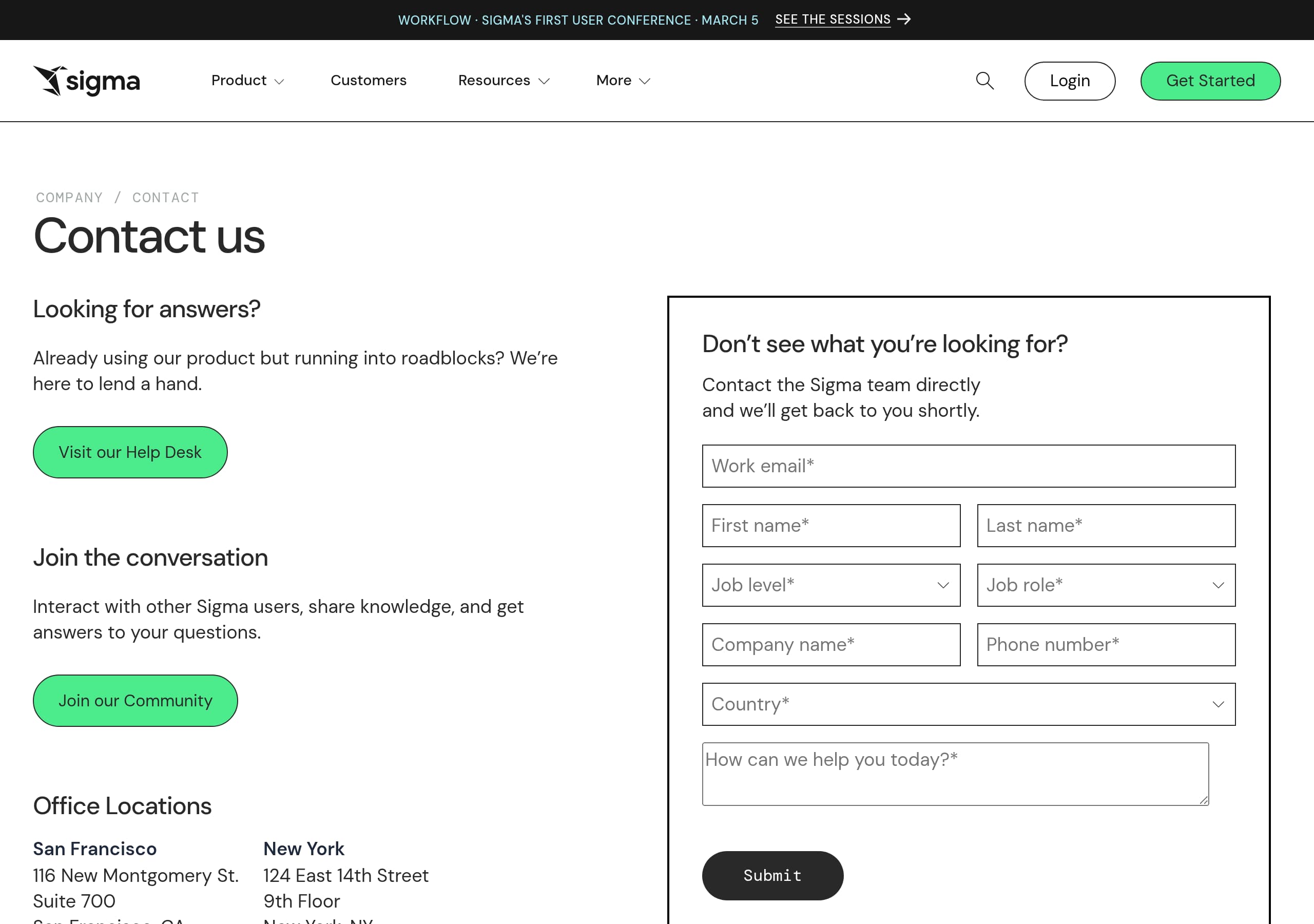
Sigma Computing’s pricing experience is positioned to support enterprise procurement while still encouraging hands-on evaluation, mainly through persistent CTAs like “Try Sigma Free” and “Request a Demo” rather than forcing a single self-serve checkout.
What’s observable from the pricing entry points
Across the site chrome, “GET STARTED” includes “Request a demo,” “Start your free trial,” and “Contact us.” That set of options suggests Sigma Computing expects mixed intent: some visitors want an estimate and packaging clarity, while others need stakeholder alignment, a security review, or warehouse architecture validation before pricing matters.
Conversion mechanics that pricing supports
Even when the page is pricing-oriented, Sigma Computing keeps the same conversion language as the homepage. This consistency matters because it preserves a single mental model: trial for exploration, demo for guided evaluation. The site also repeatedly anchors the value around warehouse-native execution and governance, which is the right pre-pricing justification for analytics buyers who worry about extracts, duplicated metrics, and access control.
How Sigma should keep improving pricing clarity
The biggest risk for platforms in this category is leaving visitors unsure what changes by tier: capabilities (AI Apps, Pixel Perfect Reporting, Embedded Analytics), administration (permissions, audit, change management), and deployment patterns (multi-tenant embedded analytics). Sigma Computing already lists these as product areas, so the pricing page can reduce friction by mapping packages to:
- Core analytics vs AI Apps usage
- Admin and governance features like audit and change management
- Embedded analytics needs like SSO-ready and SDK access
Net effect: Sigma Computing uses pricing primarily as an enterprise qualification and next-step engine, not a hard sell, which matches how BI platforms are commonly bought.
Features
Sigma Computing’s feature presentation works because it is organized around outcomes and deployment modes, not a long, undifferentiated checklist. The site repeatedly anchors features to live warehouse data and governed access, which differentiates it from extract-heavy BI stacks.
A clear platform frame: AI Apps plus analytics
The product framing is split into recognizable modules: “The AI Apps platform” and “Everything you need to analyze, report, and act.” Under AI Apps, Sigma Computing highlights:
- Warehouse-grade security, governance, and scale
- A control plane for permissions, audit, and change management
- A “unified application workspace” using familiar spreadsheet and natural language interfaces
This is a strong positioning move because it tells buyers the “app” concept is governed and auditable, not a shadow IT layer.
Feature clusters that map to common buying requirements
Sigma Computing lists four major capability buckets with concrete sub-features:
- AI Apps: AI Builder, AI automation, Writeback, Actions
- Dashboards and Analysis: Spreadsheet UI, NLQ, drill-down, data models
- Pixel Perfect Reports: PDF export, bursting, paginated reports
- Embedded Analytics: React SDK, White-label, SSO-ready, tenants
The specificity (for example, “bursting” for reporting, “React SDK” for embedding) signals maturity and makes the product easier to compare against Tableau, Power BI, and Looker, which Sigma Computing explicitly references under “COMPARISON.”
Use-case examples that feel implementable
The “AI Apps custom-fit to your business” section turns features into templates like pricing and promotions optimization, driver-based expense forecasting, sales forecasting, and budget approvals. The repeated “governed AI application” phrase ties back to the trust narrative while giving prospects a mental picture of what they can build.
Net: Sigma Computing uses modular capabilities, concrete feature names, and app templates to make an expansive platform feel scannable and implementable.
Signup
Sigma Computing’s signup motion is optimized for enterprise evaluation because it keeps the primary CTAs visible across the site and offers three clear paths: Start your free trial, Request a demo, and Contact us, plus Login for existing users.
Why this is a strong enterprise signup pattern
For analytics platforms, the “right” onboarding depends on context: data warehouse, identity provider, governance model, and stakeholders. Sigma Computing avoids forcing a single linear funnel. Instead, it uses dual CTAs in the hero area and repeats them later (for example, “Request a Demo” and “Try Sigma Free”), which reduces the chance a visitor gets stuck when their intent changes mid-session.
Microcopy that sets expectations
The homepage language sets a clear expectation of what the trial is for: exploring “live cloud data,” using “plain language,” and building dashboards, reports, and apps. It also makes the trust premise explicit: governance is “guaranteed at the source” and inherited from the cloud data warehouse. That reduces perceived risk when a prospect considers connecting production data.
What the site does well to support self-serve learning
Sigma Computing surrounds signup CTAs with “See Sigma in Action,” interactive demos, training videos, documentation, QuickStarts, and on-demand webinars. This is a practical conversion booster because many visitors will not start a trial until they understand whether Sigma supports their workflow, like Python / SQL, spreadsheet-like analysis, embedded analytics, or pixel-perfect reporting.
Where signup could be even clearer
To further reduce friction, Sigma Computing can make the first-run expectations explicit on the signup entry point: which warehouses are supported first (Snowflake, Databricks, AWS, Azure, Google Cloud are referenced), whether SSO is required for certain tiers, and what a “first dashboard in X minutes” path looks like.
Overall, Sigma Computing uses multi-path onboarding and strong educational support to match a complex, high-consideration product.
Trust
Sigma Computing treats trust as a primary product feature, not a compliance footnote, and the site consistently ties trust to architecture: warehouse-native execution, governance inherited from the source, and enterprise controls.
Trust starts in the hero, not in the footer
The homepage headline explicitly says “AI Apps and analytics built on trust,” then immediately references “enterprise security and governance” and the ability to operate on “live warehouse data.” This placement matters because it addresses the top objection to AI and analytics tooling: data access, control, and risk.
Architecture language that signals lower risk
Sigma Computing emphasizes “Warehouse-native architecture” and the claim that it “live queries your cloud data warehouse with security and governance guaranteed at the source.” Regardless of implementation details, the messaging clearly implies fewer extracts and fewer duplicated datasets, which typically reduces metric drift and access-control sprawl.
The platform description also mentions a control plane for permissions, audit, and change management. Those are enterprise-grade trust concepts, and they are presented as native to the AI Apps platform, not add-ons.
Trust resources are easy to find
The navigation and footer expose trust endpoints directly: “Sigma Trust Center,” “Security Center,” “Bug Bounty,” and “Sigma Status.” This is a strong E-E-A-T pattern for SaaS because it makes security and reliability information discoverable during evaluation, especially for security teams.
How trust is reinforced through ecosystem alignment
Sigma Computing highlights partner recognition from Snowflake and Databricks and references Gartner and Forrester TEI. While these are not security certifications, they act as secondary trust signals that the product is vetted within the data ecosystem and by analyst frameworks.
If Sigma Computing wants to strengthen this further, the trust pages should surface specific compliance attestations and data handling details in a scannable format. Still, based on the provided content, trust is a consistent theme supported by architecture claims, governance controls, and visible security resources.
Footer
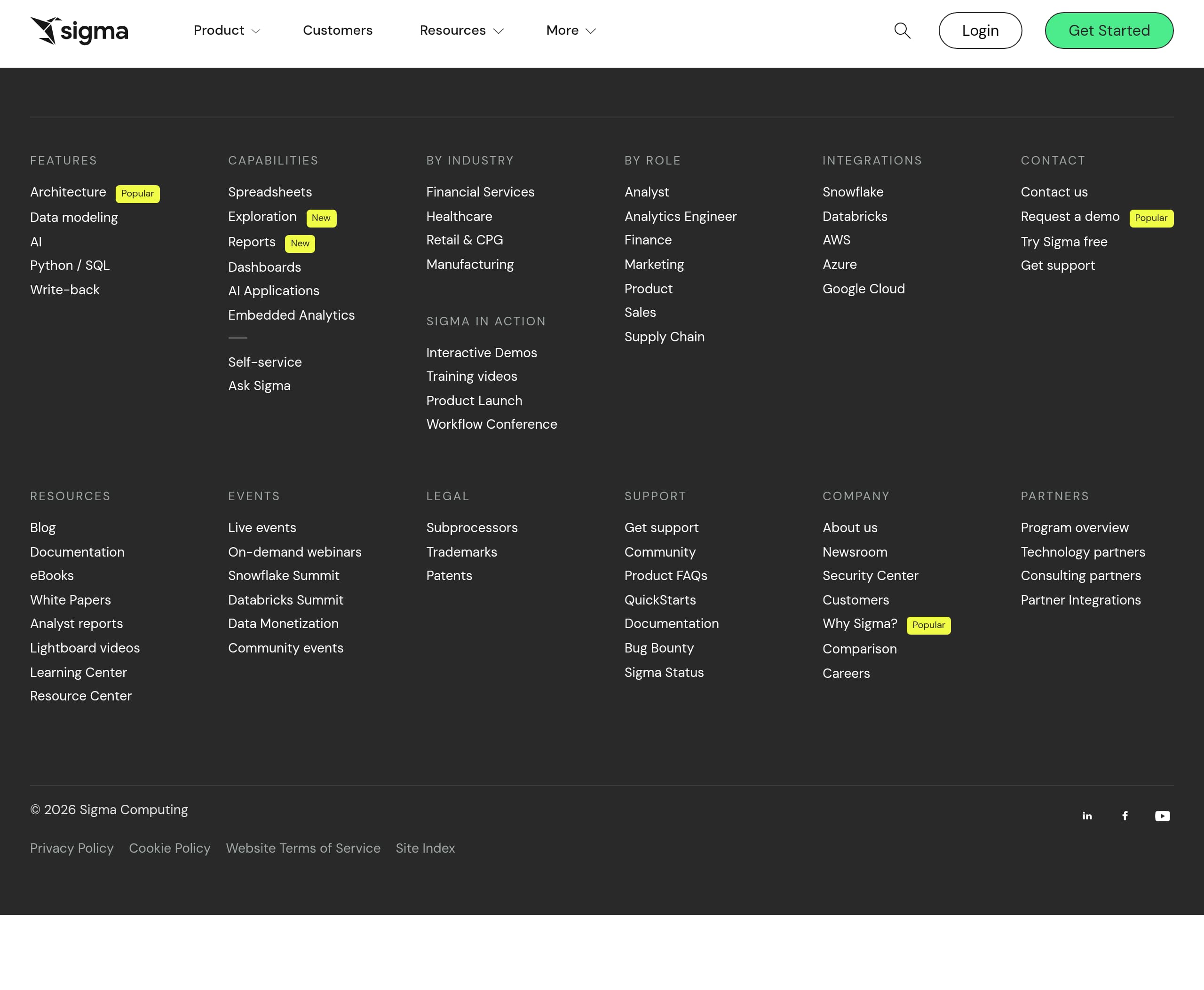
Sigma Computing’s footer is built like an enterprise software sitemap, and that is a good thing for both SEO and evaluation flows. The main takeaway is that it exposes critical proof and self-serve paths, including documentation, support, legal, and partner ecosystems, without forcing users back to the top navigation.
Footer content that supports evaluation
The footer groups links into clear buckets: Features, By Industry, Sigma in Action, Contact, Resources, Legal, Support, Company, and Partners. This makes it easy for a visitor to switch from marketing claims to validation assets like Analyst reports, white papers, eBooks, and the Learning Center. For technical evaluators, “Documentation,” “QuickStarts,” and “Product FAQs” are immediately accessible.
Trust and reliability surfaced appropriately
The footer includes trust-adjacent links that security reviewers often look for:
- Subprocessors
- Bug Bounty
- Sigma Status
- Patents, Trademarks
This is a practical trust pattern because it reduces the number of clicks needed to answer vendor-risk questions. It also helps procurement teams gather artifacts quickly.
Conversion links remain present
Even at the bottom, Sigma Computing repeats high-intent actions like “Request a demo” and “Try Sigma free,” which keeps conversion options visible after a long scroll through features, testimonials, and use cases.
SEO and internal linking strengths
The footer includes “Site Index” and a broad set of internal links across industries, roles, events, and integrations (Snowflake, Databricks, AWS, Azure, Google Cloud are explicitly referenced). This type of internal linking can improve crawlability and helps Sigma Computing rank for intent-specific queries like “embedded analytics React SDK” or “pixel perfect reporting bursting.”
Net: the footer functions as a self-serve evaluation hub and a trust artifact directory, which fits an enterprise analytics and AI platform buying journey.
Detected tech stack
Tools and technologies we detected on Sigma Computing's site. Detection is best-effort and may be incomplete.
Scores
Our framework scores for Sigma Computing's website in terms of clarity, conversion, and trust. See our methodology for how we calculate these.
How clear the value prop and structure are.
How conversion-friendly signup and pricing are.
How well trust and compliance are surfaced.
FAQ
Sigma Computing’s homepage leads with a specific value proposition, “AI Apps and analytics built on trust,” then supports it with warehouse-native language about live querying and governance at the source. It uses dual CTAs, “Try Sigma Free” and “Get a Demo,” to serve both product-led and sales-led visitors. The page also adds proof quickly with “Trusted by 2,000+” and visible review ratings.
Sigma Computing’s site supports pricing discovery through clear “Get Started” paths: “Request a demo,” “Start your free trial,” and “Contact us.” This approach fits enterprise analytics procurement, where buyers often need a demo, a security review, or warehouse fit validation before choosing a package. The consistent CTA language across pages keeps the evaluation flow simple even when visitors move between product and pricing content.
Sigma Computing offers multiple onboarding routes rather than a single forced funnel. Visitors can start with “Try Sigma Free” for hands-on exploration or “Request a demo” for guided evaluation, with Login available for returning users. The site also surrounds signup with supporting assets like interactive demos, training videos, documentation, and QuickStarts, which helps teams validate fit before connecting live warehouse data.
Sigma Computing combines scale proof, third-party validation, and detailed customer testimonials. The homepage includes “Trusted by 2,000+ leading enterprises” and shows two review-rating blocks, 4.4 (500+) and 4.9 (200+). It also features attributed quotes with names, titles, and companies like Duolingo and Conagra Brands, plus ecosystem recognition from Snowflake, Databricks, Gartner, and Forrester TEI.
Sigma Computing centers trust in both messaging and navigation. The hero emphasizes security and governance, and the product copy highlights warehouse-native execution and a control plane for permissions, audit, and change management. For due diligence, the site exposes trust resources like the Sigma Trust Center, Security Center, Bug Bounty, and Sigma Status, which are commonly requested by security and procurement teams.

The world's best-performing SaaS businesses share surprisingly similar patterns. We help you learn and apply them through our human-designed methodology, with AI-assisted research.