
Key takeaways
Here are the key insights from our website breakdown analysis of Qlik.
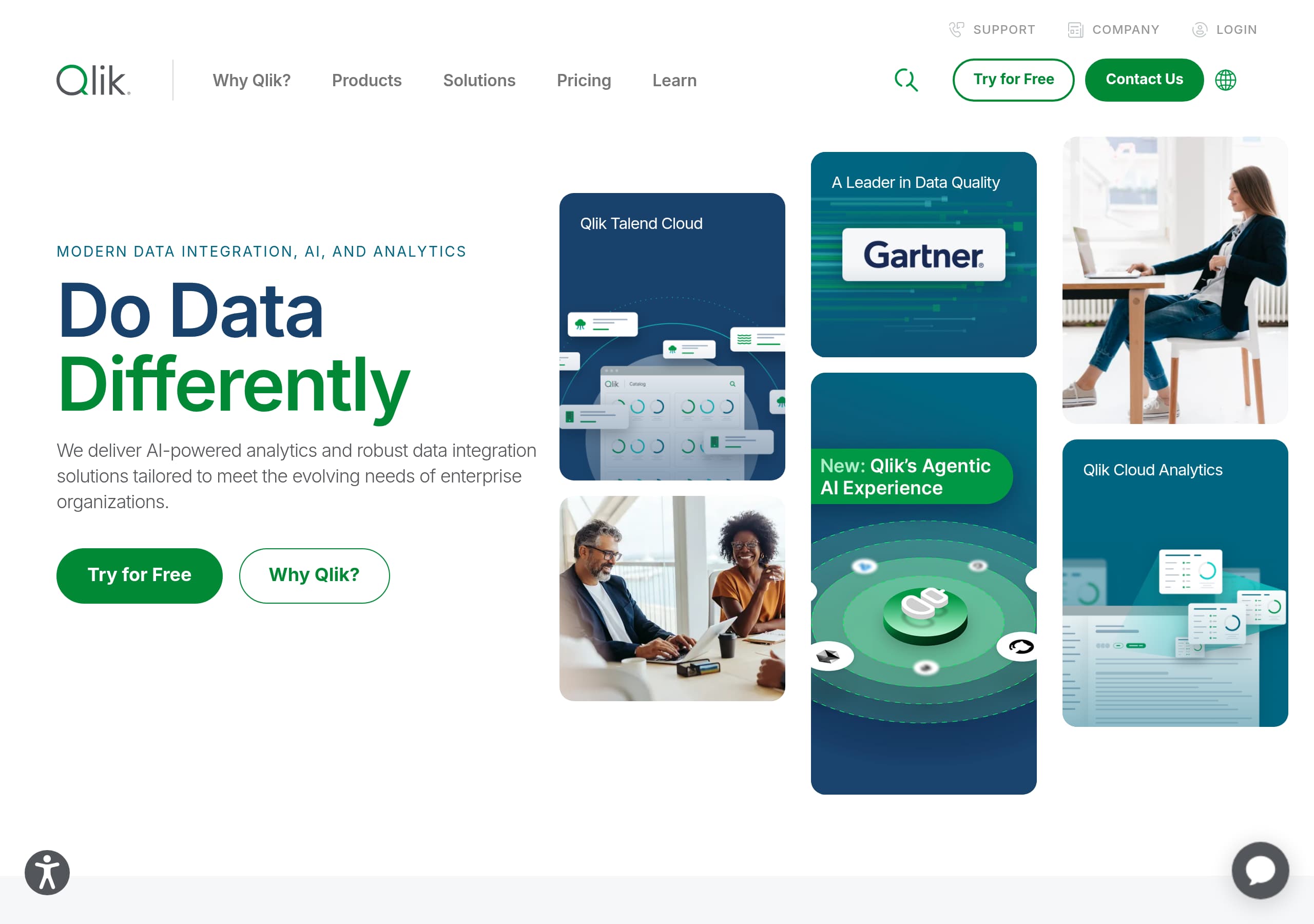
Qlik’s homepage messaging is outcome-led and enterprise-oriented, using the phrase “Turn your data into real business outcomes” and repeatedly tying products to AI readiness, speed, and scale.
Navigation is built for complex buying committees, with clear top-level buckets for Data Integration, Analytics and AI, Solutions, and Pricing, plus fast paths to “Try for Free” and “Contact Us.”
The site converts by pairing persistent education with action, mixing “Learn More,” “Read Report,” “Register Now,” and “Try for Free” CTAs across the header and in key sections.
Pricing is separated by product families (Data Integration and Quality, Analytics, AI/ML), which reduces confusion for enterprise bundles but requires extra clicks to understand total cost across a suite.
Social proof is reinforced through multiple formats, including a visible “More than 40,000 customers” claim, customer story tiles (banking, retail, hospitality), and analyst report CTAs like the Gartner Magic Quadrant.
Qlik positions differentiation around AI-era data foundations, highlighting “Agentic AI,” “Data Foundation for AI,” and broad integrations with major platforms like AWS, Microsoft, Snowflake, SAP, and Databricks.
Home
Qlik’s homepage succeeds because it frames the platform around outcomes first, then immediately maps to the two core motions buyers recognize: integration and analytics. The hero-level promise, “Turn your data into real business outcomes,” is short, executive-friendly, and reinforced by AI-era language like “deliver trusted data at speed and scale to power your AI initiatives.” That combo makes it clear Qlik is positioned as an enterprise data platform, not a single dashboard tool.
A key UI strength is the information architecture in the global nav. You see primary categories for Data Integration, Analytics and AI, Solutions, and Pricing, plus utility items like Community, Support Portal, and Training. This structure supports multiple personas, for example data engineers exploring “Data Movement” and “Data Quality and Governance,” and analytics leaders scanning “AI Assistant,” “Anomaly Detection,” and “Embedded Analytics.”
Conversion is handled through repeated, context-matched CTAs. The header and product areas surface “Try for Free” and “Learn More,” while credibility CTAs like “Read Report” appear next to “2026 Gartner Magic Quadrant for Augmented Data Quality Solutions.” Event CTAs like “Register Now” for Qlik Connect provide a lower-friction commitment than a sales call, which is realistic for enterprise buyers.
The homepage also signals ecosystem depth with a dedicated “Technology Partners and Integrations” area listing AWS, Google, Microsoft, Snowflake, SAP, Databricks, and more. That explicit partner rollcall is a practical shortcut for buyers validating fit with their data stack and procurement standards. Overall, the page prioritizes discoverability and enterprise relevance over minimalism, which matches Qlik’s product breadth.
Pricing
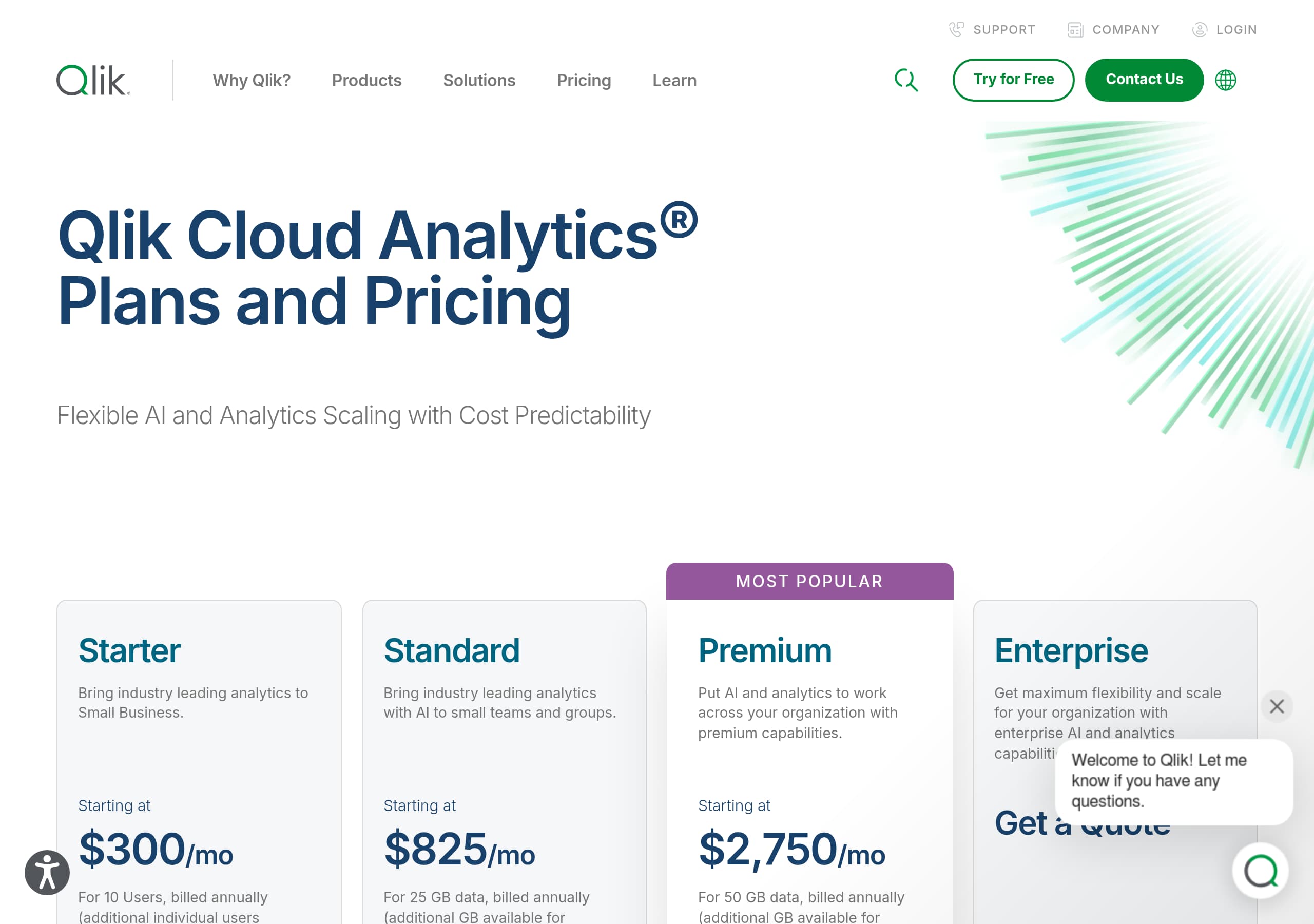
Qlik’s pricing experience is structured to reduce initial complexity by splitting pricing into three clear tracks: Data Integration and Quality Pricing, Analytics Pricing, and AI/ML Pricing. This packaging mirrors how enterprise teams often budget, with separate owners for integration pipelines, BI, and data science. The immediate benefit is lower cognitive load, since a buyer can choose the relevant motion without decoding a one-size-fits-all matrix.
From the screenshot, the pricing layout appears card-based with product-family sections and supporting copy, rather than a single dense comparison table. That design choice helps scanning and keeps attention on the “which category am I in?” decision. It also aligns with the navigation pattern where “Products” is divided into “All Analytics and AI Products” and “All Data Integration and Quality Products,” reinforcing consistent mental models across the site.
Where pricing could introduce friction is in suite-level evaluation. Qlik’s catalog includes Qlik Cloud Analytics, Qlik Sense (on-prem), Qlik Talend Cloud, Qlik Replicate, Qlik Compose, and more. When pricing is separated by family, stakeholders may need extra steps to estimate total cost for an end-to-end deployment, especially if they want integration plus analytics plus automation. The site partially offsets this with multiple high-intent CTAs like “Try for Free” and “Contact Us,” which is typical for enterprise pricing that depends on scale, connectors, or deployment requirements.
Tactically, Qlik uses pricing pages as conversion hubs that connect to trials and to product detail pages. The key is that pricing is not hidden, it is discoverable from the main nav, but it is presented in a way that supports complex packages rather than a simple self-serve checkout.
Features
Qlik’s features are communicated through capability clusters rather than a flat feature list, which fits a broad platform that spans integration, quality, governance, analytics, and AI. In navigation and on-page modules, Qlik groups “Core Capabilities” into scannable themes like Data Foundation for AI, Open Lakehouse, Data Movement, Data Quality and Governance, Data Streaming, and Data Warehouse Automation. This format helps technical evaluators quickly map Qlik to an existing architecture and identify which parts replace point solutions.
On the analytics side, Qlik Cloud Analytics is positioned with AI-forward capabilities such as AI Assistant, Predictive AI, Anomaly Detection, plus practical BI staples like “Visualizations and Dashboards,” “Reporting,” and Embedded Analytics. The presence of “Automation and Orchestration” and the separate Qlik Automate product indicates a “insight to action” storyline, not just reporting.
Product naming is explicit and consistent across the suite list: Qlik Cloud Analytics, Qlik Sense (on-prem), Qlik Answers for unstructured GenAI responses, Qlik Predict for no-code predictive AI, and Qlik Talend Cloud for the trusted data foundation. This reduces ambiguity, especially since Qlik also maintains Talend-branded products like Talend Data Fabric and Talend Data Catalog.
A differentiator emphasized in the excerpt is ecosystem reach. The “Integrations and Connectors” pathway claims connectivity to “hundreds of sources,” and featured partners include AWS, Google, Microsoft, Snowflake, SAP, Databricks, and Cloudera. For enterprise buyers, that is a feature in itself, because connector coverage can dictate time-to-value. The site’s feature communication is strongest when it pairs these capability clusters with clear outcomes like “move faster,” “make smarter decisions,” and “run more efficiently.”
Signup
Qlik’s signup motion is designed around multiple entry points rather than a single universal “Start free trial” funnel, which matches the realities of a platform with distinct products and personas. Across the header and product sections, “Try for Free” appears next to both Data Integration and Quality and Analytics and AI. This signals that trials are product-family specific, which helps prevent a user from landing in the wrong environment.
Instead of pushing every visitor into immediate signup, Qlik offers intermediate conversion steps that nurture enterprise buyers: “Learn More” for capability education, “Read Report” for analyst validation, and “Register Now” for Qlik Connect or webinars like “Qlik Insider: 2026 Product Roadmap.” This is an intentional funnel ladder: low-friction actions first, higher-commitment actions later.
From the site structure shown in the excerpt, onboarding support is integrated into the broader experience. The navigation includes “Customer Portal,” Onboarding, “Product Documentation,” and “Training,” plus Qlik Learning and Certification. That reduces post-signup anxiety because buyers can see, before committing, that there is a documented path from trial to production adoption.
A practical observation is that Qlik also includes “Find a partner” and “Global System Integrators” pathways alongside self-serve trial CTAs. That dual approach reflects two typical enterprise journeys: a technical team experimenting via trial, and a procurement-led initiative engaging services. The signup experience is therefore less about a single form and more about routing the right visitor to the right next step. The main risk is that too many paths can dilute urgency, but Qlik partially counterbalances that with persistent trial CTAs and clear product segmentation.
Trust
Qlik builds trust primarily through breadth of enterprise support infrastructure and third-party validation rather than through a single security badge cluster on the pages shown. In the global navigation, there are multiple trust-relevant destinations: Customer Support, “Customer Portal,” Onboarding, “Product Documentation,” and “Training.” For enterprise buyers, the presence of these links at top level acts as a reliability cue, implying operational maturity beyond marketing pages.
The site also emphasizes platform interoperability, which indirectly supports trust in adoption feasibility. “Technology Partners and Integrations” highlights named partners such as AWS, Microsoft, Snowflake, SAP, and Databricks. This matters because enterprise security and compliance reviews often include questions about approved cloud vendors, data platforms, and connector methods. The explicit partner list reduces uncertainty and signals alignment with common enterprise stacks.
Third-party trust is reinforced via the Gartner asset: “2026 Gartner Magic Quadrant for Augmented Data Quality Solutions,” with a prominent “Read Report” CTA. While the excerpt does not include the content of the report, the visible placement of the analyst reference is a classic enterprise trust pattern, providing a shortcut for stakeholders who need external justification.
Qlik also uses community and education as credibility indicators. Links to Qlik Community, Qlik Gallery, Ideation voting, and a dedicated Training hub with free and instructor-led options show that the product has an active ecosystem and ongoing enablement, not just a sales cycle.
What is less visible in the provided excerpt and screenshots is explicit security and compliance detail, such as SOC 2, ISO 27001, or data residency statements. If those exist elsewhere on Qlik.com, they are not emphasized in the captured sections, which slightly limits trust for security-first evaluators who want immediate proof points.
Footer
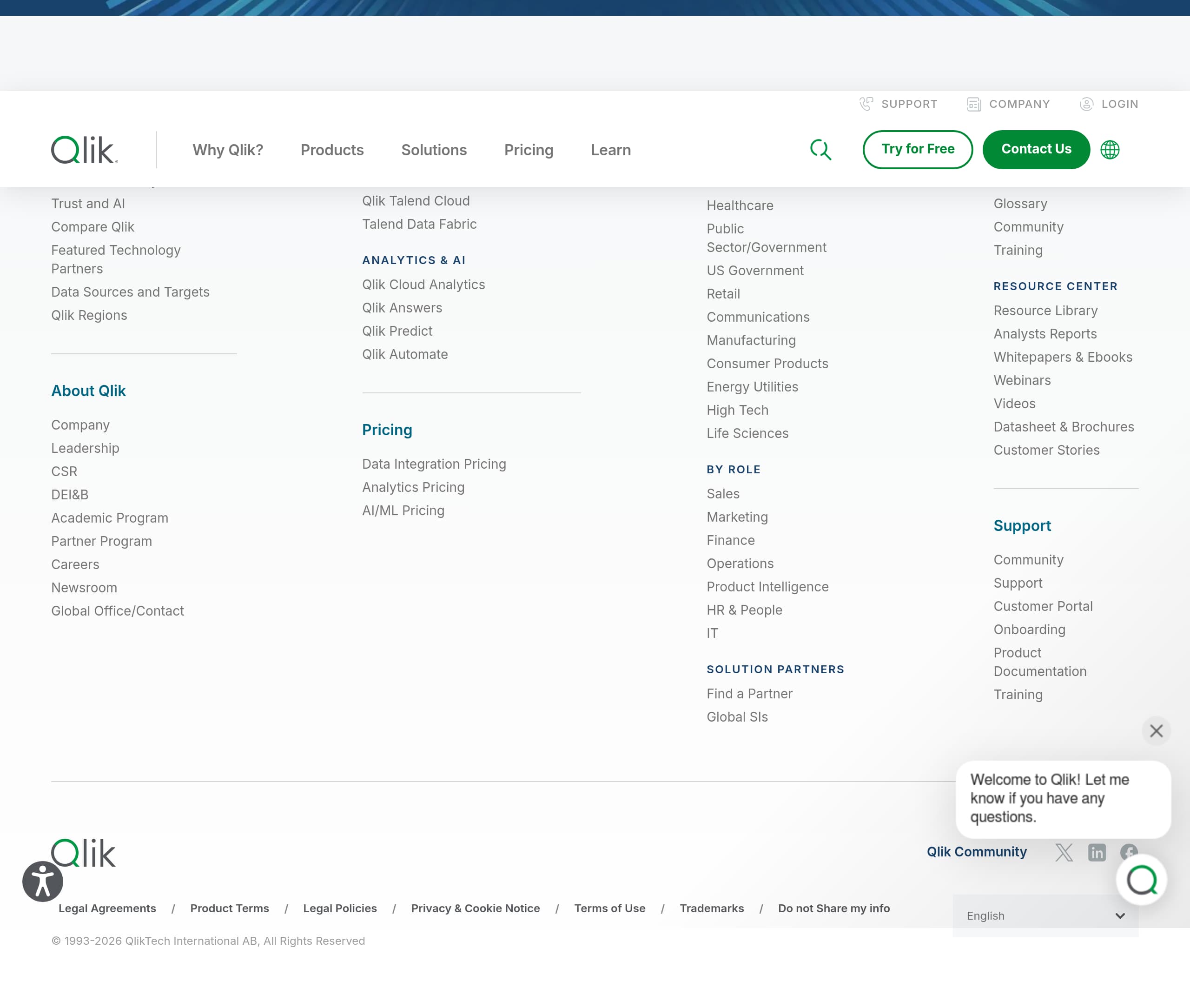
Qlik’s footer, as shown in the screenshot, functions like an enterprise site index: it prioritizes discoverability, global reach, and support pathways over minimal legal text. This matches Qlik’s broad portfolio and audience mix, where visitors often arrive looking for a specific product (Qlik Cloud Analytics, Qlik Talend Cloud), a learning resource, or a support destination rather than a single landing page conversion.
A notable footer pattern is the presence of multiple “hub” style links that mirror the header utilities: Support, Community, Training, and Resource Library style destinations. This redundancy is useful because many visitors scroll to the bottom after scanning a page and expect a reliable way to navigate without reopening the mega-menu.
The site also presents multilingual options in the header area, and Qlik.com generally reflects global positioning through “Global Offices” and region-friendly navigation. In the footer context, this global footprint supports procurement trust, because enterprise buyers often need clarity on regional presence and local support.
From the excerpt, Qlik includes corporate credibility links like “Company Leadership,” “Corporate Responsibility,” and “Diversity, Equality, Inclusion, and Belonging,” which are commonly evaluated during vendor risk reviews. Including these in the broader site navigation and likely in the footer helps teams find governance and ethics information without searching.
What would further strengthen the footer as a conversion asset is more explicit surfacing of legal and compliance shortcuts (for example, Security, Privacy, Terms) if they are present. The screenshot indicates a dense link layout, but the provided content does not confirm the exact legal set. Overall, the footer is designed as a high-coverage navigation layer, reinforcing that Qlik is a long-term platform vendor with extensive documentation and support entry points.
Detected tech stack
Tools and technologies we detected on Qlik's site. Detection is best-effort and may be incomplete.
Scores
Our framework scores for Qlik's website in terms of clarity, conversion, and trust. See our methodology for how we calculate these.
How clear the value prop and structure are.
How conversion-friendly signup and pricing are.
How well trust and compliance are surfaced.
FAQ
Qlik leads with an outcome-based headline, “Turn your data into real business outcomes,” then quickly routes visitors into Data Integration or Analytics and AI. The global navigation exposes deep capability areas like Data Quality and Governance, Data Streaming, AI Assistant, and Embedded Analytics. Multiple CTAs appear for different intents, including Try for Free, Learn More, Read Report, and Register Now for events.
Qlik separates pricing into three tracks: Data Integration and Quality Pricing, Analytics Pricing, and AI/ML Pricing. This mirrors how organizations budget and reduces confusion compared to a single all-in-one pricing table. The tradeoff is that teams evaluating the full suite may need extra steps to estimate total cost across multiple product families before contacting sales or starting trials.
Qlik highlights customer scale with the statement “More than 40,000 customers find answers with Qlik,” and supports it with a dedicated Customer Stories section. It also uses third-party validation through an analyst asset, the “2026 Gartner Magic Quadrant for Augmented Data Quality Solutions,” linked via a Read Report CTA. Events and webinars add practitioner-oriented credibility.
Qlik uses product-family specific Try for Free entry points, shown under both Data Integration and Quality and Analytics and AI. Instead of forcing immediate signup, it offers intermediate steps such as Learn More pages, analyst reports, and webinar registrations. Post-signup confidence is supported by visible links to Onboarding, Product Documentation, Training, and community resources.
Qlik dedicates navigation space to Technology Partners and Integrations and calls out a connectors approach that can combine data from hundreds of sources. Featured partners listed include AWS, Google, Microsoft, Snowflake, SAP, Databricks, and Cloudera. This is positioned as a practical adoption benefit because many buyers need confirmation that Qlik fits their existing cloud and data platform stack.

The world's best-performing SaaS businesses share surprisingly similar patterns. We help you learn and apply them through our human-designed methodology, with AI-assisted research.