
Key takeaways
Here are the key insights from our website breakdown analysis of Twilio.
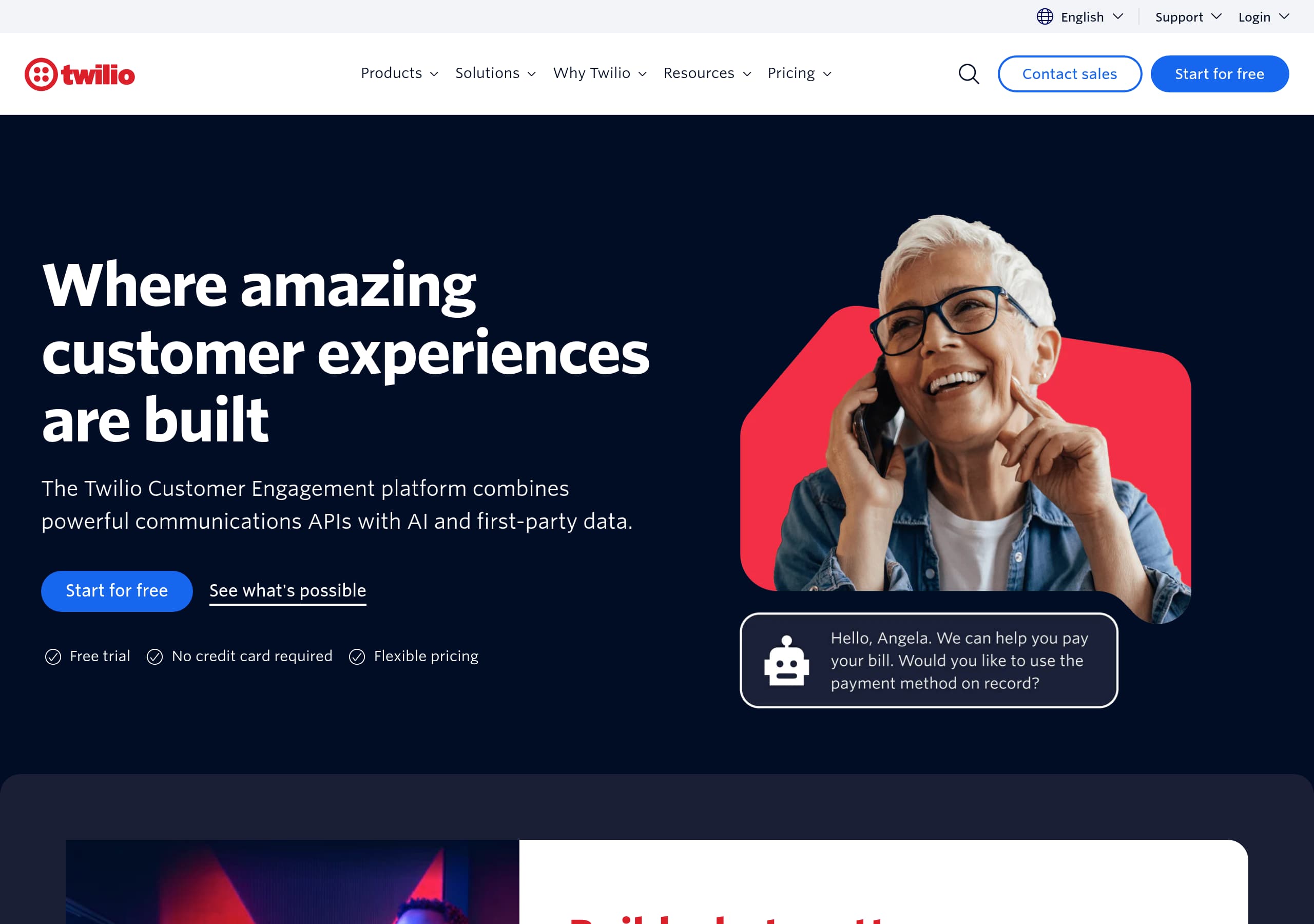
Twilio’s homepage wins by collapsing a complex portfolio into one unifying narrative—“Customer Engagement Platform” combining data, AI, and communications—so enterprise buyers understand the platform thesis without losing developer relevance.
The navigation is intentionally product-dense (Messaging, Voice, Verify, Segment, SendGrid), which reduces ambiguity for returning users and supports high-intent journeys like “Pricing → Messaging → SMS” in 2–3 clicks.
Pricing messaging is conversion-forward with a clear promise—“Transparent pricing with discounts as you scale” plus “free trial—no credit card required”—which lowers the perceived risk for first-time builders.
Twilio uses layered credibility: analyst validation (2025 Gartner® Magic Quadrant™ for CPaaS), support plans/status links, and extensive documentation resources, which collectively signal enterprise readiness.
The site is built to serve multiple personas simultaneously (Developers, Marketing, Data Engineering, Enterprise/Startup), using solution menus and use-case clusters to route visitors to the right entry point.
Product grouping reinforces cross-sell: communications channels (SMS, WhatsApp, RCS, Voice, Email) sit adjacent to customer data (Segment/Unify/Engage) and authentication (Verify/Lookup), encouraging “platform expansion” rather than single-API adoption.
Home
Twilio’s homepage is effective because it presents a single platform story while still giving direct paths to specific APIs like Messaging, Voice, Verify, Segment, and SendGrid.
What’s working in the hero and top navigation
The top-level positioning—“Communications APIs with AI and data for SMS, Voice, Email”—immediately anchors Twilio as both CPaaS and a broader engagement stack. The primary nav reinforces this by grouping offerings into clear buckets: Communications, Customer Data, Authentication, and Conversational AI. This is a practical pattern for a large suite: it reduces cognitive load versus a flat product list, while keeping technical specificity (e.g., “SMS,” “RCS,” “WhatsApp,” “SIP Trunking”).
UI patterns that route multiple personas
Twilio uses persona routing in the nav via “Teams” (Developers, Data Engineering, Marketing, Product, Customer Experience) plus “Industry” and “Company Size” (Enterprise, Startup). That’s a deliberate segmentation layer: it helps a VP-level buyer find outcomes (“AI agent productivity,” “IVR,” “Fraud prevention”) while a builder can jump straight to Documentation, Code samples, and Changelog.
Conversion signals visible above the fold
Even without a full landing-page screenshot of the hero copy, the global header repeatedly surfaces two high-intent CTAs: Contact sales and Start for free. Twilio also includes login shortcuts for multiple products (“Log in to Messaging, Voice, Verify, Video, and more” plus separate access to Segment/SendGrid), which is a strong retention UX pattern for an ecosystem brand. The result is a homepage that supports discovery, evaluation, and returning-user workflows without forcing one path.
Pricing
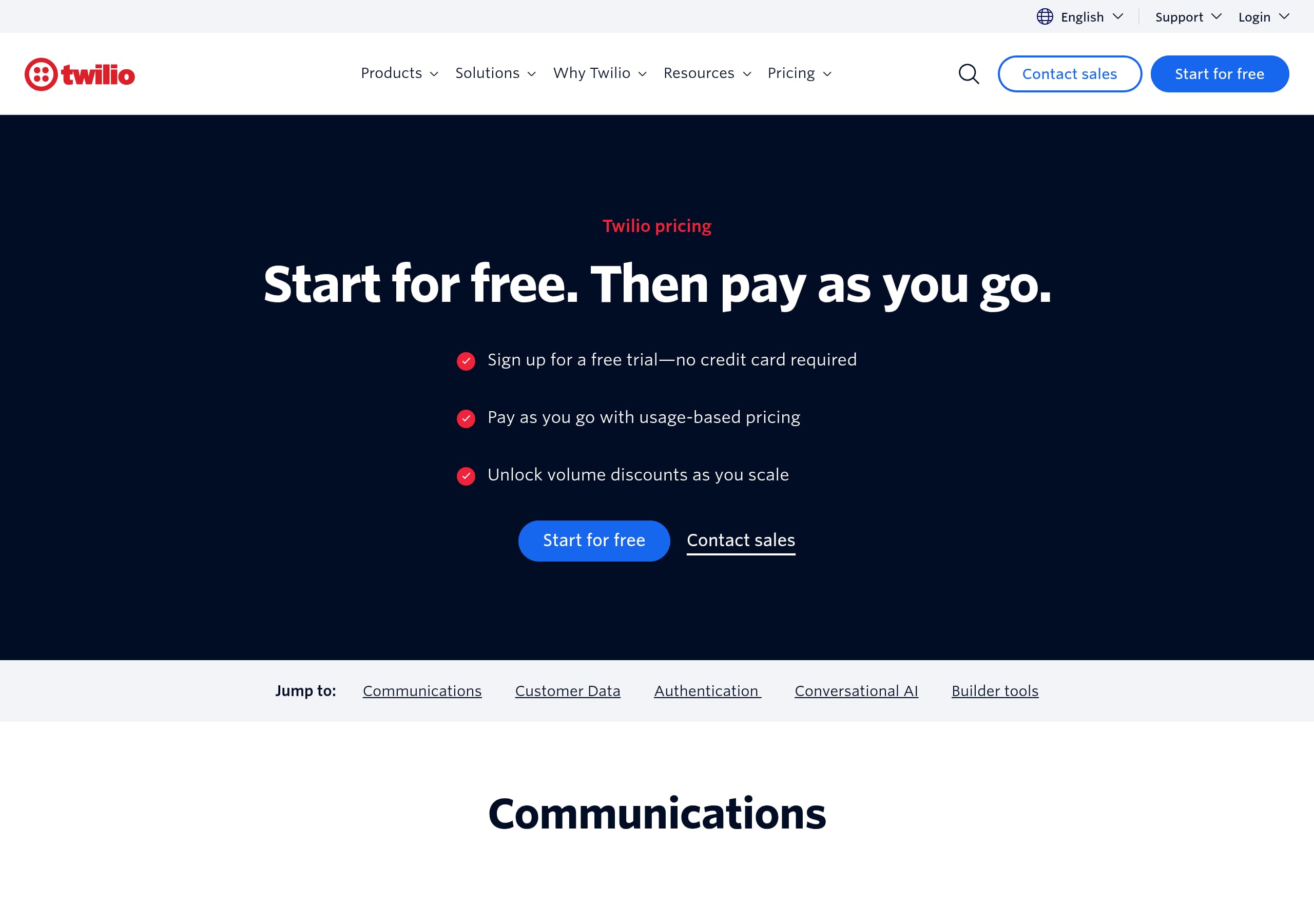
Twilio’s pricing experience reduces evaluation friction by promising transparency and a no-card trial, while still preserving enterprise upsell paths via Sales and volume discounts.
Clear promise + low-risk entry point
In the pricing menu, Twilio states: “Transparent pricing with discounts as you scale. Sign up for a free trial—no credit card required.” That combination is powerful for developer-first SaaS: it addresses the two biggest objections upfront—fear of surprise costs and friction to start testing. The repeated presence of Start for free and Contact sales creates a dual-track funnel (self-serve vs. assisted).
Productized pricing navigation mirrors the suite
Pricing is not a single page; it’s a structured directory: Communications (Messaging, Voice, Email API, Video, Flex), Customer Data (Customer Data Platform, Customer Data Pipeline), and Authentication (Verify, Lookup). This mirrors the main product taxonomy, which helps users avoid dead ends like “Is WhatsApp priced under Messaging?” It also encourages cross-shopping: someone pricing SMS can discover Verify or Lookup in the same pricing hub.
What the pricing screenshot suggests (layout and scanability)
From the pricing screenshot, Twilio appears to use a clean, card-like layout with product tiles and left-to-right scanning. This is consistent with large catalogs: it prevents a single long table from becoming unreadable. A best-practice pattern Twilio follows is including multiple entry points to the same intent: a visitor can arrive via “All Pricing” or via a specific product (e.g., SMS, WhatsApp, SIP Trunking).
Tactical opportunities
Because Twilio sells usage-based APIs, the pricing UX benefits from embedded calculators, sample monthly scenarios, and “typical” usage ranges. If not already prominent, adding 2–3 scenario presets (e.g., 50k SMS/mo, 1M SMS/mo) would further improve cost confidence without undermining the scale discounts narrative.
Features
Twilio’s features are positioned as a modular platform: channels (communications), identity (authentication), data (Segment/Unify), and AI (conversational tooling). The site’s structure makes it easy to understand “what to buy” without reading long product pages.
Feature taxonomy that matches real buying decisions
Rather than listing generic features, Twilio organizes capabilities into product families:
- Messaging: SMS, RCS, WhatsApp, Conversations API
- Voice: SIP Trunking (and related voice primitives)
- Email API: SMTP service and marketing campaigns via Twilio SendGrid
- Authentication: Verify and Lookup for identity/fraud workflows
- Customer Data: Connections (warehouses, reverse ETL), Unify (profiles), Engage (audiences, journeys), Intelligence (predictions/recommendations), Data Observability
- Conversational AI: ConversationRelay and Conversational Intelligence
This is a practical pattern for CPaaS: it maps to use cases like alerts and notifications, appointment reminders, fraud prevention, and IVR/contact center.
Platform narrative without losing developer specificity
Twilio repeatedly describes “One flexible platform that combines data, AI, and the communication channels your customers love.” That statement helps marketing and CX leaders justify a platform investment, while the nested menus (e.g., “Toll-free,” “10DLC,” “Short Codes”) keep the experience grounded in the real-world details that developers and compliance owners care about.
Cross-sell is built into the UI
By placing Customer Data and AI beside Communications, Twilio nudges an expansion path: start with SMS, add Verify for onboarding, add Segment/Unify for personalization, then layer AI for agent productivity. This isn’t aggressive pop-up upsell; it’s structural cross-sell built into the information architecture.
Tactical improvement
A quick “recommended bundles” module (e.g., SMS + Verify + Lookup for onboarding) would reduce decision paralysis for first-time teams and increase multi-product adoption, while keeping the suite modular and extensible.
Signup
Twilio’s signup approach is optimized for fast time-to-first-message: it emphasizes a free trial without a credit card and provides multiple login entry points for different products, reducing friction for both new and returning users.
Low-friction promise and clear CTAs
Twilio repeats Start for free in the global header and supports it with the pricing claim “free trial—no credit card required.” This is an important conversion driver for developer tools because it removes the biggest psychological barrier (billing setup) and encourages experimentation. In parallel, Contact sales is always available for enterprise procurement workflows.
Multi-product account reality is handled explicitly
The login area is unusually explicit: “Log in to Messaging, Voice, Verify, Video, and more” and “Or log in to access: Customer Data Platform (Twilio Segment), Email (Twilio SendGrid).” This is a subtle but valuable onboarding pattern for a suite that includes acquisitions and multiple consoles. It reduces confusion like “Which dashboard do I use?” and prevents signup drop-off caused by product naming.
Onboarding support via resource scaffolding
Twilio’s navigation makes onboarding resources first-class citizens: Documentation, Code samples, Developer Hub, Serverless, and Help Center are all one click away. This suggests Twilio expects builders to self-serve implementation, and it supports that expectation by keeping developer resources persistent in the IA rather than burying them in a footer.
Where signup could be even stronger
The excerpt doesn’t confirm the exact number of signup steps, required fields, or whether phone verification is mandatory. For an API platform, the best-performing flow is typically: email/password → quick workspace/project creation → API key + “send your first SMS” tutorial. If Twilio already does this, showcasing “3-step setup” near Start for free would set clearer expectations and improve conversion.
Overall, Twilio’s signup UX aligns with a builder-first product while still supporting enterprise-assisted onboarding.
Trust
Twilio builds trust through enterprise-grade signals: security positioning, operational transparency (status pages), and third-party validation (Gartner). These elements are visible in navigation and supporting pages, which is where evaluators look during vendor selection.
Security and privacy are positioned as differentiators
Under “Why Twilio” → Differentiators, Twilio explicitly lists Privacy and security alongside “Enterprise scale” and “Infrastructure.” That placement matters: it communicates that trust is not an afterthought, and it aligns with the expectations of regulated industries listed in Solutions (Financial services, Healthcare, Public sector, Education).
Operational trust: status and support plans
Twilio includes “Status,” plus separate “SendGrid status” and “Segment status.” This is a strong operational trust pattern because it shows transparency across the suite rather than hiding incidents. Similarly, the presence of “Support plans” and “Professional services” in the Support and services menu signals that there are formal SLAs and escalation paths—key for enterprise rollout.
External validation for procurement stakeholders
Highlighting the “2025 Gartner® Magic Quadrant™ for CPaaS” and “Leader… highest for Ability to Execute” provides a procurement-friendly artifact. This reduces the burden on internal champions who need credible third-party references when comparing Twilio to alternatives.
Trust gaps to watch
The excerpt doesn’t show concrete compliance badges (e.g., SOC 2, ISO 27001) or data residency statements in the visible UI. Twilio likely has these elsewhere, but from a conversion standpoint, security artifacts perform best when linked near “Contact sales” or within “Privacy and security” pages with scannable checklists.
Practical takeaway
Twilio’s trust system is multi-layered—security, reliability, and analyst proof—and it’s integrated into the navigation so both technical evaluators and exec buyers can find it quickly during due diligence.
Footer
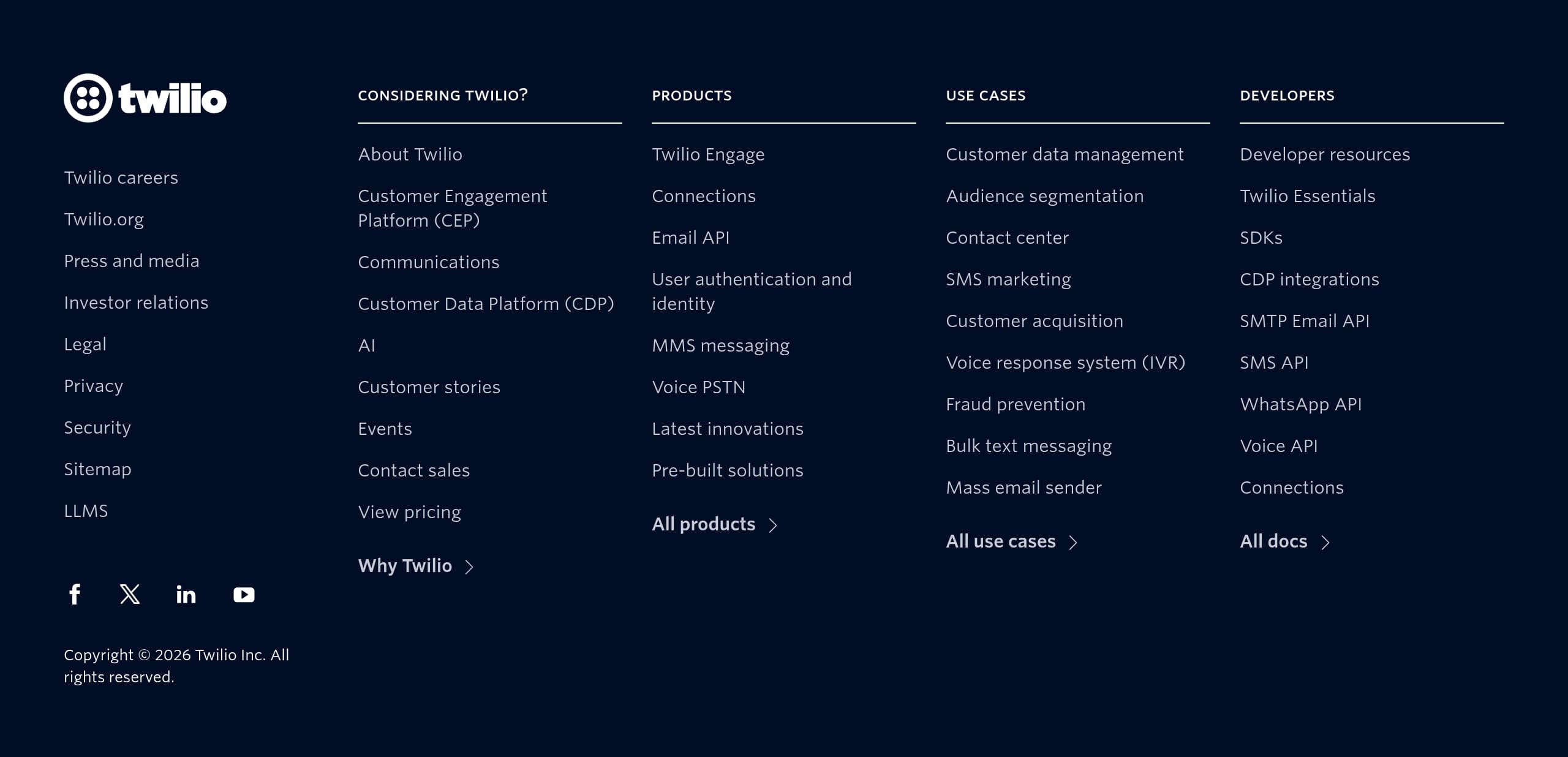
Twilio’s footer functions like an enterprise sitemap: it prioritizes compliance, support, and ecosystem navigation so high-intent users can quickly find operational and legal pages without re-opening complex menus.
What the footer screenshot indicates
From the footer screenshot, Twilio uses a dense, multi-column layout typical of large SaaS platforms. This pattern works for Twilio because the product surface area is large and visitors often arrive on deep pages (docs, pricing, specific APIs). A well-structured footer reduces pogo-sticking and supports discovery of adjacent solutions.
Footer as a trust and support hub
Twilio emphasizes links that matter after purchase:
- Help Center and Support plans for escalation and SLA understanding
- Status (and product-specific statuses like SendGrid/Segment in the broader site) for reliability transparency
- Privacy Policy (also referenced near search tracking text: “Data is collected based on search terms. Privacy Policy”), which addresses tracking disclosure clearly
This combination supports both compliance teams and implementers who need fast answers.
Brand architecture clarity
Because Twilio operates multiple brands/products (Twilio Segment, Twilio SendGrid, Flex), the footer’s role is to reinforce that everything sits under Twilio while still giving direct paths to each console and product area. That reduces confusion and strengthens the “one platform” narrative introduced in the header.
SEO and discoverability benefits
A comprehensive footer improves internal linking to critical pages like Documentation, Pricing, and Solutions by industry (Healthcare, Financial services, Ecommerce). For a site competing on high-volume keywords like “SMS API,” “Verify API,” and “Customer Data Platform,” this internal-link mesh helps distribute authority and makes it easier for search engines to understand category relationships.
Tactical improvement
If not already present, adding a dedicated “Security” or “Trust” link cluster (SOC reports, compliance, DPA) in the footer would shorten procurement cycles by making proof artifacts reachable in one click from any page—especially important for enterprise scale buyers.
Detected tech stack
Tools and technologies we detected on Twilio's site. Detection is best-effort and may be incomplete.
Scores
Our framework scores for Twilio's website in terms of clarity, conversion, and trust. See our methodology for how we calculate these.
How clear the value prop and structure are.
How conversion-friendly signup and pricing are.
How well trust and compliance are surfaced.
FAQ
Twilio quickly unifies a complex suite under a single idea: “Communications APIs with AI and data” and a “Customer Engagement Platform.” The navigation then breaks that platform into clear families—Communications, Customer Data, Authentication, and Conversational AI—so visitors can understand the big picture while still finding specific APIs like SMS, WhatsApp, SIP Trunking, Verify, Segment, and SendGrid in 1–2 clicks.
Twilio frames pricing around transparency and scale: “Transparent pricing with discounts as you scale,” plus a “free trial—no credit card required.” Pricing navigation is organized by product family (Messaging, Voice, Email API, Verify, Segment/CDP), which helps users quickly locate the correct pricing model for each channel or product instead of forcing a single universal pricing table.
Twilio uses a dual-path conversion model: “Start for free” for self-serve builders and “Contact sales” for enterprise-assisted evaluation. It also clarifies login paths across the suite (Messaging/Voice/Verify/Video vs. Segment and SendGrid), which reduces confusion in multi-console products. Developer onboarding is supported by persistent access to Documentation, Code samples, Developer Hub, and Help Center.
Twilio highlights third-party validation (2025 Gartner® Magic Quadrant™ for CPaaS with “Leader” positioning), operational transparency (Status pages, including SendGrid and Segment status), and enterprise readiness (Support plans and Professional services). It also elevates “Privacy and security” as a formal differentiator alongside “Enterprise scale” and “Infrastructure,” aligning with regulated industries like financial services and healthcare.
Twilio routes visitors via “Teams” (Developers, Data Engineering, Marketing, Product, Customer Experience) and “Solutions” by use case and industry. Developers get fast paths to Documentation, Code samples, Changelog, and Serverless tools, while business users see outcome-based categories like fraud prevention, alerts and notifications, marketing promotions, IVR, and AI agent productivity. This reduces bounce by matching intent to entry point.

The world's best-performing SaaS businesses share surprisingly similar patterns. We help you learn and apply them through our human-designed methodology, with AI-assisted research.