
Key takeaways
Here are the key insights from our website breakdown analysis of Webflow.
Webflow’s homepage leads with an enterprise-grade, outcomes-based promise (“AI-native platform” + measurable results) and backs it up immediately with dual CTAs for both self-serve and sales-led motions.
The site segments audiences clearly (Marketer, Designer, Developer, Agency, Enterprise) and mirrors that segmentation in navigation, feature framing, and proof points to reduce “is this for me?” friction.
Webflow makes “build vs. publish vs. optimize” the organizing mental model, which is easier to scan than a long feature list and aligns to how teams buy website platforms.
Social proof is unusually quantified (e.g., cost savings, traffic lifts, pipeline generated) and tied to executive titles, which increases credibility for enterprise evaluators.
The feature messaging consistently reinforces consolidation (CMS, hosting, localization, analytics, optimization) to justify platform pricing against point solutions like WordPress + plugins, Contentful, Optimizely, and custom builds.
Trust is strengthened through explicit reliability and security cues (e.g., 99.99% uptime, global CDN, audit logs, backups), plus enterprise pathways (Contact Sales, Webflow for Enterprise) that match procurement expectations.
Home
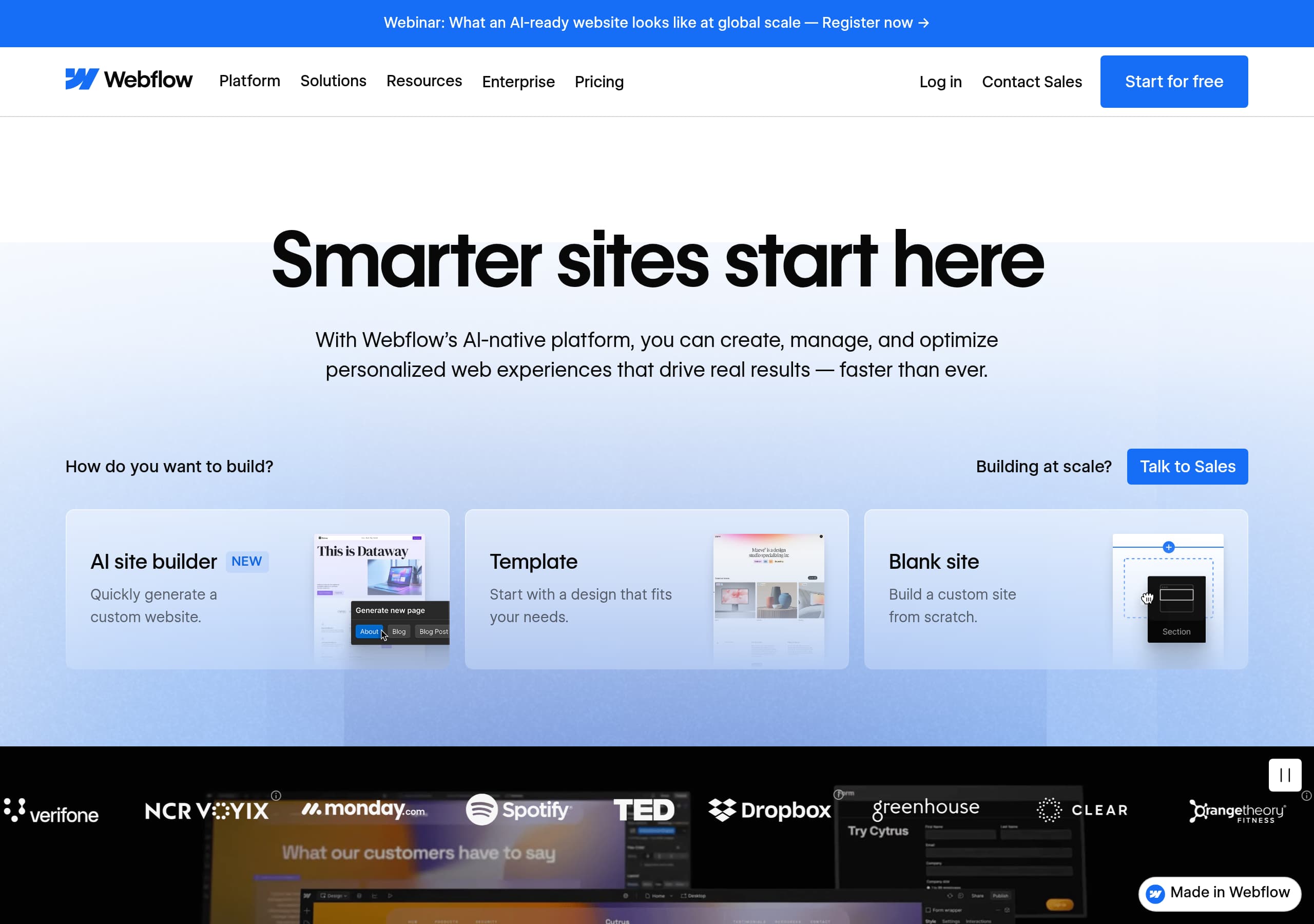
Webflow’s homepage works because it combines an enterprise narrative with a self-serve entry point, then immediately proves value using quantified outcomes and clear “next steps.” The hero headline (“Smarter sites start here”) is supported by a specific positioning line: AI-native platform to “create, manage, and optimize personalized web experiences.” That’s broad, but it’s clarified by the structure that follows.
What you see above the fold
- Dual primary CTAs: Get a product tour and Talk to sales, plus a persistent Start for free in the top nav. This supports both PLG and sales-led buying.
- A “How do you want to build?” chooser with three explicit paths: AI site builder, Template, Blank site. This reduces decision fatigue and matches real user intent.
- A webinar banner (“What an AI-ready website looks like at global scale”) that reinforces thought leadership without replacing the core CTA.
How the page builds clarity
Webflow quickly shifts from aspiration to a simple operating model: “Build together,” “Publish at scale,” and “Optimize with AI.” Each pillar has its own CTA (Start building / Start publishing / Start optimizing), which is a strong multi-CTA pattern because it maps to different team priorities (design velocity, CMS governance, experimentation).
Messaging details that increase conversion
The homepage repeatedly connects “AI” to practical workflows (generate sites, generate copy/CMS items, audit SEO/AEO). It also introduces “readable by bots” and AEO (Answer Engine Optimization), a timely wedge for 2026 search behavior. Net: the page feels modern, enterprise-safe, and action-oriented—without burying new users under jargon like “headless” until later.
Pricing
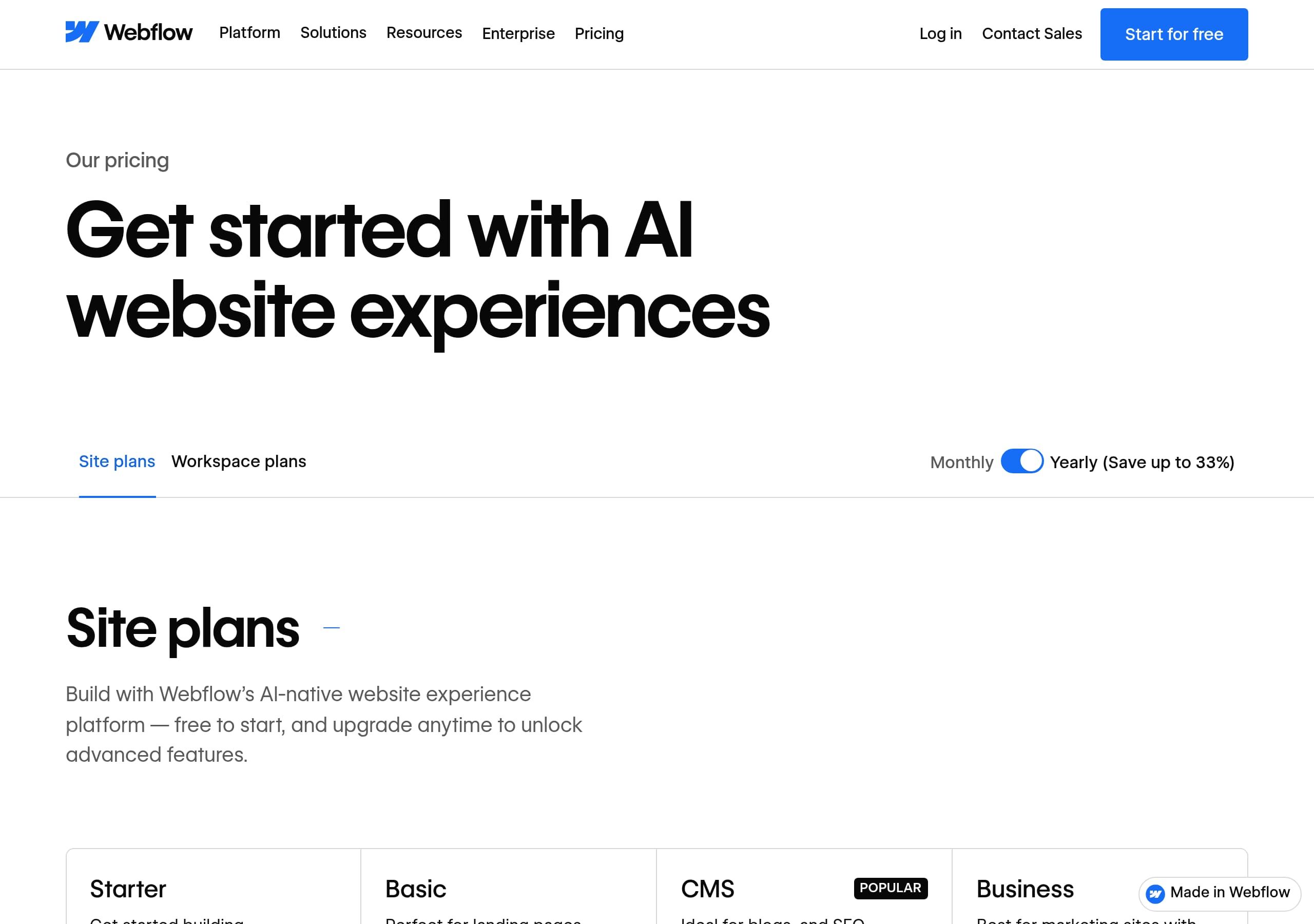
Webflow’s pricing experience (as shown in the screenshot) is built to accommodate multiple products and buyer types—especially the reality that “Webflow” can mean a Site plan, a Workspace plan, or Enterprise. The key strength is the way the page separates decision layers so a visitor can self-qualify before talking to sales.
What the pricing UI is optimizing for
Pricing is typically where Webflow must reconcile two competing needs: transparent self-serve pricing and flexible enterprise packaging. The pricing layout (plan cards + segmentation) supports self-serve by making entry plans scannable while still creating a clear “hand-raise” route for larger organizations.
Notable conversion patterns
- Clear tiering with comparison-friendly cards (users can visually anchor on a “recommended” middle tier if present).
- Prominent pathways to Enterprise via “Contact Sales” when requirements exceed standard limits (permissions, security, multi-site governance, SLA).
- Consistent alignment with the homepage pillars: plans map to building, CMS management, hosting, and optimization rather than obscure feature bundles.
What Webflow communicates implicitly
Because Webflow targets marketers, designers, developers, and agencies, pricing has to signal “this scales.” The surrounding navigation reinforces this with “Webflow for Enterprise,” “Security,” “Localization,” and “Webflow Cloud.” Even before reading fine print, buyers infer that advanced needs (global sites, audit logs, approvals) are covered—just potentially at a higher tier.
Tactical improvement opportunity
If the pricing page doesn’t surface concrete limits (e.g., number of seats, CMS items, localization locales, bandwidth) near each card, users may hesitate and bounce. The strongest SaaS pricing pages pair plan cards with 3–5 “hard numbers” and a sticky pricing toggle (monthly/annual) to reduce friction. Still, Webflow’s pricing framing is well-suited to its multi-product platform reality and enterprise motion.
Features
Webflow’s feature presentation is effective because it’s organized by jobs-to-be-done (Build, Manage, Optimize) and then further tailored by persona (Marketing teams, Design teams, Engineering teams, Agencies). This avoids the common “wall of features” problem and makes the platform feel coherent even though it spans CMS, hosting, localization, analytics, and AI.
Feature architecture that improves comprehension
- A tabbed module (“Select tab Build / Manage / Optimize”) turns a complex platform into three digestible workflows.
- Each tab includes concrete actions: generate a new site + design system, generate copy and CMS items in bulk, audit SEO/AEO and test against CRO best practices.
- The persona-based section repeats similar themes (Agility, Impact, Scale, Creative freedom, Consistency, Efficiency, Integration), but with different emphasis depending on who is reading.
Specific feature callouts that differentiate Webflow
- “Create rich interactions and animations powered by GSAP” is a strong, observable differentiator versus basic builders.
- “Integrate with Figma and React” signals interoperability and reduces lock-in fears.
- “Webflow Cloud” and “Deploy web apps alongside your site” positions Webflow against more modern app stacks, not only WordPress/Squarespace.
- “MACH-certified APIs” and “custom code” reassure developers that this isn’t a closed toy platform.
Why the feature framing converts
The copy consistently connects features to outcomes: fewer dev tickets, speed to market, on-brand consistency, site-wide updates, personalization, and global reach. Importantly, Webflow keeps repeating “visual” and “composable,” which implies governance and reuse (design systems, shared libraries) rather than one-off page building.
Tactical improvement opportunity
Because many items are repeated across personas, a quick comparison table (“Marketer vs Designer vs Developer”) with 5–7 unique benefits each could reduce redundancy. Still, the current structure is highly scannable and aligns well with enterprise evaluation criteria.
Signup
Webflow’s signup path is optimized for lowering the time-to-first-value by offering three explicit starting modes—AI site builder, Template, and Blank site—while keeping sales assistance one click away. The key insight is that Webflow doesn’t force a single onboarding experience; it lets users choose the build style that matches their urgency and skill level.
Entry points that reduce friction
- Persistent nav CTA: Start for free, which supports immediate experimentation.
- Parallel enterprise CTA: Talk to sales, which prevents high-intent buyers from feeling “stuck” in self-serve.
- “Get a product tour” as a middle path for evaluators who want guided context before committing.
Onboarding expectations set by the homepage
The “How do you want to build?” module is effectively step zero of onboarding. It pre-qualifies the user:
- AI site builder = fastest path to a draft site (ideal for marketers).
- Template = faster than blank but keeps design control (ideal for designers/agencies).
- Blank site = maximum control (ideal for developers/design system teams).
What’s implied about the workflow
The page repeatedly highlights collaborative mechanics—comments, approvals, version controls, rollback, branching/staging workflows. That signals that after signup, users should expect role-based collaboration rather than a single-user editor. This is important for larger teams assessing governance.
What to watch for (conversion risk)
If account creation requires too many fields before users reach the canvas, it can undercut the “start building” promise. The best practice is a two-step flow: email/password (or SSO) → immediate canvas access, with plan selection deferred until publish/hosting is needed. Webflow’s “Start for free” positioning suggests it aims for that.
Improvement opportunity
A short “3-step” visual (Create account → Choose starting mode → Publish/Invite team) near the CTA could make the onboarding feel even more finite. Overall, the signup framing is strong because it respects both PLG and procurement-led journeys.
Trust
Webflow establishes trust by combining enterprise-grade reliability claims with specific governance and security capabilities that map to real operational risks. The most concrete trust signal in the excerpt is “99.99% uptime, a global CDN, and edge routing,” which directly addresses availability and performance concerns for high-traffic brands.
Security and governance cues that matter
Webflow lists managed security elements that imply mature operations:
- “24/7 managed security,” including audit logs and site backups.
- “Zero maintenance hosting, security, and platform updates,” which reduces operational burden.
- Collaboration controls like roles/permissions, approvals, version controls, branching, staging, and rollback—these are governance features often required for SOX-like change control even when not explicitly stated.
Trust-building through platform scope
The navigation includes Security and Webflow for Enterprise, and the feature sections emphasize consolidation (CMS + analytics + optimization + localization). Consolidation is a trust play: fewer third-party plugins and fewer integration points typically means fewer vulnerabilities and less downtime risk.
“AI-ready” positioning without overpromising
Webflow repeatedly references “AI-native,” “AI Assistant,” and AEO. Importantly, it also frames AI as workflow acceleration (generate copy, audit SEO/AEO, personalization/localization) rather than claiming magical ranking results. That restraint improves credibility.
How social proof reinforces trust
Executive quotes (CMO/CIO) and quantified impact (cost savings, speed to market) act as “operational trust” indicators—proof that teams ran Webflow in production at scale.
Improvement opportunity
For the trust section to be even stronger for security reviewers, Webflow could surface explicit compliance badges (e.g., SOC 2 Type II, ISO 27001) and data residency notes directly on the marketing page. Even so, the combination of uptime stats, security operations language, and governance workflow features creates a high-confidence posture for enterprise buyers.
Footer
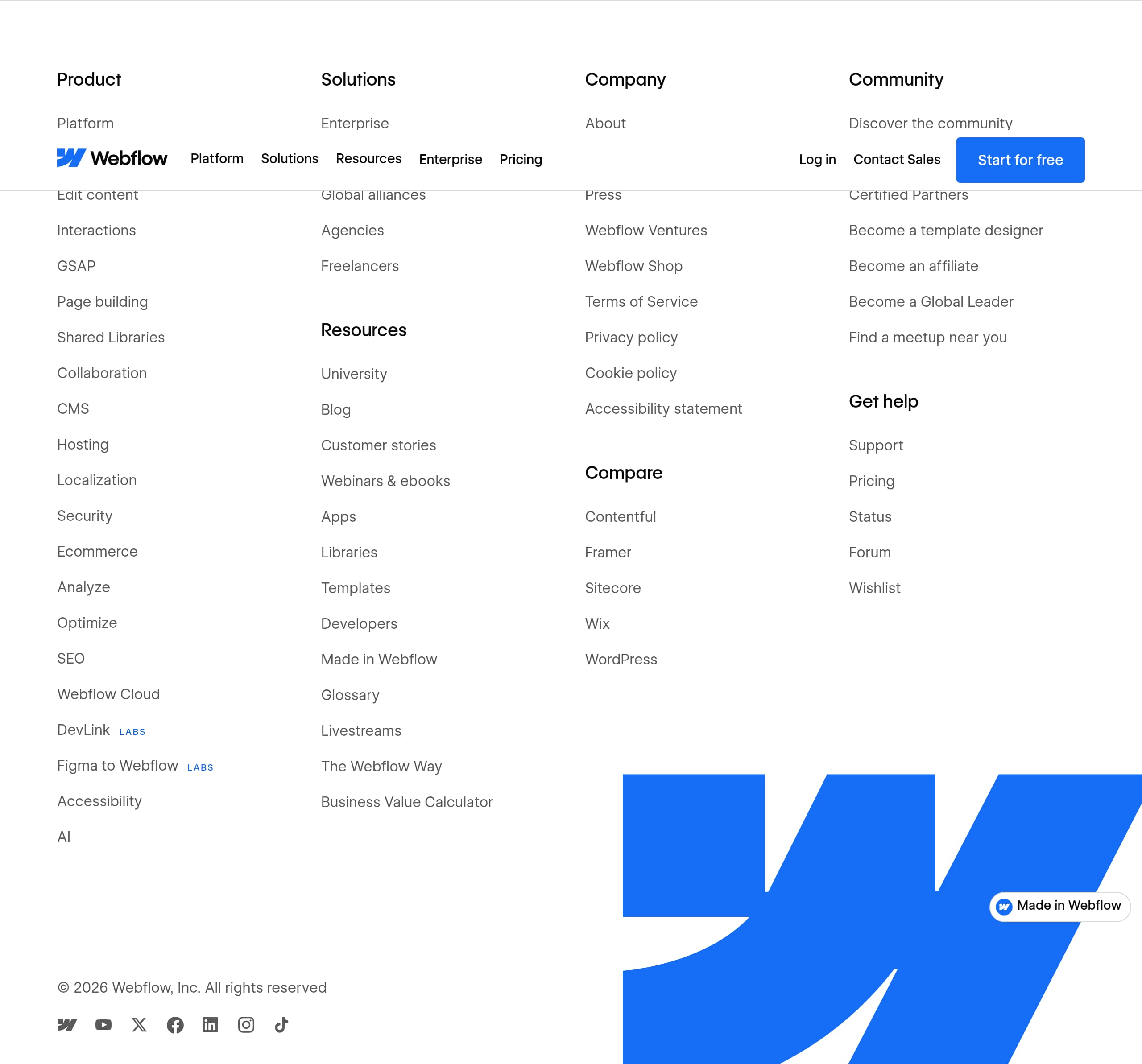
Webflow’s footer (per the screenshot) functions as a comprehensive site directory and a trust-and-governance checkpoint, which is ideal for a platform with multiple buyer types and products. The key takeaway is that the footer likely prioritizes findability—making it easy to jump to pricing, enterprise, resources, and legal—without forcing users back into the top navigation.
What the footer is likely doing well
- Acts as a secondary navigation hub for high-intent paths: Pricing, Enterprise, templates, university/docs, and partner directories (e.g., “Hire a Certified Partner”).
- Reinforces Webflow’s ecosystem: resources (Webflow University, blog, webinars/ebooks), community, and partner programs. This is a classic ecosystem proof signal for platforms.
- Provides standard trust endpoints: terms, privacy, and other legal links (typically expected for enterprise procurement and accessibility reviews).
Why this supports conversion
Footers often capture “late-stage” visitors who scrolled looking for details. By giving clear routes to support and education, Webflow keeps evaluation momentum:
- Learning links reduce onboarding anxiety (“Can my team learn this?”).
- Partner links reduce implementation anxiety (“Who can help us ship?”).
- Support/forum links reduce risk perception (“What happens if we get stuck?”).
Design and UX implications
A well-structured footer usually uses column grouping and concise labels. For Webflow specifically, the breadth of the platform makes information architecture crucial—users might arrive for a visual builder but leave needing CMS, localization, or security details.
Tactical improvement opportunity
If the footer is very dense, adding a small “Most visited” cluster (Pricing, Enterprise, Security, Webflow University, Support) can improve scanning. Also, including a short line reiterating 99.99% uptime or “Trusted by 300,000 brands” can turn the footer into a final trust reinforcement before exit. Overall, Webflow’s footer appears built for serious evaluation rather than minimal brochure navigation.
Detected tech stack
Tools and technologies we detected on Webflow's site. Detection is best-effort and may be incomplete.
Scores
Our framework scores for Webflow's website in terms of clarity, conversion, and trust. See our methodology for how we calculate these.
How clear the value prop and structure are.
How conversion-friendly signup and pricing are.
How well trust and compliance are surfaced.
FAQ
Webflow’s homepage pairs an enterprise-grade value proposition (“AI-native website experience platform”) with immediate next steps: “Start for free,” “Get a product tour,” and “Talk to sales.” It also adds a “How do you want to build?” selector (AI site builder, Template, Blank site) that reduces choice overload. Quantified customer outcomes (e.g., traffic and conversion lifts) appear early to back up the claims.
Webflow’s pricing is designed to support both self-serve and enterprise buying. The pricing layout emphasizes scannable tiers and a clear path to “Contact Sales” for larger requirements. This matches Webflow’s multi-product reality (building, CMS, hosting, and advanced governance). The page is structured so users can self-qualify quickly while still signaling that advanced security and scale are available at higher tiers.
Webflow encourages quick onboarding with a prominent “Start for free” CTA and a pre-onboarding choice of starting mode: AI site builder, Template, or Blank site. That structure aligns the first session to the user’s intent—speed, guidance, or full control. For larger organizations, “Talk to sales” and “Get a product tour” provide guided pathways without forcing enterprise buyers through a purely self-serve funnel.
Webflow uses quantified case study metrics (e.g., cost savings, speed-to-market gains, traffic growth, pipeline generated) and ties them to executive titles like CMO and CIO. Customer stories are linked via “Read story,” letting visitors validate context. It also states scale (“300,000 brands”) to establish mainstream adoption, which is especially persuasive for enterprise evaluators comparing alternatives.
Webflow highlights reliability and operational readiness with claims like 99.99% uptime, global CDN, and edge routing. It also references managed security with audit logs and backups, plus governance workflows such as roles and permissions, approvals, version controls, and rollback. These cues are targeted at teams that need controlled publishing and reduced operational risk, not just a design tool.

The world's best-performing SaaS businesses share surprisingly similar patterns. We help you learn and apply them through our human-designed methodology, with AI-assisted research.