
Key takeaways
Here are the key insights from our website breakdown analysis of Zoom.
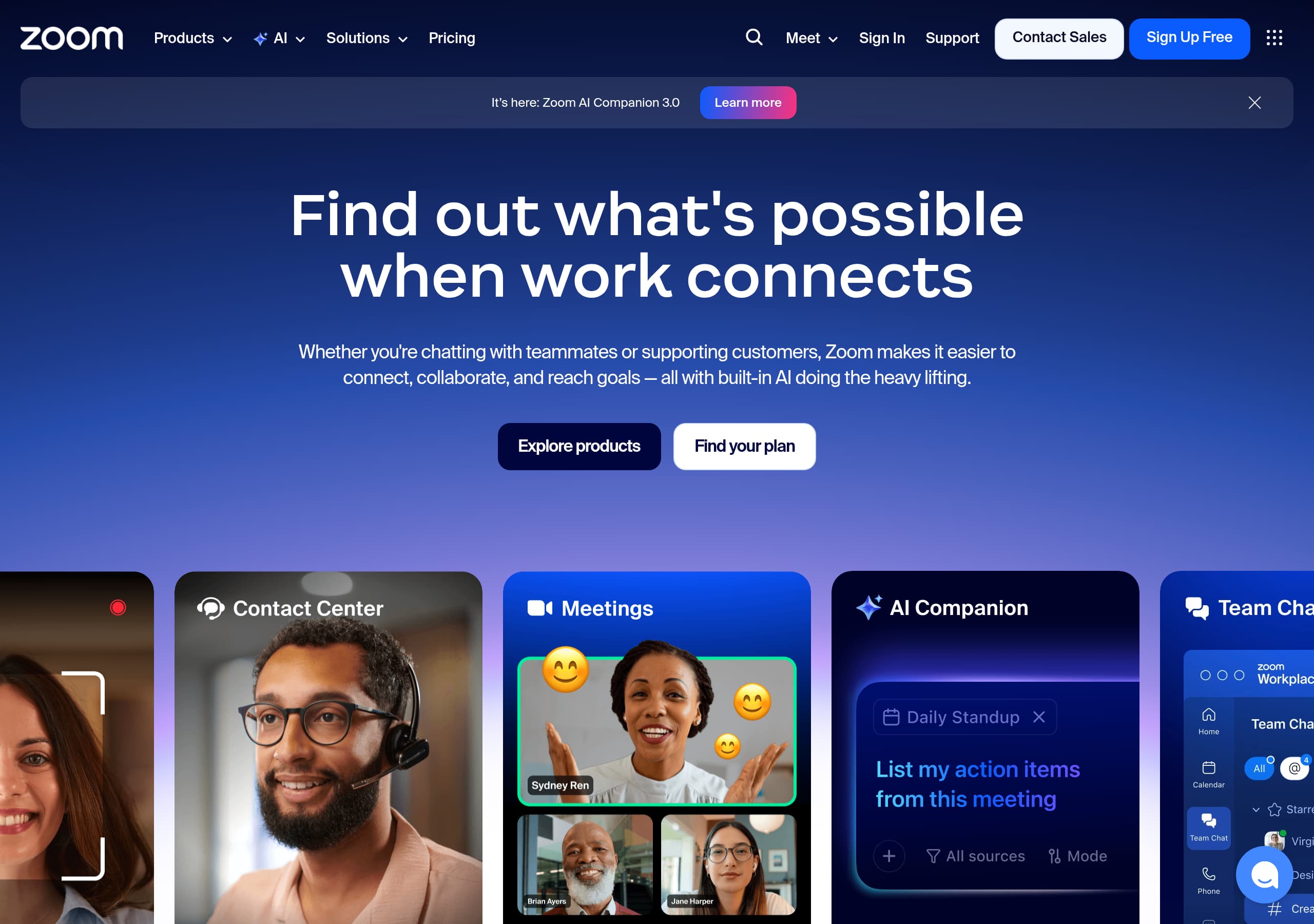
Zoom (zoom.us) frames the product as an “AI-first work platform” and repeatedly anchors navigation and page modules around Zoom Workplace and Zoom AI Companion, which makes the suite feel unified rather than a bundle of separate tools.
The homepage balances breadth and clarity by pairing a single umbrella promise (“One platform to connect”) with a task-based module (“One platform. Endless ways to work together.”) that maps solutions to specific outcomes like customer support, marketing, and sales.
Conversion CTAs are persistent and role-appropriate: self-serve users get “Sign Up Free” and “Download app,” while buyers also see “Contact Sales” and a phone number (1.888.799.9666) across global navigation.
Zoom uses third-party authority to reduce perceived risk, prominently citing Gartner Magic Quadrant (UCaaS and CCaaS) and Forrester Wave (UCaaS) leadership alongside large review-volume star ratings.
The information architecture is designed for enterprise evaluation, with deep menus for industries, audiences, and developer options (Video SDK, Meeting SDK, APIs, Webhooks), signaling maturity and extensibility.
Home
Zoom (zoom.us) keeps the homepage message broad but operational: “One platform to connect” followed by “built-in AI doing the heavy lifting.” That combination signals a suite (not a single meeting tool) while still promising a clear outcome.
Key UI patterns visible in the header and hero area support fast routing:
- Persistent CTAs: Sign Up Free, Contact Sales, and Download app (plus “Join a meeting/Host a meeting”).
- A dense product mega-menu that groups tools under Zoom Workplace (Meetings, Team Chat, Phone, Docs, Whiteboard, Clips, Tasks).
The mid-page structure shifts from brand claim to use-case proof with “One platform. Endless ways to work together.” and category tabs like Collaboration, Customer support, Marketing, Sales, and Employee engagement. Each tab uses outcome bullets (e.g., “Replace scattered apps,” “Resolve inquiries efficiently”) and ends with a Get started CTA, which turns browsing into a next step without requiring deep scrolling or multiple page hops.
Pricing
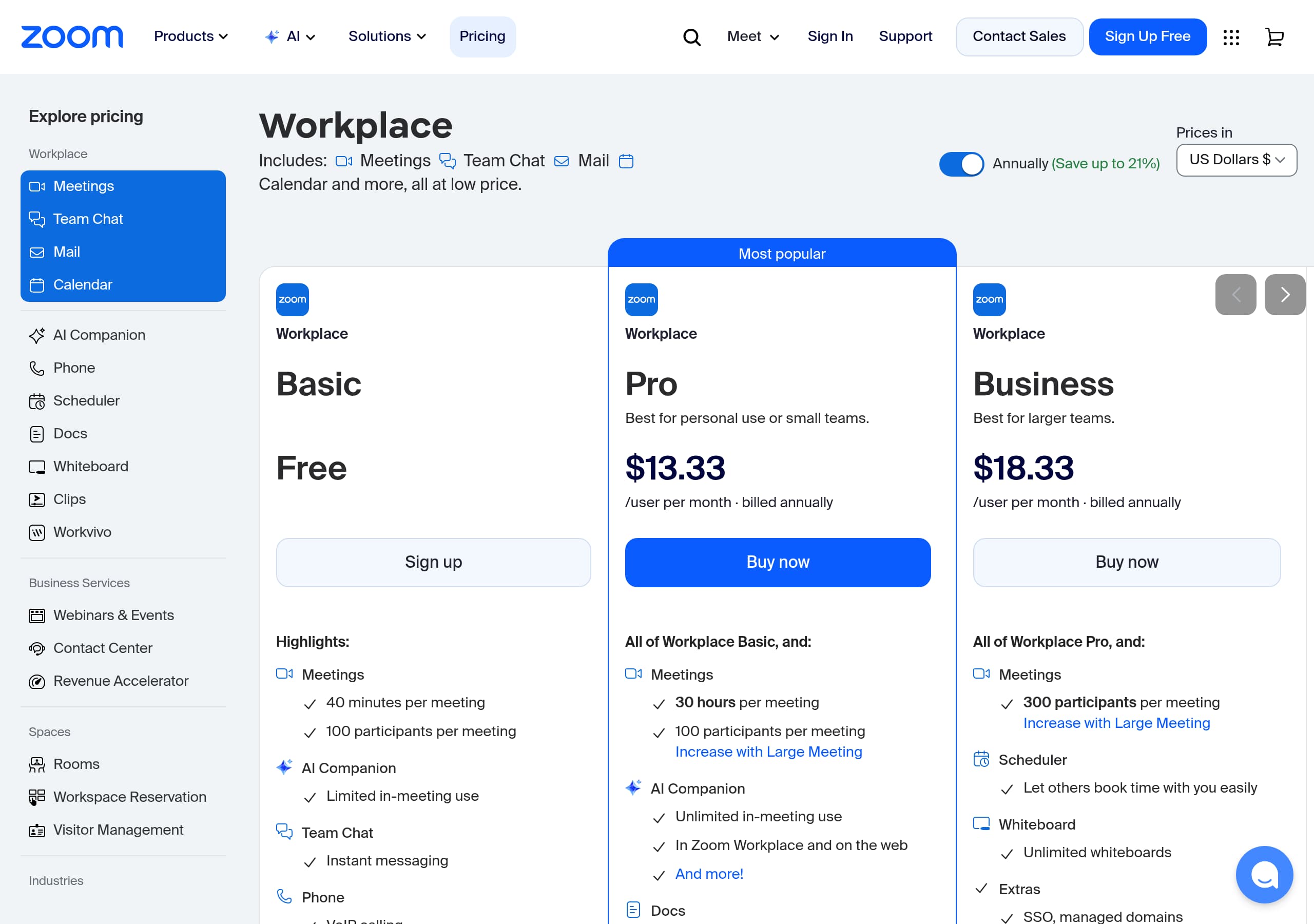
Zoom (zoom.us) pricing is designed to serve both comparison shoppers and procurement teams by keeping plan selection close to the top and supporting it with strong navigation back to product detail. The site consistently reinforces two buyer paths—self-serve and sales-led—so pricing doesn’t feel like a dead end.
From the pricing experience (as implied by the provided page context and persistent nav), the conversion mechanics are:
- Clear primary actions: Sign Up Free for individuals/SMBs and Contact Sales for larger deployments.
- Immediate access to Download app, which shortens time-to-value for users who just need to start meetings.
- Packaging clarity around AI: Zoom AI Companion is repeatedly framed as “included with paid Zoom Workplace plans,” reducing add-on confusion.
Because Zoom sells a suite (Meetings, Phone, Contact Center, Webinars, Rooms), the pricing model must prevent overwhelm. The most effective pattern is routing: evaluate on pricing, then jump to a specific product track via the mega-menu or “Find your plan,” rather than forcing a single monolithic pricing table for everything.
Features
Zoom (zoom.us) structures features as a navigable suite under Zoom Workplace, then reinforces the suite value with use-case modules that translate features into outcomes. The mega-menu enumerates core tools—Meetings, Team Chat, Phone, Mail & Calendar, Scheduler, Docs, Whiteboard, Clips, Tasks, and Workflow Automation—which helps buyers confirm coverage against existing stacks (e.g., Slack, Google Workspace, Microsoft Teams).
A second layer of feature differentiation is Zoom AI Companion 3.0, presented with task-level bullets:
- Summarize conversations across meeting contexts.
- Convert notes into “docs, briefs, and more.”
- Automate prep and follow-up.
This is effective because it describes inputs/outputs (conversations → summaries → documents) rather than vague productivity claims.
The “One platform. Endless ways to work together” section then re-bundles features into solution narratives (Collaboration, Customer support, Marketing, Sales, Employee engagement), each ending with Get started. That pattern prevents feature overload while still showcasing breadth for enterprise evaluators.
Signup
Zoom (zoom.us) optimizes signup by keeping entry points visible everywhere and matching them to user intent. The header includes “Sign Up Free” for self-serve onboarding, plus “Join a meeting” and “Host a meeting,” which is critical because many first-time users arrive to participate, not to buy. That reduces friction and keeps the product experience as the primary conversion engine.
For higher-consideration buyers, Zoom also keeps “Contact Sales” and a direct phone number (1.888.799.9666) in the global navigation, enabling a fast handoff to sales without forcing an account first.
Zoom further supports activation post-signup with prominent Download app CTAs (desktop and mobile app store badges). This is a practical onboarding accelerant: meetings work best when audio/video devices are configured in the native app.
Finally, AI onboarding is treated as a first-class motion via “AI Companion Onboarding Center,” which signals that adoption (not just purchase) is part of the signup journey for teams rolling out Zoom Workplace broadly.
Trust
Zoom (zoom.us) builds trust by addressing three evaluation dimensions directly on the marketing site: security, privacy, and independent validation. In the AI navigation, Zoom links to “AI Privacy and Security” and an “AI Companion Onboarding Center,” which are concrete artifacts security teams look for during risk review. The presence of an AI ROI Calculator also supports finance stakeholders who need a justification model, not just feature claims.
Third-party authority is used as a risk reducer:
- Gartner® Magic Quadrant™ (UCaaS 2025, 6th year in a row) signals market leadership and maturity.
- Gartner recognition for CCaaS expands trust beyond video meetings.
- Forrester Wave™: UCaaS 2025 provides cross-validation.
The “Trusted by millions” review block adds consumer-style reassurance through star ratings and large review counts, which implies broad usage and operational stability.
Finally, the site’s enterprise-oriented IA (industries like Healthcare, Government; audiences like IT and Facilities) signals compliance awareness and deployment experience in regulated environments, even before a buyer opens a security page.
Footer
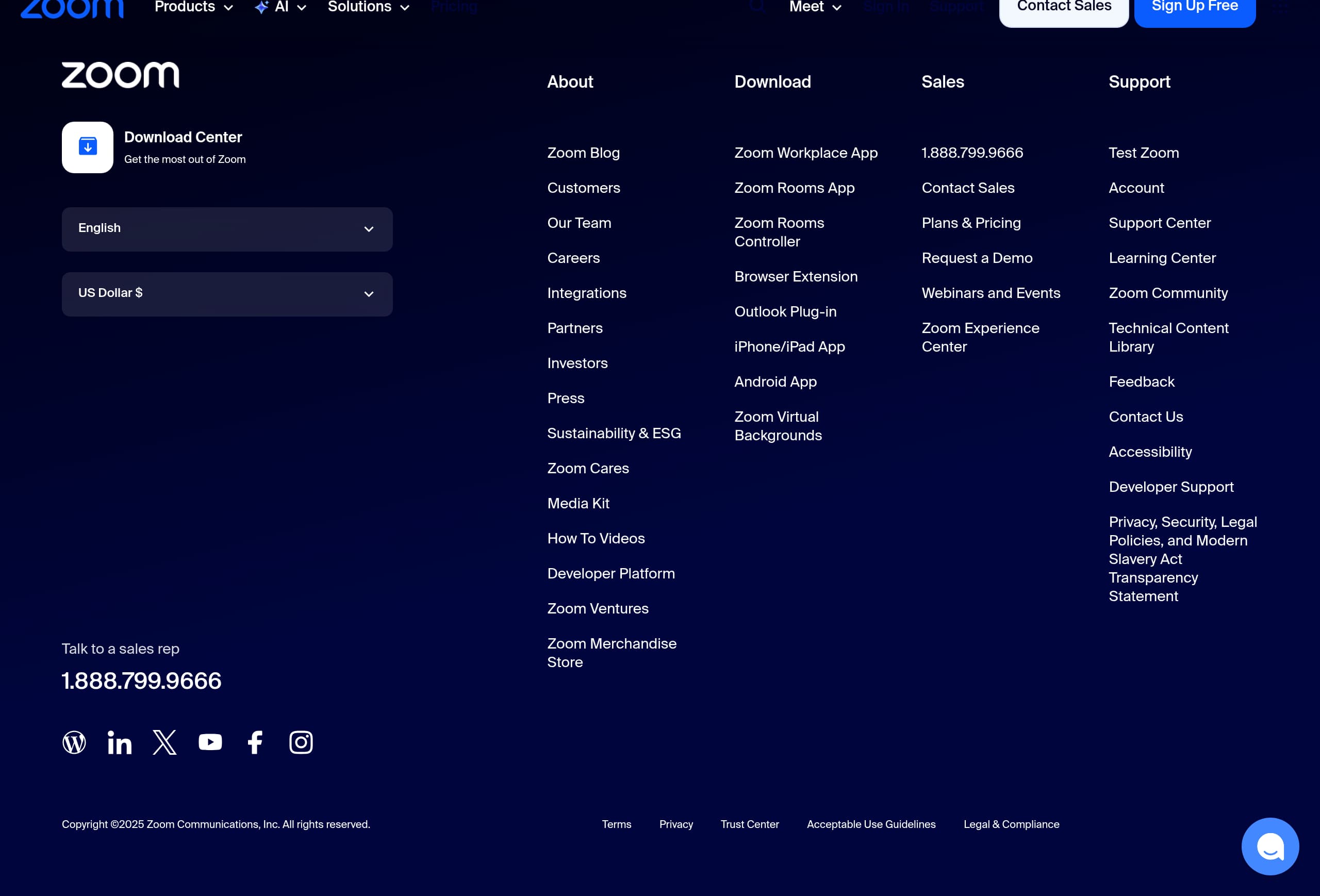
The Zoom (zoom.us) footer functions as a credibility and discovery index: it’s dense, scannable, and designed for enterprise research rather than minimal branding. Based on the provided footer screenshot, the layout prioritizes deep navigation (multiple columns), which helps visitors find product areas like Zoom Workplace, Business Services (Contact Center), and developer resources without returning to the top.
Common trust and compliance expectations are supported by footer patterns:
- Legal and policy links (typically Terms, Privacy, and security-related pages) are easy to locate, which is important for procurement reviews.
- Regional and corporate navigation is consolidated, reducing the chance that key stakeholder pages (Support, Contact Sales, Pricing) get buried.
Zoom also keeps distribution and support pathways prominent across the site (Download center, app store badges, Support), and the footer typically reinforces that ecosystem. For a platform that serves end users, IT admins, developers, and contact-center leaders, this footer style is effective because it treats the website like documentation-lite: a map for evaluators, not just a marketing close.
Detected tech stack
Tools and technologies we detected on Zoom's site. Detection is best-effort and may be incomplete.
Scores
Our framework scores for Zoom's website in terms of clarity, conversion, and trust. See our methodology for how we calculate these.
How clear the value prop and structure are.
How conversion-friendly signup and pricing are.
How well trust and compliance are surfaced.

The world's best-performing SaaS businesses share surprisingly similar patterns. We help you learn and apply them through our human-designed methodology, with AI-assisted research.