
Key takeaways
Here are the key insights from our website breakdown analysis of ZoomInfo.
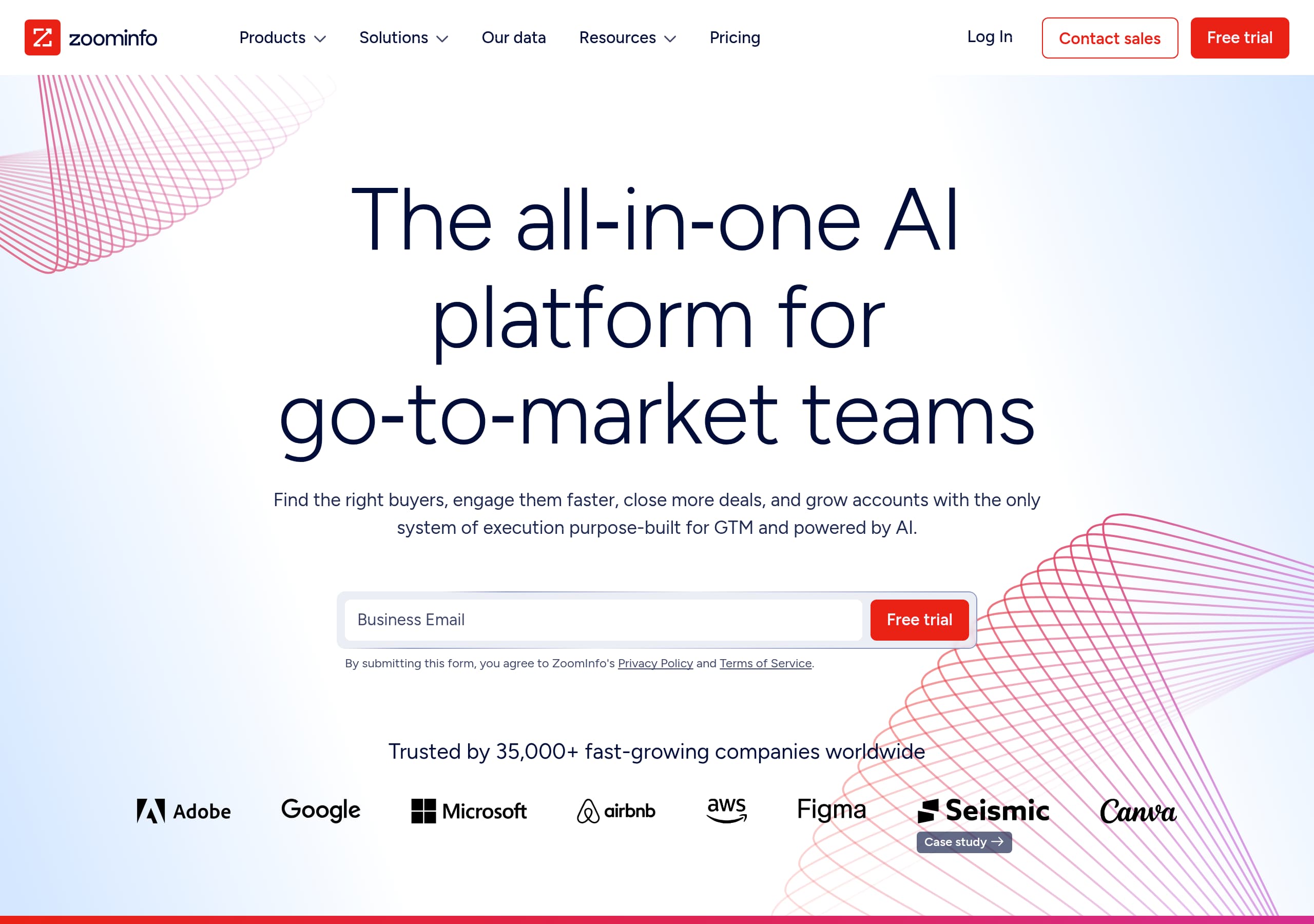
ZoomInfo’s homepage communicates a clear, high-intent promise with “The all‑in‑one AI platform for go‑to‑market teams” and immediately supports it with product navigation that matches real GTM roles (Sales, Marketing, Talent, Operations).
Conversion is built around repeated, consistent CTAs, especially “Free trial” and “Contact sales,” placed at the hero and again after each benefit block to capture intent at multiple scroll depths.
The site reduces evaluation risk with dense social proof, including “Trusted by 35,000+” plus multiple named quotes and quantified outcome snippets (hours saved, pipeline attribution, engagement lift).
ZoomInfo frames differentiation as an execution system, not a database, using modules like GTM Studio (workflows triggered by buying signals) and ZoomInfo Copilot (AI sales agent), which makes the platform story easier to justify to RevOps buyers.
Trust signals are not buried: the page explicitly calls out compliance entities (GDPR, CCPA, ISO 27701) alongside analyst validation (G2 Grid, Forrester Wave), reinforcing legitimacy for data-sensitive teams.
The main conversion gap is pricing discoverability: the navigation includes “Pricing,” but the homepage content leans on trials, demos, and case studies, which can slow self-serve buyers who want quick packaging clarity.
Home
ZoomInfo’s homepage is designed to qualify serious GTM buyers quickly, not to entertain, and it does that with a blunt value proposition plus immediate product scannability. The hero headline, “The all‑in‑one AI platform for go‑to‑market teams,” pairs with a direct outcomes sentence (find buyers, engage faster, close deals, grow accounts) and an above-the-fold dual CTA pattern: “Free trial” and “Contact sales.”
What stands out is how quickly the page turns a broad claim into concrete routes. The top navigation is dense but structured by buyer intent: Products (ZoomInfo Copilot, GTM Workspace, GTM Studio, ZoomInfo MCP), then role and function pillars like Sales, Marketing, Talent, and Operations. That combination signals, within one screen, that ZoomInfo is positioning as a platform for revenue teams and RevOps, not just a contact list.
The body copy keeps repeating a tight conversion sequence:
- Problem framing like “Dirty data and disconnected tools kill execution,” then the platform answer: single source of truth, real-time enrichment, triggered workflows.
- Multiple benefit blocks with explicit buyer context claims, for example “org charts, decision-maker intel, engagement history, and next-best actions,” which indicates a deal-prep use case rather than generic “insights.”
- Frequent “Free trial” reappearance after major claims, which reduces scroll fatigue and creates high-frequency conversion points.
A subtle but effective UI move is the “Meet Henry. Your AI sales coach.” callout. It personifies ZoomInfo Copilot and makes “AI” feel like an agent embedded in the workflow, not a vague feature. Overall, the homepage is optimized for mid-market and enterprise evaluation: clear platform narrative, role-based paths, and proof-heavy sections to keep momentum toward trial or sales contact.
Pricing
ZoomInfo’s pricing experience, based on the provided homepage excerpt and global navigation, is intentionally sales-assisted: “Pricing” exists in the header, but the content strategy pushes visitors toward “Free trial” and “Contact sales” rather than publishing packages inline. That choice aligns with a multi-product platform where modules like ZoomInfo Copilot, GTM Studio, and data services can be bundled differently for Sales, Marketing, Talent, and Operations.
From a conversion standpoint, this approach works best when the site pre-answers the most common pricing objections elsewhere. ZoomInfo partially compensates by layering in outcome-based proof near CTAs: quantified claims like “hours saved,” “pipeline attributed to signals,” and “increase in closed-won deals” function as value anchoring in place of a visible price. That helps enterprise buyers justify spend, but it leaves self-serve buyers without quick price-to-scope mapping.
What the current presentation implies about pricing mechanics:
- ZoomInfo likely prices by seats, data access, and add-on capabilities (intent signals, automation, enrichment), because the site repeatedly frames modules and workflows rather than one monolithic app.
- The repeated “Free trial” CTA suggests a product-led evaluation path exists, at least for some tiers, but the page does not clarify trial limits, duration, or which products are included.
- “Professional Services,” “Data services,” and “API” in the navigation hint at enterprise-level packaging that commonly requires quoting.
A practical improvement would be to add a lightweight pricing explainer directly on the homepage or pricing page: 3 tiers or 3 use-case bundles (SDR, Marketing, RevOps), plus a short list of what varies (seats, credits, intent, enrichment frequency). That would preserve ZoomInfo’s flexibility while reducing friction for buyers who need budgetary clarity before they will start a trial or book a call.
Features
ZoomInfo’s feature presentation is built around workflows and modules rather than a flat feature checklist, which fits how GTM leaders buy platforms. The navigation itself functions like a feature map: ZoomInfo Copilot (AI sales agent), GTM Workspace, GTM Studio (workflows triggered by buying signals), and ZoomInfo MCP (connect your AI to verified B2B intelligence). This makes the platform feel composable and reduces the “what is this, exactly?” friction common to broad GTM tools.
On-page, ZoomInfo clusters capabilities into outcome-oriented sections that read like a modern GTM stack:
- Intelligence: contact and company search, lead generation, buyer intent, website visitor tracking.
- Engagement: sales automation, conversation intelligence, website chat, web form optimization.
- Orchestration: workflows, lead enrichment, predictive modeling.
- Data management: routing, enrichment, data quality, sync into systems.
The copy repeatedly ties features to a specific execution benefit, for example: “AI delivers complete buyer context instantly, org charts, decision-maker intel, engagement history, and next-best actions.” That phrasing is specific enough to imply a “deal room” view or account workspace pattern, not just raw data tables.
A second strong feature signal is cross-functional positioning. ZoomInfo is not only “Sales,” it also markets an “Actionable ABM platform” for Marketing, “Source the best and brightest” for Talent, and “Lead routing and data quality” for Operations. That breadth matters for enterprise accounts where RevOps wants a shared data layer and consistent enrichment across Salesforce, HubSpot, sales engagement, and ad platforms.
The main opportunity is to clarify product boundaries. With so many modules, ZoomInfo should more explicitly state which core capabilities ship in the base platform versus add-ons. Even a simple “Core Platform plus add-on products” visual would improve comprehension and help buyers connect platform overview claims to the exact tools they will activate first.
Signup
ZoomInfo’s signup posture is optimized for capturing intent at different commitment levels rather than forcing a single path. The homepage repeatedly presents “Free trial” and “Contact sales,” plus “Log In,” which suggests at least two onboarding motions: a product-led entry for trials and a sales-led route for enterprise configuration. Importantly, the CTAs appear not only in the hero but also after each major benefit section, creating multiple chances to convert once a visitor sees a relevant use case.
The excerpt also shows a key friction management element near the hero form interaction: “By submitting this form, you agree to ZoomInfo’s Privacy Policy and Terms of Service.” That implies the trial is initiated via a form capture, not an instant passwordless start. This is common for B2B data providers where compliance and lead qualification matter, but it is still a conversion tradeoff versus a pure self-serve signup.
Signals that the signup journey is designed to qualify leads:
- The site emphasizes role-based solutions (SDR, AE, RevOps), which often maps to routing logic after form submission.
- “Professional Services” and “Data services” options indicate some buyers will require onboarding support and custom enrichment.
- Multiple “Test Drive” and “Directories” links suggest alternative low-friction entry points for visitors who want to evaluate data quality before committing to a trial.
To further improve conversion, ZoomInfo could clarify three specifics directly on the CTA surfaces: trial duration, what products are included (for example Copilot vs database vs intent), and whether a business email is required. Even one line under the “Free trial” button would reduce uncertainty.
Overall, ZoomInfo’s signup approach is consistent with a high-value GTM platform: CTA repetition, a clear trial vs sales choice, and language that signals compliance. The main downside is a likely form-led start, which can deter smaller teams that expect instant activation.
Trust
ZoomInfo builds trust with a layered approach that matches the risk profile of B2B data and intent products: compliance, analyst validation, and enterprise-friendly positioning are visible in the primary page flow. In the “Recognized by analysts” block, ZoomInfo explicitly references being ranked on the G2 Grid and named a leader in The Forrester Wave™, which provides third-party legitimacy beyond customer quotes.
Compliance signaling is also explicit. The page lists CCPA, GDPR, and ISO 27701, which is a meaningful combination for buyers evaluating data sourcing, privacy management, and information security controls. Crucially, these appear as succinct badges rather than long policy text, which keeps the page scannable while still answering the basic “is this safe to use?” question.
Trust is reinforced through the way ZoomInfo describes its platform behavior:
- “Unite your systems around a single source of truth,” paired with real-time enrichment and triggered workflows, implies operational reliability and governance.
- “Connect industry-leading data across your entire tech stack” and “Cloud partners” suggest a mature integration ecosystem, important for Salesforce, HubSpot, Outreach, and Marketo-class environments.
- FAQ content addresses sensitive questions directly, including “How does ZoomInfo get its data?” and “Is ZoomInfo GDPR and CCPA compliant?” This is an effective objection-handling pattern for high-consideration tools.
One improvement opportunity is to add clearer security depth links near the badges, such as a dedicated Trust Center, data processing addendum, or subprocessor list. The footer likely contains some of these, but placing a “Security” or “Trust” hub link near the compliance badges would reduce time-to-proof.
Net effect: ZoomInfo’s trust signals are strong and enterprise-aligned. The combination of regulatory compliance, analyst recognition, and transparent FAQs creates confidence that the platform is designed for governed GTM execution, not just ad hoc list building.
Footer
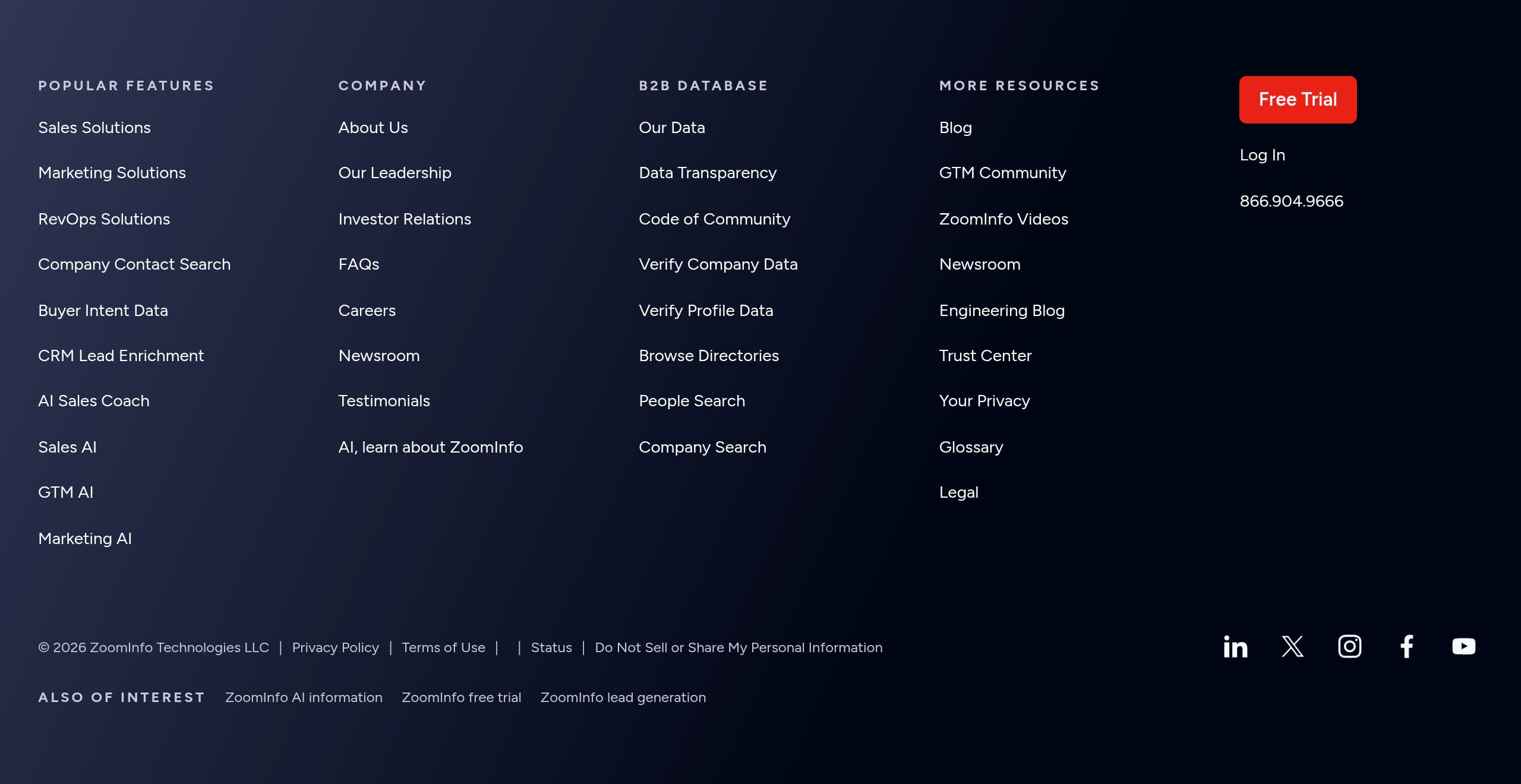
ZoomInfo’s footer, as shown in the screenshot, functions primarily as a governance and navigation utility for a large platform, not as a lightweight sitemap. For a product with multiple lines (Sales, Marketing, Talent, Operations, Data as a Service), a dense footer is a usability asset because it provides a reliable “reset” point when visitors reach the bottom of long pages.
Based on the site’s visible structure and typical enterprise SaaS conventions, the footer’s effectiveness comes from three jobs it likely performs simultaneously: secondary navigation, company credibility, and legal/compliance access. The homepage excerpt already references “Privacy Policy and Terms of Service,” plus compliance badges like GDPR, CCPA, and ISO 27701, so the footer is the natural place where users expect to find the full policy documents, data rights processes, and corporate information.
What works well with ZoomInfo’s overall funnel:
- Visitors who are not ready for “Free trial” can use footer links to move into “Resources” content (blog, case studies, help center), which supports multi-touch evaluation.
- Enterprise prospects can locate “About,” “Careers,” “Partner program,” and “Newsroom,” which are common diligence checks during vendor selection.
- The presence of “Pricing,” “Contact sales,” and “Log In” at the top navigation suggests the footer can reinforce these conversion paths as redundant CTAs.
A practical enhancement would be to make trust and compliance items more prominent inside the footer layout, for example grouping “Privacy,” “Terms,” and a dedicated “Security/Trust” link together, rather than dispersing them among corporate links. For a data-centric vendor, buyers often scroll to the footer specifically to verify legitimacy.
Overall, the footer supports ZoomInfo’s enterprise posture: it likely provides comprehensive link coverage, reinforces the brand as an established vendor, and gives visitors fast access to the documents they need for procurement and compliance reviews.
Scores
Our framework scores for ZoomInfo's website in terms of clarity, conversion, and trust. See our methodology for how we calculate these.
How clear the value prop and structure are.
How conversion-friendly signup and pricing are.
How well trust and compliance are surfaced.

The world's best-performing SaaS businesses share surprisingly similar patterns. We help you learn and apply them through our human-designed methodology, with AI-assisted research.