
Key takeaways
Here are the key insights from our website breakdown analysis of DocuSign.
DocuSign positions itself beyond eSignature by consistently anchoring messaging around Intelligent Agreement Management (IAM), which expands the perceived scope from signing to end-to-end agreement operations.
Navigation is optimized for multiple buying centers (Sales, Legal, HR, Procurement, CX) with department and industry entry points, reducing time-to-relevance for enterprise visitors.
The site layers quantified proof (e.g., 1.7 million customers, 95% of Fortune 500, and multiple percentage-improvement claims) with recognizable customer stories to support premium pricing and enterprise trust.
Pricing is structured to convert both self-serve and enterprise: clear plan tiers plus prominent pathways to contact sales, which matches DocuSign’s mixed SMB/enterprise motion.
Trust content is not generic; it calls out specific compliance frameworks (ISO 27001, FedRAMP, PCI DSS, SSAE 18) and routes to a dedicated Trust Center, reducing security-review friction.
Home
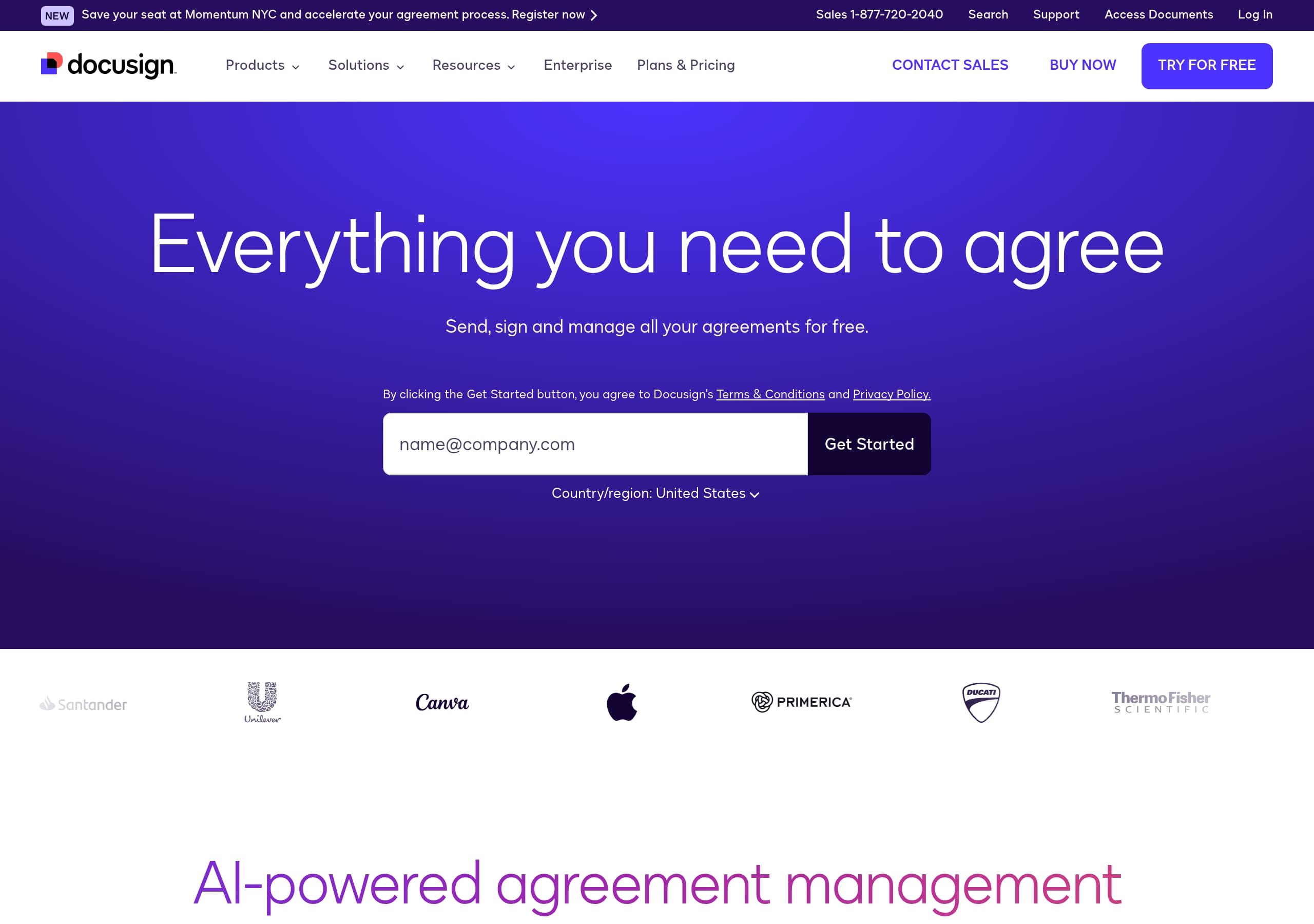
DocuSign’s homepage makes the value proposition instantly legible: “#1 in Electronic Signature and Intelligent Agreement Management,” then expands into “AI-powered agreement management” with the Intelligent Agreement Management (IAM) platform.
The page is organized around intent-based paths rather than a single linear pitch:
- Products (eSignature, CLM, Navigator, Maestro, Web Forms) for feature-led buyers.
- Solutions by department and industry (Sales, Legal, HR, Procurement; Financial Services, Government, Healthcare) for enterprise evaluators.
- Developer Center and “1000+ pre-built integrations” for technical validation.
The design pattern is consistent: benefit-first module headlines (“Send, sign, and track documents”; “Search, manage, and analyze agreements with AI”) plus “Explore” CTAs that encourage depth without forcing signup. A top-bar event prompt (“Momentum NYC”) adds urgency and category leadership. Overall, messaging stays platform-forward while still giving eSignature a clear, fast entry point.
Pricing
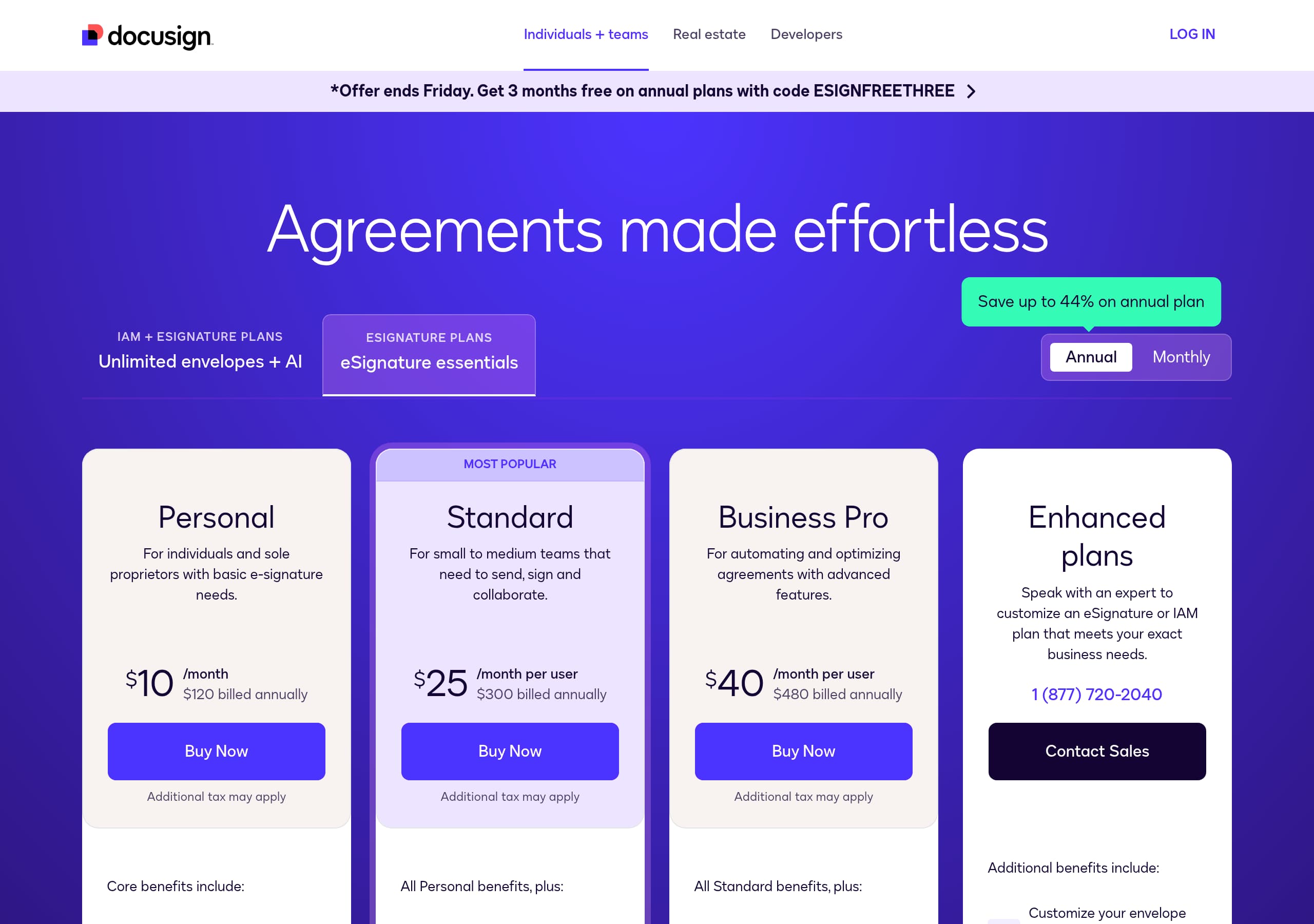
DocuSign’s pricing experience is built to support a mixed motion: self-serve for smaller teams and sales-assisted for enterprise IAM. From the pricing screenshot, plans are presented in clear tiered cards with a primary CTA per tier, while higher-complexity needs are routed toward contacting sales.
What works from a conversion standpoint:
- Plan packaging aligns to usage maturity (basic sending/signing → more admin, templates, and advanced workflows).
- CTAs remain consistent with the site’s language (“Start for Free” / “View Plans and Pricing”), reducing mismatch between marketing and checkout intent.
- The pricing layout uses scannable inclusions and comparison cues, which reduces back-and-forth for buyers evaluating DocuSign vs Adobe Acrobat Sign.
For enterprise procurement, the site repeatedly anchors to IAM modules (CLM, Navigator, Maestro) so pricing feels like a platform ladder, not an upsell trap. That framing supports larger ACV and multi-team expansion.
Features
DocuSign’s features section succeeds because it treats Intelligent Agreement Management (IAM) as a modular system, with each module mapped to a specific job-to-be-done. Instead of generic “all-in-one,” the page names discrete products—eSignature, Navigator, Maestro, CLM, Web Forms, Multi-channel Delivery—and pairs each with an action-led benefit.
Notable feature patterns:
- Clear verbs (“Send, sign, and track”; “Search, manage, and analyze”; “Automate agreement processes”) reduce interpretation.
- Concrete workflow hooks (collaborative commenting, shared templates, approval routing, reminders, central repository).
- Channel and identity expansion (SMS/WhatsApp delivery; data verification; ID/authentication options via Identify) signals breadth beyond signing.
The “Integrations, APIs, and more” cluster (App Center, 1000+ integrations, APIs, mobile app) is positioned as a first-class feature, which is important for teams standardizing on Salesforce or other systems of record. Overall, it’s easy to scan and self-select the right module.
Signup
DocuSign’s signup approach emphasizes low-friction evaluation while still supporting enterprise routing. The CTA strip shows a prominent “Start for Free” alongside “Explore Docusign IAM,” giving two clear next steps: immediate product trial or deeper platform discovery.
This works because it matches different readiness levels:
- Trial-ready users can commit with a single click CTA rather than navigating through departments first.
- Enterprise evaluators can choose IAM paths (Sales, Legal, HR, Procurement, CX) before being pushed into account creation.
The site reinforces signup confidence indirectly through adjacent proof and trust: “market leader,” “1.7 million customers,” and the nearby Trust Center messaging reduce anxiety before the first form. The overall pattern is “learn → explore module → start free,” which is common for platforms competing with Adobe Acrobat Sign where buyers often want to validate integrations and compliance before onboarding. The CTA language is consistent across the page, minimizing conversion drop from message mismatch.
Trust
DocuSign’s trust section is designed to satisfy enterprise security and compliance checks quickly, using specific frameworks rather than vague assurances. The page explicitly states it meets “the most stringent global security standards” and links to the Trust Center as a dedicated destination.
Concrete trust signals visible in the content:
- Compliance & certifications called out by name: ISO 27001, FedRAMP, APEC PPP, CSA STAR, PCI DSS, SSAE 18.
- Market adoption as a proxy for reliability: “95% of Fortune 500 companies use Docusign.”
- Outcome framing that connects trust to business value (80% improvement in risk mitigation), which is more persuasive than security claims alone.
The UI pattern—badges/logos grouped together—supports fast scanning by security reviewers. Pairing certifications with a centralized agreement hub (“secure hub,” audit trails, encryption language) also aligns to common vendor questionnaires. Overall, DocuSign communicates both technical controls and organizational maturity, which is critical for regulated industries like Financial Services, Government, and Healthcare.
Footer
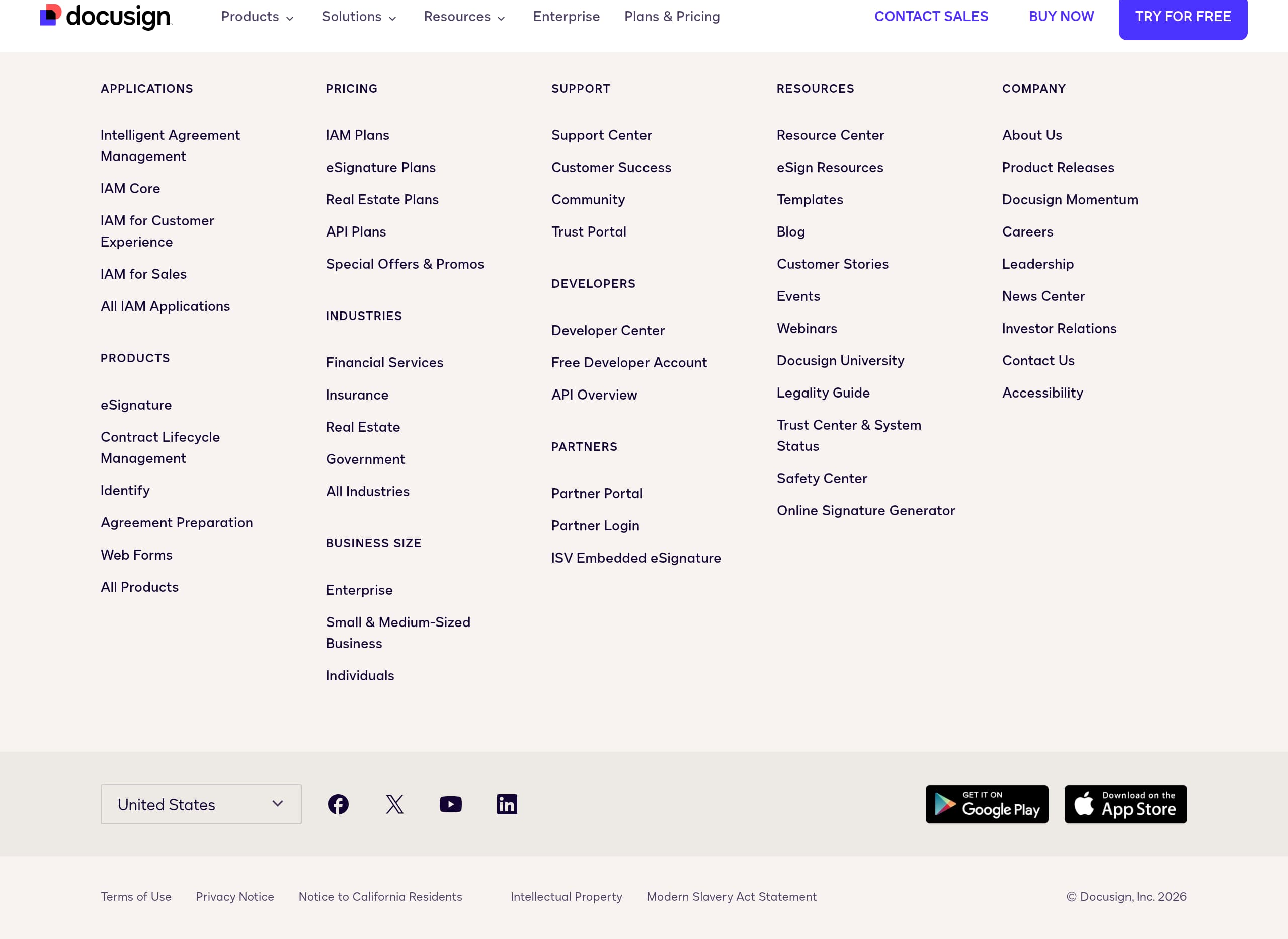
DocuSign’s footer functions as a governance and navigation hub, which is important for a global enterprise product. The screenshot shows regional selectors (United States, Canada English/French, France, Australia, Japan, Brazil, Netherlands, Germany, UK, Spain, India, Italy, Mexico, Asia-English), signaling global readiness and localization support.
It also surfaces credibility and compliance pathways:
- Terms of Use and Privacy Notice are one-click accessible.
- “Notice to California Residents” supports CCPA expectations.
- Social channels (YouTube, LinkedIn, X, Facebook) reinforce brand legitimacy and offer alternate trust touchpoints.
From an information architecture standpoint, the footer complements the heavy top navigation by giving users a stable place to find legal, region, and corporate links without hunting. The presence of “Support” and education resources elsewhere (Support Center, DocuSign University, System Status) fits the enterprise requirement for operational transparency. Overall, the footer reduces friction for procurement, legal review, and international visitors who need the correct jurisdiction and policy context.
Detected tech stack
Tools and technologies we detected on DocuSign's site. Detection is best-effort and may be incomplete.
Scores
Our framework scores for DocuSign's website in terms of clarity, conversion, and trust. See our methodology for how we calculate these.
How clear the value prop and structure are.
How conversion-friendly signup and pricing are.
How well trust and compliance are surfaced.

The world's best-performing SaaS businesses share surprisingly similar patterns. We help you learn and apply them through our human-designed methodology, with AI-assisted research.