
Key takeaways
Here are the key insights from our website breakdown analysis of Linear.
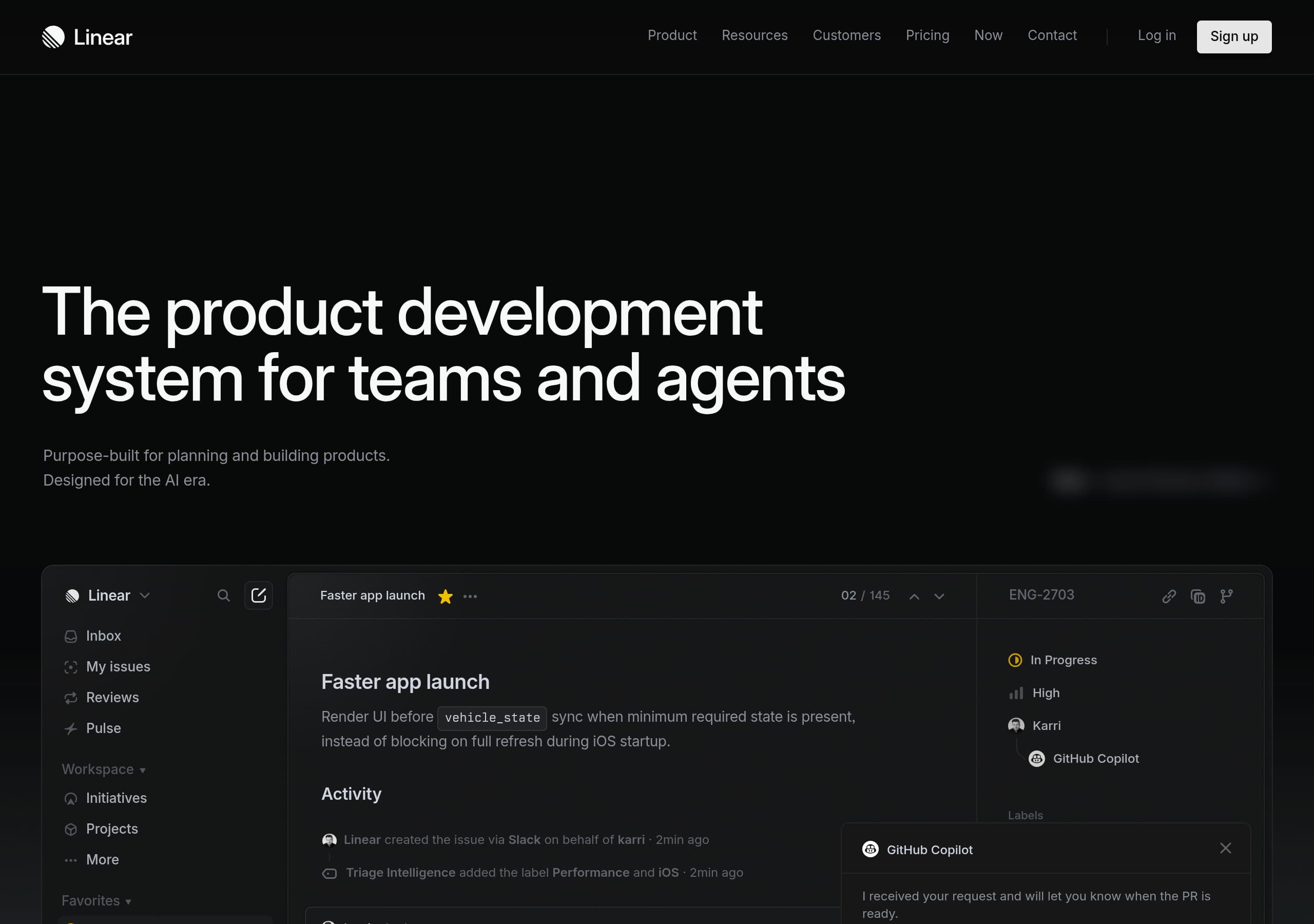
Linear positions itself as a “product development system” with repeated, single-sentence messaging and a product UI demo, which reduces interpretation work and makes the category clear in under 10 seconds.
The homepage sells a workflow (Intake → Plan → Build → Reviews → Monitor) rather than a generic issue tracker, which differentiates Linear from Jira and Asana and maps features to outcomes.
Agent-centric proof (e.g., “Powered by AI agents,” MCP server, agent tasks, and code-review diffs) makes the “Designed for the AI era” claim concrete with observable UI behaviors and integrations.
Conversion is supported by persistent, high-intent CTAs (“Open app,” “Sign up,” “Contact sales”) and a credible pricing/enterprise path, letting both self-serve teams and buyers progress.
Trust is reinforced with specific customer quotes (OpenAI, Ramp, Opendoor), a public changelog cadence, and security/enterprise navigation in the global footer, signaling maturity and longevity.
Home
Linear’s homepage clarifies positioning fast by repeating a single value proposition: “The product development system for teams and agents.” The repetition works like a headline + subhead variant test, keeping the message consistent as visitors scroll.
The page then proves the claim with a realistic product UI vignette (issues, labels, cycles, Slack-created issue activity, and an agent moving “Todo” → “In Progress”). That’s stronger than abstract diagrams because it shows the object model prospects care about.
Key conversion patterns:
- A persistent CTA set: “Open app,” “Log in,” “Sign up,” plus “Contact sales” for buyers.
- Clear differentiation blocks: Built for purpose, Powered by AI agents, Designed for speed.
- A workflow narrative (Intake → Plan → Build → Reviews → Monitor) that frames Linear as a system, not just tickets.
Net effect: quick category understanding, then credible differentiation for AI-era teams evaluating Linear vs Jira or Asana.
Pricing
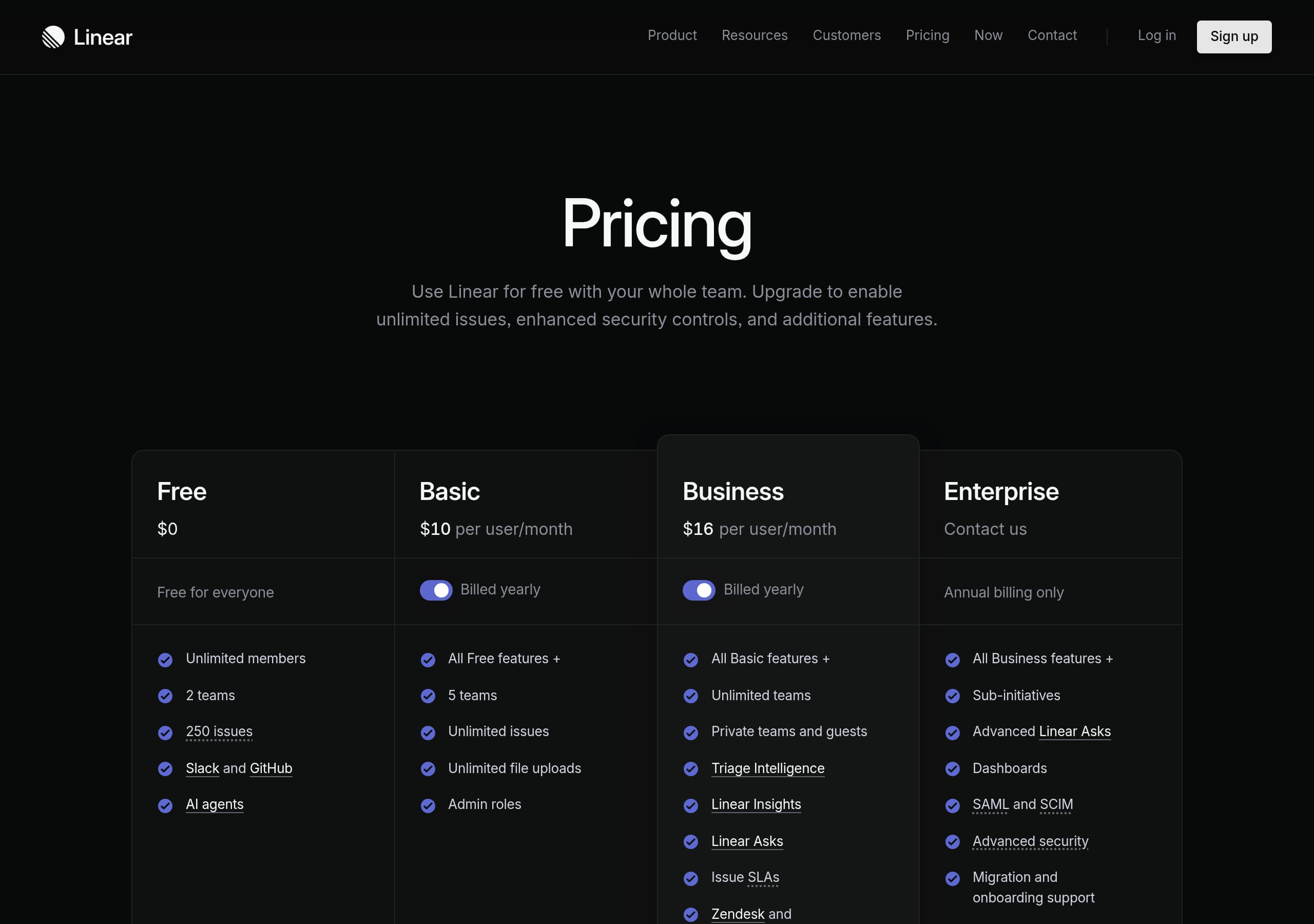
Linear’s pricing page (screenshot provided) supports both self-serve and sales-led motion by making plan comparison scannable and keeping high-intent actions visible. The layout appears to use a typical multi-column plan grid, which reduces cognitive load because visitors can compare tiers line-by-line.
What makes the pricing conversion-friendly:
- A clear path to start using Linear immediately via Open app / Sign up, while still offering Contact sales for procurement-heavy teams.
- Likely inclusion of an Enterprise tier (supported by site navigation: Enterprise, Security, DPA), which prevents mid-market churn when teams outgrow self-serve.
- Plan framing aligns with homepage promises (speed, workflows, agents), helping buyers map price to outcomes rather than feature trivia.
A tactical improvement to watch for is anchoring: ensure the default highlighted plan matches the most common team size, and add 2–3 “who it’s for” bullets per tier to reduce decision delay.
Features
Linear presents features as an end-to-end operating system: Intake, Plan, Build, Reviews, and Monitor. This is effective because it matches how product teams actually work and differentiates Linear from single-surface tools like GitHub Issues.
Feature communication is concrete:
- Intake shows conversation → issue creation (including “Linear created the issue via Slack”), plus automatic triage signals like labels and routing.
- Plan highlights Initiatives, Projects, and PRD/document surfaces, supported by a timeline-style visual planning strip.
- Build emphasizes AI agents and Git automations, with named agents (Codex, Cursor, GitHub Copilot) implying interoperability.
- Monitor includes analytics primitives: issue counts, cycle time, Pulse updates with “At risk/On track.”
The site also uses numbered sub-navigation (e.g., “3.1 Issues,” “5.2 Insights”), which reads like an information architecture preview and reduces uncertainty about product depth. The “Reviews (Coming soon)” label sets expectation without overpromising availability.
Signup
Linear keeps signup intent high by placing Sign up and Open app in the top navigation and repeating a bottom-of-page “Get started” prompt alongside “Contact sales.” That dual-path CTA design prevents self-serve users from being forced into a sales flow.
From the provided content, Linear’s onboarding posture is “use the product to feel it,” reinforced by the quote (“You just have to use it and you will see…”). This suggests Linear optimizes for fast time-to-first-issue rather than lengthy pre-setup.
Tactical elements that support conversion:
- Clear entry points for existing users (Log in) vs new users (Sign up), reducing misclick friction.
- The product demo implies immediate value after signup: creating issues from Slack, using cycles, and connecting agents.
If you want to increase completion rates further, ensure the signup flow is visibly short (ideally 2–3 steps) and shows the first success event (e.g., “Create your first workspace/issue”) on the final step. Also add SSO options prominently for teams.
Trust
Linear’s trust signals are embedded across the site rather than isolated on a single page. The navigation includes Security, Enterprise, Status, and developer documentation, which signals that Linear expects security reviews and operational scrutiny.
Trust-building elements visible in the excerpt:
- A public changelog with dated entries through 2026, demonstrating sustained shipping velocity and transparency.
- References to governance-adjacent capabilities like “Time in status,” which supports audits and process optimization.
- Explicit legal/compliance hooks in the footer: DPA, Privacy, and Terms.
For AI-era concerns, Linear increases credibility by naming concrete integrations (Cursor, Claude) and describing “Linear MCP” expansion, which implies a formal interface rather than ad-hoc automation.
A tactical recommendation: on the Security page (linked in nav), include a compact trust panel near CTAs with SOC 2/ISO status (if applicable), data residency options, and SSO/SAML availability. This reduces procurement friction for larger teams evaluating Linear against Jira Enterprise.
Footer
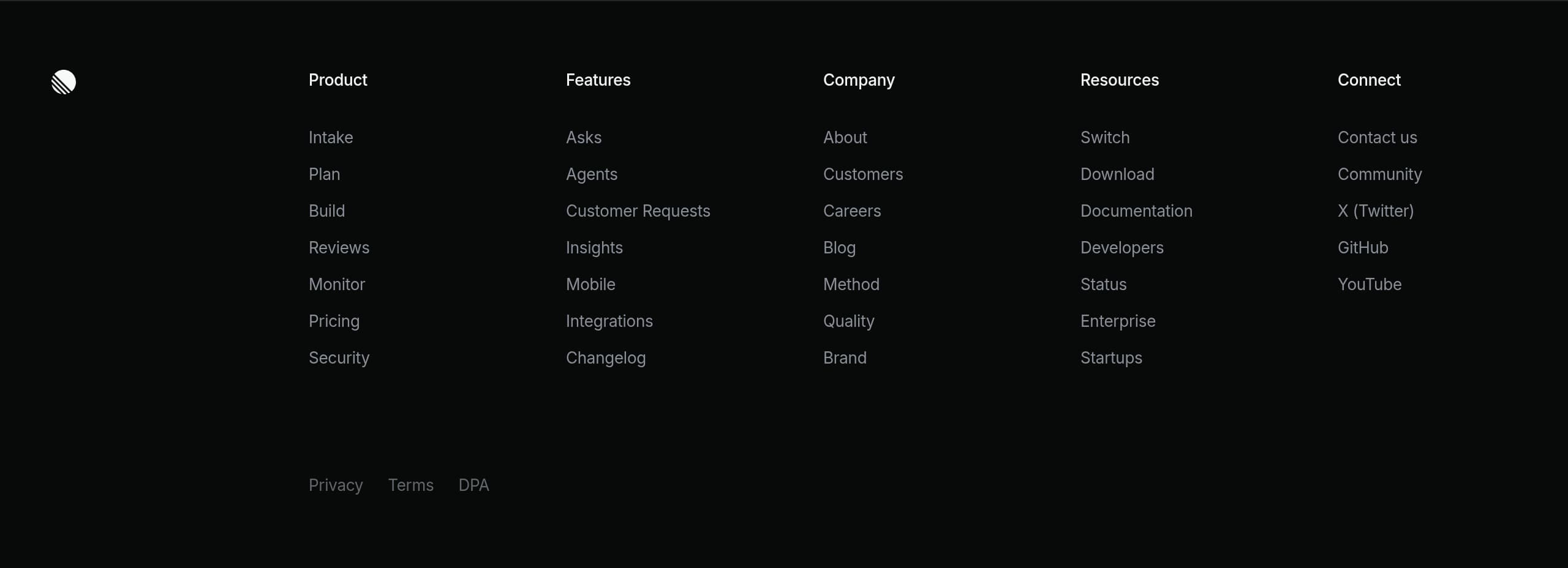
Linear’s footer functions as a second navigation system for high-intent evaluators, and the screenshot shows a dense, well-categorized link layout. It covers the full buyer journey: product exploration, documentation, enterprise validation, and legal.
Notable information architecture strengths:
- Product links are grouped (Intake, Plan, Build, Reviews, Monitor), mirroring the homepage workflow narrative and reinforcing mental models.
- Evaluation and implementation links are present: Pricing, Integrations, Download, Documentation, Developers, and Status.
- Company credibility is supported with About, Customers, Careers, Blog, and Method/Quality/Brand—signals that Linear is an established organization, not a side project.
- Compliance/legal is explicit: Privacy, Terms, and DPA (and appears duplicated in the excerpt, which is worth cleaning up).
The footer also supports multiple personas: engineers go to Docs/Developers/GitHub, while buyers go to Enterprise/Security/Contact. A small improvement is adding a short security microcopy line (“SOC 2 report available on request”) if true, directly in the footer near Enterprise links.
Detected tech stack
Tools and technologies we detected on Linear's site. Detection is best-effort and may be incomplete.
Scores
Our framework scores for Linear's website in terms of clarity, conversion, and trust. See our methodology for how we calculate these.
How clear the value prop and structure are.
How conversion-friendly signup and pricing are.
How well trust and compliance are surfaced.

The world's best-performing SaaS businesses share surprisingly similar patterns. We help you learn and apply them through our human-designed methodology, with AI-assisted research.