
Key takeaways
Here are the key insights from our website breakdown analysis of Miro.
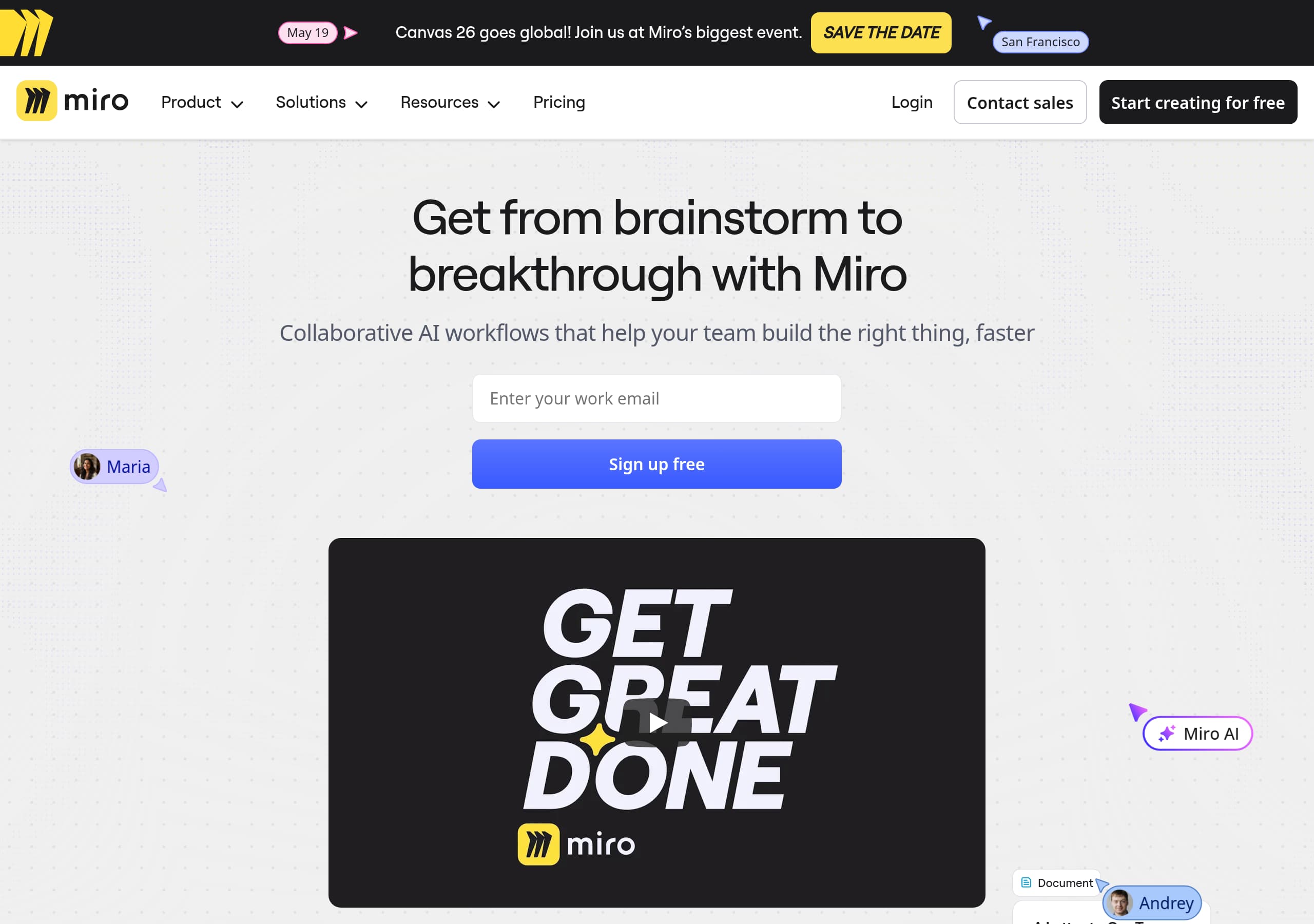
Miro’s homepage leads with a single, outcome-based promise (“Get from brainstorm to breakthrough”) and backs it up immediately with product UI visuals and quantified adoption (100M users, 250,000 companies).
The navigation is intentionally solution- and role-driven (Product Acceleration, Business Acceleration, Platform, Industries, Departments), which reduces ambiguity for enterprise buyers and improves self-segmentation.
Miro positions “AI Innovation Workspace” as a bundle of capabilities (AI + Intelligent Canvas + Formats + Blueprints + Enterprise security + Integrations), making the product feel comprehensive rather than a single whiteboard tool.
Conversion is supported by persistent, high-clarity CTAs (“Sign up free,” “Contact sales,” “Go to dashboard”) that map cleanly to the three major intents: try, buy, and return user.
Social proof is concrete and layered: large-scale adoption stats, performance claims (e.g., 3.6x faster time to market), and a named testimonial with company and title (ASOS Product Operations Lead).
Miro’s ecosystem messaging (250+ integrations, 6,000+ templates, Miroverse, Developer Platform) makes switching costs and expansion potential feel high—useful for both acquisition and retention.
Home
Miro’s homepage is effective because it compresses the product’s evolution into a single narrative: collaboration on an Intelligent Canvas enhanced by AI workflows, validated by massive adoption numbers.
What’s working in the hero
- The primary headline, “Get from brainstorm to breakthrough with Miro,” is outcome-first and avoids feature jargon.
- The subheading adds specificity (“Collaborative AI workflows… build the right thing, faster”), clarifying that “AI Innovation Workspace” isn’t just a tagline.
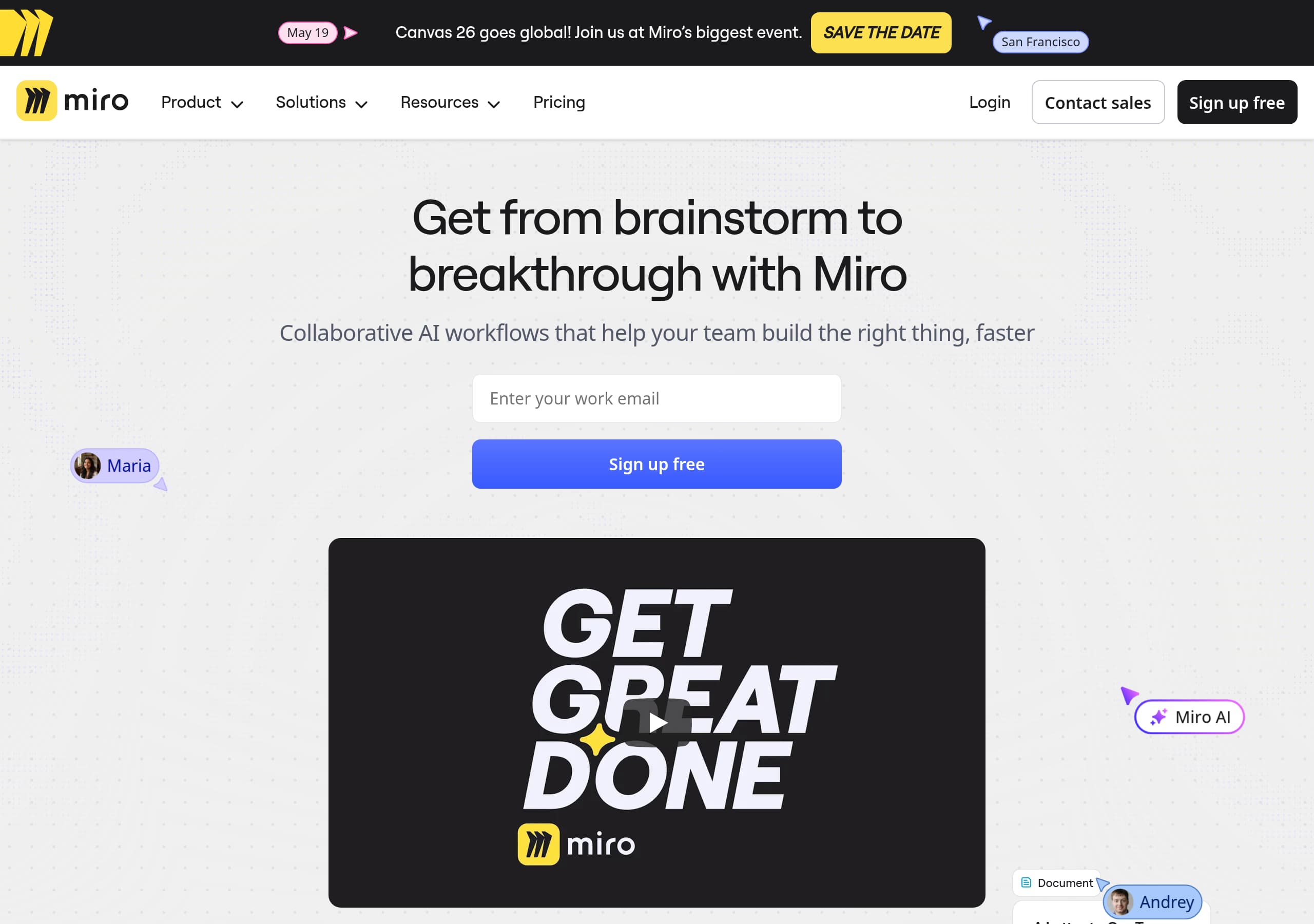
- Dual intent CTAs are visible in the global header (notably Sign up free and Contact sales), covering self-serve teams and enterprise procurement.
Information architecture that self-segments
The top navigation is unusually expansive but structured around buyer mental models: Solutions (Transform your business, Strategic Initiatives), Industries (Software, Financial Services, Manufacturing, etc.), and Departments (Product Management, Engineering, Design & UX). This matters for Miro because the same canvas is sold to very different jobs-to-be-done; the site lets visitors “choose their doorway” without rewriting the whole homepage.
Product demonstration via “workflow collage”
The page uses UI-style snippets (e.g., “Create a PRD Doc,” “Insights Data Table,” prototype frames) to show multi-format work. That’s a strong pattern: it reduces the risk that prospects assume Miro is only an online whiteboard. The “Flow from idea to outcome in seconds” motif ties these formats together and frames them as steps in a lifecycle, not separate tools.
Key terms emphasized across the page: AI Innovation Workspace, Miro AI, Intelligent Canvas, Blueprints, Integrations.
Pricing
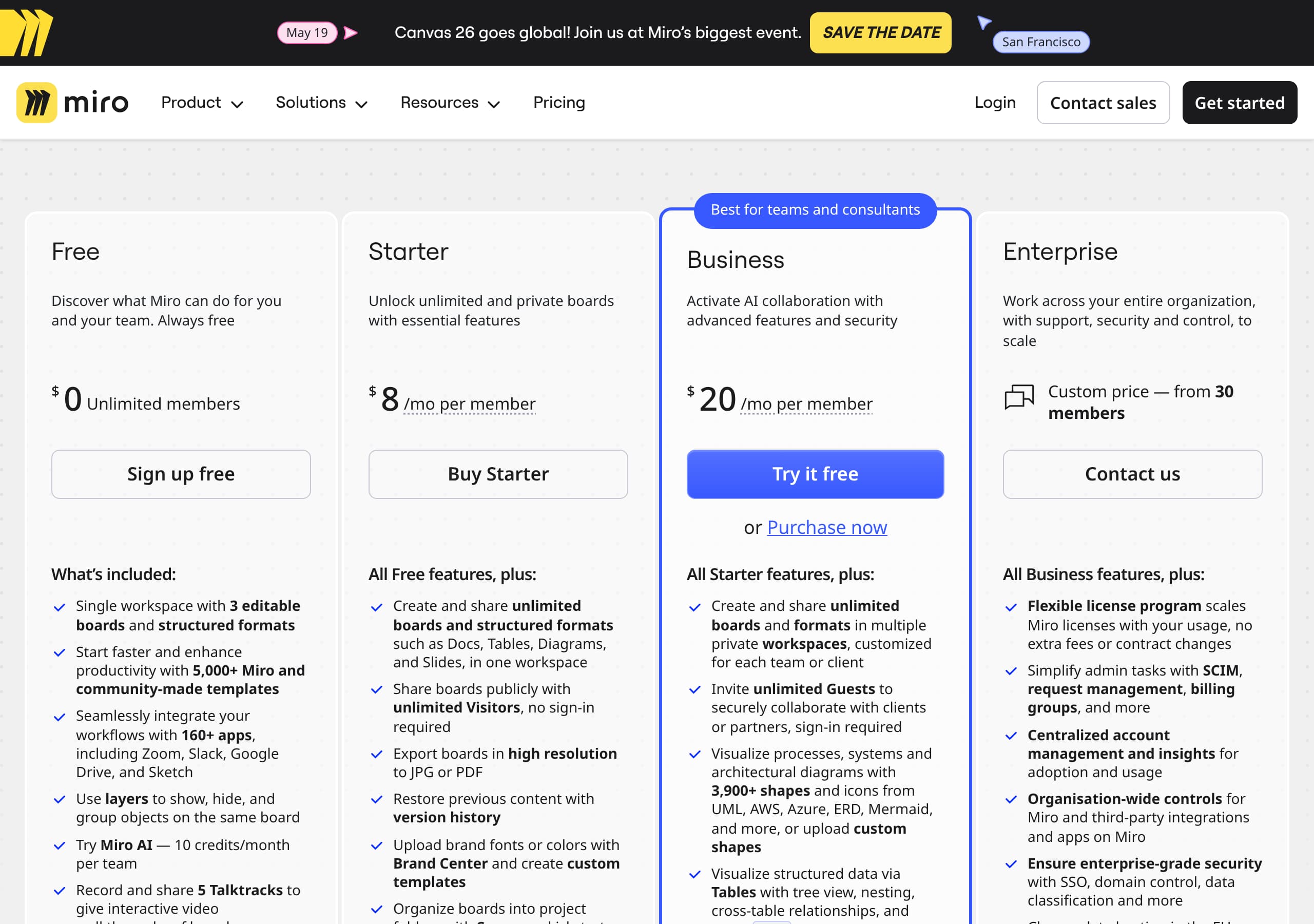
Miro’s pricing approach (as shown by the Pricing screenshot and repeated “Select a plan” prompt in the homepage excerpt) is built to support both self-serve upgrades and enterprise evaluation, with clear routing for each.
Clear plan selection as the core job
The site repeatedly points users to “Pricing” and “Select a plan,” which suggests the pricing page is treated as a primary conversion surface—not a buried reference page. For a product like Miro that spans individual users to large enterprises, this is crucial: pricing must help a visitor answer, “Which tier matches my collaboration and security needs?”
Likely tiering strategy and conversion mechanics
Based on Miro’s positioning and standard packaging, the pricing page typically differentiates:
- A free entry plan that drives canvas adoption and virality.
- Mid-tier plans (often “Starter/Business”) that unlock team permissions and admin controls.
- An enterprise tier that emphasizes SSO, compliance, data controls, and procurement-friendly terms.
From the site’s global header, Sign up free and Contact sales are the two primary CTAs; pricing should mirror that split with a self-serve checkout path and a sales-assisted path. The presence of “Go to dashboard” also indicates Miro recognizes returning users and reduces friction by not forcing them through pricing again.
What to look for (and what Miro tends to do well)
Effective SaaS pricing pages typically include a feature comparison grid, a per-seat explanation, and an enterprise “talk to sales” module. Given Miro’s emphasis on Enterprise Security & Scale, the pricing page should highlight security add-ons (e.g., Enterprise Guard) and admin capabilities near the enterprise column.
Key terms to reinforce on pricing: plans, per-seat, free tier, Business, Enterprise.
Features
Miro’s features section is effective because it uses a compact grid to communicate a platform (not a single tool) and anchors each capability to a workflow outcome.
A clean, six-part platform story
The feature grid shown on the homepage (under “Experience the Innovation Workspace”) breaks the product into:
- AI: “Accelerate your team with collaborative AI workflows”
- Intelligent Canvas: “one, infinite, multiplayer canvas”
- Formats: “Docs, Tables, Slides, Diagrams and more”
- Blueprints: “Automate key processes… scalable, repeatable”
- Enterprise Security & Scale: “enterprise-grade platform you can trust”
- Integrations: “Connects with 250+ apps”
This is a strong categorization because each label maps to a buyer question: productivity (AI), collaboration primitive (canvas), artifacts (formats), process governance (blueprints), risk/compliance (security), and ecosystem fit (integrations).
“Learn more” links as controlled depth
Each tile includes a “Learn more” link, which is a subtle but important UI choice: it keeps the homepage scannable while giving evaluators a path to deeper pages. Those deeper pages are also likely SEO targets (“Miro integrations,” “Miro diagrams,” “Miro blueprints”), creating a content hub effect.
Differentiation vs. whiteboard-only competitors
By naming Docs, Tables, Slides, and Diagrams explicitly, Miro signals consolidation: teams can move from ideation to structured planning without exporting to separate tools. That supports the later positioning statement, “Break free from tool boundaries,” and makes the “Innovation Workspace” claim more believable.
Key terms: Formats, Docs, Blueprints, Enterprise Security, Integrations, Intelligent Canvas.
Signup
Miro’s signup conversion strategy is built around minimizing commitment while preserving an enterprise path, using clear CTAs and a persistent “return user” option.
CTA system supports three user states
From the header and repeated prompts, Miro consistently offers:
- Sign up free for new users (self-serve activation)
- Login for existing accounts (friction reduction)
- Contact sales for enterprise buyers (high-intent procurement)
The additional CTA “Go to dashboard” is a notable pattern: it recognizes that many visitors arrive on marketing pages while already being active users. This prevents accidental drop-off where a user might otherwise click “Sign up” and hit an account mismatch.
Likely onboarding expectation (based on product model)
Miro’s product is collaborative and template-driven, so the best onboarding flows typically:
- Create workspace/team
- Name the first board or select a template
- Invite teammates or connect an integration
The homepage supports this with strong template and ecosystem messaging (“6,000+ templates,” “Miroverse,” “250+ apps and integrations”). That implies the activation moment is not “draw a sticky note,” but “start from a structured blueprint/template.”
How the site reduces signup anxiety
Key anxieties for a workspace tool are: “Will my team adopt this?” and “Will I be stuck configuring?” Miro’s signup CTA is paired with proof of adoption (100M users) and ready-to-start assets (templates, Academy, Help Center). The “Need help getting started?” cluster (Pricing, Templates, Solution Partners, Community, Blog, Academy) also gives multiple rescue paths if a new user isn’t ready to commit to a plan.
Key terms: Sign up free, Go to dashboard, templates, workspace onboarding, Contact sales.
Trust
Miro’s trust messaging is built into the product narrative rather than isolated on a single compliance page, which helps enterprise evaluators feel reassured without leaving the conversion path.
Trust appears as a first-class feature
In the main feature grid, “Enterprise Security & Scale” sits alongside AI and core collaboration. That placement is a deliberate design choice: it signals that security is part of the platform, not an afterthought. For enterprise buyers evaluating Miro against tools like Microsoft 365 whiteboarding or Atlassian Confluence + whiteboard add-ons, this reduces perceived adoption risk.
Security-related IA and terminology
The navigation and footer include enterprise and security entities such as:
- Enterprise Guard (positioned under Platform)
- “Miro Security” (footer link)
- “Status” (footer link)
- “Accessibility” (footer link)
This is an effective trust pattern: buyers can validate uptime transparency (Status), governance/security content (Miro Security / Enterprise Guard), and inclusivity/compliance adjacent areas (Accessibility).
Trust through ecosystem maturity
Trust is also implied through platform maturity signals:
- 250+ apps and integrations (reduces integration risk)
- Miro Developer Platform (suggests extensibility and long-term viability)
- Download Apps and app store presence (signals maintained clients)
Even without listing specific certifications in the provided excerpt, the site’s architecture and language (“enterprise-grade platform you can trust”) indicate Miro expects security scrutiny and provides clear routes to the details.
Key terms: Enterprise Guard, enterprise-grade, Status page, Accessibility, Miro Security, security & scale.
Footer
Miro’s footer is built like a sitemap for a platform company: it prioritizes discoverability, compliance links, and multiple audience pathways, which improves both UX and SEO crawl depth.
Dense, categorized link architecture
The footer groups links into recognizable clusters that map to how people evaluate Miro:
- Product surfaces: “Online whiteboard,” “Apps & Integrations,” “Templates,” “Miroverse,” “Miro Developer Platform.”
- Solution use cases: meetings/workshops, brainstorming, agile practices, diagramming, research/design, strategy/planning, mind maps, flowcharts, wireframes.
- Learning and support: Miro Academy, Help Center, Blog, Community, Events.
This is a strong pattern for search capture: each item is a potential high-intent query (“Miro flowchart maker,” “Miro wireframe,” “Miro Kanban”). It also reduces dependence on the top navigation for deep discovery.
Trust and governance links are easy to find
Footer-level trust links include Status, “Miro Security,” “Accessibility,” and legal pages like Terms of Service. These are the links procurement and IT typically look for; placing them in the footer meets user expectations and reduces time-to-validation.
Commercial routing for different buyer types
The footer includes “Plans and Pricing,” plus audience-specific entries like “Consultants,” “Education,” “Startups,” and “NPOs,” and a direct Contact sales link. That breadth matters for Miro because it sells to varied org sizes and procurement models.
Platform maturity cues
Language selector (“English”) and app store badges add global and multi-device credibility. The “Miro © 2026” copyright line keeps the page feeling maintained.
Key terms: Miro Academy, Miroverse, Miro Developer Platform, Status, Terms of Service, Plans and Pricing.
Detected tech stack
Tools and technologies we detected on Miro's site. Detection is best-effort and may be incomplete.
Frontend
Scores
Our framework scores for Miro's website in terms of clarity, conversion, and trust. See our methodology for how we calculate these.
How clear the value prop and structure are.
How conversion-friendly signup and pricing are.
How well trust and compliance are surfaced.
FAQ
Miro leads with a clear outcome (“Get from brainstorm to breakthrough”) and immediately clarifies the mechanism (“Collaborative AI workflows”). It then supports the claim with specific adoption proof (100M users, 250,000 companies) and visual UI snippets that show multiple formats (Docs, Tables, Prototypes, Insights). The global header reinforces conversion intent with “Sign up free” and “Contact sales.”
Miro routes users into pricing via repeated “Pricing” and “Select a plan” prompts, while maintaining two primary conversion paths: self-serve (“Sign up free”) and enterprise (“Contact sales”). This matches how Miro is purchased—teams can start free and upgrade, while larger organizations evaluate security and procurement needs. The presence of “Go to dashboard” also prevents returning users from getting stuck in the pricing funnel.
Miro combines large-scale adoption proof (100M+ users and 250,000 companies) with quantified performance claims (e.g., 3.6x faster time to market, 50% shorter planning process). It also includes a named testimonial with role and company (“Lucy Starling, Product Operations Lead at ASOS”) and a “Read Customer Study” link, which provides a deeper verification layer for evaluators.
Miro uses a feature grid that frames the product as an “Innovation Workspace” composed of AI, an Intelligent Canvas, multiple Formats (Docs, Tables, Slides, Diagrams), Blueprints for repeatable processes, Enterprise Security & Scale, and Integrations (250+ apps). Each tile includes a “Learn more” link, keeping the homepage scannable while enabling deeper evaluation.
Trust is treated as a core platform capability via a dedicated feature tile (“Enterprise Security & Scale”). The navigation and footer also expose trust resources such as Enterprise Guard, Miro Security, a Status page, and Accessibility information. This placement makes it easy for IT and procurement stakeholders to validate governance and reliability without hunting through unrelated pages.

The world's best-performing SaaS businesses share surprisingly similar patterns. We help you learn and apply them through our human-designed methodology, with AI-assisted research.