
Key takeaways
Here are the key insights from our website breakdown analysis of Notion.
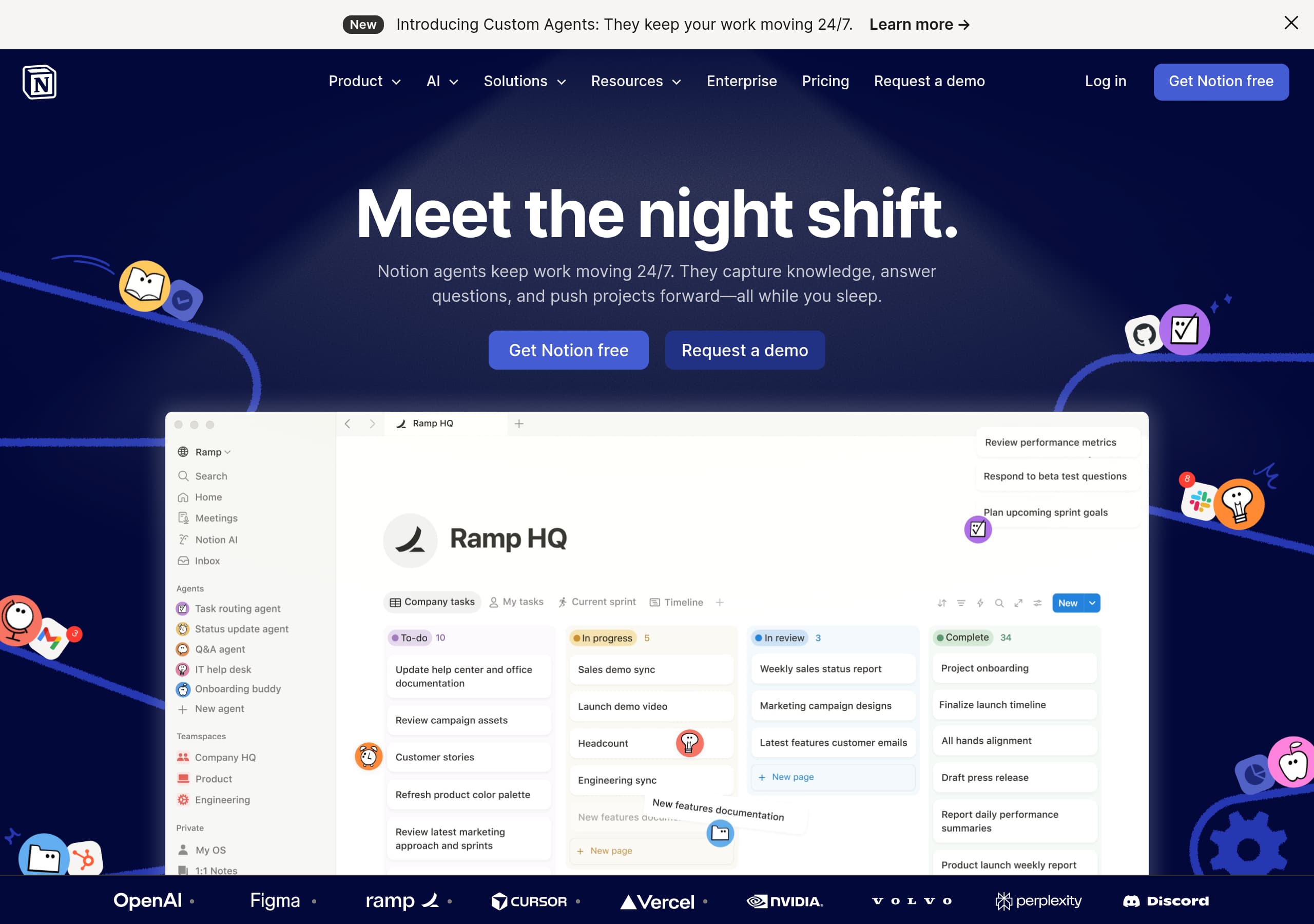
Notion’s homepage makes the value proposition immediately scannable by anchoring everything to “One workspace. Zero busywork.” and repeating the “AI workspace” framing across navigation, hero, and feature modules.
The site converts with a dual-CTA pattern (“Get Notion free” and “Request a demo”) that cleanly separates self-serve from sales-led motion without burying either path.
Notion sells consolidation, not just features, by using a “calculate savings” comparison table that assigns per-user prices to common tools and positions Notion as the cheaper all-in-one alternative.
AI is productized into specific, named capabilities (Notion Agent, Enterprise Search, AI Meeting Notes) which reduces ambiguity versus generic “AI-powered” claims and supports enterprise evaluation.
Social proof is unusually quantitative for a SaaS homepage, stacking “Over 100M users,” G2 category rankings, and adoption stats (“62% of Fortune 100”) to de-risk the switch-to-platform decision.
The page architecture is designed for multiple personas (teams, functions, company size) via a dense mega-nav, while the hero and “use cases” module keep the narrative coherent for first-time visitors.
Home
Notion’s homepage works because it answers “what is this?” and “why now?” in the first screen, then reinforces it with consistent AI-and-workspace language across the page. The hero combines a single-sentence value prop—“One workspace. Zero busywork.”—with a clarifying subline about teams and “AI agents” capturing knowledge, finding answers, and automating projects.
What’s specifically effective
- Dual CTAs are visible immediately: Get Notion free (self-serve) and Request a demo (enterprise). That pattern repeats, keeping both funnels active.
- The navigation is intentionally dense (Notion Product, Notion Calendar, Notion Mail, Notion AI), signaling a suite without forcing a deep click to discover breadth.
- A short credibility amplifier sits in-line: “Now a team of 7 feels like 70,” which is a concrete productivity claim without needing a long paragraph.
Information design and flow
The “Introducing Notion 3.0 / Notion Agent” module is placed near the top, using a named release to create urgency and a tangible mental model (“You assign the tasks. Your Notion Agent does the work.”). The supporting bullets are benefit-led but specific: collaborates with your team, knows everything you know (searches pages/messages/files/web), and personalized to you (controls behavior and look). “Custom Agents (Coming soon)” is a subtle roadmap trust cue.
The page then shifts from “what it is” to “what it replaces” with “Your AI everything app” and a savings calculator—bridging product value to budget logic. Overall, the homepage uses clear hierarchy, suite framing, and task-based language to move users from curiosity to evaluation quickly.
Pricing
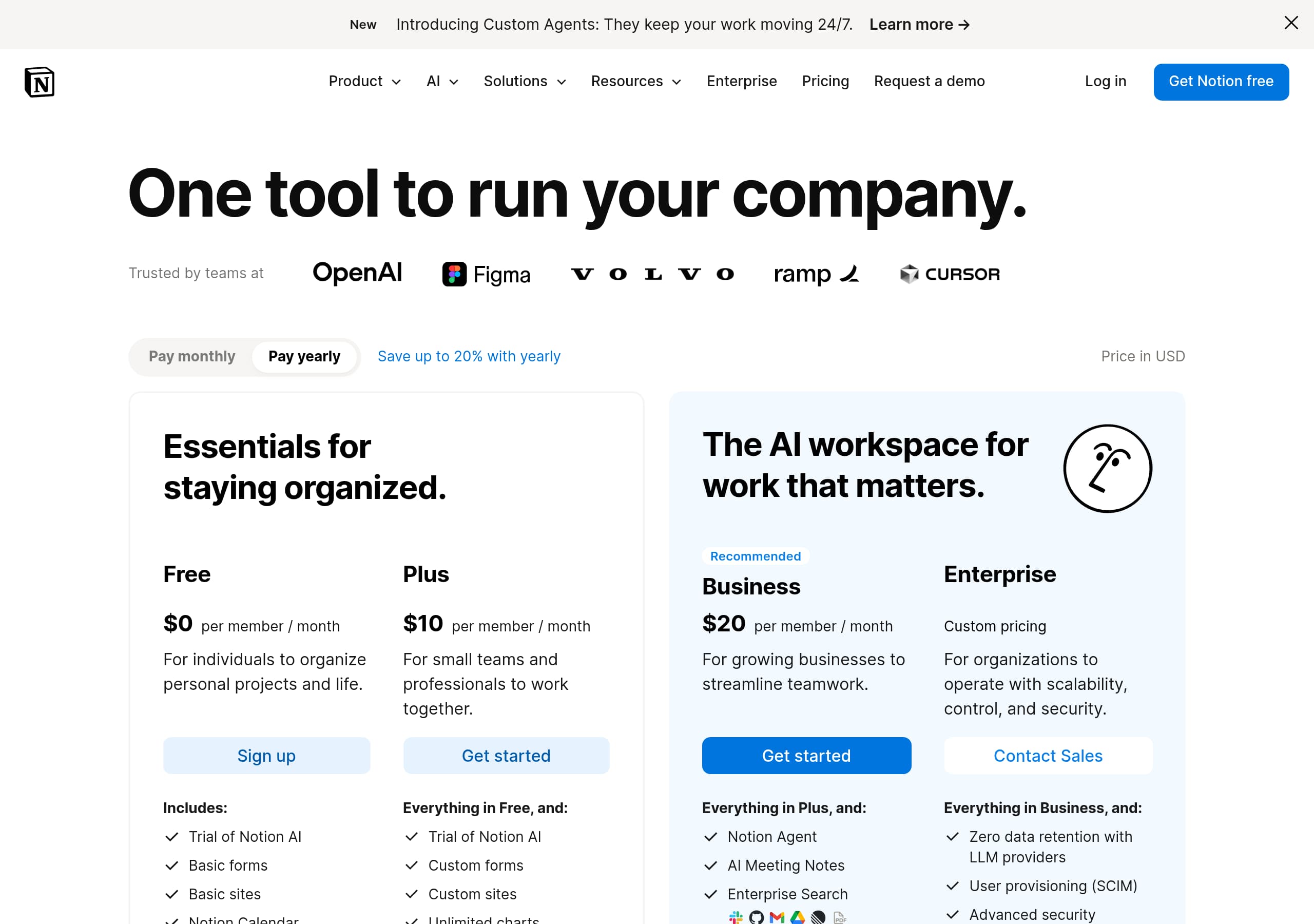
Notion’s pricing presentation is persuasive because it frames cost as “savings from consolidation,” not just a plan comparison. Instead of immediately forcing a tier decision, the page introduces “Your AI everything app. More productivity. Fewer tools.” and then invites visitors to “Calculate savings below,” which matches how buyers justify switching platforms.
The consolidation calculator (high-converting pattern)
The calculator lists common tool categories with explicit per-user prices (e.g., AI Search $35/user, AI Chatbot $20/user, AI Meeting Notes $18/user, Project Management Tool $24/user, Team Wiki $10/user, Calendar Scheduling $15/user). This does three things:
- Creates a believable “status quo cost” baseline.
- Reminds visitors how many separate tools they’re currently paying for.
- Positions Notion as the unified replacement without naming competitors directly.
A team size input and monthly/annual savings outputs make the pricing story interactive and CFO-friendly, even if the initial values show $0 until configured. This is an ROI narrative, not a discount narrative.
CTA placement and decision support
The module includes a direct path to evaluation: “See pricing plans →” plus “Get Notion free” elsewhere for self-serve. That reduces friction for two buying motions: individuals who want to try immediately and managers who need plan clarity.
What could be even clearer
Because the calculator is prominent, some users may still look for a traditional plan grid first. Notion mitigates this by offering a clear “See pricing plans” link, but the success of this approach depends on the downstream pricing page keeping tier differences, AI add-ons, and seat minimums straightforward. Net: the pricing story is optimized for platform switching and budget justification.
Features
Notion’s features section is effective because it packages a broad platform into a few memorable, named modules, each tied to a job-to-be-done. Instead of an overwhelming grid of tiny capabilities, the page highlights flagship features that map to how teams evaluate software: automate work, search knowledge, capture meetings, and manage projects.
Feature naming that reduces ambiguity
The site elevates specific productized features:
- Notion Agent (“You assign the tasks. Your Notion Agent does the work.”)
- Enterprise Search (“One search for everything.”)
- AI Meeting Notes (“Perfect notes, every time.”)
- Flexible workflows (“Manage any project, big or small.”)
This is stronger than generic “AI-powered docs” because it creates concrete evaluation anchors and helps internal champions describe the product to stakeholders.
Benefit bullets with operational detail
Within the Notion Agent module, the benefits include observable specifics: it “searches all your pages, messages, files, and the web,” and it’s “personalized” with controls over “how it behaves” and “how it looks.” Those details imply configuration, permissions, and UI customization—common enterprise requirements.
Use cases as feature-to-outcome translation
The “Pick a use case” list functions like a feature demo menu: “Go from brainstorm to roadmap,” “Turn meetings into social posts,” “Onboard a new hire,” “Revise a landing page,” and even lighter personal use cases like “Track favorite restaurants.” This breadth communicates versatility while still staying grounded in tasks.
Suite positioning
The site also cross-sells adjacent apps—Notion Calendar and Notion Mail—as downloads, reinforcing the “everything app” framing. Importantly, the features are arranged to support the consolidation pitch: capture knowledge (Docs/Knowledge Base), execute work (Projects), connect tools (Integrations), and automate/assist (Notion AI). Overall, the features section uses module-level packaging, task language, and suite continuity to keep a complex product easy to understand.
Signup
Notion’s signup conversion approach is optimized for speed and segmentation: it repeatedly offers a low-friction self-serve path (“Get Notion free”) while keeping an enterprise path (“Request a demo”) equally visible. This prevents the common failure mode where a product either pushes everyone into trial (and loses enterprise deals) or pushes everyone into sales (and loses bottoms-up adoption).
How the page drives signup
- Primary CTA: “Get Notion free” appears in the top nav and hero, reducing scroll dependence.
- Secondary CTA: “Request a demo” sits alongside, signaling that procurement-friendly evaluation exists.
- A “Play” element (video) supports users who want to understand before committing, which can reduce bounce for unfamiliar visitors.
Onboarding expectations implied by UI
While the excerpt doesn’t show the full signup form, the page strongly implies a 3-part entry into the ecosystem: Notion in browser plus optional app downloads (Mac/Windows, iOS/Android), and companion apps (Notion Calendar, Notion Mail). The download CTAs (“Download for Mac,” “Download”) appear near “Try for free,” which encourages immediate adoption rather than “I’ll do it later.”
Why it’s conversion-friendly
The narrative reduces perceived effort: “One workspace. Zero busywork.” and “What used to take days in minutes.” It also reduces perceived risk by pairing CTAs with heavy social proof (100M users, Fortune 100 adoption) and by making use cases clickable—helping users imagine their first workspace.
Potential friction to watch
Because Notion is a flexible platform, new users can feel “blank page” anxiety. The site partially counters this with Templates in the nav and specific use cases, but the conversion rate will depend on whether the signup flow immediately offers a template, role selection, or “import from” options. Net: the CTA strategy and app download prompts create a strong time-to-first-value posture.
Trust
Notion builds trust by combining enterprise-ready signals (security, status, legal) with recognizable third-party validation (G2 rankings) and large-scale adoption metrics. The trust strategy is distributed across the page rather than confined to a single “Security” section, which helps reassure buyers at multiple decision points.
Enterprise trust cues that are easy to verify
From the global navigation and footer, users can quickly find Security and Status pages—two links that materially reduce risk for IT and procurement reviewers. The presence of “Notion for Enterprise,” “Request a demo,” and “Security Safe and scalable” also signals that compliance and governance are part of the product story, not an afterthought.
Proof of reliability and maturity
The site references:
- Over 100M users worldwide (operational scale)
- 62% of Fortune 100 (enterprise trust)
- Repeated G2 #1 rankings in key categories (knowledge base, AI enterprise search, AI writing)
These elements act as indirect reliability signals: large enterprises adopting the tool implies vendor maturity, support processes, and uptime expectations—even when specific uptime numbers aren’t shown in the excerpt.
Product trust: “control” language
The Notion Agent section includes trust-oriented phrasing: “You control everything from how it behaves to how it looks.” That “control” framing is important for AI features, where buyers worry about permissions, hallucinations, and data access. The claim that the agent searches “your pages, messages, files, and the web” is also a cue that scope boundaries matter—users will look for admin controls and data policies.
What’s missing (and where to improve)
In the visible content, explicit compliance badges (e.g., SOC 2, ISO 27001) are not shown. If those exist on the Security page, surfacing 2–3 of them closer to the homepage would further strengthen AI trust and enterprise readiness. Still, Notion’s combination of security navigation, status transparency, and adoption proof is robust.
Footer
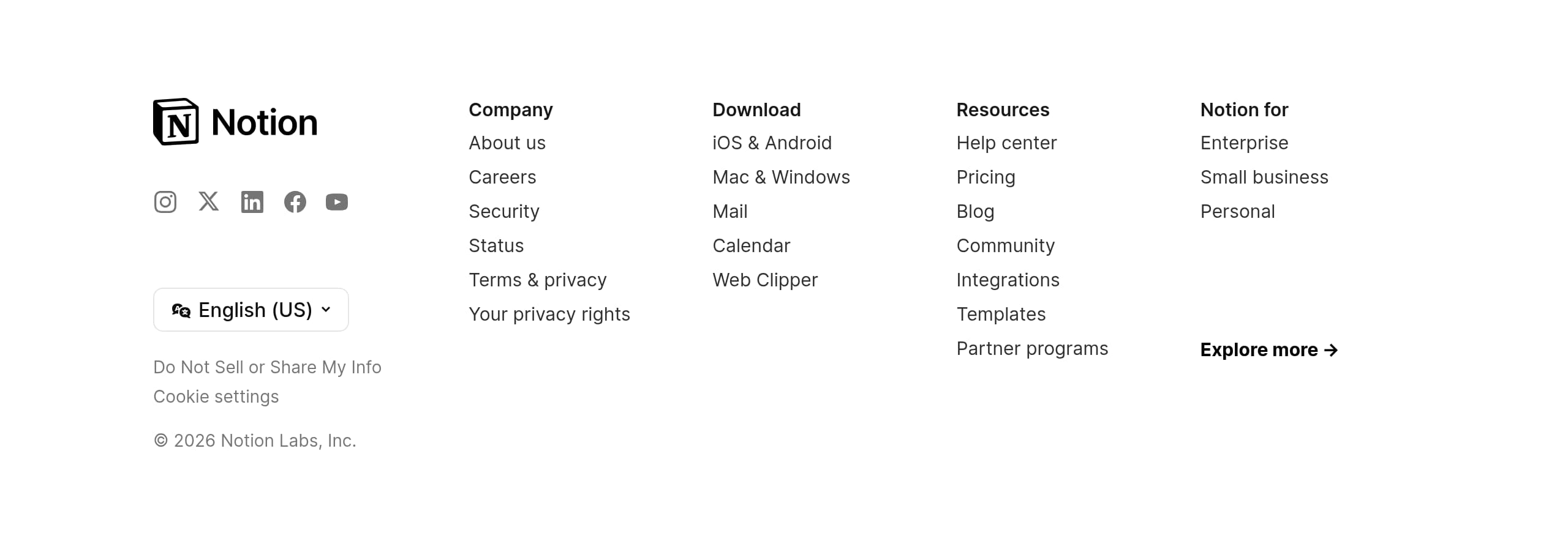
Notion’s footer is built like an enterprise SaaS sitemap: it prioritizes verification links (security, status, legal) and discovery links (templates, integrations, partners) without feeling cluttered. This is important for a product like Notion, where multiple stakeholders (end users, IT, procurement) may scroll to the bottom looking for proof and policy.
What the footer includes (observable elements)
- Company and governance links: About us, Careers, Terms & privacy, “Your privacy rights,” and copyright for Notion Labs, Inc.
- Trust and operations: Security and Status are both present, which is a strong signal for risk review.
- Platform downloads: iOS & Android, Mac & Windows, plus product-specific links for Mail, Calendar, and Web Clipper.
- Expansion paths: Integrations, Templates, Partner programs, Notion for Enterprise, Small business, Personal.
Why this helps conversion (not just navigation)
Footers often serve as a “second chance” conversion surface. Here, Notion uses it to support:
- Self-serve adoption (download links + web clipper)
- Evaluation content (Pricing, Blog, Community, Help Center)
- Enterprise due diligence (Security, Status, Terms)
Information architecture notes
The footer mirrors the top nav’s segmentation: product resources, customer education, and compliance. The language is consistent with the homepage (“AI workspace,” suite apps), and the presence of both “Pricing” and “Help center” reduces friction for visitors who need immediate answers before signing up.
One small optimization: if the primary CTA (“Get Notion free”) isn’t present in the footer, adding a final Get started button could capture high-intent scrollers. Overall, this footer is a strong blend of trust, support, and ecosystem discovery.
Detected tech stack
Tools and technologies we detected on Notion's site. Detection is best-effort and may be incomplete.
Frontend
Scores
Our framework scores for Notion's website in terms of clarity, conversion, and trust. See our methodology for how we calculate these.
How clear the value prop and structure are.
How conversion-friendly signup and pricing are.
How well trust and compliance are surfaced.
FAQ
Notion leads with a clear outcome (“One workspace. Zero busywork.”) and immediately clarifies how it delivers that outcome: teams and AI agents capture knowledge, find answers, and automate projects. The page then reinforces the message with a named feature narrative (Notion Agent) and short, specific support bullets like searching pages, messages, files, and the web. Dual CTAs keep both self-serve and enterprise paths visible.
Notion frames pricing as tool consolidation ROI. A savings calculator lists per-user costs for common categories (e.g., AI Search $35/user, Project Management Tool $24/user, Team Wiki $10/user) and lets visitors adjust team size to see monthly and annual savings. A “See pricing plans” link supports users who want traditional tiers, while “Get Notion free” remains available for immediate self-serve signup.
Notion uses a mix of scale metrics, enterprise adoption, and third-party rankings. The homepage cites “Over 100M users worldwide,” “62% of Fortune 100,” “Over 50% of YC companies,” and “1.4M+ community members.” It also references G2 leadership (#1 knowledge base for 3 years, #1 AI enterprise search, #1 rated AI writing). Short testimonials, including a Ramp quote about AI agents, reinforce the narrative.
Notion uses a dual-path conversion model: “Get Notion free” for self-serve adoption and “Request a demo” for enterprise evaluation. This avoids forcing all visitors into either trial or sales. The page also encourages fast activation with app download CTAs (Mac/Windows, iOS/Android) and adjacent product downloads (Notion Calendar, Notion Mail), supporting quicker time-to-first-value after signup.
Notion includes prominent access to verification pages and governance links. “Security” appears in the product navigation, and the footer includes Security, Status, Terms & privacy, and “Your privacy rights.” These are common checkpoints for IT and procurement. Trust is further reinforced with adoption stats (100M users, Fortune 100 penetration) and G2 category rankings, which give evaluators third-party points of reference.

The world's best-performing SaaS businesses share surprisingly similar patterns. We help you learn and apply them through our human-designed methodology, with AI-assisted research.