

Key takeaways
Here are the key insights from our website breakdown analysis of Guru.
Guru’s homepage makes the product immediately understandable with a single-sentence value proposition, “Your AI Source of Truth,” then clarifies the workflow in three verbs: “Ask, chat, and research,” followed by “automate the upkeep.”
Conversion is driven by a consistent dual-CTA pattern, “Talk to sales” and “Watch an overview,” which fits an enterprise audience but leaves less room for a self-serve trial path above the fold.
Trust is treated as a first-class message, with a dense security strip in the hero area listing SOC 2, GDPR, SSO, encryption, zero data retention, and data masking (DLP), plus a “Learn more” link for validation.
Social proof is stacked in multiple formats, including “Trusted by thousands of teams,” recognizable customer stories, and a ratings row showing several scores like 4.7/5 and 4.8/5 alongside “>3,000 reviews.”
The site differentiates Guru by emphasizing governance and verification, using language like “verified company knowledge,” “always cited,” and “permission-aware governance for every AI answer,” which maps to common enterprise AI concerns.
Feature discovery is structured around outcomes and solutions, with clear groupings such as Workplace AI Chat & Research, Knowledge Management Automation, Enterprise AI Search, and an AI Knowledge Agents concept with examples like HR Buddy and Regulatory Advisor.
Home
Guru’s homepage wins by compressing the entire promise into one tight narrative: AI Source of Truth for knowledge work, answers grounded in verified company knowledge, then automate the upkeep so knowledge stays current.
What the hero communicates (with minimal ambiguity)
The hero line and subhead do three things in order:
- Defines the category: “AI Platform for Knowledge Work.”
- Names the positioning: “Your AI Source of Truth.”
- Explains the interaction model: “Ask, chat, and research,” then “Always cited. Always secure.”
This is unusually concrete for an AI positioning because it pairs “AI answers” with “cited” and “verified,” which preempts the common concern that workplace AI produces plausible but untrustworthy outputs.
Conversion layout and above-the-fold decisions
The hero uses a dual CTA pattern: “Talk to sales” and “Watch an overview.” That pairing signals an enterprise sales motion and reduces pressure for an immediate commitment. The page reinforces that enterprise stance with navigation depth (Product, How it works, All features, Integrations, Solutions, Teams, Industry) and a “Knowledge Agents” announcement banner that keeps the site feeling actively maintained.
Information architecture that supports many personas
Rather than forcing one generic flow, the top nav splits by “Solutions,” “Teams,” and “Industry,” which makes it easy for HR, IT, Support, Sales, and other groups to self-select. The homepage also previews core solution tiles like Workplace AI Chat & Research, Knowledge Management Automation, and Enterprise AI Search, creating a clear mental model before users ever hit deeper pages. The repeated security strip and “Learn more” link keep governed answers as a persistent theme instead of a buried compliance page.
Pricing

Guru’s pricing experience, as shown in the screenshot, appears designed for careful evaluation rather than an impulse purchase, which matches the site’s heavy emphasis on governance, verification, and enterprise readiness. The key takeaway is that pricing is likely presented as a plan comparison with feature framing, not as a single self-serve checkout, and the page is built to move buyers toward Talk to sales when requirements become complex.
What the pricing page is optimized to do
Based on the site-wide CTAs and navigation (“New Pricing” appears in the live header excerpt), Guru positions pricing as part of a broader enterprise procurement path:
- Encourages plan discovery using feature-based differentiation (typical for knowledge management and enterprise AI tools).
- Reinforces risk reduction by aligning plans to governance needs, for example permission-aware answers and secure deployment expectations.
- Keeps a clear escalation path to sales for larger rollouts, procurement, security review, and SSO requirements.
Conversion mechanics that likely matter most here
Guru repeatedly uses “Watch an overview” alongside “Talk to sales,” so pricing is not the only conversion moment. For enterprise buyers, a pricing page should also answer, quickly:
- What is metered (seats, usage, agents, or add-ons).
- Which plans include SSO, admin controls, and compliance features.
- Whether AI capabilities like Knowledge Agents are included or packaged separately.
Where pricing could reduce friction further
If the page leans too hard on a sales-led motion, it can leave smaller teams unsure whether Guru is accessible without a demo. Adding a lightweight self-serve option, even if limited, plus a short “how billing works” section can improve clarity without diluting enterprise positioning. Given Guru’s promise of always cited answers and ongoing verification, pricing is also a good place to describe what ongoing automation covers and what requires admin setup.
Features
Guru’s feature presentation is strongest when it frames capabilities as outcomes and governance building blocks, not a long checklist. The key takeaway is that the site groups features into clear pillars, then introduces AI Knowledge Agents as a distinct concept, which helps Guru stand out from generic “AI search” messaging.
Feature pillars that map to real jobs-to-be-done
On the homepage excerpt, Guru highlights four primary areas:
- Workplace AI Chat & Research: “AI insights grounded in your knowledge.”
- Knowledge Management Automation: keeping knowledge accurate automatically.
- Enterprise AI Search: “Verified answers across all systems.”
- AI Knowledge Agents: “Build your own AI Knowledge Agents.”
This structure is effective because it matches how buyers evaluate the category: chat experience, content quality and lifecycle, search across tools, and agent-based workflows.
Differentiation through governance and verification
Several feature phrases are intentionally risk-focused: “Always cited,” “verified company knowledge,” and “Permission-aware governance for every AI answer.” Those are not generic AI benefits; they imply underlying mechanisms such as permission checks, source attribution, and verification states.
The “Connect all knowledge” sequence is also concrete and sequential: “Unify docs, chats, and apps,” then “Continuously improve trust,” then “Access everywhere work happens.” That reads like a product architecture, not marketing fluff.
Agent examples make the concept tangible
Guru lists agent templates like HR Buddy, Regulatory Advisor, Sales Optimizer, Product Expert, and Support Superhero. Naming these roles helps prospects imagine deployment inside specific teams, and it aligns with the site’s “Teams” navigation (HR, Operations and IT, Customer Support, Sales, Marketing, L&D).
What would improve feature comprehension further
Because the homepage is feature-dense, the most useful next step is a consistent “See how it works” pathway that shows a 3 to 5 step flow: connect sources, verify, ask in workflow, cite sources, automate upkeep. Guru already hints at this, but a single annotated workflow diagram could reduce cognitive load while reinforcing Agentic Knowledge Base and AI Agent Center positioning.
Signup
Guru’s site experience suggests a sales-led signup motion, with repeated CTAs like “Talk to sales” and a lower-friction alternative, “Watch an overview.” The key takeaway is that Guru optimizes onboarding for enterprise evaluation, where security review, integrations, and governance often precede hands-on product usage.
What the CTAs imply about the funnel
Across the homepage and header, the dominant actions are:
- Talk to sales: the primary path for teams that need plan guidance, procurement support, or security validation.
- “Watch an overview”: a secondary path that keeps prospects engaged without requiring form completion.
- “Log in”: indicates existing customers can re-enter quickly, a small but important retention UX detail.
This pattern typically reduces unqualified signups but can increase time-to-value for smaller teams that want to test immediately.
How Guru reduces perceived onboarding risk
Guru front-loads governance language such as “permission-aware” and “verified,” which signals that onboarding is not “connect everything and hope for the best.” It also emphasizes integrations (“Connect your existing workflows & tools”), which sets the expectation that implementation happens in the tools where work already occurs.
What a strong Guru onboarding flow should contain (and why)
Given the promise of cited answers and automated upkeep, the ideal first-run experience is:
- Connect core sources (docs, chats, apps) via integrations.
- Define who can see what, aligning to permission-aware governance.
- Create or activate an initial Knowledge Agent for a single team use case.
- Validate citations and verification states before scaling.
The main improvement opportunity
If the current path is primarily sales-driven, Guru could add a clearly labeled “Start with a sandbox” or “Try with Slack” option for smaller orgs, while still routing enterprise buyers to sales. That would preserve enterprise intent and expand top-of-funnel conversion. As-is, the site is coherent for a governed AI buyer, but less optimized for instant self-serve activation.
Trust
Guru makes trust unusually visible by placing security and data handling claims directly in the hero area, not buried behind a compliance link. The key takeaway is that Guru’s trust messaging is both specific and repeated, which is exactly what enterprise AI buyers look for when evaluating knowledge tools that touch sensitive internal information.
Trust signals that are explicit and scannable
The homepage includes a compact security strip listing: SOC 2, GDPR, SSO, Encryption, Zero data retention, and Data Masking (DLP), followed by “Learn more.” This is strong because it answers the first security questions in fewer than two lines, while still offering a route for deeper documentation.
The language “Always cited. Always secure.” also functions as a trust slogan, but it is backed by concrete items, so it does not feel like empty reassurance.
Governance framing ties trust to product behavior
Beyond compliance badges, Guru repeatedly references mechanisms:
- “verified company knowledge” as the grounding layer.
- “Permission-aware governance for every AI answer,” which implies access control inheritance.
- Verification automation, including “Knowledge Agents can now verify and unverify info for you,” which is an operational trust feature, not a legal claim.
This matters because trust in AI is not only about encryption at rest; it is also about preventing outdated or unauthorized content from being surfaced as an answer.
What could further strengthen the trust section
Guru already mentions audit logs in a testimonial quote, but the trust story would be even stronger if the site consolidated governance details in a dedicated “Security” hub linked near the hero strip, including:
- Data retention and training policies tied to zero data retention.
- How citations are generated and displayed in chat and search.
- Admin controls and SSO setup expectations.
Overall, Guru’s trust presentation is above average because it blends compliance signals with permission-aware AI behavior, which is the core enterprise differentiator in this category.
Footer
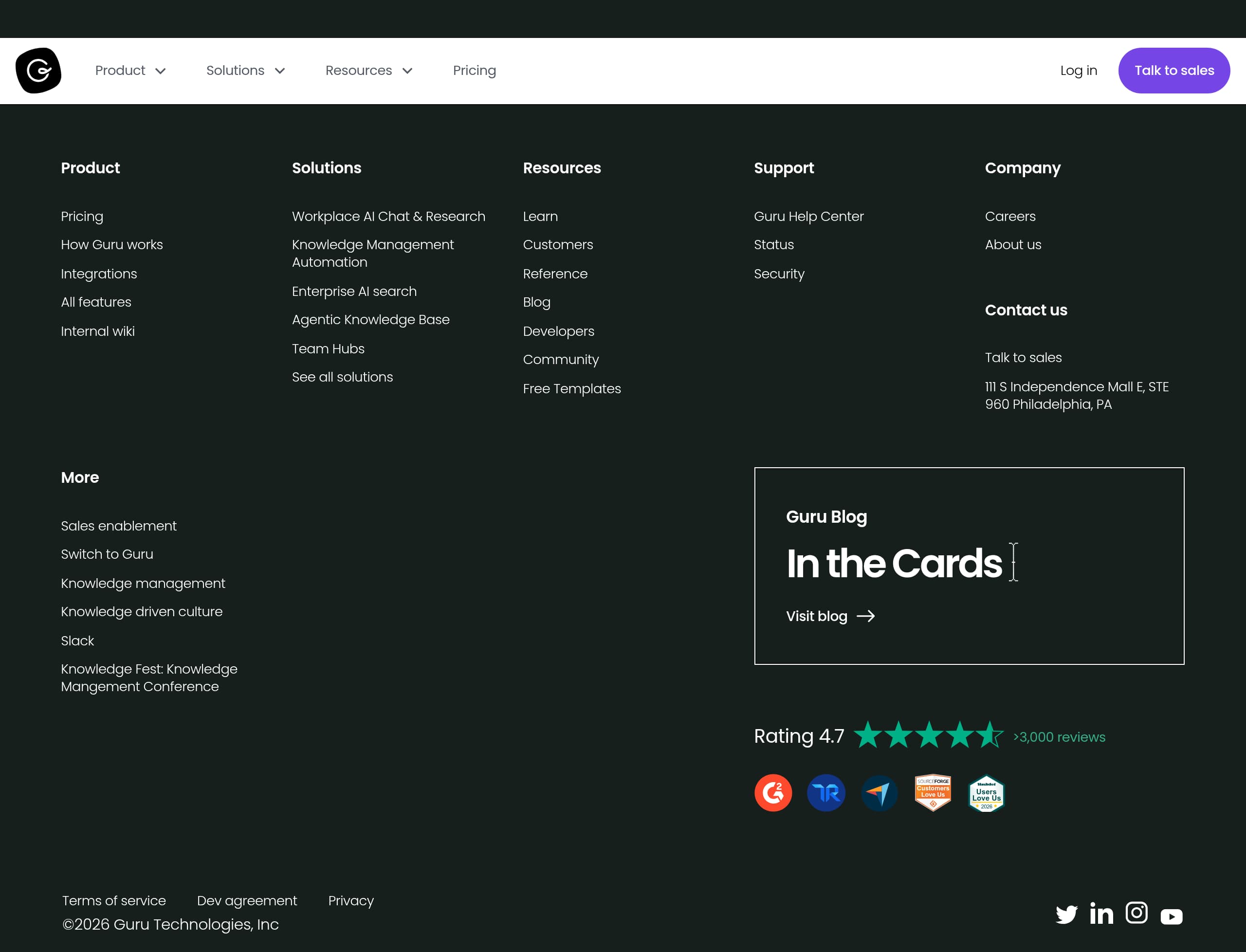
Guru’s footer is built for enterprise evaluation and ongoing customer self-service, not just legal housekeeping. The key takeaway is that the footer is dense, well-structured, and includes the exact links procurement and admins look for, while also reinforcing credibility with address details and support destinations.
Navigation depth that supports multiple journeys
The footer groups links into clear clusters:
- Product exploration: Product, Pricing, How Guru works, Integrations, All features.
- Use-case pathways: Workplace AI Chat & Research, Knowledge Management Automation, Enterprise AI search, Agentic Knowledge Base, Team Hubs.
- Resources: Learn, Customers, Reference, Blog, Developers, Community, Free Templates.
This is a strong pattern for SEO and for buyers who land deep on a single page, then need to re-orient quickly.
Trust and operational links are easy to find
The footer includes Status, Security, Terms of service, Dev agreement, and Privacy. For a platform positioned as “Always secure,” having “Security” as a first-class footer link is important, and “Status” adds operational credibility for teams that rely on the product daily.
Company legitimacy and sales readiness
Guru lists a physical address (Philadelphia, PA) and corporate naming (“Guru Technologies, Inc.”), which helps with vendor due diligence. It also keeps “Talk to sales” present in the broader site chrome, ensuring enterprise buyers can escalate from any page.
Minor UX improvements
Two small enhancements would make the footer even more conversion-friendly:
- Add a short “Contact” cluster that repeats the most important evaluation links: Security, Status, Support, Talk to sales.
- If available, add direct links to review profiles that match the ratings shown (the site already references >3,000 reviews and a 4.7 rating).
As implemented, the footer works well as a site map, a compliance gateway, and a reinforcement of Guru’s positioning as a governed, enterprise-ready AI knowledge platform.
Detected tech stack
Tools and technologies we detected on Guru's site. Detection is best-effort and may be incomplete.
Scores
Our framework scores for Guru's website in terms of clarity, conversion, and trust. See our methodology for how we calculate these.
How clear the value prop and structure are.
How conversion-friendly signup and pricing are.
How well trust and compliance are surfaced.
FAQ
Guru leads with a precise positioning line, “Your AI Source of Truth,” then explains the interaction model in three verbs: “Ask, chat, and research,” followed by “automate the upkeep.” It reinforces reliability with “verified company knowledge” and “Always cited,” which makes the AI promise feel grounded. The primary CTAs, “Talk to sales” and “Watch an overview,” also clearly signal an enterprise evaluation flow.
Guru highlights “New Pricing” in site navigation and, based on the pricing page layout, appears to use a plan comparison approach rather than a pure self-serve checkout. The broader site consistently routes high-intent buyers to “Talk to sales,” which fits enterprise procurement and security review. For evaluation, buyers can also choose “Watch an overview,” indicating pricing is part of a guided decision, not the only conversion point.
Guru stacks multiple proof types: customer story links (for example SeatGeek, Shopify, Lemonade, and TravelPerk), a review ratings row with scores like 4.7/5 and 4.8/5, and a footer reference to “>3,000 reviews.” It also includes testimonial quotes labeled by department and company size ranges, which increases credibility by showing who the feedback came from and what contexts Guru fits best.
Guru places security and privacy claims directly in the hero area, listing SOC 2, GDPR, SSO, encryption, zero data retention, and data masking (DLP), plus a “Learn more” link. It also ties trust to product behavior with phrases like “Always cited” and “permission-aware governance for every AI answer.” This combination addresses both compliance requirements and AI-answer reliability concerns.
Guru’s primary conversion path is sales-led, with “Talk to sales” repeated prominently and “Log in” available for existing users. A secondary CTA, “Watch an overview,” supports evaluation without immediate signup friction. The site emphasizes integrations and permission-aware governance, suggesting onboarding is designed around connecting knowledge sources, preserving permissions, and using verified content, which aligns with enterprise deployment and change management needs.

The world's best-performing SaaS businesses share surprisingly similar patterns. We help you learn and apply them through our human-designed methodology, with AI-assisted research.